






Introducing PIP v2 in @AsideAI
— Dora Lee (@dora_lee_1344) October 5, 2026
Aside Auto PIP now uses a native macOS Picture-in-Picture window.
I built a bridge between Chromium's VideoFrame buffers and AVFoundation to make it happen
will be ship in next version pic.twitter.com/b4WmD3pOe0
The Aside browser’s next update on macOS is set to turn picture-in-picture (PiP mode) into a real system window. In simpler terms, it won’t work like a regular browser overlay. Instead, it’ll act like a separate window entirely.
Dora Lee, the co-founder and CTO of the Aside company, posted a demo of the feature in action on X. We have attached the video below for your reference.
In the clip, a YouTube video keeps playing in a small floating window while the user leaves the tab, opens Aside’s docs, and moves to Settings. The media player can be dragged around the desktop, and it shows the usual macOS Play/Pause/Close controls. This change is presumably in a Canary or testing build of the Aside AI browser at the moment.
At the time of writing, it hasn’t shipped to the stable version, and the original post mentions that it will be available in the next upcoming version.
The current version of PiP on the Aside browser is already completely functional. It can easily be resized; you can drag it anywhere you want, and it stays open even if you minimize the browser. However, there’s one clear difference to the upcoming version.
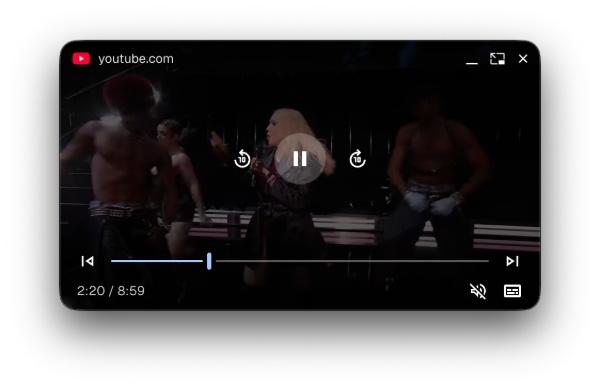
The updated version will use the native media control buttons that belong to macOS. The stable version uses a different set of buttons to control the PiP window. The new version even has Apple’s transparent Liquid Glass aesthetic for the buttons.
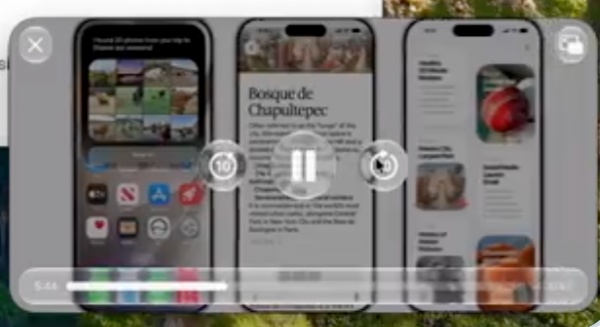
For Chromium browsers, the PiP window still belongs to the browser, but Aside has figured out a way to use the native macOS window. It’ll behave exactly like a system player, so it won’t have as many bugs or inconsistencies within the operating system.
The post only mentions macOS. There’s no mention of PiP improvements on Windows at the moment, though a Windows version of Aside was recently released with nearly total feature parity with macOS. We covered that here.
The Aside browser is focused on speed. It recently got much lighter on paper (more on that here). It also has features such as a built-in ad blocker.

We stand out from the tech-media crowd because we break news stories; we mainly bring you stuff that you won’t find anywhere in the mainstream tech media. Our stories have been picked up by some of the world’s most popular websites and media outlets—more info is available here.

Sudhanshu K
312 Posts
I have been a consumer technology enthusiast for over 5 years. Thanks to my experience in software beta testing and product reviews, I've understood and learnt a lot about what bugs and issues bother people, and I spend time trying to simplify their solutions. I cover smartphones, software, social media, apps, AI, and most consumer tech gadgets. Actively pursuing a Computer Science bachelor’s degree. I'm mostly active on Twitter/X (@TechWhirlUlt), drop a DM or tag me if you want to share info or connect!