






After months of testing and collecting feedback, Firefox went public with the Nova UI redesign, despite the mixed reception. It brings rounded corners, more padding, and makes the UI thematically more consistent with the modern design language.
I personally ended up liking the overall design shift. However, many Firefox users subjectively consider it a step down from the older design. If you fall on this side and you dislike the Nova UI, then LibreWolf currently offers a solution. For those unaware, it’s a custom, independent web browser that uses the source code of Mozilla Firefox.
It’s focused on security/privacy, offering no telemetry by default, a pre-installed Ad Blocker (uBlock Origin), no DRM, and also no AI.
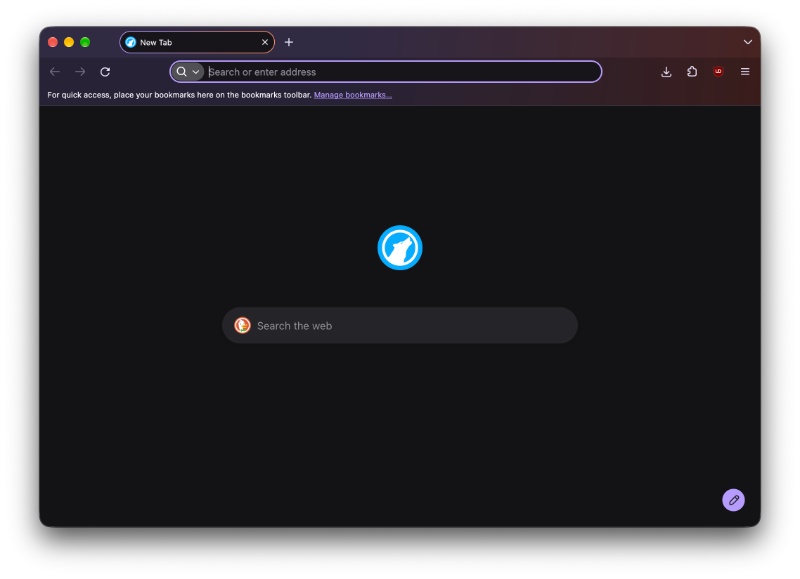
By default, Librewolf still has the Nova design enabled. As you can see in the image attached below, the rounded corners and the “glowing” effect are all present.
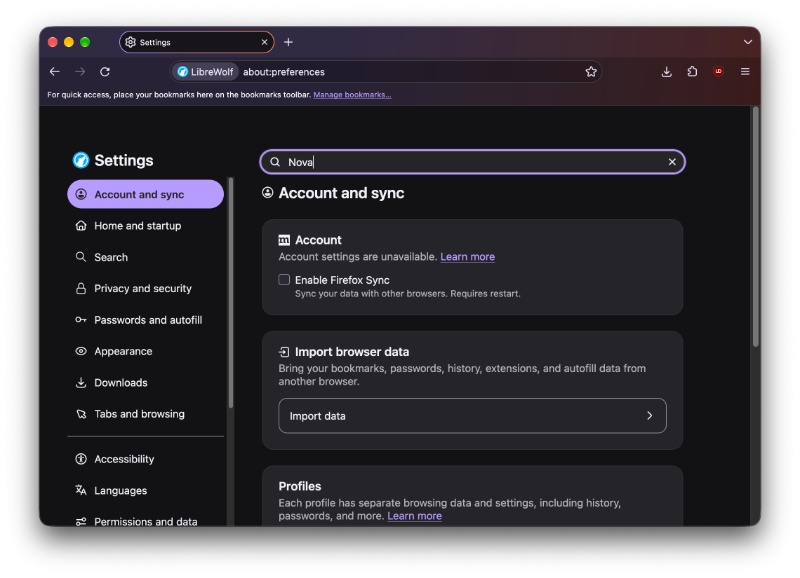
To disable it, I tried searching for “Nova” or “Preferences” in the Search bar of the Settings page. However, I found that the search bar simply refuses to work. This is a bug I’ve encountered on the latest LibreWolf build, since searching for any term refuses to return any results whatsoever. For more context, I’m using the latest version of LibreWolf on macOS (installed directly from the terminal).
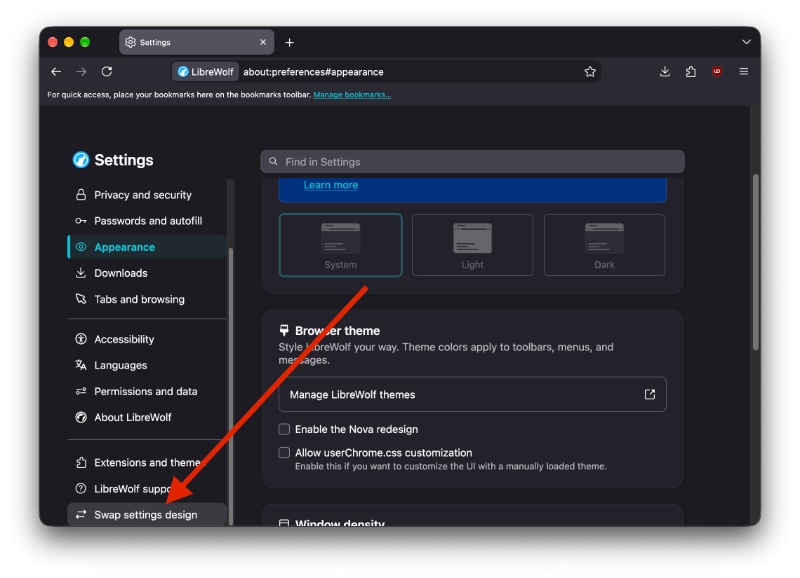
Either way, I had to find the option manually. If you use the default Settings page design, it’s available under the “Appearance” section. Select the Appearance button, and scroll down until you find a toggle that says “Enable the Nova redesign.”
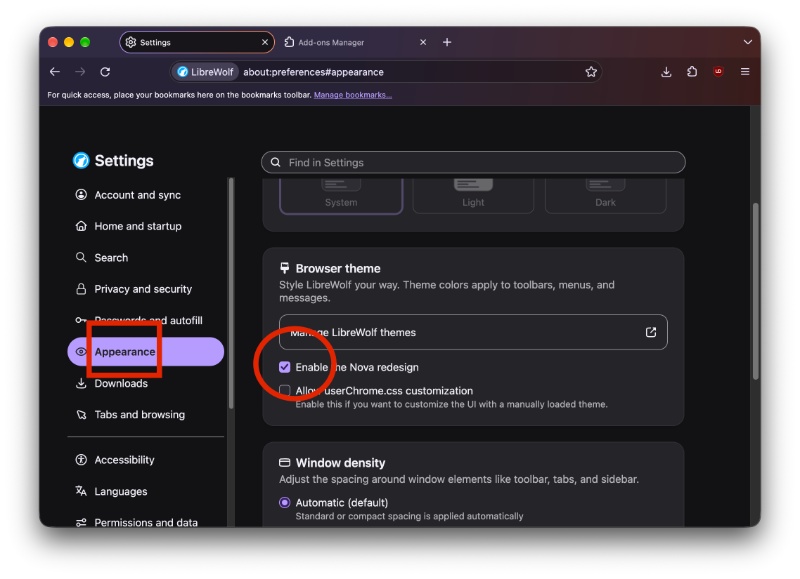
Turn it off, and it’ll go back to the pre-Nova design. The corners are less rounded. The scaling is different; the “glow” effect is gone, and the padding changes are also reversed. It just takes one click of a button to disable Nova, and you don’t even have to restart the browser to apply the changes.
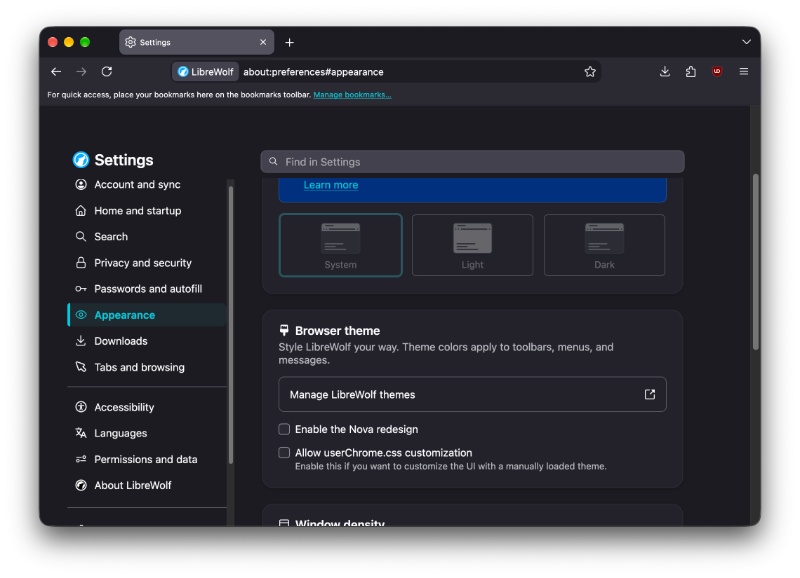
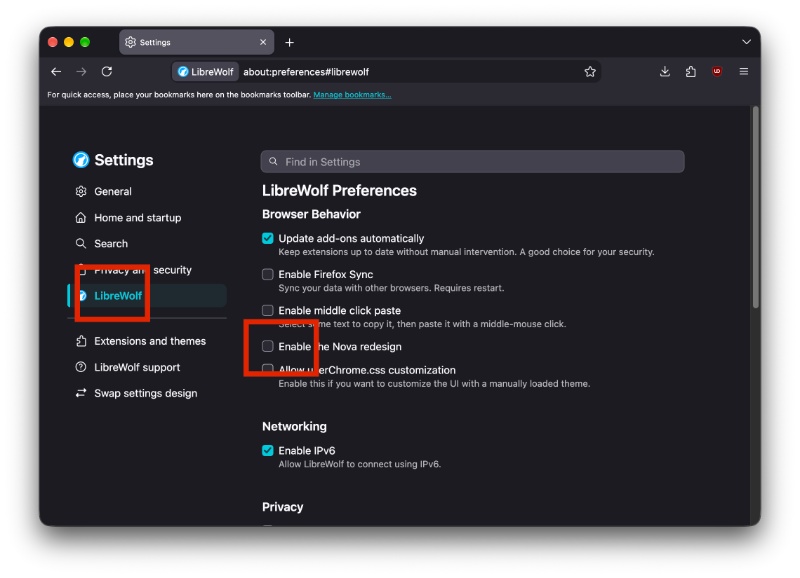
If you scroll down and select “Swap settings design,” the Nova toggle is under the “LibreWolf” category in the left pane.
Provided you dislike Nova, you have a lot of options for now. Firefox recently confirmed that the design is here to stay, but you still have an option to directly disable it within the browser via about:config. For a more detailed explanation, you can read our tutorial here.
Another browser project, Floorp, also carries Firefox v157 under the hood, but skips the Nova redesign entirely.
For now, you can either use these Firefox “spinoff” projects or disable it in the browser itself. However, it’s unclear how long these rollbacks will last. It depends entirely on how long Mozilla continues to keep the preference (flag) in about:config. If the company decides to pull the plug on the flag, the option will permanently disappear, at least on the official version of Firefox. Whether the independent projects that run Gecko/Firefox underneath would be able to continue supporting it — we’ll need to wait and find out.
If you want to try out LibreWolf, you can grab it directly from the installation link here.


Sudhanshu K
307 Posts
I have been a consumer technology enthusiast for over 5 years. Thanks to my experience in software beta testing and product reviews, I've understood and learnt a lot about what bugs and issues bother people, and I spend time trying to simplify their solutions. I cover smartphones, software, social media, apps, AI, and most consumer tech gadgets. Actively pursuing a Computer Science bachelor’s degree. I'm mostly active on Twitter/X (@TechWhirlUlt), drop a DM or tag me if you want to share info or connect!