





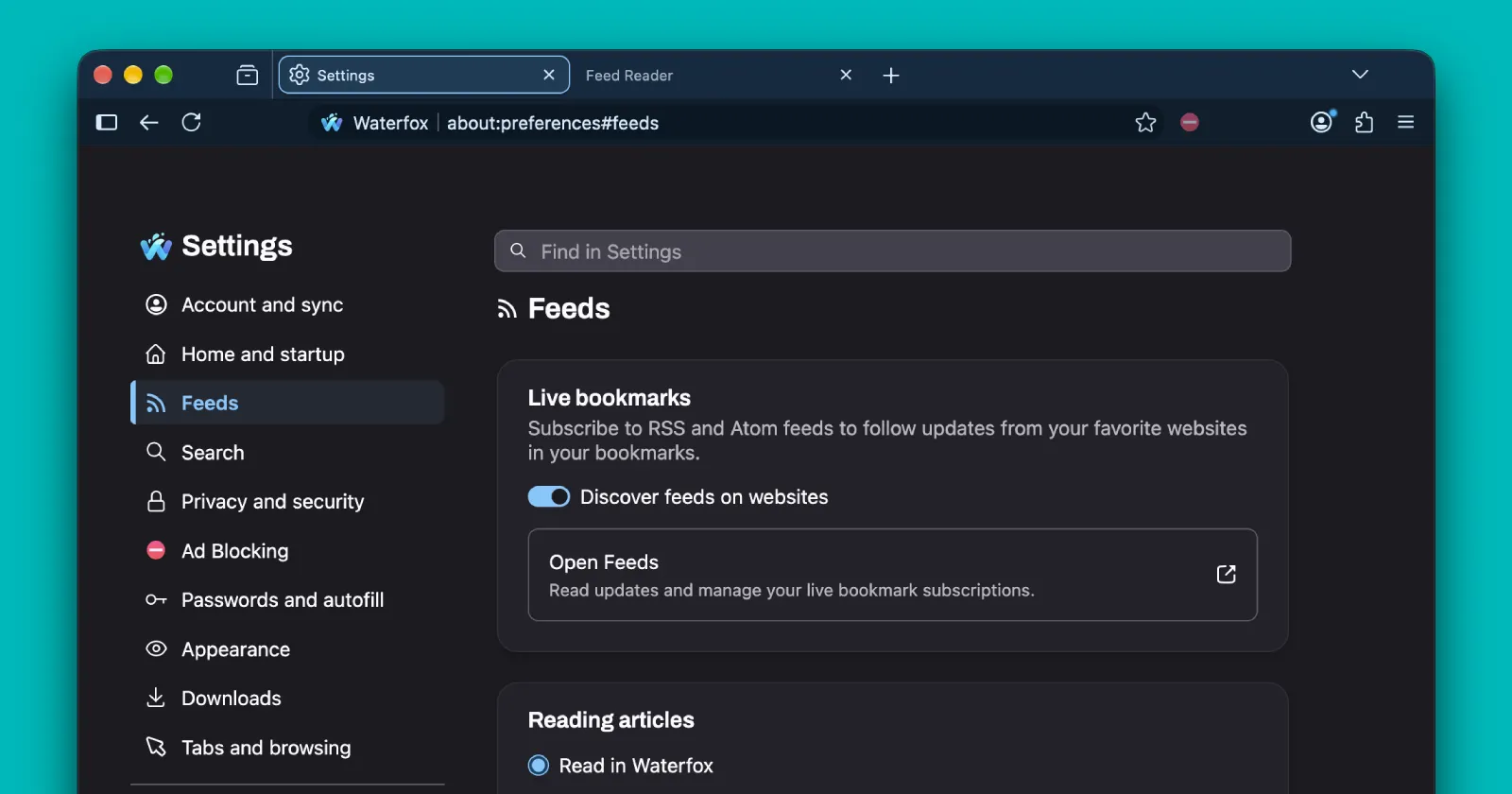
Waterfox has been active recently, often releasing updates to improve performance and add features power users want. Even after the big Supernova update, the developer is still making small changes to improve the overall experience.
The latest update, live as version 6.7.5, mainly adds much-needed RSS feed support and now includes a built-in manager and visual reader.
This is an interesting move since most browsers have dropped older technology for newer standards, but Waterfox has updated its Live Bookmark system to work as an RSS feed manager.
The browser now offers a central spot for all your feeds, giving you a live view of the latest content from your subscriptions.
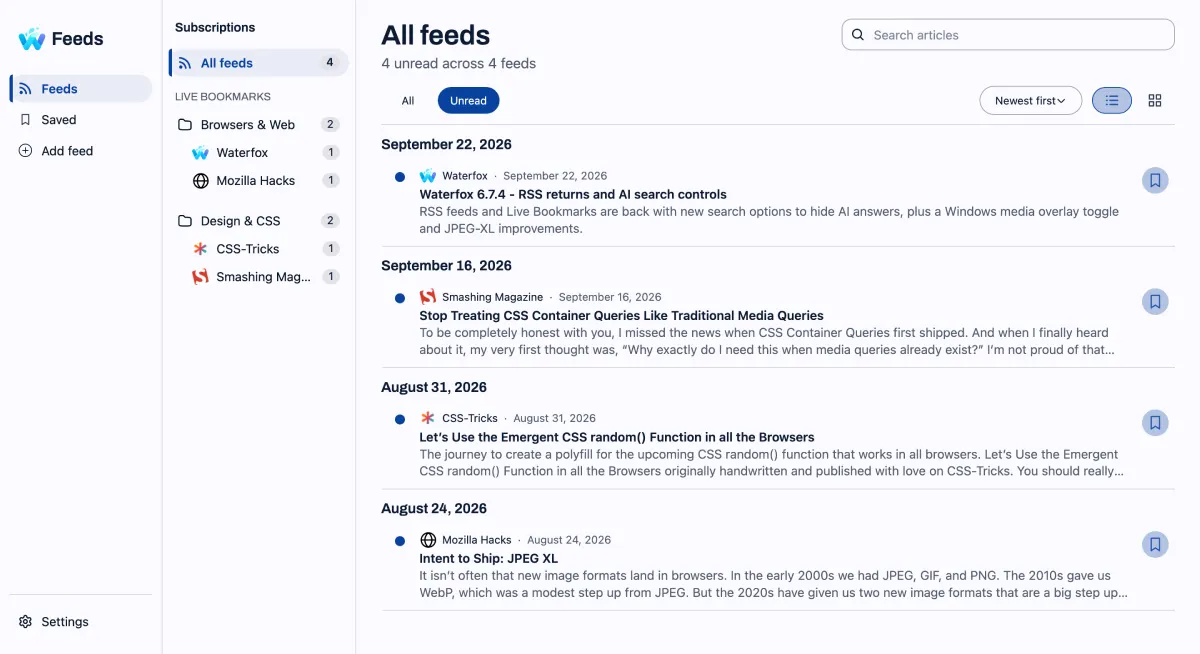
According to the changelog, the feed manager lets you “discover content from your Live Bookmarks without switching between folders or bookmarks.”
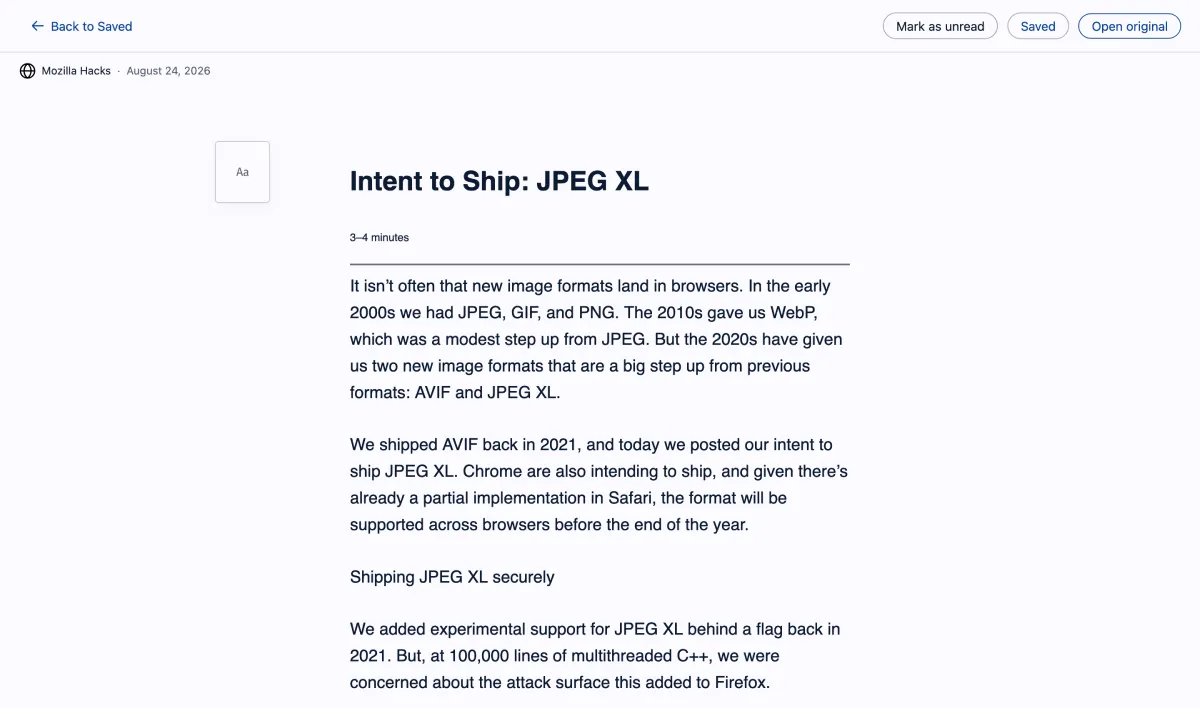
It unifies all posts from your Live Bookmarks so that you can quickly view, filter, and search through your content. Recent headlines will be available for searching and filtering, and you can flag stories as read or unread. Users can view feeds in a list or grid layout. By clicking any story, you can instantly read it in a visual reader adapted from the default Reader View. The visual reader also lets users save the story so they can revisit the content at any time.
These new features are part of the developers’ ongoing efforts to improve Waterfox, coming soon after version 6.7.3 was released.
With every other platform steering your feed based on algorithms, I think this classic feature is a welcome addition to the browser. It gives you control over what you read and how you read it.
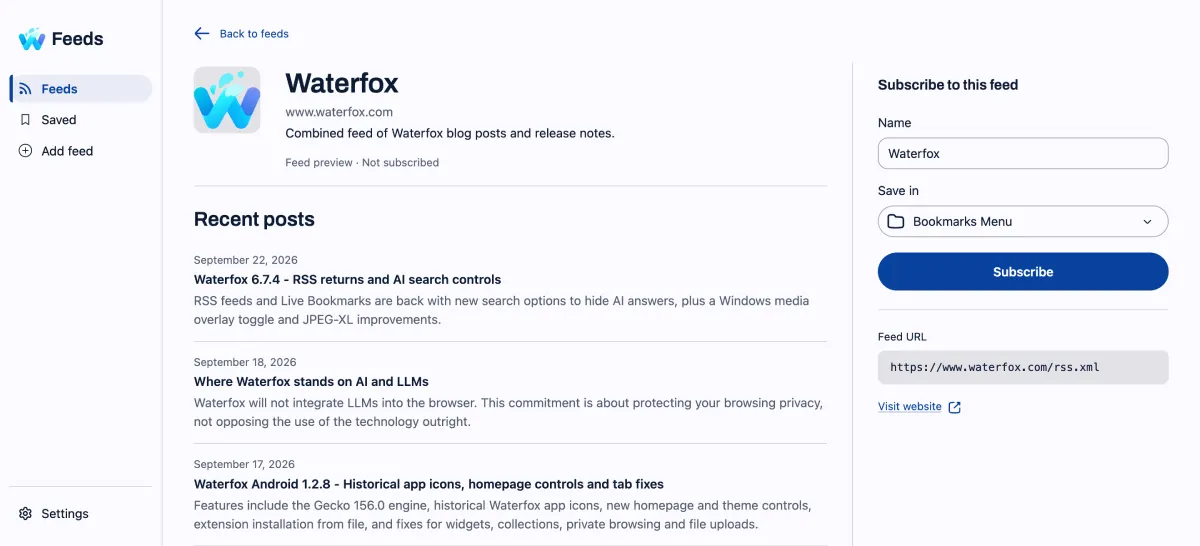
The update to the feeds system is equally compelling because it’s now much easier to subscribe to the desired RSS feeds. In previous versions, users had few options when clicking an RSS link because a messy XML document appeared instead of readable content.
Now, the browser shows a preview of the latest headlines, along with a confirmation message and a subscribe button.
Overall, this update matches recent changes to Waterfox that focus on improving the user experience. After the controversial summer update, most customization and UI options were restored because users asked for them.
So it’s clear the browser’s sole developer cares about the user experience.
Users can choose to open stories in reader view by default, turn on auto-play for media, find new feeds, and block images from loading. There’s also an option to import or export OPML files.
In addition, the latest update includes various security and performance improvements on top of the much-needed changes and tweaks to the RSS feed discovery, which now prevent erroneous entries in the address bar.
You can get the 6.7.5 update through the About window in Waterfox or by downloading it from the official website.


Dwayne Cubbins
3069 Posts
I cover fast-moving stories across apps, online platforms, and everyday tech — phones, wearables, consoles, and whatever else people are fighting with this week. Bugs, rollouts, scams, policy enforcement, and the occasional internet-culture rabbit hole are all fair game. My goal is simple — make confusing tech news readable. When I'm not working, I'm working out or chilling with my dog. Got a tip? You can find me on X @dcubbins.