
Waterfox is picking up a massive update with version 6.7.0, which is dubbed “Supernova.” This release is going to feel like a breath of fresh air for anyone who prioritizes privacy but also wants a modern web browsing experience with plenty of customization options.
Moreover, at a time when every popular browser maker is shoving AI into every single corner, the team behind Waterfox spent their time upgrading the browser engine to Gecko ESR 153, cleaning up the user interface, and rebuilding core features directly into the core code to make things run faster.
Now if you’re wondering why the “Supernova” name sounds so familiar, it’s because Firefox itself has been working on a completely new design called “Nova.” The most prominent change, especially when you’re using horizontal tabs, is the redesigned tab strip.
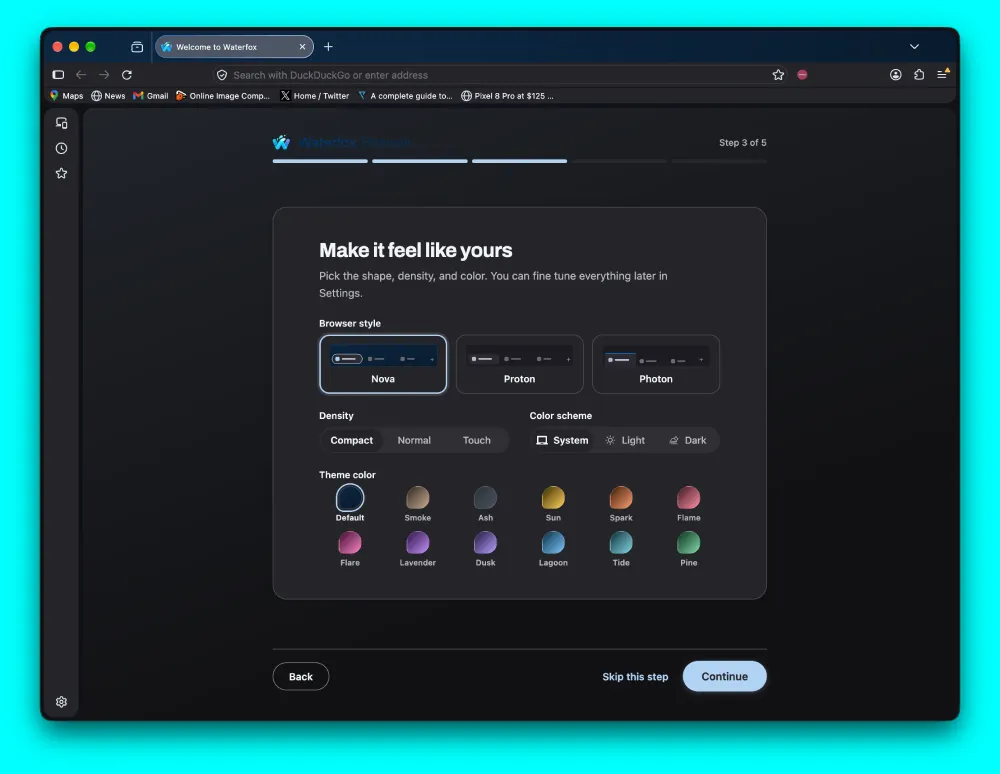
In our own tests, the browser now lets you pick Nova right from a brand-new setup screen, or you can stick with classic options like Photon if you hate modern UI overhauls. You can also choose between twelve fresh color palettes including Smoke, Pine, and Flame, alongside region-based search defaults like Qwant or DuckDuckGo.
Apart from the eye-candy changes, the update also brings some genuinely useful features. For example, if you’re someone who has dozens of open tabs and finds it hard to keep track of them, Waterfox now integrates vertical tab nesting directly into the browser.
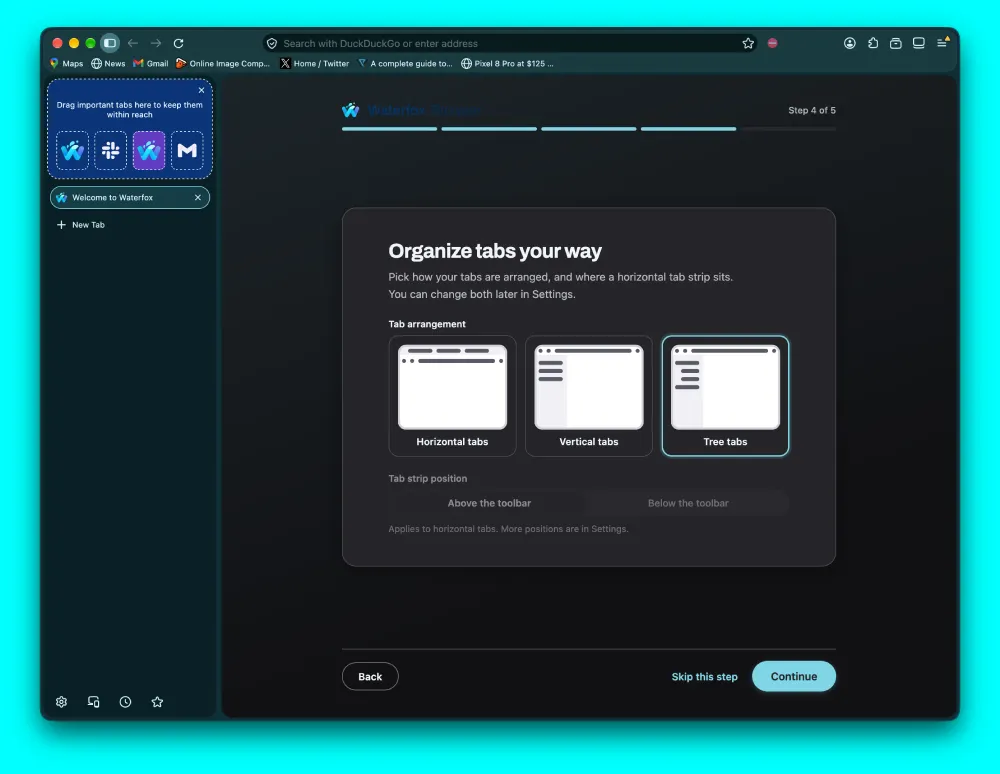
You can drag tabs around to form sub-branches, collapse whole groups to save screen real estate, and drag nested subtrees into separate windows with ease.
Meanwhile, the built-in ad blocker has also received some love in this release. It’s now got a dedicated settings page with a status hero panel showing clear counts for blocked ads, tracking scripts, and pop-ups.
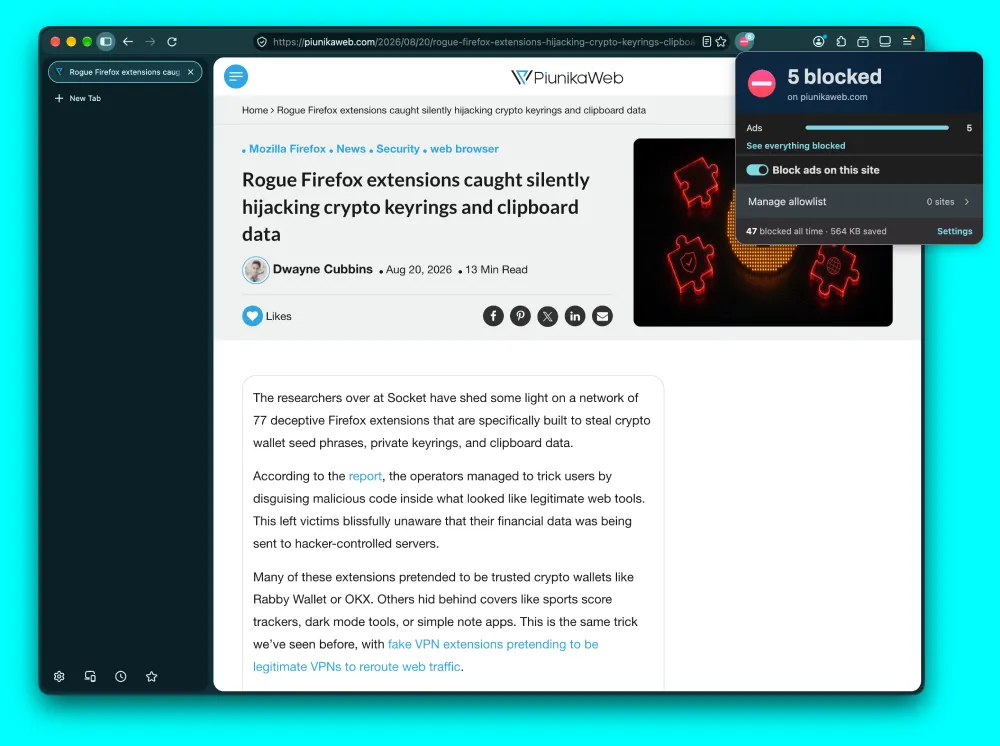
P.S. We at PiunikaWeb rely on ads to keep the lights on, so if you find our work useful, please consider whitelisting us on your ad blocker.
When the feature was first announced, Creator Alex Kontos noted that building the content blocker natively into the main browser meant it “won’t face the same limitations as extension-based blockers” while consuming far fewer system resources.
That said, this new update also brings back support for legacy add-ons. So classic extensions can now run smoothly alongside modern WebExtensions.
On top of that, Waterfox completely disabled default AI shortcuts and scrubbed background Google tracking connections. This release just proves that you can build a fast, feature-packed browser update without piling on unnecessary junk.


Dwayne Cubbins
3128 Posts
I cover fast-moving stories across apps, online platforms, and everyday tech — phones, wearables, consoles, and whatever else people are fighting with this week. Bugs, rollouts, scams, policy enforcement, and the occasional internet-culture rabbit hole are all fair game. My goal is simple — make confusing tech news readable. When I'm not working, I'm working out or chilling with my dog. Got a tip? You can find me on X @dcubbins.
Next article View Article