
The latest update to the Waterfox browser brings meaningful quality-of-life improvements while fixing a bunch of annoying bugs.
Waterfox officially posted the list of changes on its blog; since the list of changes is quite large, you can view a snippet of them below.
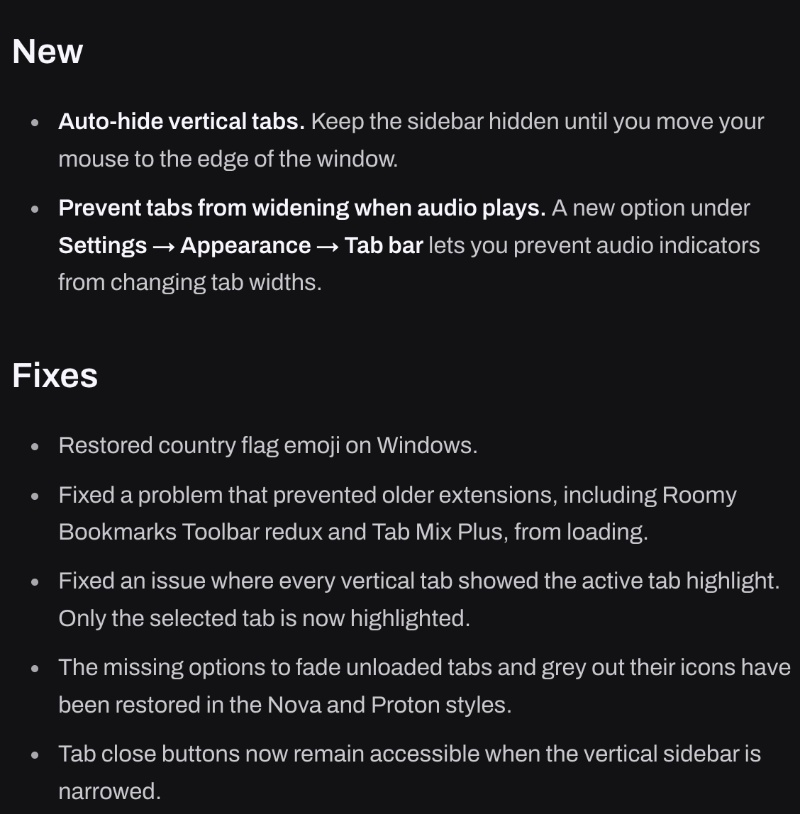
The v6.7.3 update has now reached the public, and it was available for installation right after I booted the browser.

Here’s a summary of the changes I considered significant with this update:
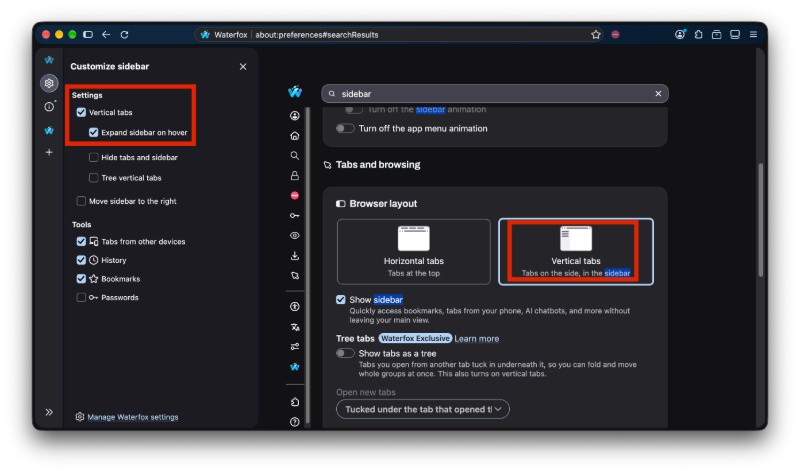
- First new feature: Auto-hide vertical tabs. Until you need the sidebar, it’ll stay out of your way. All you have to do is move your mouse to the edge of the window, and it’ll slide out. Other browsers with a sidebar already have this, and Waterfox has joined the party. Note: You’ll need to have vertical tabs enabled, and then use the “Expand sidebar on hover” option. It’ll smoothly glide in and out when you hover your mouse around it.
- Second new feature: Stop tabs from stretching when a website is playing audio. You can find the option from Settings -> Appearence -> Tab bar.
- The rest of the additions with this update aren’t features, but bug fixes. Old extensions such as Roomy Bookmarks Toolbar, Tab Mix Plus, and others used to have trouble loading before. That has been addressed.
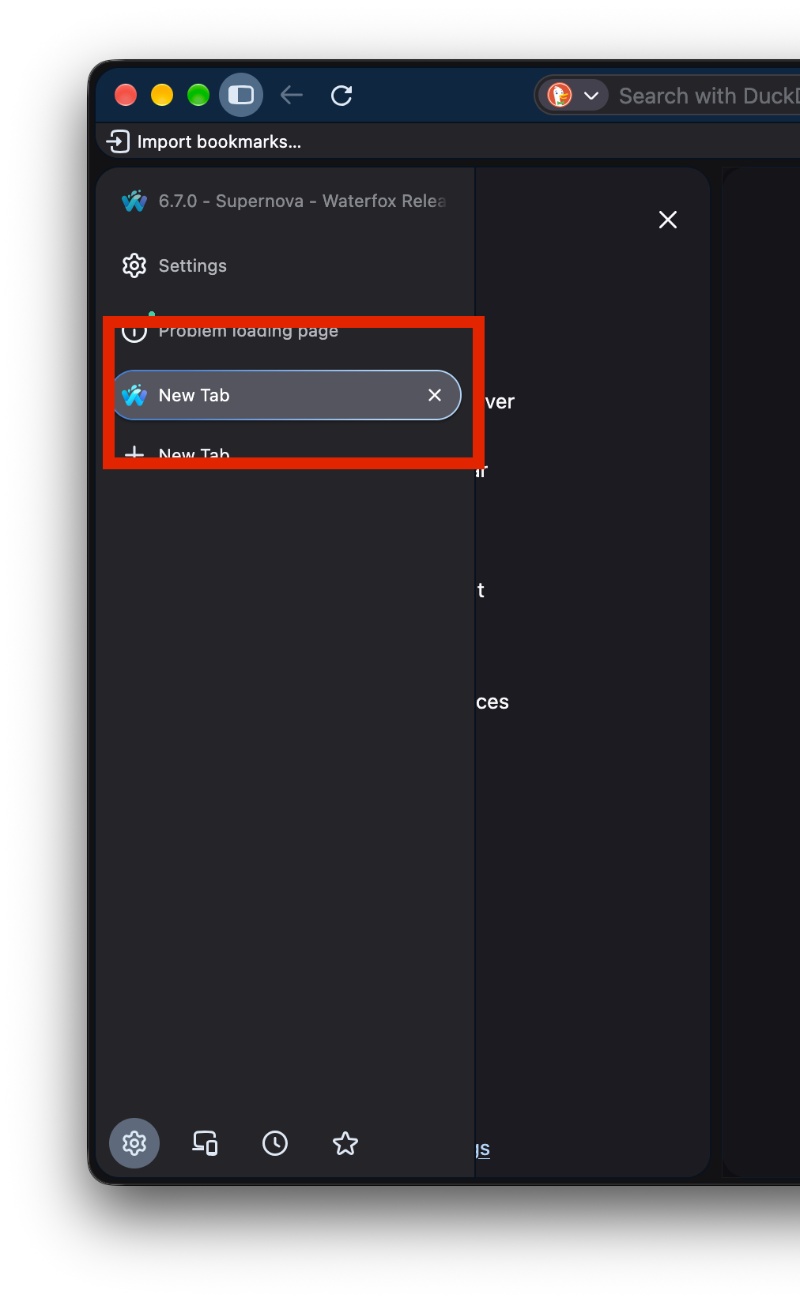
- Only the selected vertical tab looks “active”: Until this update, all vertical tabs showed the highlight, so you couldn’t exactly tell which one you were on. Only the current tab is highlighted now.
- The grey icons for sleeping tabs are now available in Settings.
- The close buttons will still work properly even when the sidebar has been shrunk.
- New Private Tab button behavior: Earlier, it used to make the sidebar too wide.
- Overall minor tweaks, security improvements, and cleanup.
In case you haven’t updated yet, you can do so from Waterfox -> About Waterfox. You can find the official list of changes here.
In other Waterfox news, the v6.7 update was rather controversial, and the developer had to issue a statement about the tradeoffs that the browser has decided to make. We covered that here.
Soon after that update, they restored some controls that users were asking for. More on that here.


Sudhanshu K
331 Posts
I have been a consumer technology enthusiast for over 5 years. Thanks to my experience in software beta testing and product reviews, I've understood and learnt a lot about what bugs and issues bother people, and I spend time trying to simplify their solutions. I cover smartphones, software, social media, apps, AI, and most consumer tech gadgets. Actively pursuing a Computer Science bachelor’s degree. I'm mostly active on Twitter/X (@TechWhirlUlt), drop a DM or tag me if you want to share info or connect!
Next article View Article