





Following the release of the desktop and Android versions of the Vivaldi snapshot updates recently, iOS has finally joined the pack. It brings the same major update, which is an improved Ad Blocker UI, and it also includes many functional improvements to the feature.
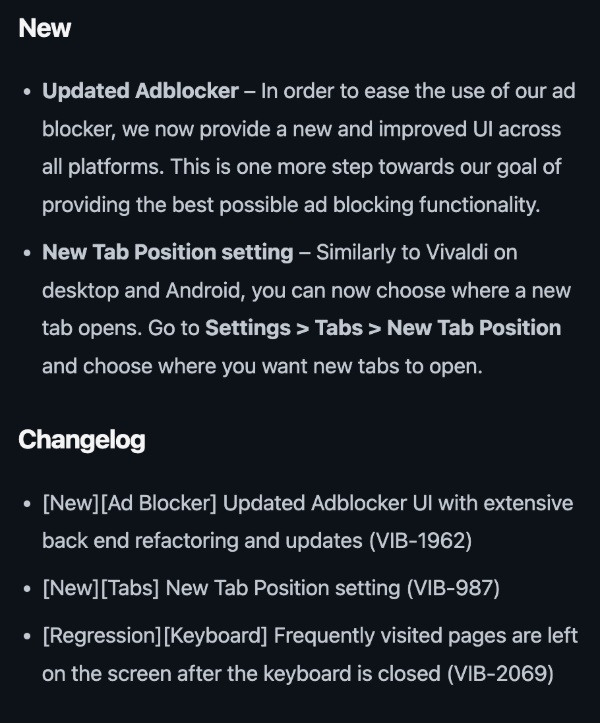
As usual, Vivaldi published an official blog about these changes, and I’ve attached a screenshot of them below. The Ad Blocker aside, another highlighted change is the New Tab position setting.
If you want to try out the snapshot version of Vivaldi on iOS, you can’t just head over to the App Store and install it, as you do on Android. Instead, you’ll need to install TestFlight and grab it through the download link.
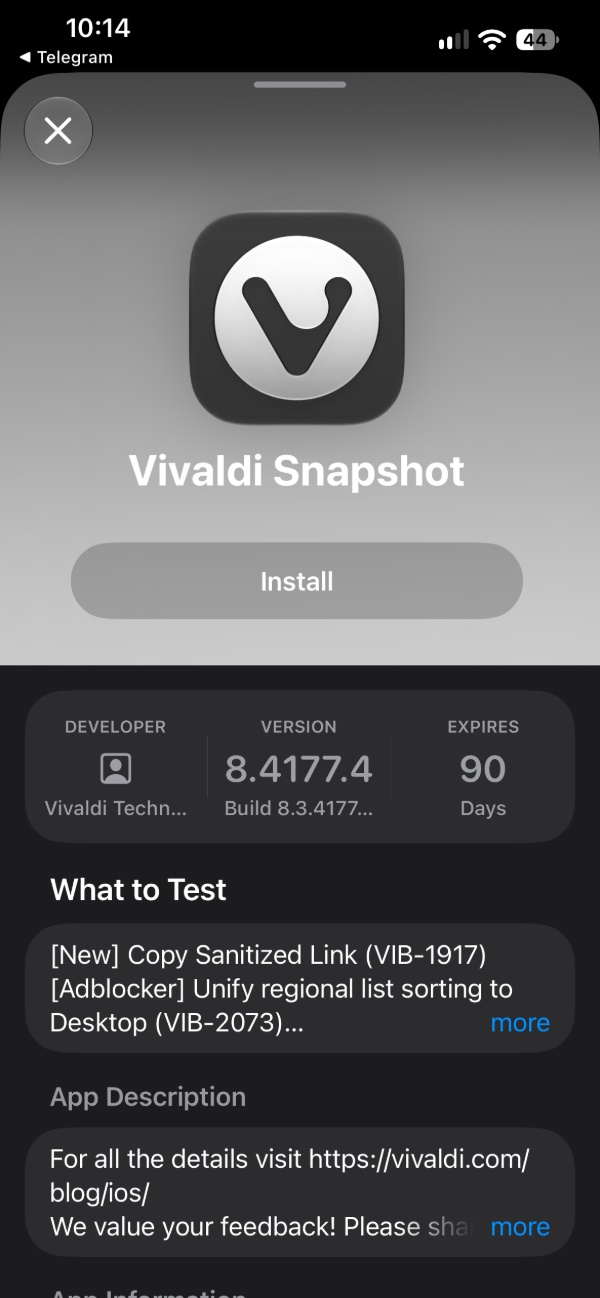
Before you try it out, it’s worth noting that snapshot versions are meant to preview upcoming features, and it’s not going to be as pleasant to use as the stable/public version. It’s intended for testers/developers.
I have installed this snapshot myself to try out the features, and the most obvious change is the ad blocker. Immediately after booting the snapshot, I noticed that the Search function is completely missing from the Settings page. Odd, considering that the Android version of the browser has it.
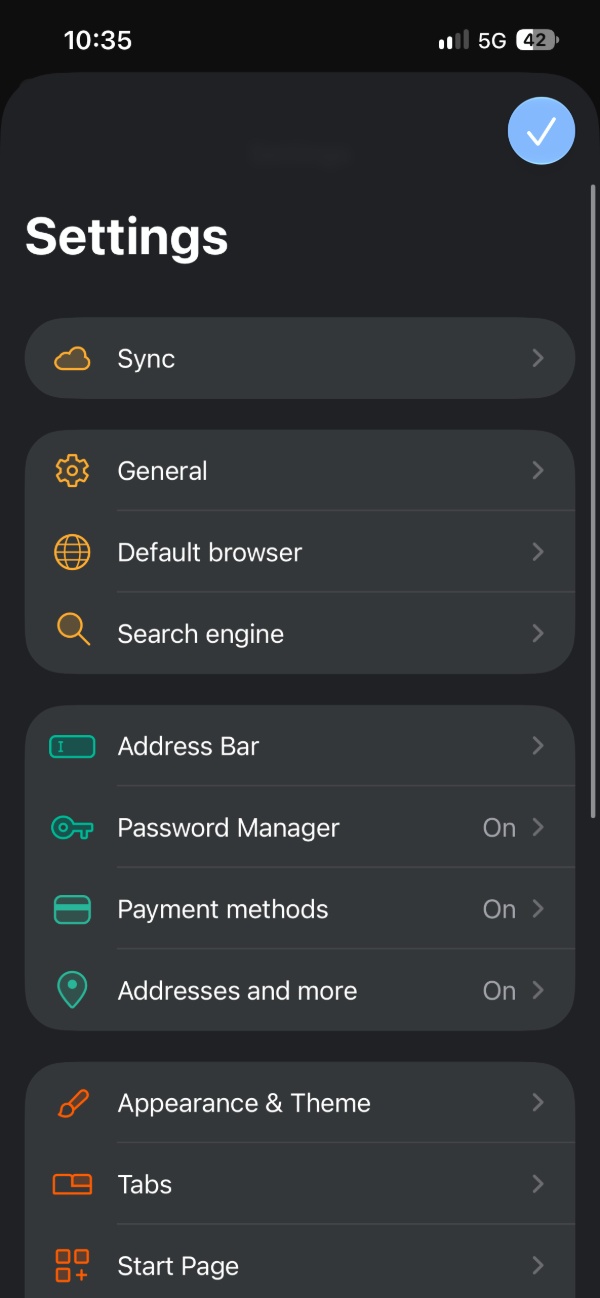
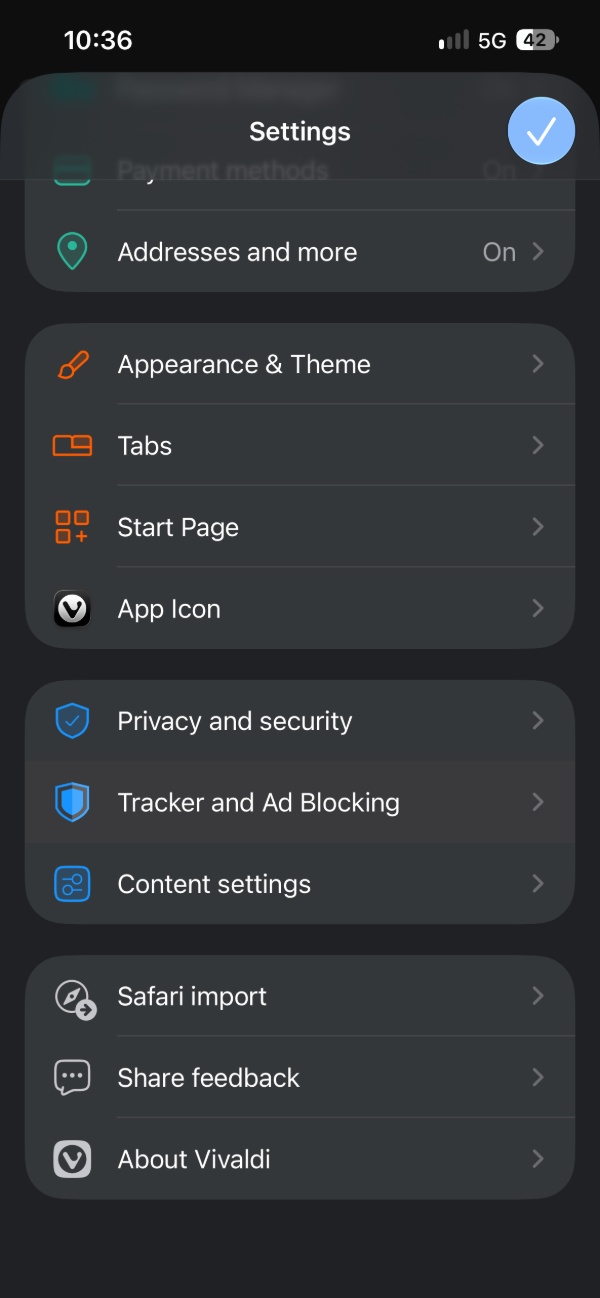
Either way, scrolling down reveals the “Tracker and Ad Blocking” section of the settings page, which is where most of the changes are.
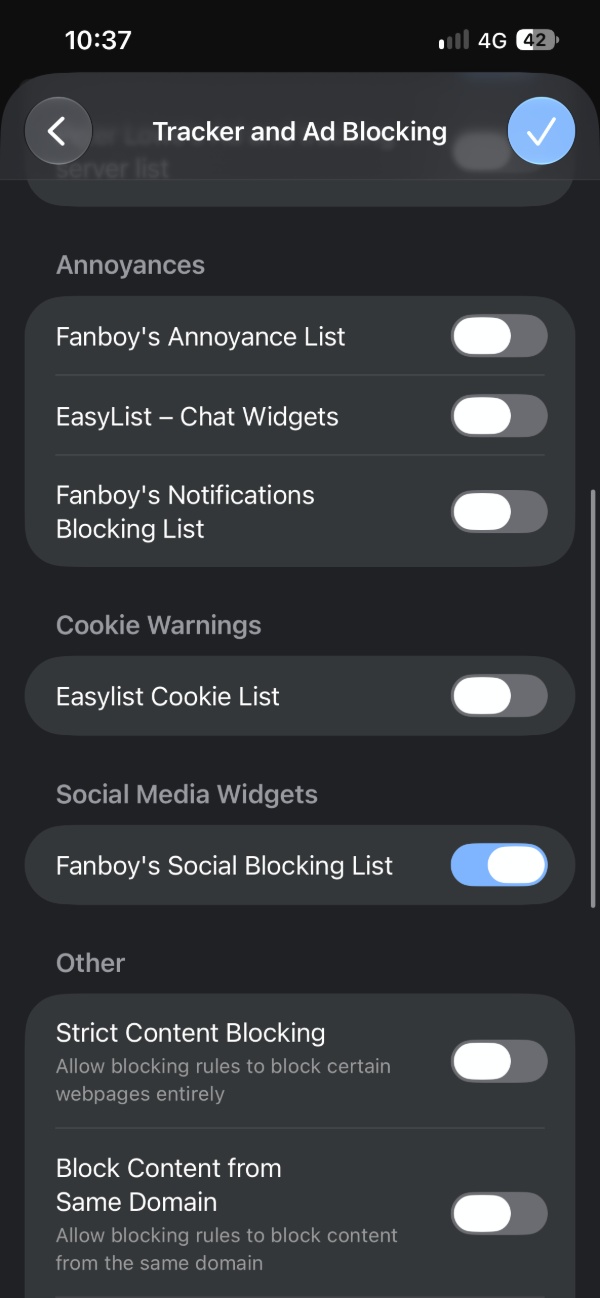
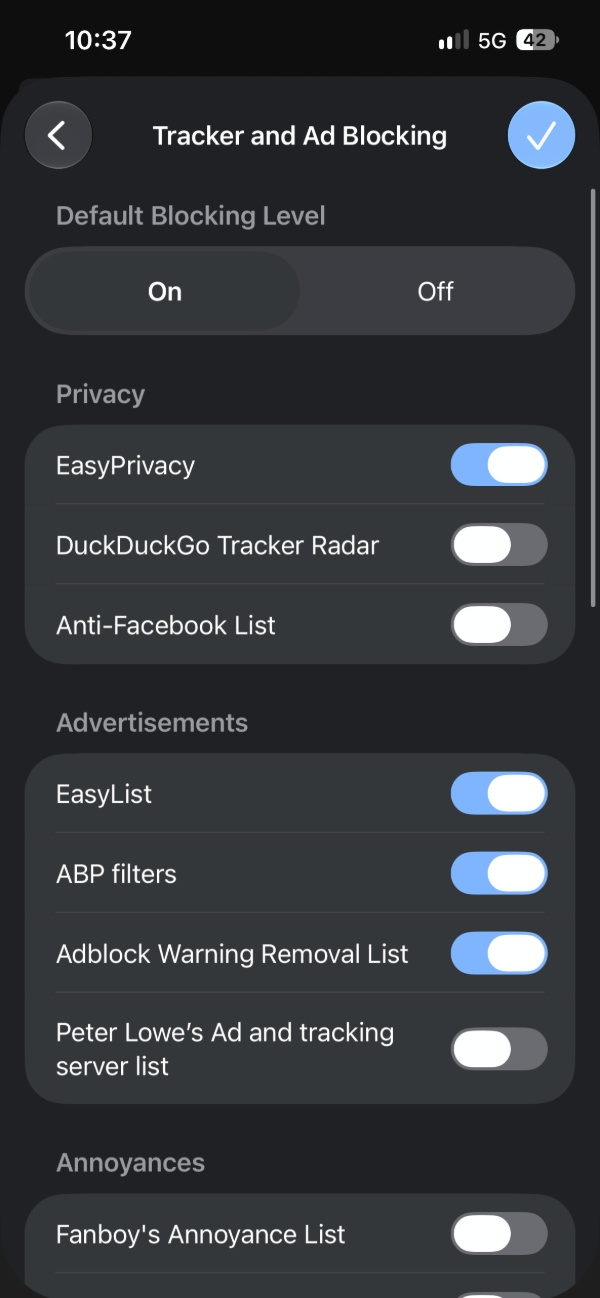
We have neat categorization and compartments for all the features. There’s Privacy, Advertisements, Annoyances, Cookie warnings, and even per-site ad-blocking customization.
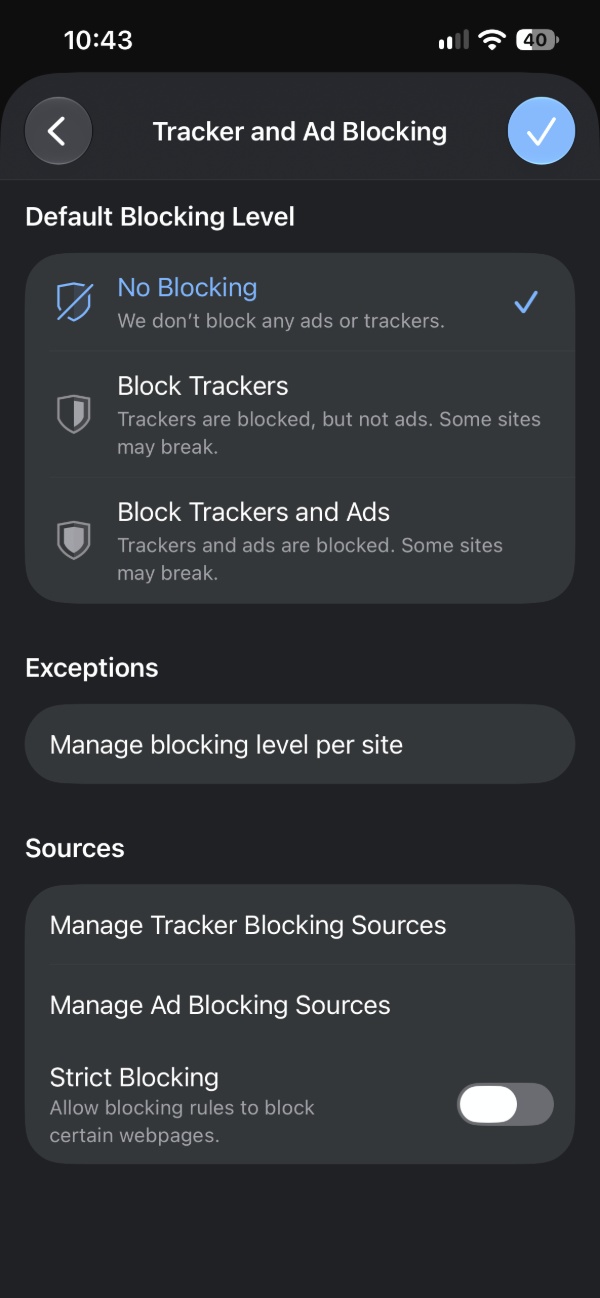
For some context, the current stable version of Vivaldi offers: Default blocking level, Exceptions, and Sources. You don’t get all the features and customizations that the new UI has.
If you’ve been following our coverage, we also published a post previously about the same changes to the Android version of the browser.
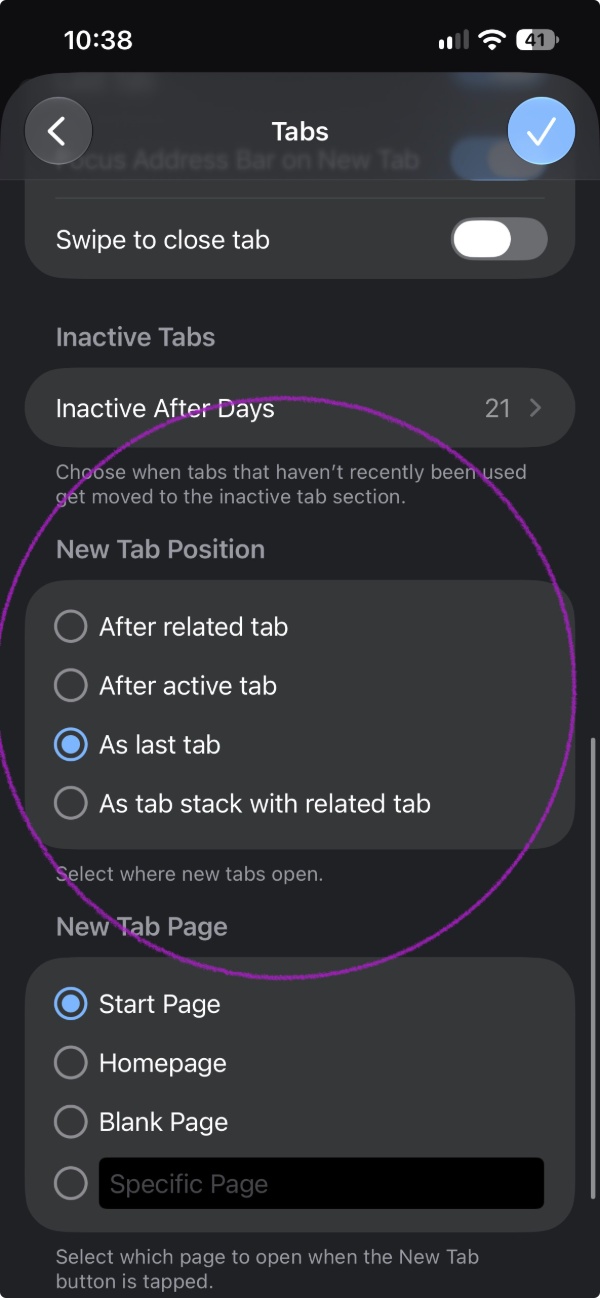
The next change is about the New Tab section. Under the Tabs section in settings, you’ll find a “New Tab Position” option, which gives you four choices: After related tab, After active tab, As last tab, and “As tab stack with related tab.” It just describes where exactly the new tabs open.
Finally, the changelog also mentions a bug fix related to the keyboard. Frequently visited pages used to stay on the screen even after the keyboard was closed, and this has been addressed in this update.
You can find the entire official changelog and all relevant links here.
In other Vivaldi news, they’ve recently explained why WebKit continues to be used in the browser instead of building a separate engine. More on that here.


Sudhanshu K
304 Posts
I have been a consumer technology enthusiast for over 5 years. Thanks to my experience in software beta testing and product reviews, I've understood and learnt a lot about what bugs and issues bother people, and I spend time trying to simplify their solutions. I cover smartphones, software, social media, apps, AI, and most consumer tech gadgets. Actively pursuing a Computer Science bachelor’s degree. I'm mostly active on Twitter/X (@TechWhirlUlt), drop a DM or tag me if you want to share info or connect!