





A Firefox add-on (extension) that’s supposed to help you open protected PDF files can actually steal a signed-in Google session. It doesn’t even require your password to do so. In some cases, the add-on can even change your password while displaying a fake “Checking your identity” screen.
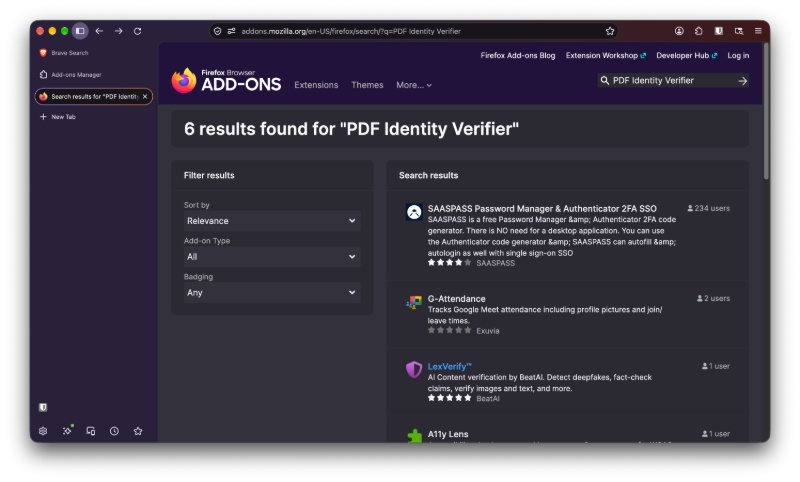
This malicious add-on is called “PDF Identity Verifier.” The Firefox ID is “[email protected].” This extension showed up in the official Firefox Add-ons store on September 3, 2026, so it’s quite recent. When it was released, it appeared to be working perfectly fine. However, a later update introduced this malicious activity.
The original security report from Socket says that the extension was mainly targeted at Portuguese- and Spanish-speaking users. Thankfully, the install rate is limited at the moment. So, the people affected aren’t all that many, but it’s still worth warning users about.
So, how does this extension steal your Google session? The permissions it has look vaguely reasonable for a document helper. It wants access to storage, network requests, and also access to Google Pages. It also tweaks how the browser answers passkey checks.
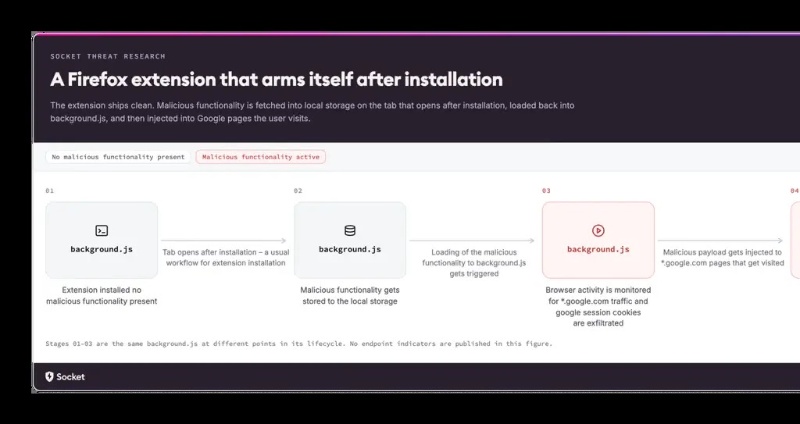
A few seconds after you install the extension, it opens a page on an attacker site that looks like a Google site. However, it actually is not. It’s a fake website that’s designed to mimic Google’s real site. From then on, the extension is capable of watching traffic.
Later on, the attacker actually uses Google’s real sign-in plumbing to see which Google account is active in the browser. While the real Google page is open, the extension injects extra code into the session, and the “validating your identity” overlay hides the automated clicks that the extension performs.
In the background, it grabs the live session cookie, sends that cookie (with account details) to the attacker, and if Google asks for a password reset, it can generate a new password and submit it. The overlay remains active this whole time.
What makes this dangerous: Uninstalling the extension doesn’t kick the attacker out of an account that they’ve already logged into.
If, by misfortune, you have installed this extension, remove it from Firefox immediately. Then, sign out of every single device that’s connected to your Google account. Terminate all of the sessions, and then change your password. Revoke all active sessions and check your 2FA steps. It’s worth noting that merely uninstalling the extension won’t be enough.
Information about this extension was initially reported by Socket, and credit goes to them; that post is the primary source for the article.
At the time of writing, the extension thankfully seems to be removed from the Firefox store. It doesn’t exist anymore when you search for it.
The situation with rogue extensions is quite scary lately. Firefox isn’t the only affected browser. Recently, we covered a story where one extension hijacked the AI in Chrome, Edge, and three more browsers. In some cases, you don’t even have to manually install rogue extensions — sneaky malware exists to do that as well.
Moreover, 19 extensions were recently caught trying to steal passwords.
Featured image: AI


Sudhanshu K
289 Posts
I have been a consumer technology enthusiast for over 5 years. Thanks to my experience in software beta testing and product reviews, I've understood and learnt a lot about what bugs and issues bother people, and I spend time trying to simplify their solutions. I cover smartphones, software, social media, apps, AI, and most consumer tech gadgets. Actively pursuing a Computer Science bachelor’s degree. I'm mostly active on Twitter/X (@TechWhirlUlt), drop a DM or tag me if you want to share info or connect!