
Mozilla has released the Firefox 156 stable desktop build to the public. The update is available to download now, but the company has yet to release the official stable release notes.
If you don’t want to wait for the in-app update to reach your device, you can download the installer directly from Mozilla’s public FTP directory.
As we highlighted in our report on the Firefox 156 beta release, the big change with the update is around how it handles large images.
Modern websites love to upload massive high-resolution pictures and then use code to squeeze them into tiny boxes on your screen. Before v156, Firefox would unpack the entire giant file right into your computer memory before shrinking it down, chewing through RAM and CPU cycles on image-heavy pages.
Now, the browser downscales those pictures while it decodes them. Mozilla notes that the new process brings “improved memory and CPU usage when Firefox displays large JPEG images scaled down to fit a page.”
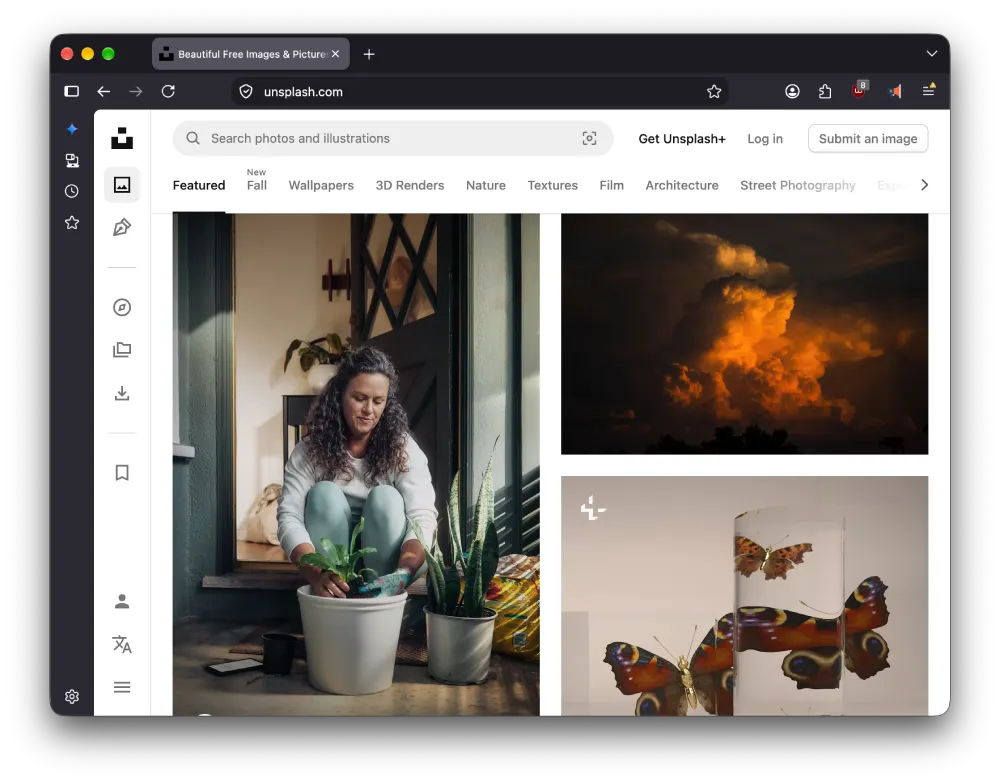
Another performance boost comes from changes to the built-in PDF reader. Mozilla says the “built-in PDF viewer now starts up to 45% faster” because it preps background processes much earlier instead of waiting for you to click.
Meanwhile, Firefox users on Mac are also getting a nifty option to launch the browser automatically whenever the device boots up.
Mozilla has also fixed a bunch of other bugs that you can check out in the full changelog we’ve added below.
What’s not mentioned in the changelog is the ongoing refinement of Firefox’s Nova redesign. This release brings some slight tweaks, along with a new Compact Mode that shrinks the browser’s frame. So you have more screen real estate to work with.
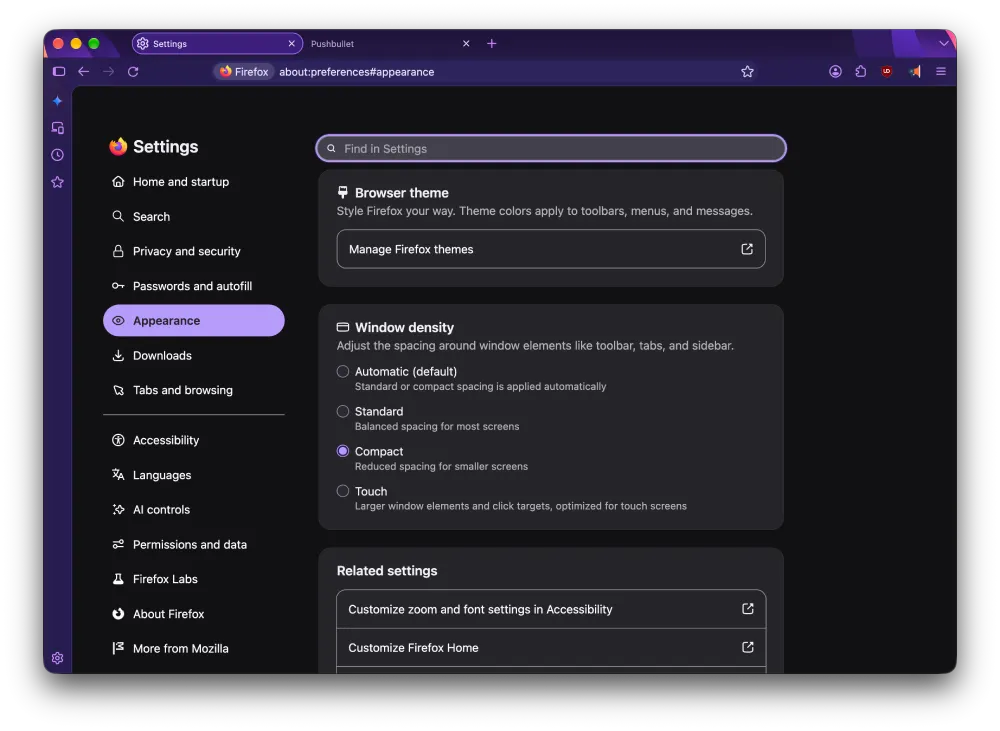
Keep in mind that the Nova redesign is still hidden behind the advanced configuration menu. So you’ll have to manually toggle it on by going to about:config and setting browser.nova.enabled to true.
This update follows the previous Firefox 155 release, which brought sleep and container fixes along with expanded access to Smart Window.
Over on iOS, version 156 is rolling out through the App Store with quick tools to report broken pages, but nothing fundamentally new landed on Apple devices this round.
As for Firefox on Android, the v156 update brings a built-in VPN and reworked media playback, which we are breaking down in a separate story. So stay tuned for that.
The in-app update for Firefox 156 should be live in a few hours from now if you don’t see it already.
Firefox 156 changelog
- Starting with Firefox 156, Firefox Nightly enables Vulkan hardware video decoding on Linux for recent NVIDIA graphics cards. (Bug 2045970)
- Firefox on macOS can now be set to open automatically when the computer starts up, from the Startup section of Settings. (Bug 2053447)
- Starting with Firefox 156, tabbing into the search bar in Firefox Nightly lands on the search input rather than the search button.
- On Firefox for Android, the media notification now shows previous, next, and a timeline for seeking through audio and video. (Bug 2063332)
- Improved memory and CPU usage when Firefox displays large JPEG images scaled down to fit a page. (Bug 2033250)
- On Firefox for Android, share more easily with Android’s native share sheet. Firefox now uses Android’s native sharing experience, including options like Send tab to device and Scan QR code. (Bug 2061755)
- Localized Wikipedia and occasional sponsored suggestions in the address bar are now available in France, Germany, and Italy. These suggestions can be turned off in Firefox Suggest settings. (Bug 2064557)
- Starting with Firefox 156, in Nightly builds, the search bar on the new tab is a real search bar now, showing results on the page instead of sending you to the address bar. (Bug 2062212)
- Starting with Firefox 154, Firefox Nightly is testing a simpler tab context menu in Firefox Labs. It can be turned on in Settings > Firefox Labs > Streamline tab menu, and feedback is welcome on Mozilla Connect. (Bug 2031718)
- Fixed
WebCodecs VideoEncoderhanging on macOS when encoding a VideoFrame in NV12 format. (Bug 2049474) - On Windows devices with ARM64 processors, WebRTC video calls may now use hardware H264 decoding instead of falling back to software. (Bug 2061752)
- Fixed dragging an inline image to a new position in a rich-text editor replacing it with a long line of text instead of moving it. (Bug 2061788)
- On all devices, WebRTC video calls may now use hardware AV1 decoding instead of falling back to software. (Bug 2062642)
- Fixed high-sample-rate FLAC audio in MP4 failing to play on sites such as Bilibili. (Bug 2060830)
- Fixed the find bar becoming permanently unavailable in a tab after reversing the panes in Split View. (Bug 2056718)
- On Firefox for Android, fixed the date picker ignoring the last selectable day when a page set a maximum date. (Bug 2035045)
- Fixed an issue where dragging a folder and its contents together in the Bookmarks sidebar caused items to move out of the folder. (Bug 2044707)
- Fixed an issue on Windows where Firefox could block an auto-hiding taskbar from showing. (Bug 2064534)
- On Firefox for Android, fixed an issue that could cause Firefox to crash when selecting files from some Android file providers. (Bug 2063609)
- Fixed subtitles not appearing in the Picture-in-Picture window when they are turned on in the video player after Picture-in-Picture has opened. (Bug 1776179)
- Firefox’s built-in PDF viewer now starts up to 45% faster. (Bug 1966721)
- The
FirefoxHomepolicy now has a Widgets option, letting administrators control whether the new tab page productivity widgets are available. (Bug 1980406) - The
SitePoliciespolicy now supportsDisableServiceWorkers, letting administrators block service worker registration on specific sites. (Bug 2045811) - The Windows installer now resolves
/INI=paths relative to the installer itself, so deployment tools that unpack to a temporary folder no longer need an absolute path. (Bug 1470570) - Fixed the
DontCheckDefaultBrowserandDefaultBrowserSettingEnabledpolicies being ignored when Firefox started with a new profile. (Bug 2065138)
- Starting with Firefox 154, Firefox Nightly now supports the CSS Typed Object Model API (Typed OM). This API allows web applications and other Web Platform features to work with CSS values through typed JavaScript objects instead of strings. (Bug 2051047)
- Starting with Firefox 155, the RegExp Buffer Boundary proposal is now available for testing in Nightly builds by setting the
javascript.options.experimental.regexp_buffer_boundariespreference. (Bug 2047706) - Starting in Firefox 155, the CSS Typed Object Model’s
StylePropertyMapnow supportsdelete()for removing a property in Nightly builds. (Bug 2057406) - Starting with Firefox 155, Firefox Nightly offers limited support for the Speculation Rules API for same-origin prefetch, allowing pages to declare which links should be prefetched. This initial support covers only the immediate eagerness level and list source rules. (Bug 2041381)
- Starting with Firefox 155, Nightly builds enable the Audio Session API, letting sites declare how their audio mixes with other applications. (Bug 2055710)
- Starting with Firefox 155, Nightly builds now support the
at-rule()function for@supports. This allows authors to test for browser support of specific at-rules, such as@supports at-rule(@scope). (Bug 2060754) - Starting with Firefox 155, Firefox Nightly supports typed arithmetic in CSS
calc(), allowing units to be multiplied and divided within math functions. (Bug 1827404) - Starting with Firefox 155, Firefox Nightly supports the
<a>element in the MathML namespace, exposed via the newMathMLAnchorElementWebIDL interface, so mathematical expressions can be links. (Bug 2059312) - Starting with Firefox 156, in Nightly builds the centering of content inside buttons and text inputs is now expressed with
align-contentin the built-in stylesheet, so pages can override it. (Bug 2055599) text-box-trimnow uses the font metrics of a::first-linepseudo-element when one applies, matching other browsers and the specification. (Bug 2063835)- Starting with Firefox 156, Firefox Nightly supports Scoped Custom Element Registries. Those registries can be created using the
CustomElementRegistry()constructor that are separate from the globalwindow.customElementsregistry. Creating more than one registry is useful for multiple custom elements that have the same tag name to coexist. (Bug 2064333)


Dwayne Cubbins
3123 Posts
I cover fast-moving stories across apps, online platforms, and everyday tech — phones, wearables, consoles, and whatever else people are fighting with this week. Bugs, rollouts, scams, policy enforcement, and the occasional internet-culture rabbit hole are all fair game. My goal is simple — make confusing tech news readable. When I'm not working, I'm working out or chilling with my dog. Got a tip? You can find me on X @dcubbins.
Next article View Article