





A couple of months ago, we reported on Google’s new bottom bar for Chrome that they started testing on iOS. Well, it looks like this new bottom bar with the Ask Gemini button is now rolling out to more users on the stable version of the browser.
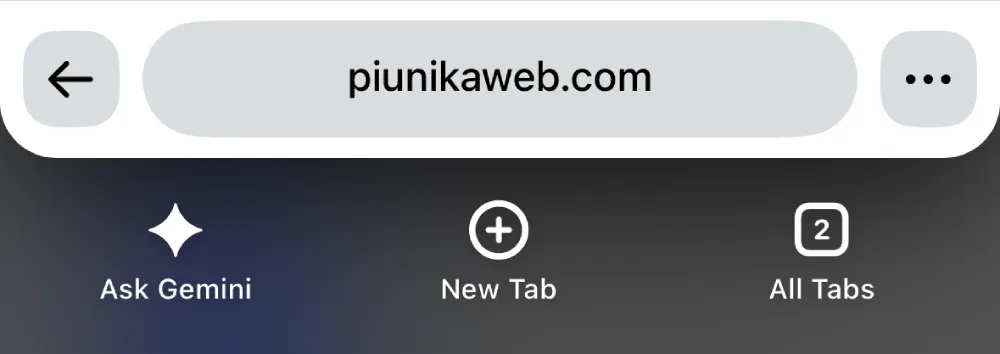
The revamp messes with muscle memory because there’s now a massive Ask Gemini button right where the back button used to be. It also changes the placement of other buttons, including the three-dot menu. In case you don’t have it already, here’s a screenshot of the new bottom bar:
So it’s not surprising that some people want to go back to the old bottom bar.
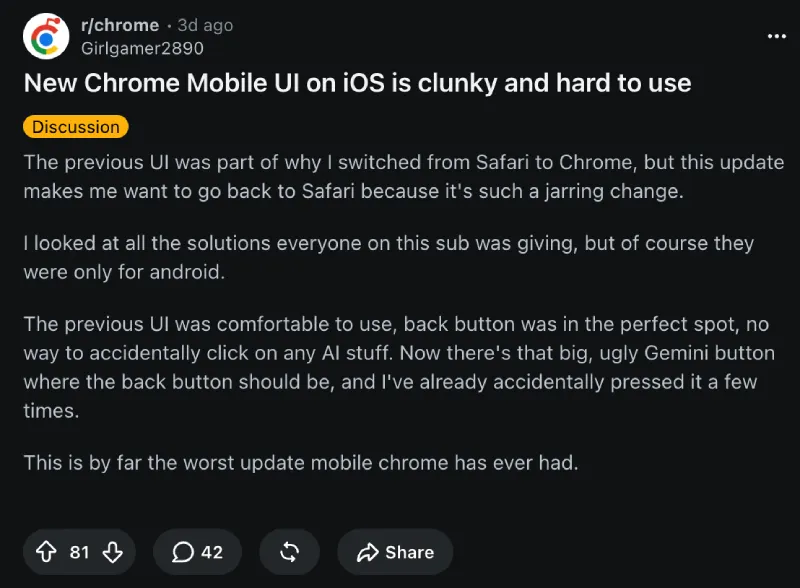
We’re seeing threads pop up on Reddit calling the new bottom bar clunky and jarring.
No matter what your reason for hating the new bottom bar is, if you want to revert the change, you can do it within just a few taps.
- Tap on Chrome’s address bar and type (or copy and paste) the following: chrome://flags/#chrome-next-ia.
- Tap on the dropdown menu beside the flag and choose the option that says “Disabled.”
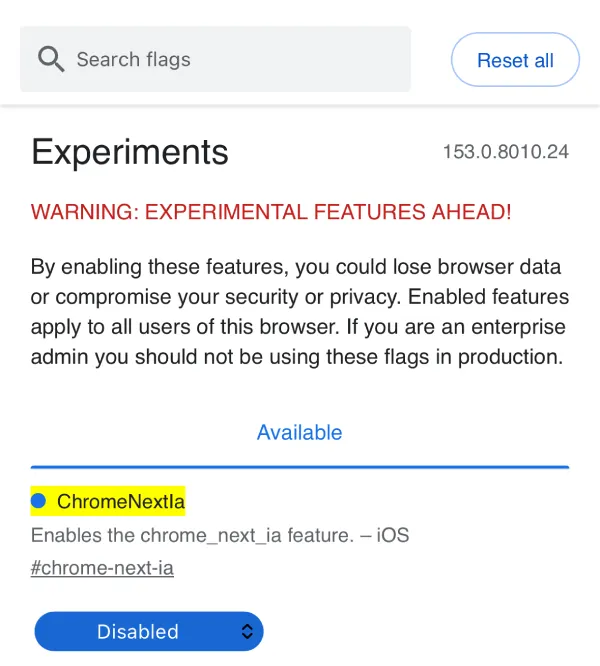
- Swipe away the Chrome app from your recent apps list and then open it again.
That’s it. You should now see the old bottom bar again.

Just keep in mind that Chrome flags are always meant as temporary toggles for developers to test things out. So it won’t be surprising if they remove this workaround in the future.
Meanwhile, if you have been on the fence about switching to Chrome on your iPhone, the company just made it even easier to transfer Safari data to Chrome.


Dwayne Cubbins
3016 Posts
I cover fast-moving stories across apps, online platforms, and everyday tech — phones, wearables, consoles, and whatever else people are fighting with this week. Bugs, rollouts, scams, policy enforcement, and the occasional internet-culture rabbit hole are all fair game. My goal is simple — make confusing tech news readable. When I'm not working, I'm working out or chilling with my dog. Got a tip? You can find me on X @dcubbins.