





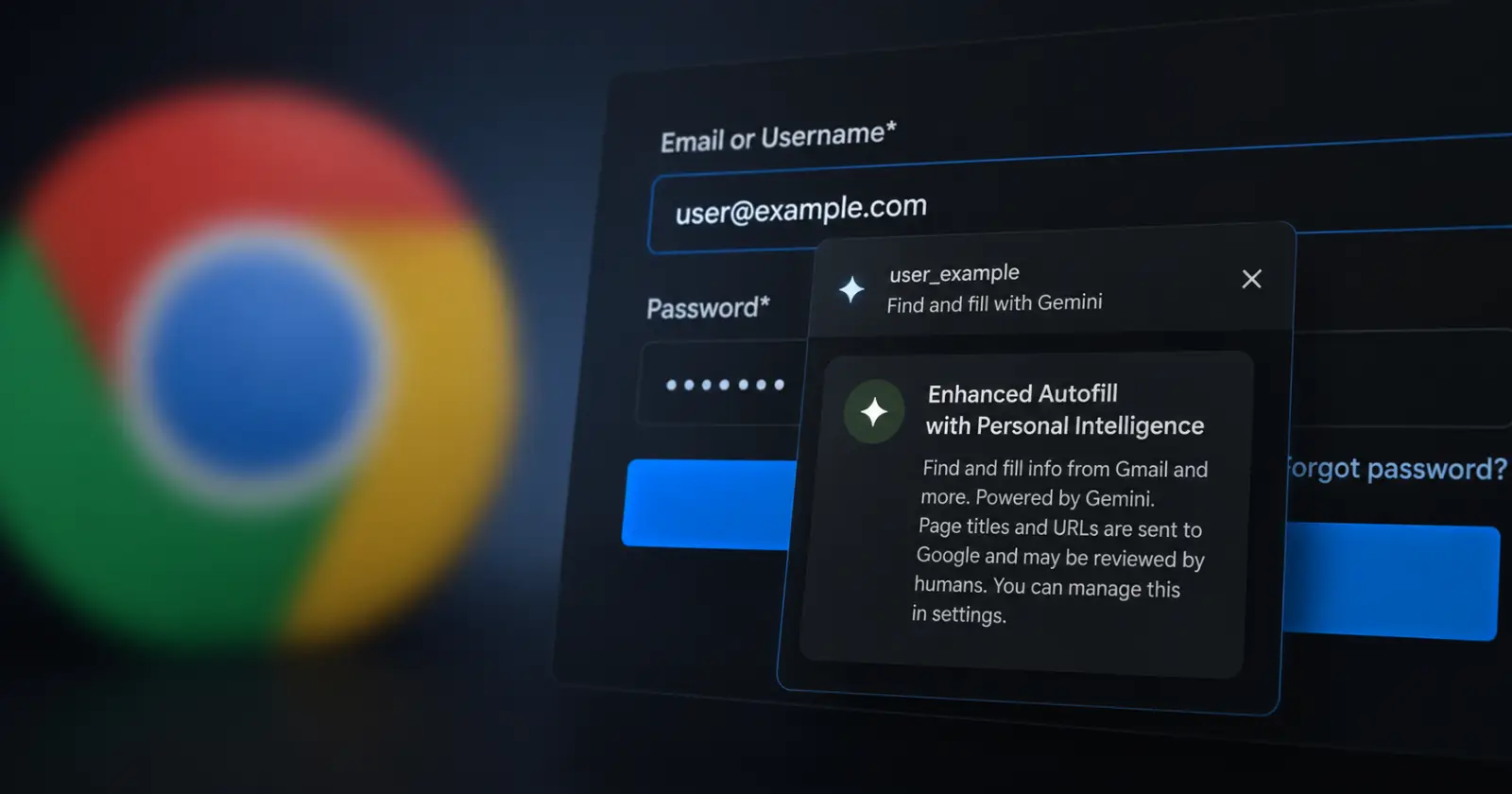
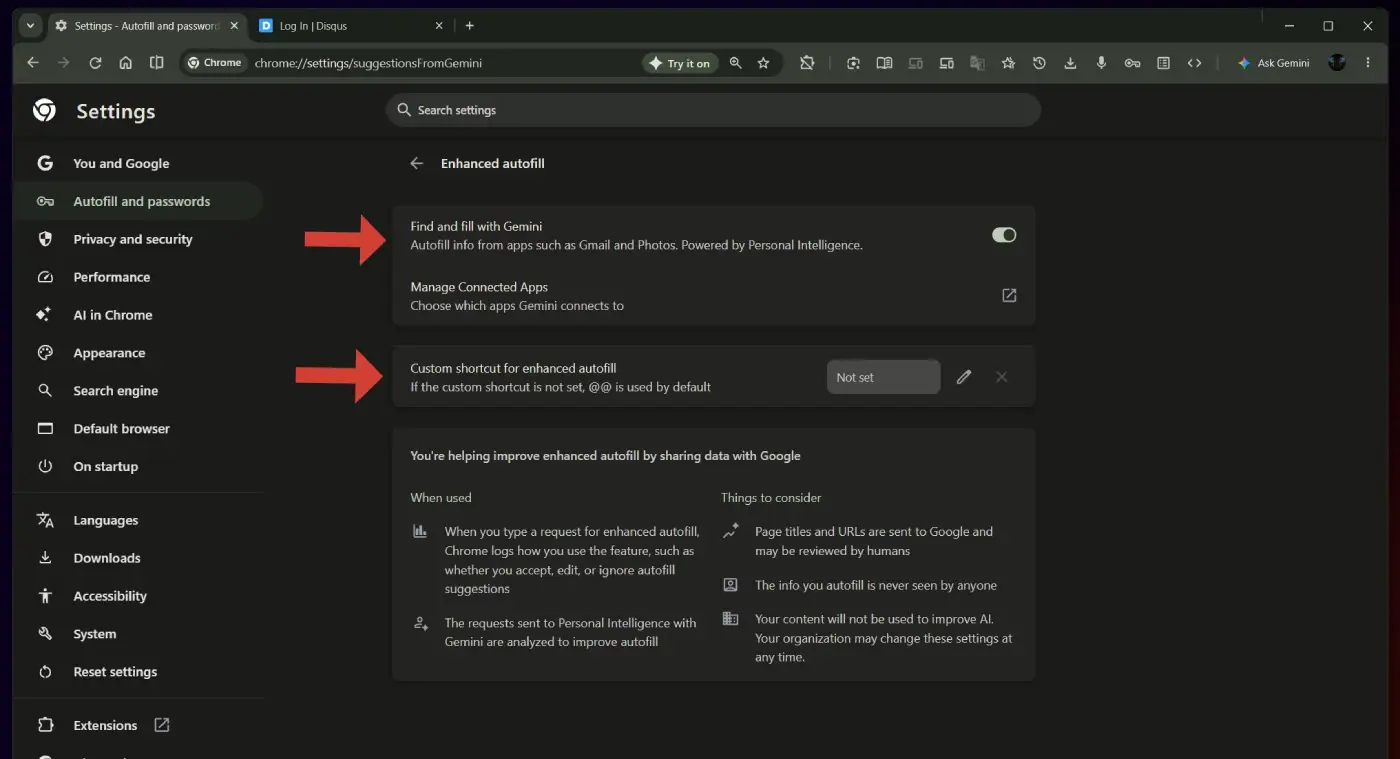
In Chrome for desktop, the "Find and fill with Gemini" feature will also be powered by Personal Intelligence. There will also be an "Enhanced autofill" subpage where you can disable it and set a custom keyboard shortcut (the default is @@). Here's THE first look at this subpage: https://t.co/uhBItm5Oqk pic.twitter.com/eRrAQYVfNF
— Leopeva64 (@Leopeva64) July 19, 2026
Yesterday, we highlighted Google’s new Gemini-powered autofill search in Chrome for Android. Now, it looks like the same idea is heading to Chrome on desktop too, and it could make filling out forms a little less tedious.
As spotted by Leopeva64, Chrome Canary has begun showing an option called ‘Find and fill with Gemini.’ Instead of relying only on the name, address, and card details you have manually saved in Chrome, the feature can search information from connected Google apps when you need it.
So, say a website asks for a detail buried in an old email, or something you have in Google Photos. Rather than switching tabs, searching through Gmail, copying the information, then returning to the form, Gemini is supposed to do the digging and suggest what belongs in the field.
The desktop version appears to be powered by Personal Intelligence with Gemini, the same system Google is using to connect Gemini with a user’s own apps and data.
Leopeva64 also found a new ‘Enhanced autofill’ page in Chrome’s settings. From there, users can turn the feature off and change the shortcut used to launch it. The default shortcut is ‘@@’.
Chrome says page titles and URLs may be sent to Google when the tool is used. Google also says the actual information Gemini inserts into forms is not visible to people and is not used to train its AI models.
Still, the idea of giving a browser AI access to information across Gmail, Photos, and other connected apps is a bigger step than regular autofill. Regular Chrome autofill uses what you have explicitly saved. This is more like asking Chrome to look through your Google life for you.
It is worth remembering that this is Canary, not the regular version of Chrome. The Android version we covered yesterday is also unfinished and can still throw up a ‘Something went wrong’ message instead of returning useful results. There is no word on when either version will reach stable Chrome, if they ever do.
Another thing worth noting is that the feature currently only seems to be available on Windows, at least in my brief testing. I could not find it on Chrome for Mac using Canary version 152.0.7962.2.
Google has been steadily giving Gemini more jobs inside its browser. We recently saw a redesigned Chrome for Android bottom bar with Gemini integration, along with Indigo’s AI-powered shopping tools. Finding your own details and dropping them into a form may be one of the more practical uses yet, assuming it works properly and does not get too nosy.

We stand out from the tech-media crowd because we break news stories; we mainly bring you stuff that you won’t find anywhere in the mainstream tech media. Our stories have been picked up by some of the world’s most popular websites and media outlets—more info is available here.

Dwayne Cubbins
3162 Posts
I cover fast-moving stories across apps, online platforms, and everyday tech — phones, wearables, consoles, and whatever else people are fighting with this week. Bugs, rollouts, scams, policy enforcement, and the occasional internet-culture rabbit hole are all fair game. My goal is simple — make confusing tech news readable. When I'm not working, I'm working out or chilling with my dog. Got a tip? You can find me on X @dcubbins.
Next article View Article

Latest DuckDuckGo update makes AI model switching easy and convenient on iPad; incremental update for Android
The privacy-centric browser, DuckDuckGo, just got a minor update that addresses bugs and issues. Since the updates are live for both iOS and Android, you can head to the...
Jul 21, 2026 1 Min Read