Google’s AI ambitions for Chrome continue to grow, and the latest Chrome Canary update for Android offers another glimpse at where the browser is headed. After months of development, Google has finally enabled an early version of a new Gemini-powered autofill search experience that lets users find saved information using natural language.
The feature is still unfinished, but its appearance in Canary marks meaningful progress compared to earlier builds that either crashed outright or failed to load.
This latest addition builds on Google’s recent AI efforts in Chrome, which already include the redesigned bottom navigation bar with Gemini integration and new Indigo AI-powered shopping experiences that we’ve highlighted previously.
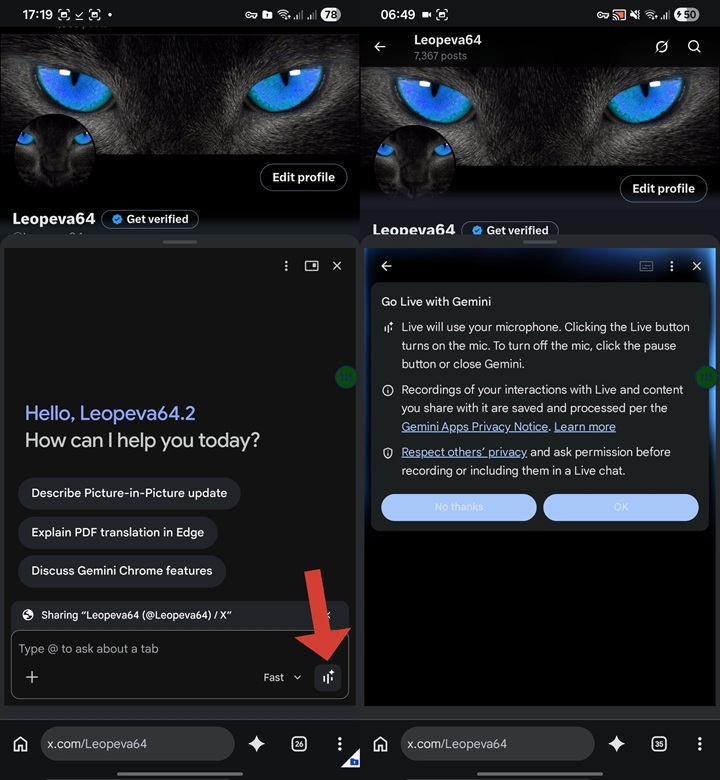
The journey of this feature stretches back several months. In March, Google upgraded the Gemini bottom sheet in Chrome Canary by replacing generic prompt suggestions with contextual chips. Instead of asking users “What can you do?”, Gemini began suggesting page-specific actions such as summarizing an article or discussing a video currently open in the browser.
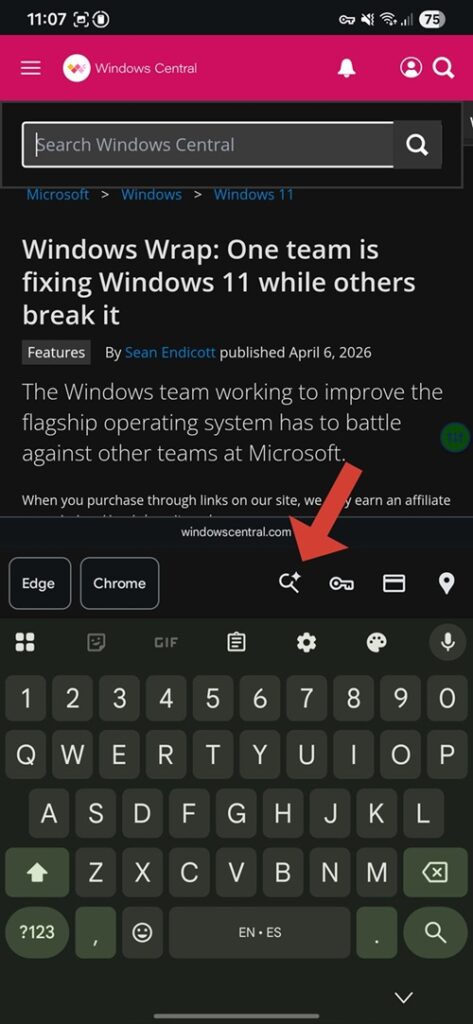
A month later, Google took another step by introducing Gemini Live inside Chrome’s Gemini bottom sheet. Although the interface closely resembled its desktop counterpart, the feature wasn’t functional. Attempts to start Live conversations resulted in microphone or connection errors, showing it was still very much under development. Around the same time, another experimental addition quietly appeared. Google introduced a mysterious “Search Spark” button in Chrome’s keyboard accessory bar. The sparkling icon immediately hinted at AI integration, but tapping it simply caused the browser to crash.
That has now changed.
The latest Chrome Canary release finally brings the new experience to life. Instead of crashing, tapping the Spark icon now opens a dedicated bottom sheet titled “Find and fill info with Gemini.” A notice explains that the feature is “powered by Personal Intelligence with Gemini” and can recall information from users’ connected apps, including Gmail, to help fill forms automatically.
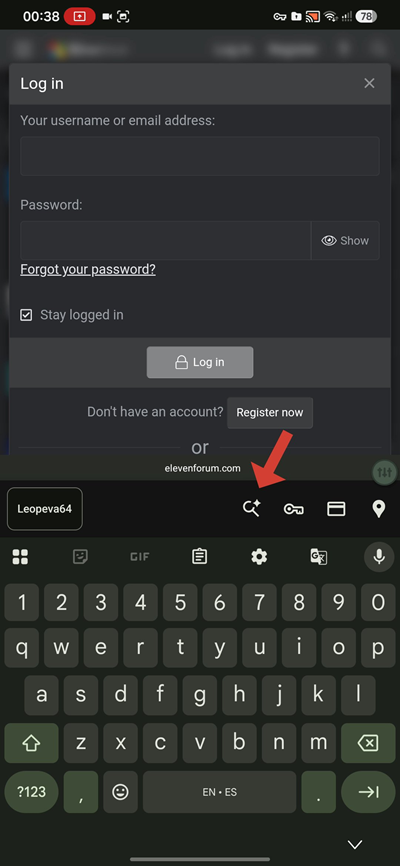
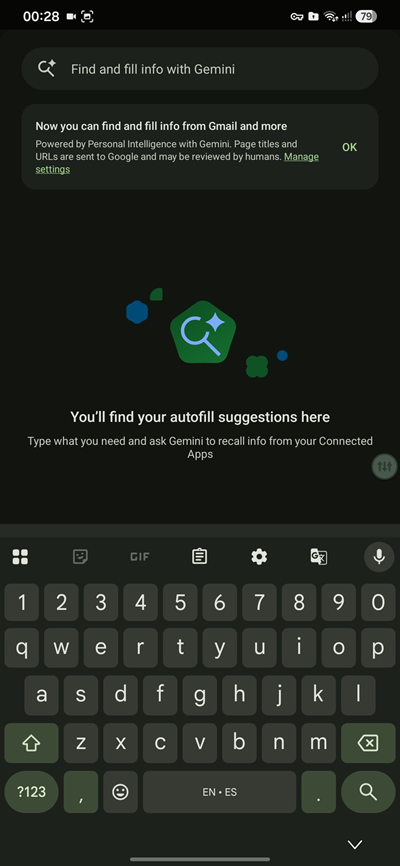
Interestingly, the interface also tells users that page titles and URLs may be processed as part of the experience, with links to manage privacy settings. At the moment, however, the feature remains incomplete. While the interface is accessible, searches don’t always work reliably, with some attempts returning a generic “Something went wrong” message instead of surfacing saved information.
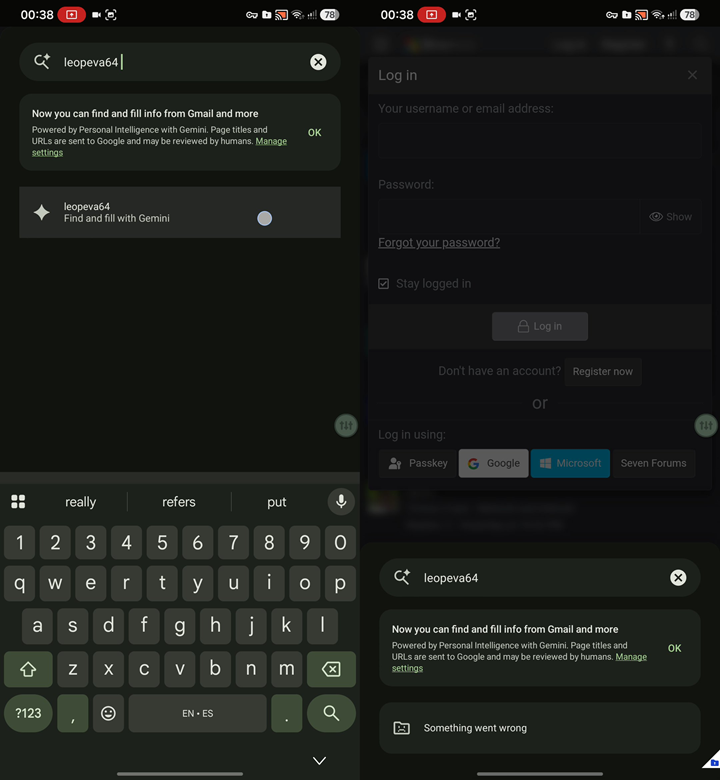
Still, I think this is one of the clearest signs yet that Google wants Gemini to become much more than a chatbot inside Chrome. Rather than simply answering questions about web pages, Gemini is gradually evolving into an assistant that can understand context, retrieve personal information with user permission and help complete everyday browsing tasks.
As with most Chrome Canary experiments, there’s no guarantee this feature will reach the stable version anytime soon. However, considering the steady pace of improvements over the past few months, Google appears to be making consistent progress toward bringing AI-assisted autofill directly into Chrome for Android.


Hillary Keverenge
2723 Posts
Tech has been my playground for over a decade. While the Android journey began early, it truly took flight with the revolutionary Lollipop update. Since then, it's been a parade of Android devices (with a sprinkle of iOS), culminating in a mostly happy marriage with Google's smart home ecosystem. Expect insightful articles and explorations of the ever-evolving world of Android and Google products coupled with occasional rants on the Nest smart home ecosystem.
Next article View Article