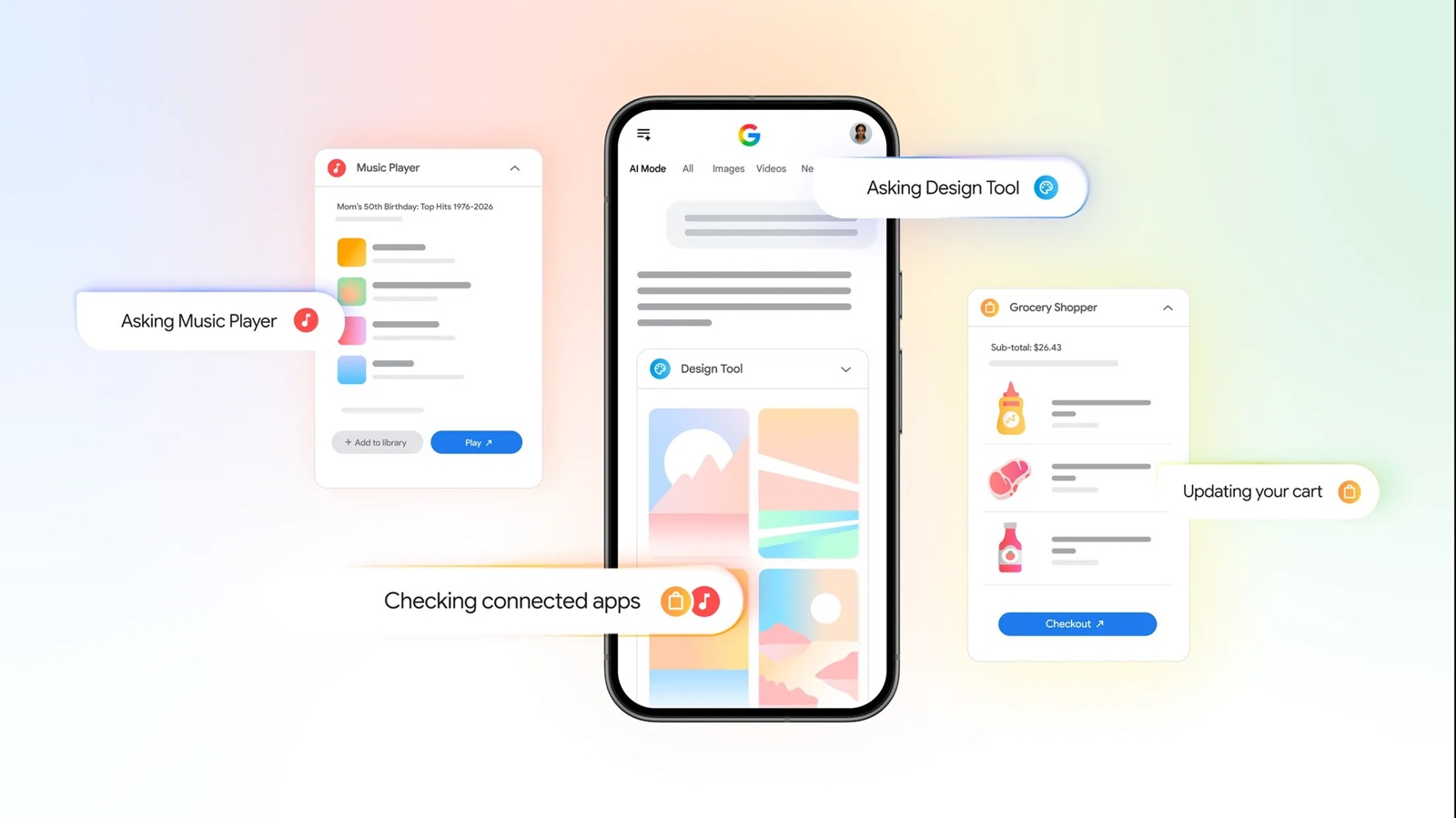
Google is continuing to blur the line between Search and an AI assistant. This time, the company is introducing Connected Apps in AI Mode, a new capability that lets you securely link supported third-party services to Google Search so you can complete tasks without constantly switching between apps.
The feature is rolling out this week to users in the US and is currently available only in AI Mode in English.
Instead of simply answering your questions, AI Mode can now take action on your behalf. For example, if you’re planning a barbecue and ask AI Mode to generate a grocery list, it can send all the ingredients directly to your Instacart shopping cart. From there, you’ll only need to open Instacart to review your cart and complete checkout.
Google is also bringing similar integrations to creative and media apps. If you’re designing a flyer, AI Mode can create and surface Canva templates based on your prompt. Likewise, if you’re looking to build the perfect party playlist, AI Mode can generate one and save it directly to YouTube Music, ready for playback.
This marks another major step in Google’s push to make AI Mode more than just an enhanced search experience. Over the past few weeks, we’ve seen Google steadily expand its capabilities, from testing a dedicated AI Mode shortcut in Chrome’s address bar to integrating Google Drive files into AI Mode and even showcasing a more capable version of AI Mode in Chrome. The latest Connected Apps feature fits naturally into that broader vision by letting AI not only find information but also help users act on it.
According to Google’s support documentation, Connected Apps work across desktop, Android, and iOS. You’ll need to be signed into your Google Account, and in most cases, you’ll also need an account with the supported service. If an app hasn’t been linked yet, AI Mode will prompt you to connect it during your request. Google says users can either mention a supported app directly—for example, “Make a grocery cart of banana bread ingredients on Instacart”—or make a general request and choose from the available apps afterward.
It’s worth noting that AI Mode only hands off the final step to the connected service. So while Search can prepare your grocery cart, playlist, or Canva design, you’ll still be redirected to the respective app or website to finalize the purchase, edit your design, or start listening. Users also retain control over which services are linked. Connected apps can be managed or disconnected anytime through the Google Account’s Linked apps settings, and deleting a connection immediately revokes Google’s access to that app.
Although the rollout is currently limited to the US, it’s easy to see how Connected Apps could become one of AI Mode’s most practical additions once Google expands support to more countries, languages, and partner apps. Instead of acting as a chatbot that simply suggests what to do next, Search is gradually evolving into one that can actually help you get things done.


Hillary Keverenge
2723 Posts
Tech has been my playground for over a decade. While the Android journey began early, it truly took flight with the revolutionary Lollipop update. Since then, it's been a parade of Android devices (with a sprinkle of iOS), culminating in a mostly happy marriage with Google's smart home ecosystem. Expect insightful articles and explorations of the ever-evolving world of Android and Google products coupled with occasional rants on the Nest smart home ecosystem.
Next article View Article