AI has woven itself into almost every piece of software we touch daily, and Google has been leading the pack by aggressively baking its conversational AI capabilities straight into Chrome. But for a long time, Google Chrome has kept its shiny new AI Mode tightly tethered to its own search engine. If you dared to change your default search engine, those handy AI shortcuts would instantly vanish.
Fortunately, that restrictive behavior might soon be history. According to a discovery by Windows Report, Google is actively testing a change in Chrome Canary that uncouples the AI Mode entry point from Google Search, allowing it to play nice with third-party providers.
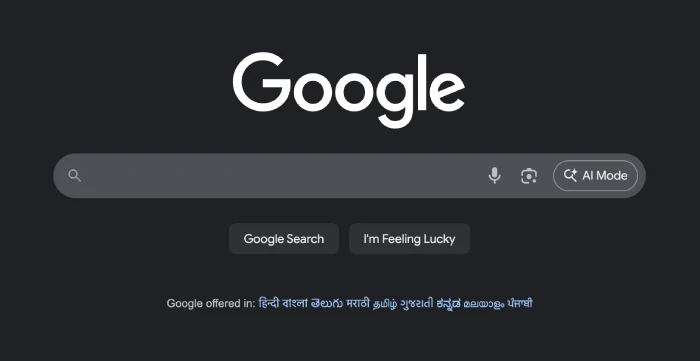
Right now, if you use Chrome with Google set as your default engine, you will see prominent AI Mode shortcuts in both the omnibox (address bar) and the standard New Tab page.
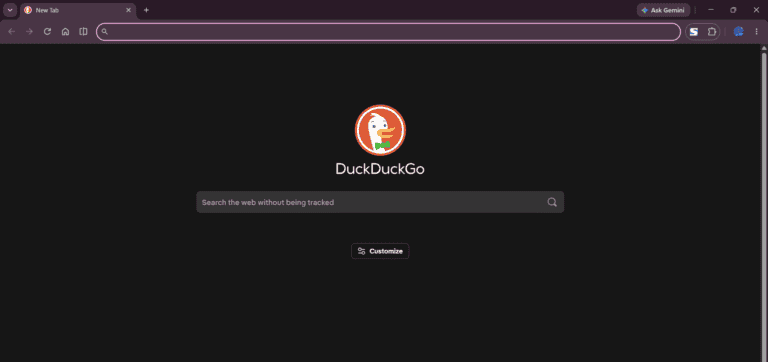
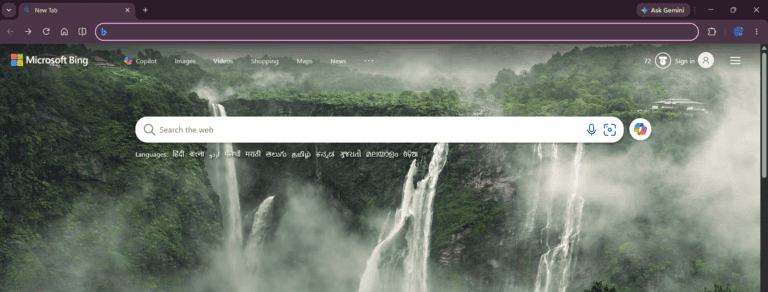
However, the moment you switch your default search engine provider to an alternative like Microsoft Bing, Yahoo, or DuckDuckGo, Chrome completely wipes away those entry points to match the new provider’s interface. You can see this visual disappearance firsthand in the images below, where the clean Google-centric AI layout is replaced entirely by the selected provider’s default landing experience.
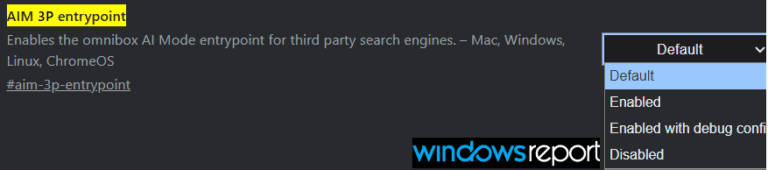
To fix this friction point, Google has introduced a new experimental flag in Chrome Canary called “AIM 3P entrypoint.” The flag’s description explicitly states that it:
“Enables the omnibox AI Mode entrypoint for third-party search engines.”
I’ve been keeping a close eye on Google’s rapid-fire AI experiments in Chrome over the last few weeks, and this latest move fits perfectly into their broader strategy of making AI completely inescapable.
Recently, Google began testing an Ask AI Mode button as a fallback for regions where Gemini in Chrome isn’t yet supported, replacing the usual “Ask Gemini” entry point. Shortly afterwards, the company started experimenting with an onboarding pop-up that introduces and highlights the new AI Mode button, helping users discover the feature once it arrives. Put together, these experiments suggest Google isn’t just adding another AI shortcut, but it appears to be building a consistent AI experience that works across different regions, gradually teaches users how to use it, and ultimately keeps AI Mode within easy reach regardless of how they interact with Chrome.
Clearly, Google wants AI Mode to be highly visible, but they’ve had to smooth out some rough edges along the way. For instance, earlier last month, a buggy Canary test resulted in a prominent default AI search error that accidentally forced standard omnibox searches straight into AI Mode instead of pulling up traditional search results.
If you’re eager to try this out yourself on Chrome Canary (which is currently testing across Windows, Mac, Linux, and ChromeOS), there is a slight catch. During our own testing, the flag isn’t available in Canary just yet. But even so, the button may remain stubbornly hidden when Bing or DuckDuckGo is set to default, meaning the under-the-hood plumbing is still being laid out by Chromium developers.
We’ll be tracking this flag closely over the coming weeks to see exactly when the functional UI elements finally go live for alternative search engines.
We stand out from the tech-media crowd because we break news stories; we mainly bring you stuff that you won’t find anywhere in the mainstream tech media. Our stories have been picked up by some of the world’s most popular websites and media outlets—more info is available here.
Tech has been my playground for over a decade. While the Android journey began early, it truly took flight with the revolutionary Lollipop update. Since then, it's been a parade of Android devices (with a sprinkle of iOS), culminating in a mostly happy marriage with Google's smart home ecosystem. Expect insightful articles and explorations of the ever-evolving world of Android and Google products coupled with occasional rants on the Nest smart home ecosystem.
Apple is making it easier for AI coding assistants to understand what is happening inside Safari.
The company has released a new Model Context Protocol (MCP) server for Safari as...