





Google has begun rolling out the new "Enhanced autofill" section to the "Autofill settings" (previously "Autofill services") page in Chrome Stable for Android. This section has a toggle to enable identity verification before autofilling sensitive info:https://t.co/xoX2pTuCiR pic.twitter.com/S4OQu5K0M1
— Leopeva64 (@Leopeva64) June 19, 2026
Google is improving the security of autofill on Chrome. On both Android and the desktop version, a new “Enhanced autofill” section has begun rolling out, which contains an option for biometric verification.
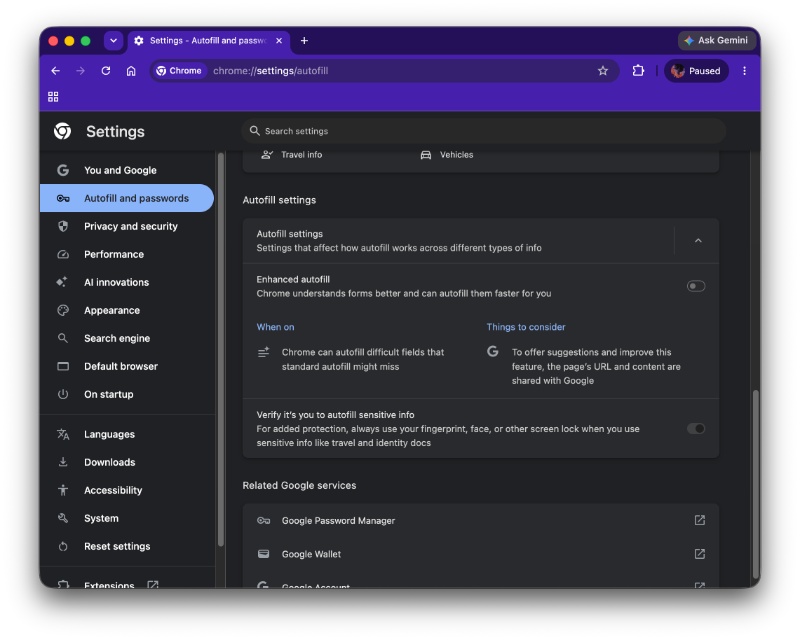
Initially spotted by @Leopeva64 on X, the “Autofill services” menu has been replaced with “Autofill settings,” and you can enable the Enhanced autofill feature from here. It’s directed at improving autofill for forms, and can also handle fields that users might miss.
It’s worth noting that Enhanced autofill isn’t an entirely new feature; the menu has just been renamed.
I have checked for this new section on Android, but I still see the old “Autofill services” menu, even on the latest version of Chrome that I have available. The previous update from the Play Store was on June 16, so it’s probably a phased rollout; not everyone will get it at the same time.
However, on macOS (Chrome desktop), I did find the Autofill settings menu and the biometric verification toggle after updating the browser to the latest version. Sure enough, expanding the menu shows me the toggle to enable Enhanced autofill. It’s located after the usual autofill settings, and you’ll have to scroll down.
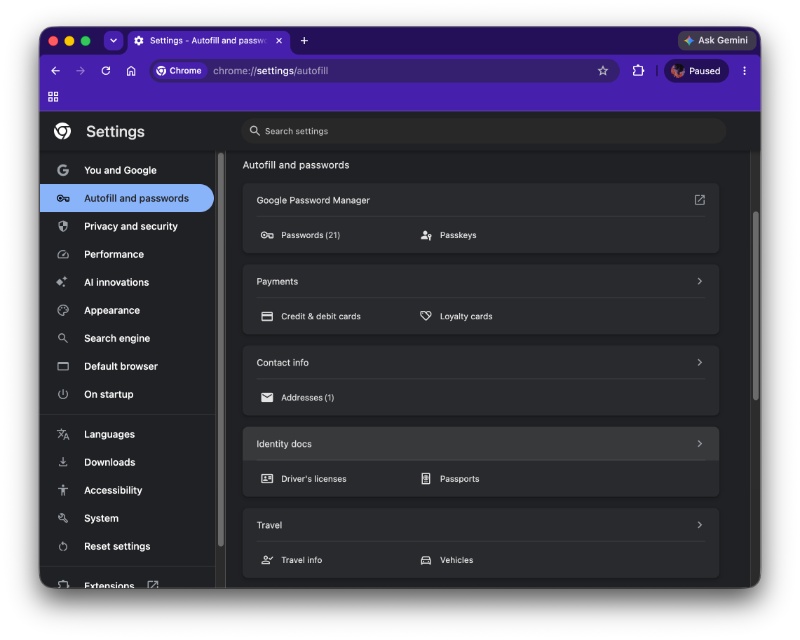 The new security (verification) feature is for added protection. When sensitive information like travel documents or identity information is being filled out, Chrome will ask you to verify your biometrics before you can proceed with the autofill. It’s not mandated, and the feature is optional. You have to specifically turn it on from the menu if you want to use it.
Autofill security aside, Chrome is also working on quality-of-life improvements in other areas. There’s another neat feature being tested in Chrome Dev. For now, unplugging your headphones results in playback interruption, and that’s about to change.
Once this feature goes live, you will have the option to continue audio playback even when you disconnect/unplug an audio product. Since this feature has already passed the Chrome Canary phase and is already in Chrome Dev, it should reach the stable channel soon.
Google is testing a new feature in Chrome Canary for Android that allows media to keep playing when you unplug your headphones. Here you can see that the video keeps playing when I disconnect the headphones (its icon disappears from the volume bar) 👇https://t.co/XeQg5TWPfB pic.twitter.com/zUZgRzBP7V
— Leopeva64 (@Leopeva64) June 20, 2026
In other Chrome news, v150 on iOS brings a new useful upgrade for Gemini users. We covered that here.
Google is also adding button animations to Chrome desktop. You can read about that here.

We stand out from the tech-media crowd because we break news stories; we mainly bring you stuff that you won’t find anywhere in the mainstream tech media. Our stories have been picked up by some of the world’s most popular websites and media outlets—more info is available here.

Sudhanshu K
190 Posts
I have been a consumer technology enthusiast for over 5 years. Thanks to my experience in software beta testing and product reviews, I've understood and learnt a lot about what bugs and issues bother people, and I spend time trying to simplify their solutions. I cover smartphones, software, social media, apps, AI, and most consumer tech gadgets. Actively pursuing a Computer Science bachelor’s degree. I'm mostly active on Twitter/X (@TechWhirlUlt), drop a DM or tag me if you want to share info or connect!
Next article View Article
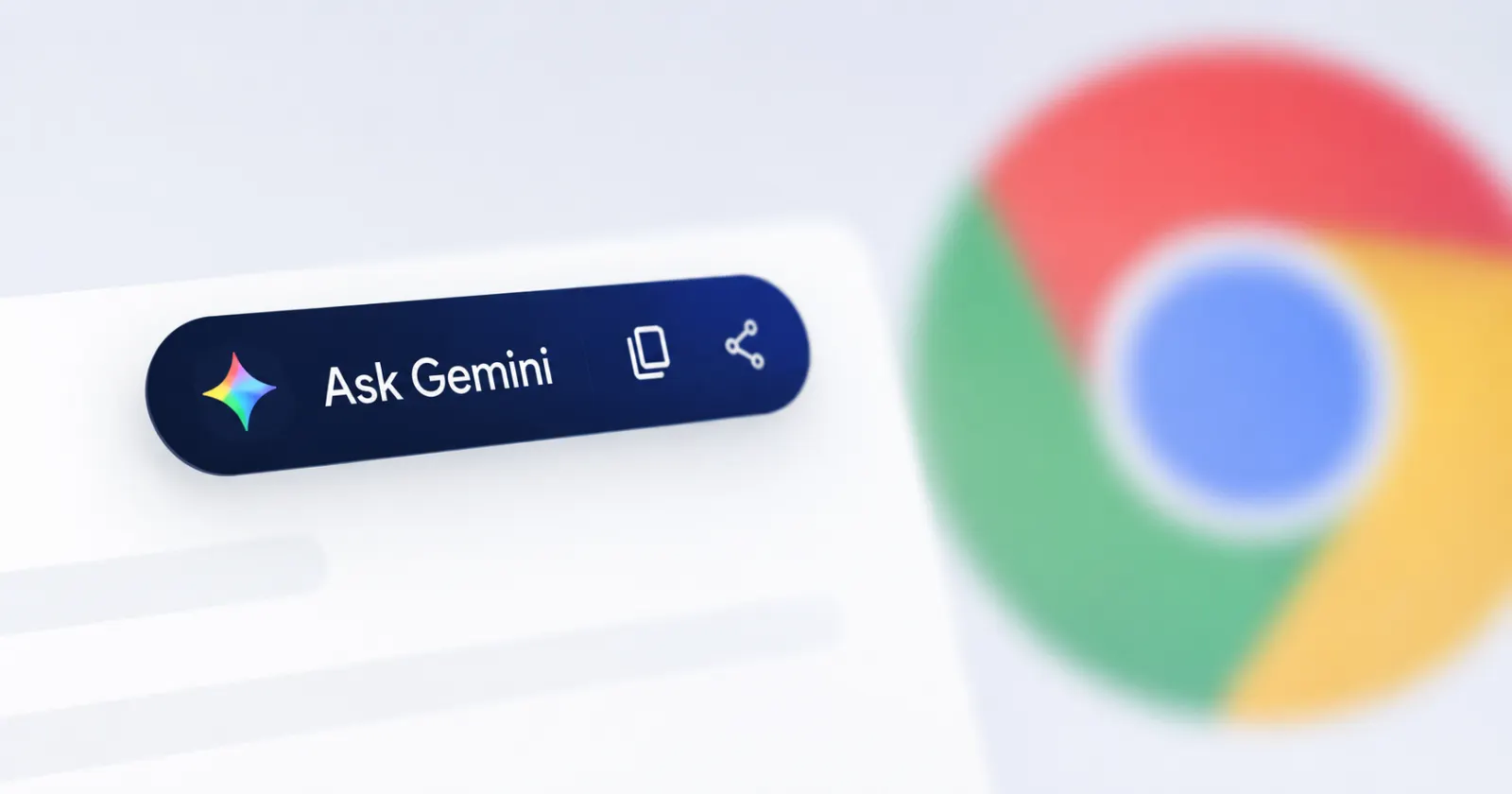
Chrome is testing a quicker way to search highlighted text with Gemini
Google is currently testing a quicker way to search highlighted text with Gemini. It's not a groundbreaking feature, but it's a step in the right direction.
In...
Jun 22, 2026 2 Min Read