





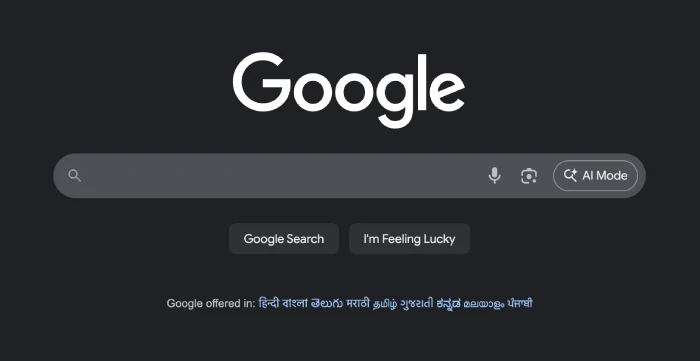
Before diving into the nitty-gritty of removing the AI Mode button from Google’s Search bar, let me just say — I probably spent more time than I’d like to admit sifting through forums, Reddit discussions, and Chrome extension graveyards in search of a fix that would actually work for everyone.
A bunch of people suggested the usual suspects like tweaking settings, trying to outsmart it with endless filters on things like uBlock Origin, or even making browser searches more “classic.” But let’s be honest, those so-called solutions only work for a small slice of users, and uBlock Origin can’t even run on Chrome for most folks. Not exactly universal, right?
Many were also confusing the AI Mode button AI Overviews, and were suggesting things like adding swear words to the search to remove it. That’s indeed a trick to remove AI Overviews, but it doesn’t remove the AI Mode button from the Search bar.
So, after bouncing around community threads, I stumbled on a gem of a solution. There’s this extension called Disable AI (h/t Striking_Resident784) that gets the job done across multiple browsers, not just Chrome.
For me, installing the Disable AI extension on a Chromium-based browser like Comet made the AI Mode icon instantly disappear. No more AI Overviews, no more extra clutter. It took all of one click to set up, and the change was immediate.

You can check out the extension from the GitHub page and download it for your browser.
Honestly, this is the easiest workaround I’ve run into, and it saves you the headache of fiddling with browser settings or writing intricate custom filters that might break the next time Google tweaks things. If you’re not keen on having Google’s new AI features intrude on your search experience (whether you miss the classic search bar or just prefer your own flow), this is hands-down the way to go.
If you’re curious about similar fixes for the Chrome address bar or Android’s Search widget, check out our guides here:
- How to remove AI Mode from the Chrome address bar
- How to get rid of the AI button in Google’s Android Search widget
Hopefully, Google gives us more official control down the road. But until then, a good browser extension solves a lot — at least until the next UI shake-up.


Dwayne Cubbins
3108 Posts
I cover fast-moving stories across apps, online platforms, and everyday tech — phones, wearables, consoles, and whatever else people are fighting with this week. Bugs, rollouts, scams, policy enforcement, and the occasional internet-culture rabbit hole are all fair game. My goal is simple — make confusing tech news readable. When I'm not working, I'm working out or chilling with my dog. Got a tip? You can find me on X @dcubbins.
Next article View Article
