





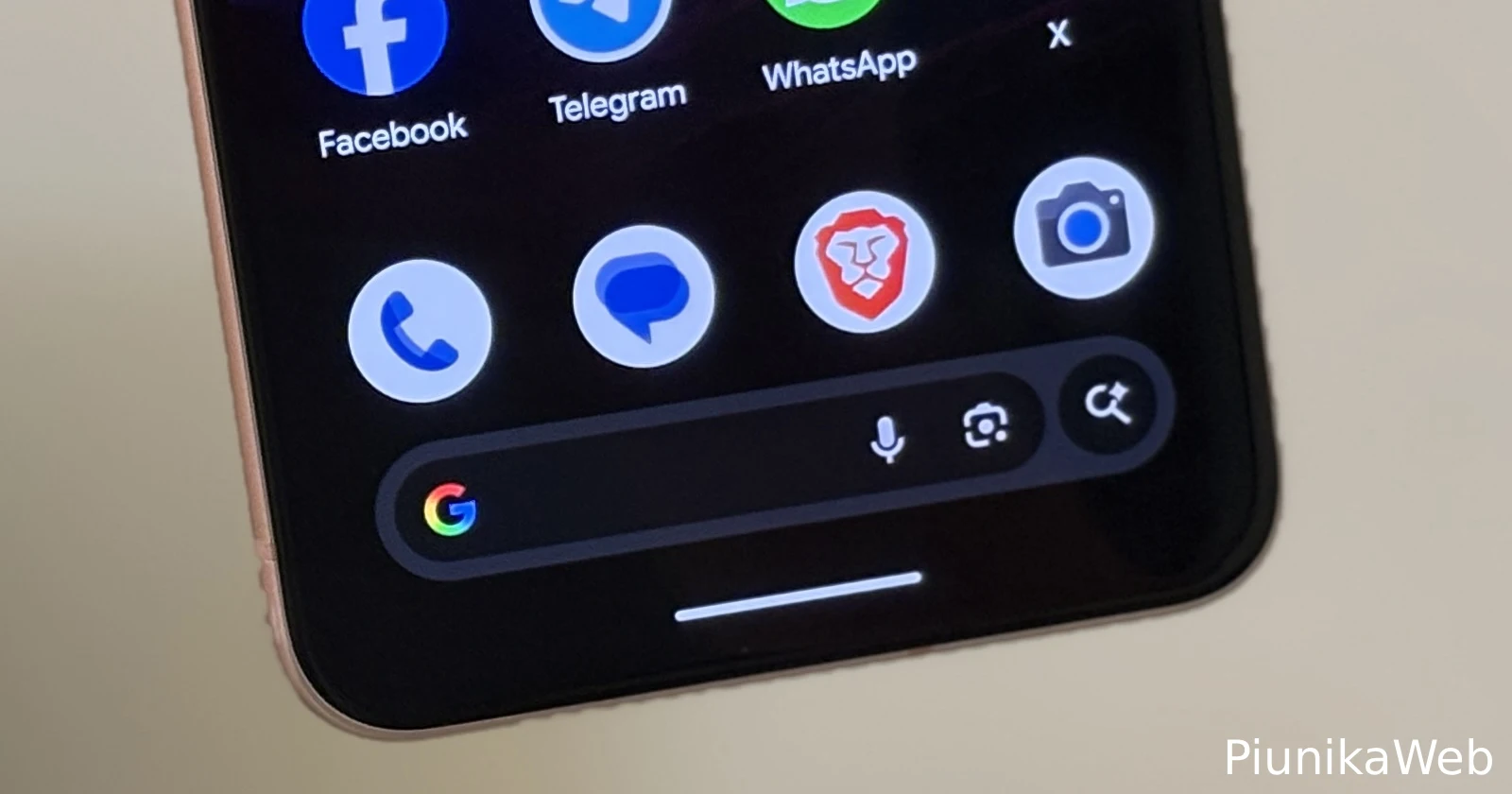
Google’s AI Mode button has been taking up space in the Pixel’s Google Search bar widget since June 2025, and plenty of users aren’t happy about it. The AI search icon sits right where many people naturally tap to start searching, which means accidentally triggering AI Mode has become a daily annoyance for quite a few Pixel or other Android owners. If this sounds familiar, there’s some good news.
When the AI Mode shortcut first appeared on Pixel devices back in early June, Google didn’t give users any immediate option to turn it off. People complained on Reddit and Google’s support forums, frustrated that they kept activating AI Mode when all they wanted was a quick Google search. The forced feature felt especially irritating because it occupied the exact spot where users would tap to begin typing their queries.
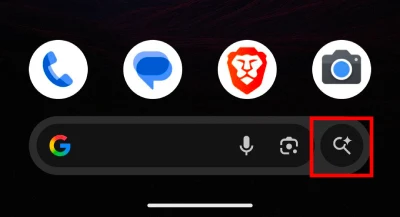
But Google apparently heard the feedback. The company quietly added a toggle that lets users remove the AI Mode button from their Pixel search bar widget. The process is straightforward and takes less than a minute.
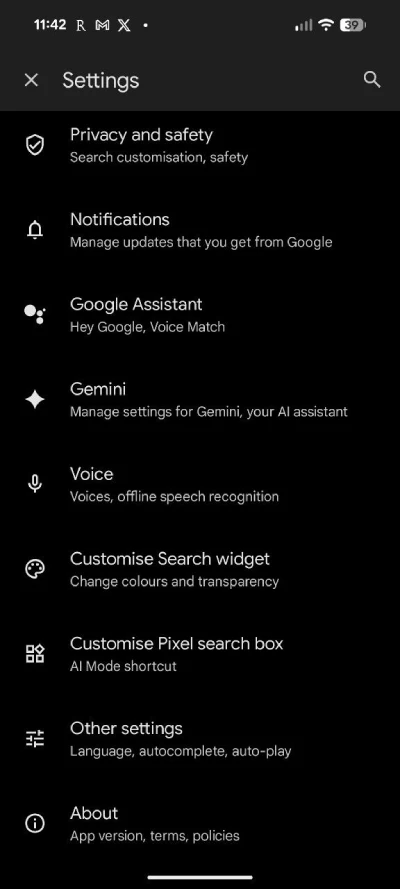
Open the Google app on your Pixel phone and tap the profile icon in the top corner. Head to Settings, then scroll down until you find “Customise Pixel search box”. Inside that menu, you’ll see a toggle for AI Mode. Simply switch it off, and the button disappears from your search bar. Some users initially struggled to find this option because it’s listed under “Customise Pixel search box” rather than “Customise Search Widget,” which is a separate setting entirely.

The AI Mode feature, powered by Google’s Gemini models, is designed to deliver more conversational search results with follow-up question capabilities. While some people appreciate the new approach, many prefer sticking with traditional search.
Google has been busy adding AI Mode shortcuts across its products lately — the company recently introduced a similar button in the Chrome browser’s address bar. If that one’s bothering you too, check out our guide on removing AI Mode from Chrome’s address bar.
Now you can reclaim that valuable search bar real estate and get back to searching the way you prefer.


Dwayne Cubbins
3034 Posts
I cover fast-moving stories across apps, online platforms, and everyday tech — phones, wearables, consoles, and whatever else people are fighting with this week. Bugs, rollouts, scams, policy enforcement, and the occasional internet-culture rabbit hole are all fair game. My goal is simple — make confusing tech news readable. When I'm not working, I'm working out or chilling with my dog. Got a tip? You can find me on X @dcubbins.
Next article View Article
