





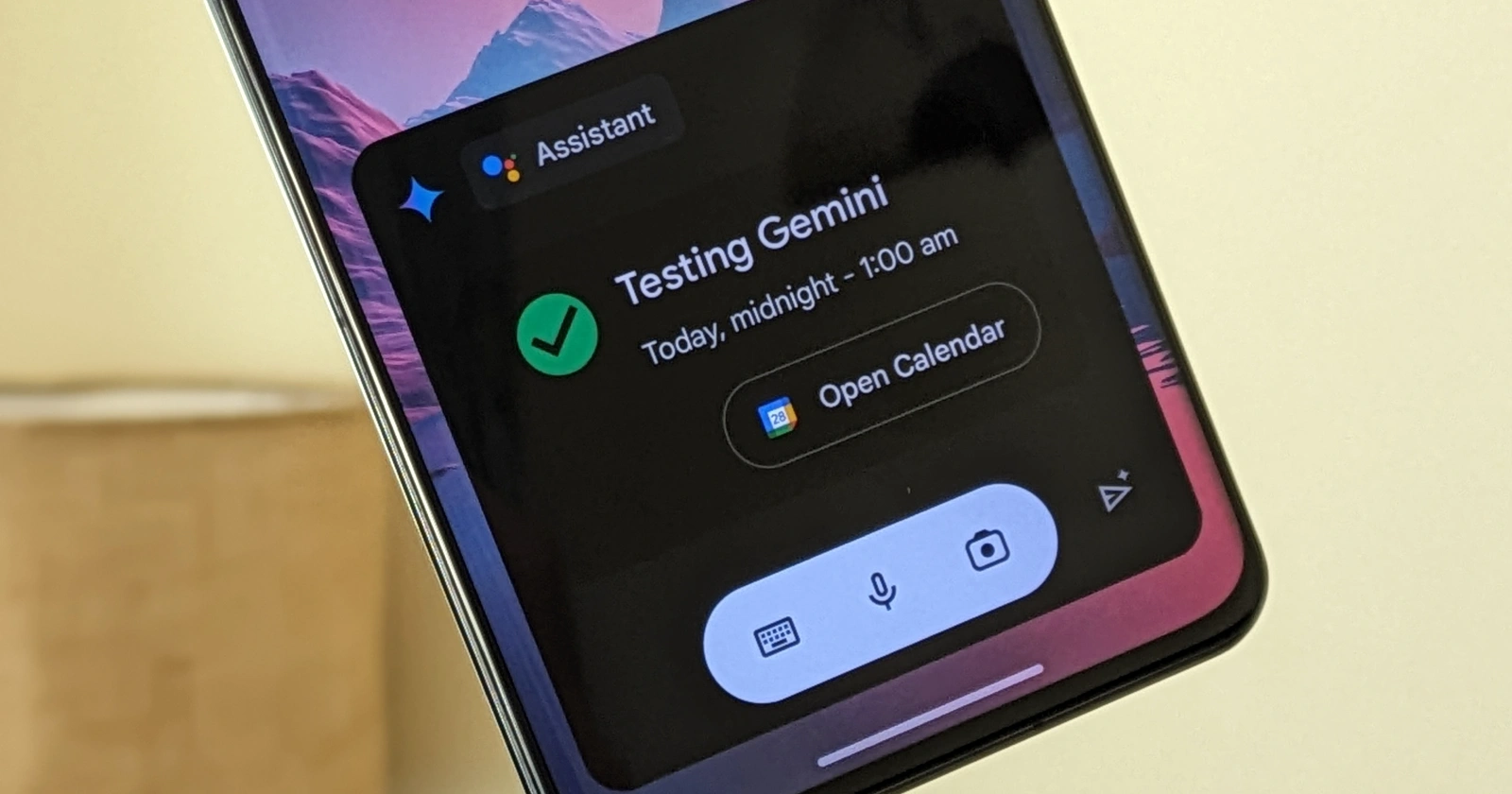
Google’s evolving AI assistant, Gemini, has finally caught up on a core feature for Pixel and other Android device owners – the ability to manage Google Calendar events. This comes after Google promised to address initial shortcomings of its powerful AI earlier this month.
Harnessing the power of Gemini and Google Assistant working together, you can now easily manage your schedule with voice commands on your Pixel. Here’s what you can try:
Get a schedule snapshot: Ask questions like, “What’s on my calendar today?” or “Do I have any meetings tomorrow?” Gemini will neatly display your events within its interface, with a quick shortcut to the full Calendar app for more details.
Create an event: Say, “Add an event to my calendar,” and Gemini will walk you through the process, letting you dictate the event details or type them in manually.

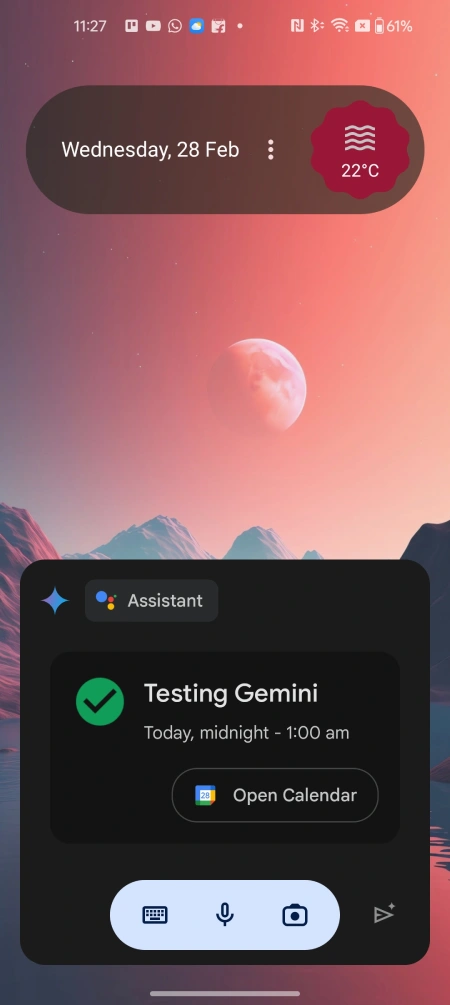
It’s worth pointing out that before you use the feature, you might have to turn on the ‘Workspace’ extension within Gemini’s settings. Moreover, Gemini is piggybacking on Google Assistant to add or check Google Calendar events. So it’s not yet a “native” function on Gemini.
While this should have been a day-one feature, it’s a welcome improvement for Pixel users who rely on Google Calendar. The seamless integration between Gemini and Google Assistant makes staying organized a breeze.
Google has hinted at expanded capabilities for Gemini, so we’ll have to wait and see what other goodies are in store for the AI-powered assistant. As Gemini continues to learn and integrate with more core Google services, it’s shaping up to be an even more powerful and versatile assistant.
To ensure you have access to the latest Gemini features, keep your Google apps updated on your Pixel device. Updates often introduce these new integrations incrementally, so it may take some time before everyone sees the Google Calendar functionality. I was able to use the function on the Pixel 7a and OnePlus 11 without any hiccups.


Dwayne Cubbins
3105 Posts
I cover fast-moving stories across apps, online platforms, and everyday tech — phones, wearables, consoles, and whatever else people are fighting with this week. Bugs, rollouts, scams, policy enforcement, and the occasional internet-culture rabbit hole are all fair game. My goal is simple — make confusing tech news readable. When I'm not working, I'm working out or chilling with my dog. Got a tip? You can find me on X @dcubbins.
Next article View Article
