
Microsoft Access is a popular database management system that provides users with powerful tools for creating and managing databases.
However, like any software (1,2,3), it is also not immune to occasional errors that can hinder its functionality.
Microsoft Access ‘Word is required to run Mail Merge Wizard’ error
And now, it seems that some Microsoft Access users have been encountering “Not Enough Memory to Complete” and “Word Required to Run Mail Merge Wizard” error messages (1,2,3,4).
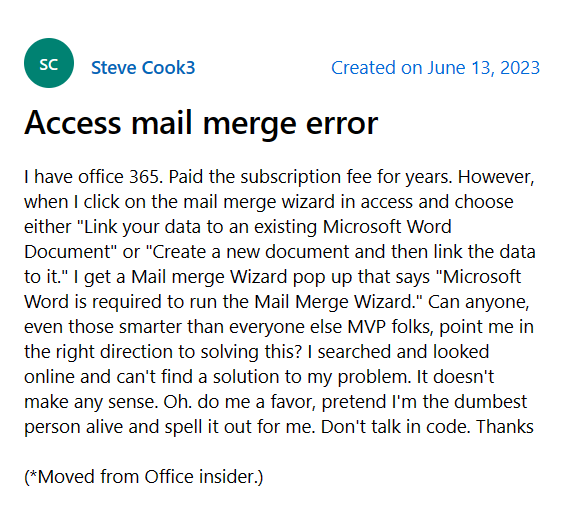
What would cause the Mail Merge option to be greyed out in Access? Does anyone know the cause of the Mail Merge option to be greyed out on Access 365?
Source
With the Office patch released 1-June-2023 we are getting an out of memory error when we try and open reports. Any report using linked tables, even very simple single table reports.
Source
According to reports, users are met with error messages when they attempt to use the Word Mail Merge Wizard in the most recent version of MS Access/Office (version 2305).
The error then states that Microsoft Word is necessary, and the merge fails every time. It occurs when the database reaches its memory capacity, preventing further operations from being carried out.
Some users are also reporting crashes on the platform due to an out of memory problem after the June update. This error message is seemingly very annoying, especially when your system has plenty of resources.
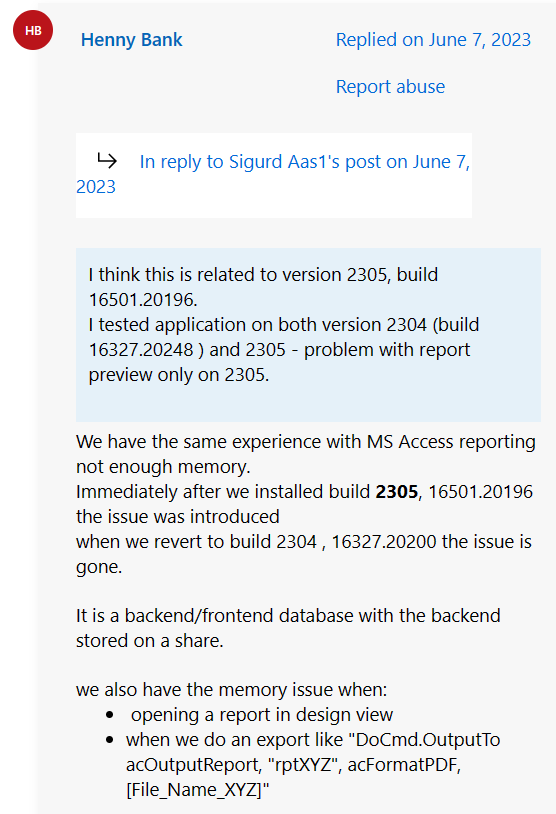
Encountering such errors in Microsoft Access is clearly impeding several users’ productivity and database operations.
Issue acknowledged
Fortunately, the issue where Microsoft Access users are running into ‘Word is required to run Mail Merge Wizard’ error message has been acknowledged by the team.
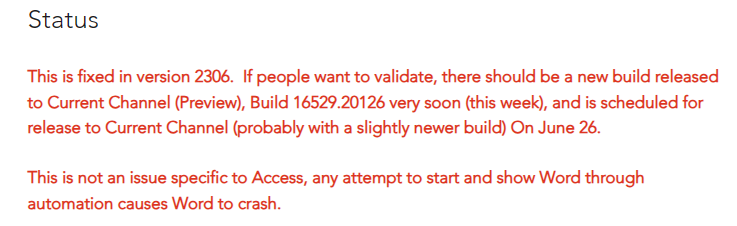
The team has also mentioned a couple of workarounds that can help fix the issue temporarily. You can try either of the following options:
Workaround 1: Roll back to an earlier version which does not have the bug, e.g. version 2304 build 16.0.16327.20308.
Workaround 2: Initiate the merge from Word and choose your database as the data source, rather than starting from Access.
Source
If any of these workarounds helped fix the issue, do let us know in the comments down below. Also, we will be updating this space once the problem is resolved so stay tuned for more information.
Note: We have more such stories in our dedicated Microsoft section. So make sure that you follow them as well.
PiunikaWeb started as purely an investigative tech journalism website with main focus on ‘breaking’ or ‘exclusive’ news. In no time, our stories got picked up by the likes of Forbes, Foxnews, Gizmodo, TechCrunch, Engadget, The Verge, Macrumors, and many others. Want to know more about us? Head here.
Tags
Microsoft Access Microsoft Access 'enough memory to complete' error Microsoft Access Word Mail Merge Wizard Microsoft Access Word Mail Merge Wizard broken in version 2305 MS Access out of memory error Word is required to run Mail Merge Wizard in Microsoft Access Word Mail Merge from Access broken Word Mail Merge from Access broken in Version 2305 Word merge feature in Access grayed out
Riya Madaan
868 Posts
Weaving a little bit of life into the articles I write. No, not really! That's not really possible for a trash writer like me but I still try. Apart from it, I skate, meditate and medicate. Also keep myself away from troubles as I age.
Next article View Article