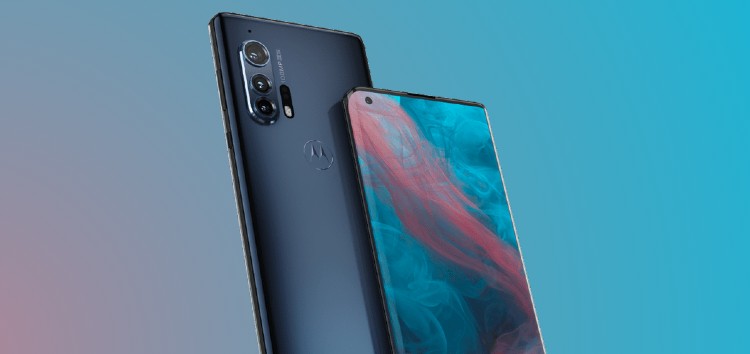
While Motorola showed up late to the Android 11 party, it has rolled out the new OS update for a handful of smartphones including the Edge and Edge+ within the past few months.
Like any major OS update, Android 11 brings a bunch of new features and improvements to enhance the user experience.
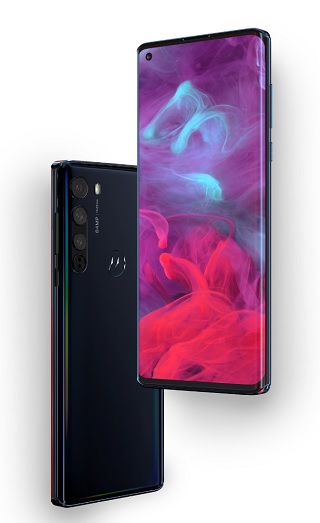
However, Motorola Edge and Edge+ users also noticed that the update removed the 60Hz refresh rate option and the manual Edge display setting for some apps.
The troubles for Motorola Edge users do not end there because some reports suggest that the Android 11 update brings laggy or choppy animations too.
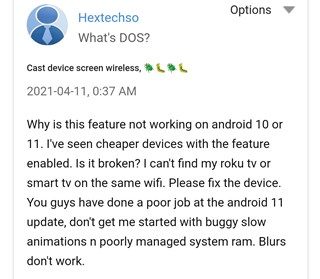
After updating Edge to Android 11 I started having problems with transitions and animations that looked really bad. It looks like a low fps (Source)
I have a 90hz display but i barely notice 30fps. New animations are laggy and the system overall feels laggy. (Source)
The Motorola Edge packs the Snapdragon 765G 5G chipset which isn’t as powerful as the 8xx series, however, it’s no slouch either.
Moreover, animations and transitions worked as usual before users got the update. This leaves little doubt that the laggy animations are due to bugs present in the latest Android 11 update for the Motorola Edge.
Fortunately, users won’t have to wait long before the issue gets fixed since a Motorola admin has confirmed that the company already has improvements coming via a future software update.
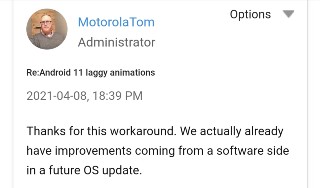
In case you aren’t willing to wait for the upcoming fix, then you can try out this workaround shared by a user who claims that it fixes the laggy animations and transitions.
Go to Developer options and disable “Enable blurs”. That option provides a blur on the screen, for example, behind the notification panel when we slide it. You need to perform a reboot. After rebooting, all animations and transitions work fine. Let me know if it is useful. (Source)
As usual, we’ll keep tabs on the situation and will post an update once the fix for the laggy animations on the Motorola Edge running Android 11 goes live.
PiunikaWeb started as purely an investigative tech journalism website with main focus on ‘breaking’ or ‘exclusive’ news. In no time, our stories got picked up by the likes of Forbes, Foxnews, Gizmodo, TechCrunch, Engadget, The Verge, Macrumors, and many others. Want to know more about us? Head here.

Tags
Motorola Android 11 Motorola Edge Android 11 Motorola Edge Android 11 laggy animations Motorola Edge+
Dwayne Cubbins
3137 Posts
I cover fast-moving stories across apps, online platforms, and everyday tech — phones, wearables, consoles, and whatever else people are fighting with this week. Bugs, rollouts, scams, policy enforcement, and the occasional internet-culture rabbit hole are all fair game. My goal is simple — make confusing tech news readable. When I'm not working, I'm working out or chilling with my dog. Got a tip? You can find me on X @dcubbins.
Next article View Article