


Google just dropped the Chrome M157 update for Googlebook through the Play Store, bringing some much-needed polish to vertical tabs and squashing over twenty annoying bugs.
Google employee Mishaal Rahman shared the changelog on Reddit earlier today, and the biggest quality-of-life upgrade revolves around screen real estate. If you keep your vertical tab strip collapsed into an icon rail to save space, you can now just hover your mouse over it to temporarily expand the full tab titles, and it slides right back out of the way when you move your cursor away.
If you prefer keeping the rail locked until you actually click it, you can toggle the hover behavior off in your appearance settings or by right-clicking the tab strip, which also lets you manually drag and resize the vertical tab bar to whatever width feels comfortable on your laptop display.
M157 also cleans up a few rough edges we saw after Chrome M155 moved Settings into a browser tab. Subpages like appearance or privacy finally have direct web addresses you can bookmark, and the standard back and forward buttons actually work properly when you click around inside the settings menu.
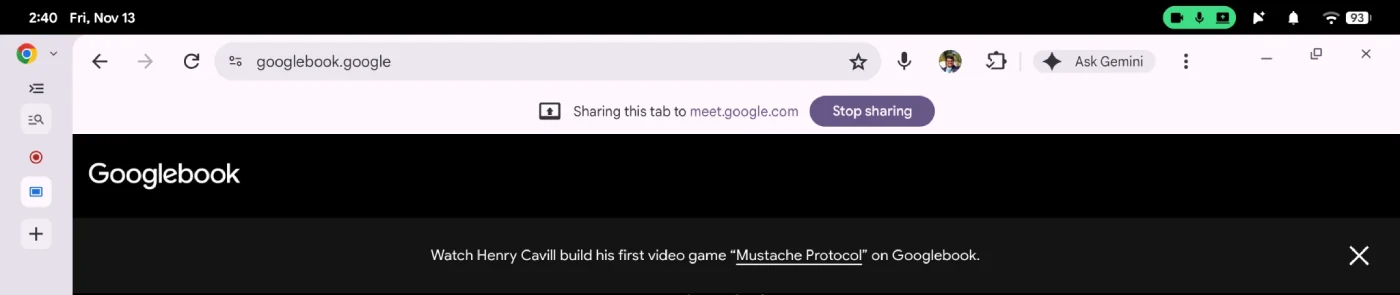
Screen sharing during video calls got a subtle upgrade too, adding a persistent floating bar at the top of your screen so you can stop broadcasting or switch to sharing a different tab with one click instead of digging back into Google Meet.
Plus, the native system “Save As” file dialog is now turned on by default whenever you right-click to save a link or image, building on the download fixes that started rolling out in the Chrome M156 update.
Under the hood, the update fixes a laundry list of desktop headaches, including crashes triggered by extensions or random keyboard shortcuts, bookmarks vanishing when switching tabs in fullscreen, and Google Slides failing to show the external monitor picker when you want to use presenter view.
Rahman also teased a few features currently hidden behind flags in Chrome Beta, including proper startup settings so Chrome doesn’t always force-restore your previous session, an option to ask where to save every standard web download, and EyeDropper support for design tools like Figma and Canva.


Dwayne Cubbins
3210 Posts
I cover fast-moving stories across apps, online platforms, and everyday tech — phones, wearables, consoles, and whatever else people are fighting with this week. Bugs, rollouts, scams, policy enforcement, and the occasional internet-culture rabbit hole are all fair game. My goal is simple — make confusing tech news readable. When I'm not working, I'm working out or chilling with my dog. Got a tip? You can find me on X @dcubbins.