



Firefox Nightly can now hide your Private Windows the moment your computer locks. The setting is called Lock Private Windows automatically, and it’s landing in Firefox 163 Nightly on Windows and macOS.
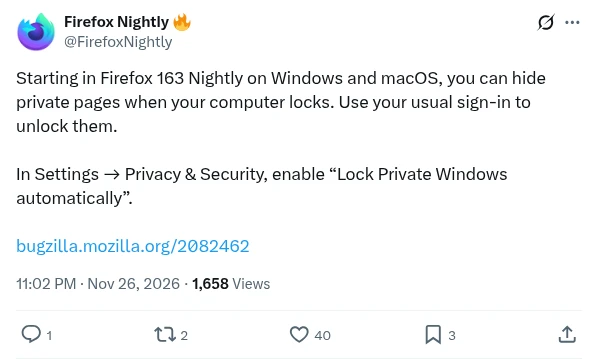
Firefox Nightly announced it on X, saying you can “hide private pages when your computer locks” and “use your usual sign-in to unlock them.”
It shows up in the same Nightly 163 cycle that recently added Arc import, so that build has been busy.
I tried it on my MacBook. The option sits in Settings under Privacy and security, inside the Additional protections card, right below the Firefox Relay email masks toggle. It was unchecked by default on my build. So you’ll have to manually enable it to get the benefit.
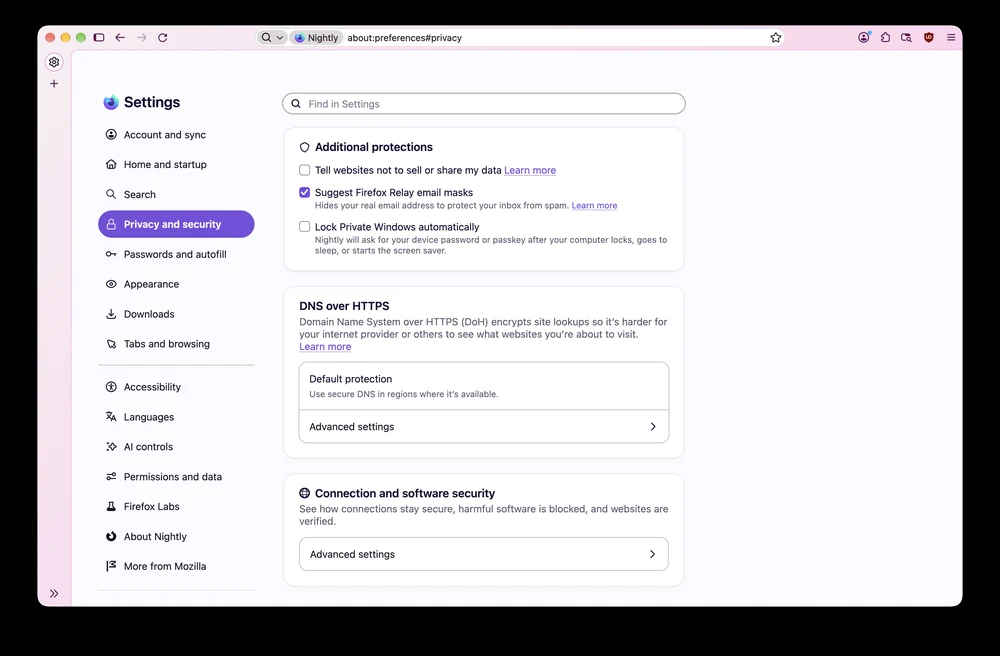
The description says Nightly “will ask for your device password or passkey after your computer locks, goes to sleep, or starts the screen saver.” So it’s tied to your device sign-in and not some separate Firefox password.
The locked window is hard to miss. You get a dark screen with the purple private browsing mask, a “Private Windows are locked” message, and a blue Unlock button.
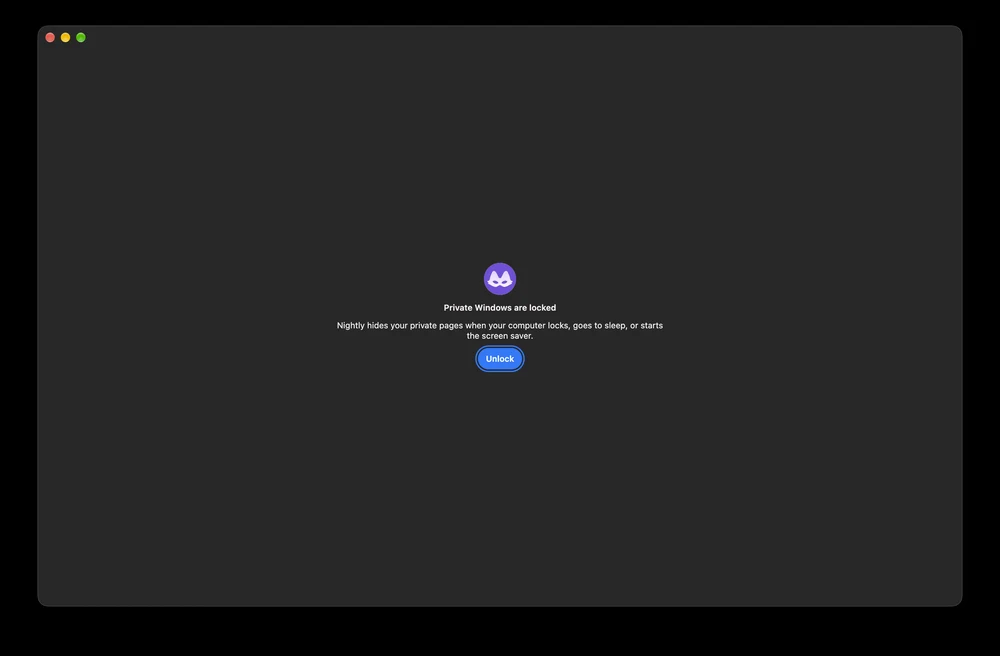
Mozilla’s line on the lock screen is that “Nightly hides your private pages when your computer locks, goes to sleep, or starts the screen saver.”
The work happened on Bugzilla, where a Mozilla developer asked for a dialog that blocks the whole private window and only shows an unlock button. The bug was filed on October 15, and the code went live on November 19.
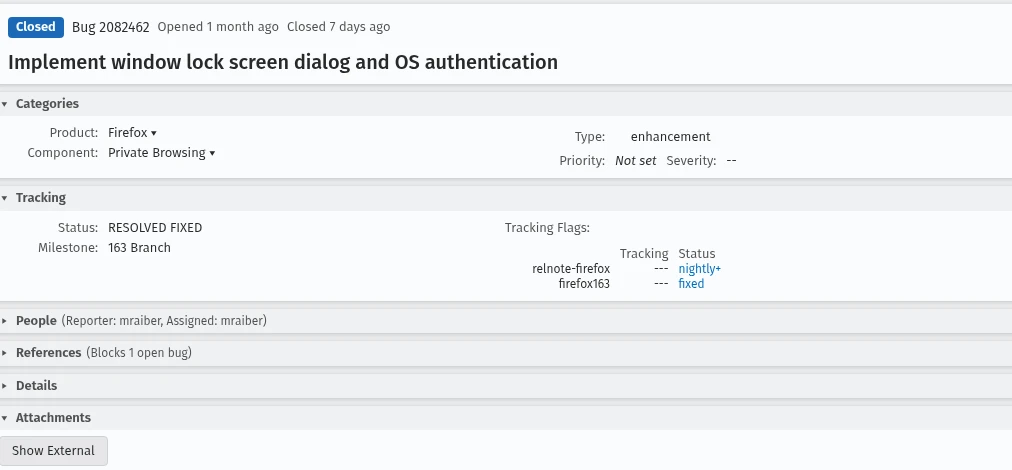
The point, according to Mozilla’s release note request, is that “someone with physical access to the computer can’t see them.” A locked window can still be minimized, moved, or closed, so you’re not stuck with it.
This one is desktop only. Firefox for Android has its own batch of upcoming features, but a private window lock isn’t part of Mozilla’s note for Android.
There’s no word on a stable release yet. Mozilla’s release notes call it a Nightly feature for now, and Firefox 162 is still in beta, so 163 is a way off.


Dwayne Cubbins
3250 Posts
I cover fast-moving stories across apps, online platforms, and everyday tech — phones, wearables, consoles, and whatever else people are fighting with this week. Bugs, rollouts, scams, policy enforcement, and the occasional internet-culture rabbit hole are all fair game. My goal is simple — make confusing tech news readable. When I'm not working, I'm working out or chilling with my dog. Got a tip? You can find me on X @dcubbins.