


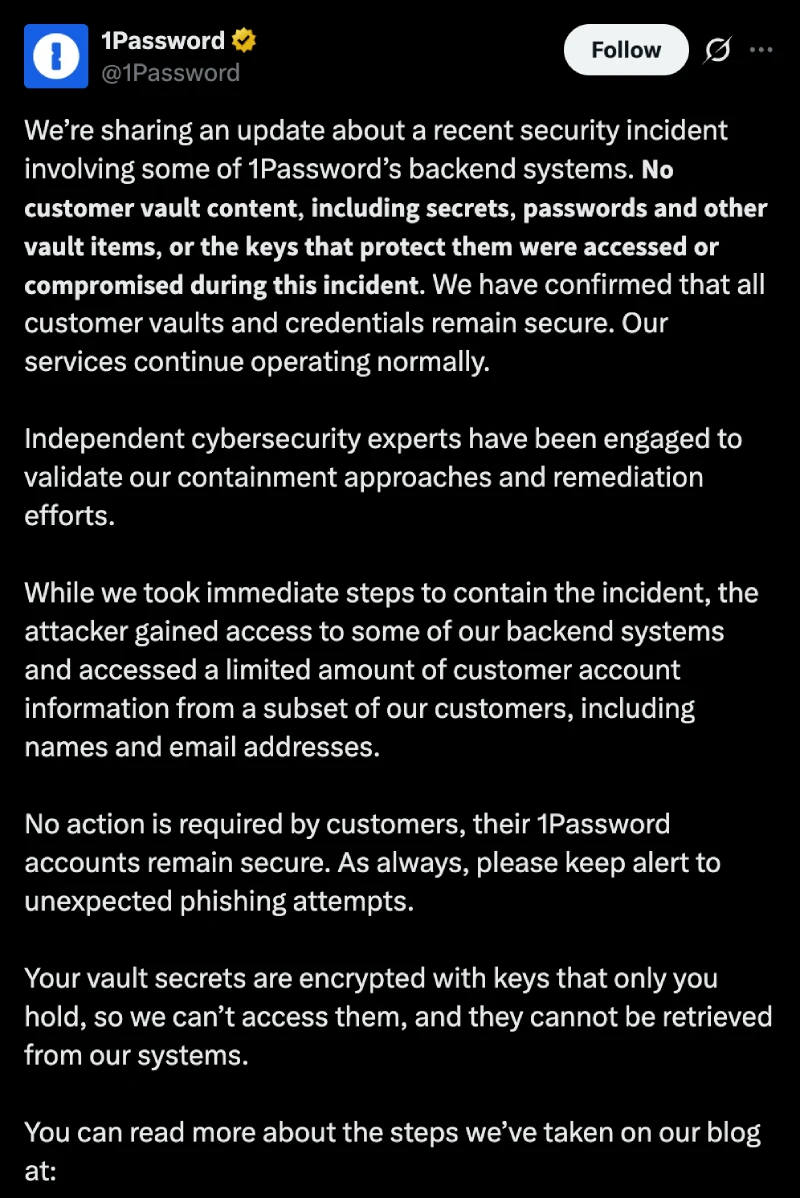
If you use the 1Password extension to autofill logins in Chrome, Firefox, Brave, or your browser of choice, seeing the company admit to a breach probably made your stomach drop. Fortunately, your saved passwords were never touched, and 1Password confirmed its apps and browser extensions were not affected.
Still, it is rough timing for anyone trying to stay safe online, coming right after Google rushed out an emergency Chrome security patch for a nasty sandbox bug.
According to the company’s blog post, things went sideways on November 19 after an attacker broke into an employee’s corporate GitHub account. The hacker grabbed private source code and managed to “push malicious code to backend services” to pull administrative details for a subset of users.
The stolen data includes names, email addresses, sign-in times, and a few emailed invite or recovery tokens. Since 1Password never holds your master password or Secret Key, the team says, “Your vault data, the items in them, and the keys that protect them are safe and were not affected.”
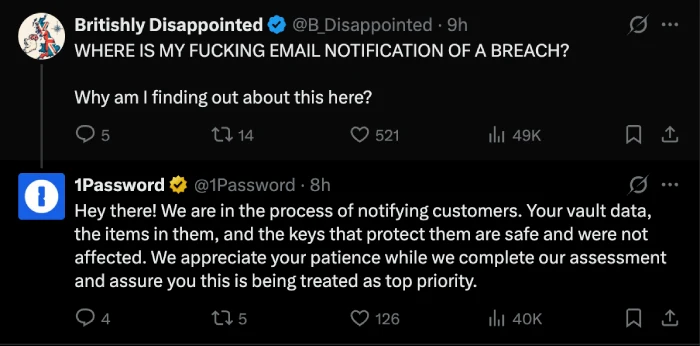
That said, plenty of users were annoyed at the fact that they only discovered the news from the social media post instead of an email from 1Password. So the ball is now in the company’s court, and it’s up to them to figure out how to make things right.
With names and emails floating around, targeted phishing is a big hassle these days. You can expect fake security alerts and bogus login prompts to pop up everywhere.


Dwayne Cubbins
3243 Posts
I cover fast-moving stories across apps, online platforms, and everyday tech — phones, wearables, consoles, and whatever else people are fighting with this week. Bugs, rollouts, scams, policy enforcement, and the occasional internet-culture rabbit hole are all fair game. My goal is simple — make confusing tech news readable. When I'm not working, I'm working out or chilling with my dog. Got a tip? You can find me on X @dcubbins.