



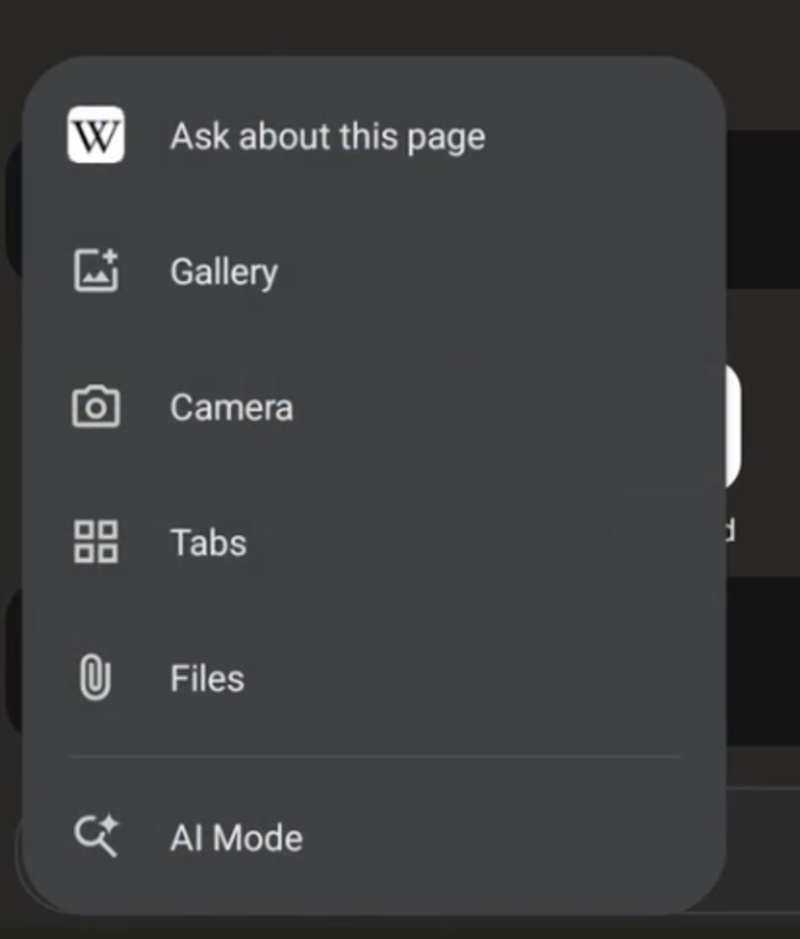
Microsoft is testing a new “Plus” menu (represented by the + symbol) in Edge Canary for Android. It basically brings multimodal capabilities to the AI mode, which is powered by Bing. It’ll let users share open tabs, images, and files as context for AI queries. However, the feature is still under development and is not functional yet.
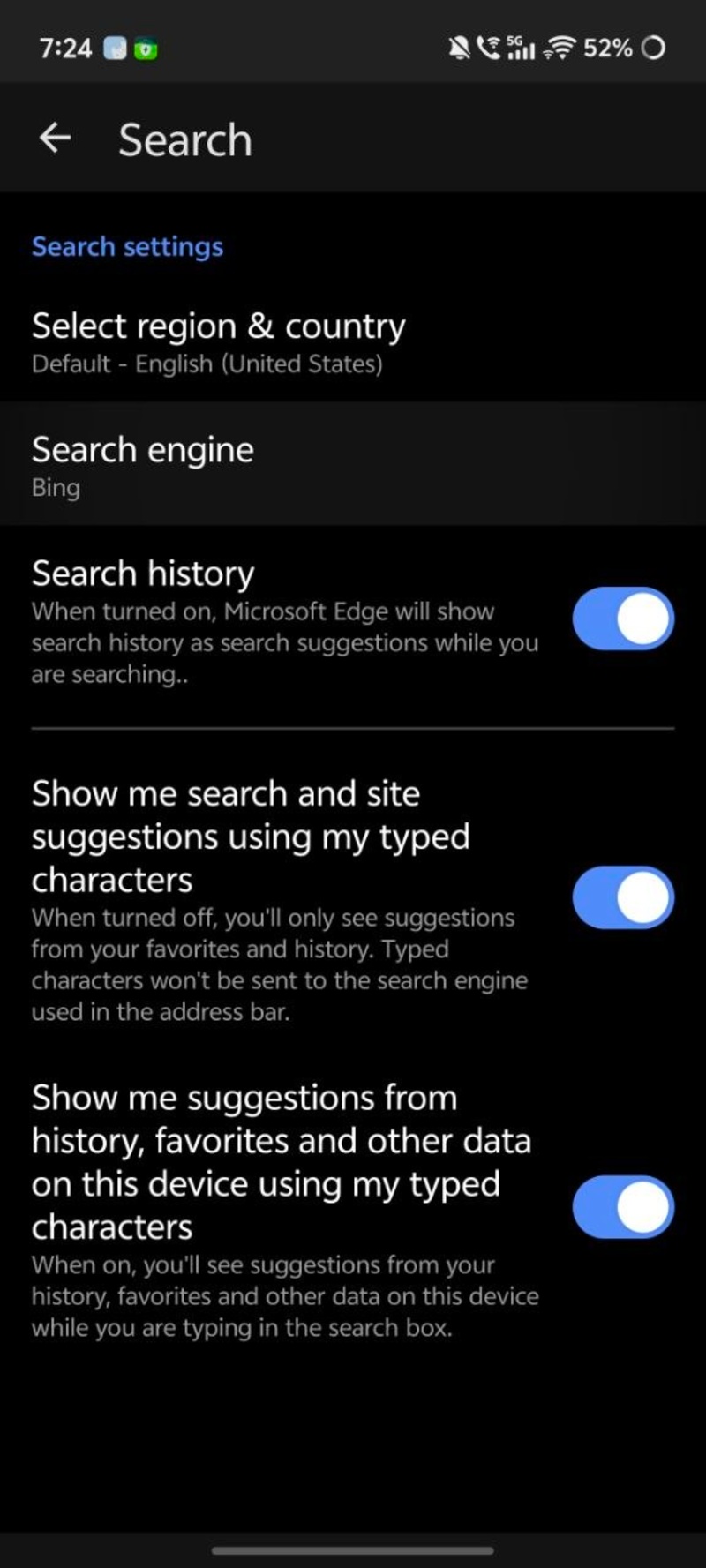
To test it out, I hopped on Edge Canary after installing the latest update, and then set Bing as my default search engine.
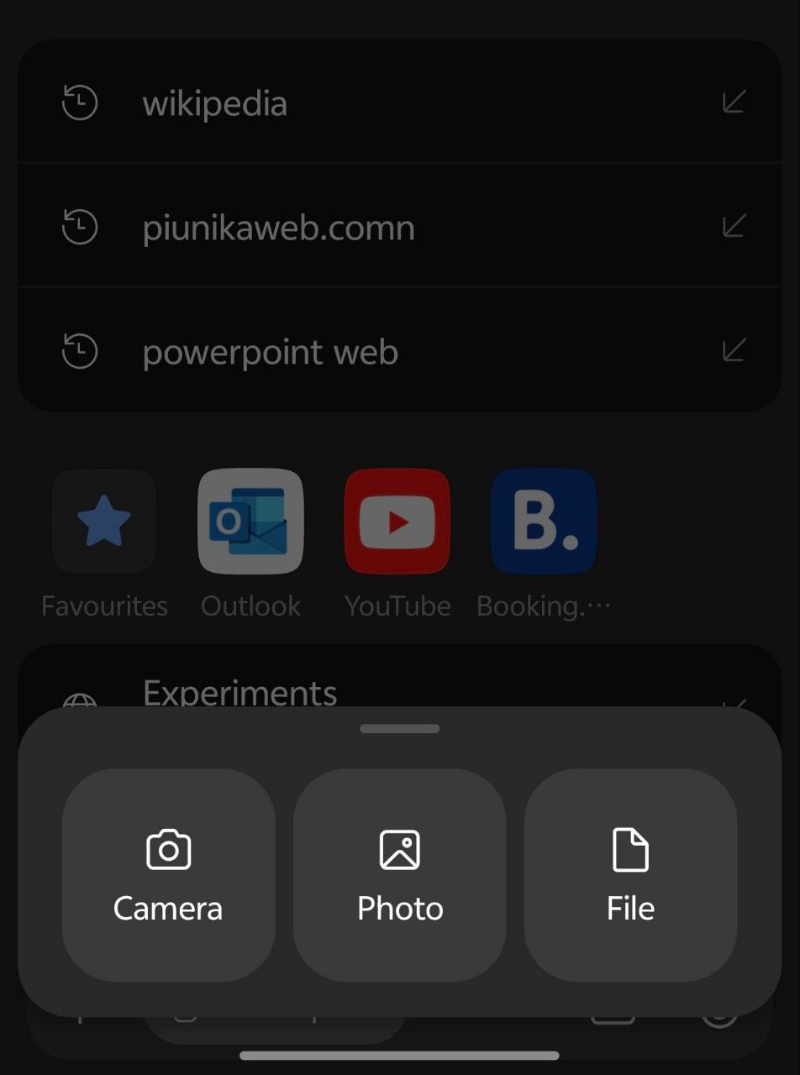
Unfortunately, I was unable to find the new options, which are “Tabs,” “Ask about this page,” etc. It still shows me the same old options: Camera, Photo, and File.
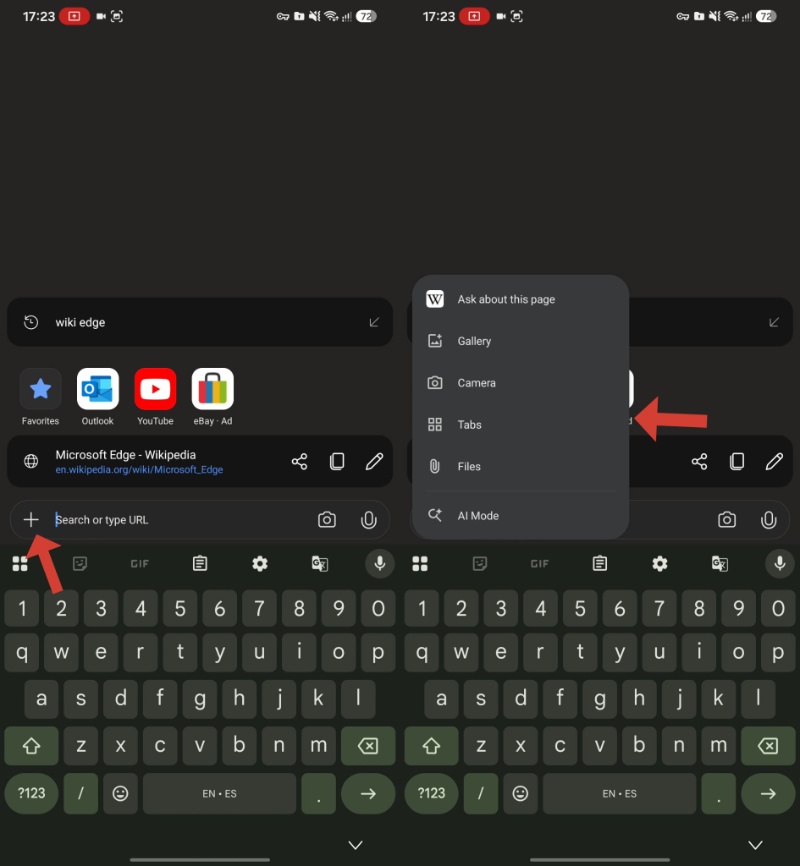
Information about this upcoming feature was shared by @Leopeva64 through a post on X. It also includes a video demonstration of how it’s supposed to work, and we have attached it below for your reference.
Microsoft is testing a new AI Mode “+” menu in Edge for Android that lets you ask questions to Bing’s AI Mode. You can also select multiple tabs or attach images and files as context for your question. This new menu is quite similar to the one available in Chrome for Android: https://t.co/nDGxhmdNH1
— Leopeva64 (@Leopeva64) November 22, 2026
As you can see, the updated menu is supposed to let you attach tabs and also ask about the page you’re on. In the demonstration, it shows up when you activate AI search while Bing is your default search engine. You’re supposed to just tap the “+” icon to bring it up. The tabs option opens a grid of the recent tabs, and you can select one or multiple for context. For example, someone can select a bunch of headphone review pages as the context for a search.
For somewhat similar functionality, you can directly tap on the Copilot icon, which does let you add “References” and also summarize pages. However, the new features here are supposed to be under the Plus button, and not here.
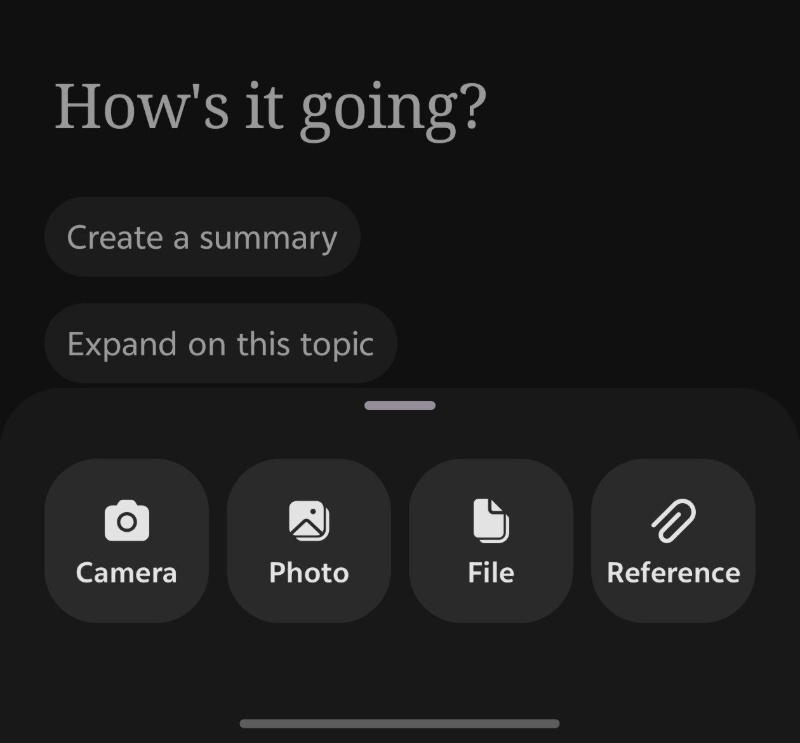
At the time of writing, there’s no confirmed release date or ETA, and it’s not even functional in the Canary build, according to the original source. Using the button triggers an “Unable to add…” error.

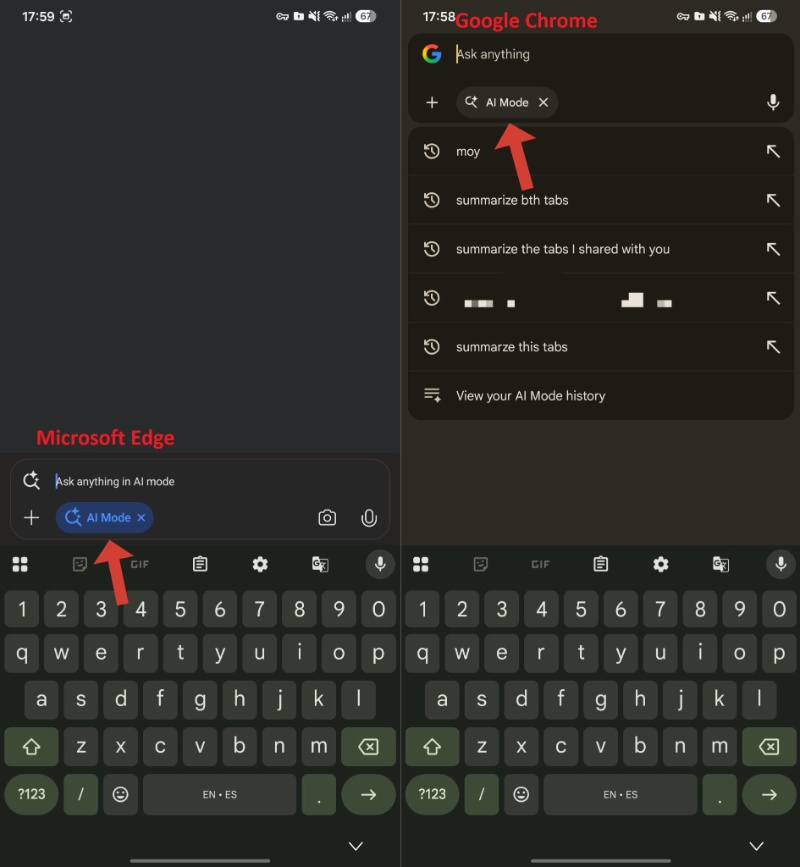
Interestingly, Microsoft’s implementation also closely resembles Google’s “+” menu in Chrome Canary for Android. That includes an option to select tabs for additional context as well.


Sudhanshu K
408 Posts
I have been a consumer technology enthusiast for over 5 years. Thanks to my experience in software beta testing and product reviews, I've understood and learnt a lot about what bugs and issues bother people, and I spend time trying to simplify their solutions. I cover smartphones, software, social media, apps, AI, and most consumer tech gadgets. Actively pursuing a Computer Science bachelor’s degree. I'm mostly active on Twitter/X (@TechWhirlUlt), drop a DM or tag me if you want to share info or connect!