


If you updated to Firefox 160 over the past couple of days and suddenly found yourself staring at a completely blank white screen in Google Docs, your computer isn’t dying. A weird rendering bug in the latest browser update is messing up Google Workspace apps for a handful of Mac users.
We have spotted reports about this bug popping up on Reddit and Mozilla’s own support forums. According to user reports, Google Docs pages are loading with invisible text while Google Sheets are turning into a patchy mess of black and white blocks.
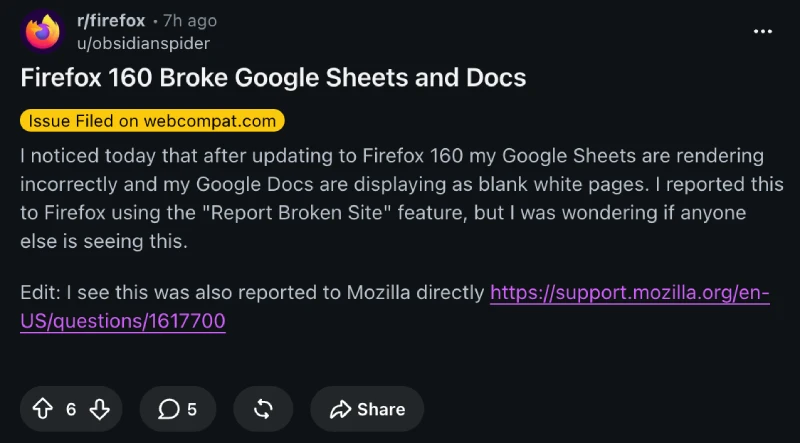
“Google Docs are completely white-ed out…except for images. I can type, and clearly the text I type is there,” one frustrated iMac user wrote on Mozilla’s forum, adding that their work has basically “ground to a halt.”
Here are the screenshots they shared for reference:
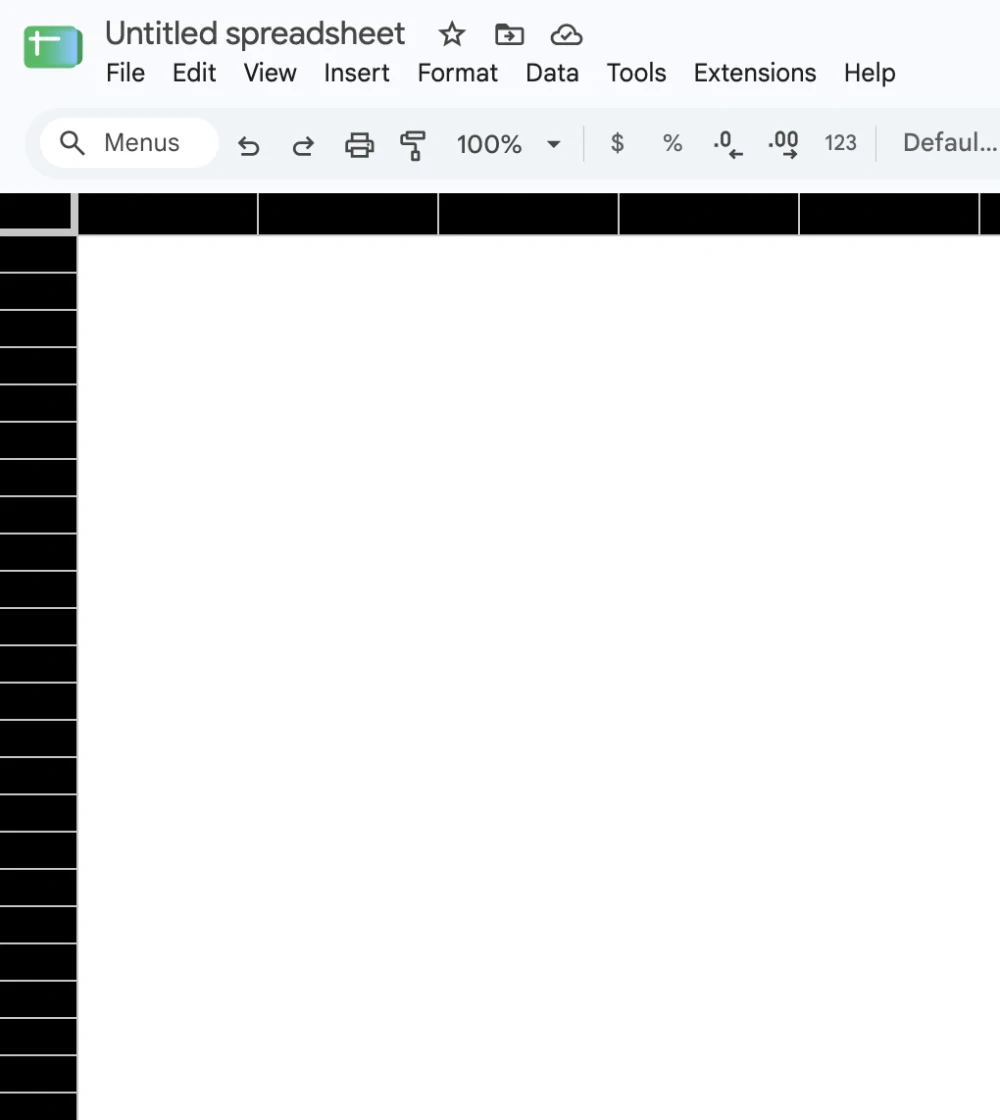
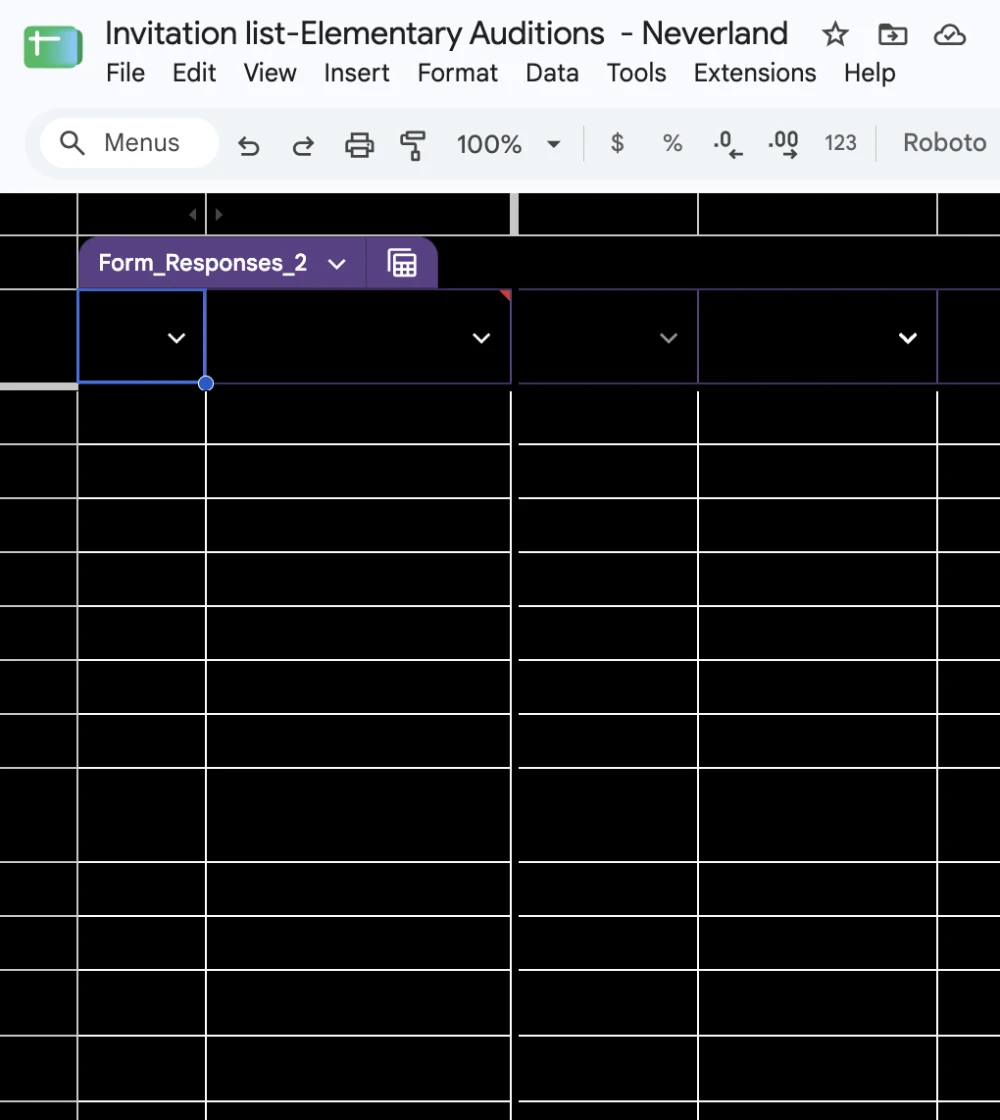
Your data is still safe underneath the visual glitch, and you can actually see the text in a spreadsheet cell if you click directly inside it, though it vanishes again the second you hit enter.
I tried replicating the bug on my M2 MacBook Air after grabbing the update, and both Docs and Sheets loaded up without a hitch. Digging through the complaints, the issue seems to be hitting older Intel-based Macs the hardest.
With version 160, Mozilla switched how Firefox handles graphics on macOS over to Apple’s Metal API. That change was supposed to make websites run smoother, which is a nice perk alongside new additions like Mini Window multitasking and better Picture-in-Picture controls, yet older Mac hardware clearly isn’t playing nice with it.
Thankfully, you don’t have to abandon Firefox for Chrome or Safari while waiting on an official patch.
Reddit user obsidianspider shared a quick fix that gets things back to normal. You just type about:config into your Firefox address bar, hit enter, and search for webgl.disable-angle. Flip that setting to TRUE and restart the browser.
If messing with hidden config menus isn’t your thing, another user pointed out that you can just head into your normal Firefox Settings, uncheck “Use recommended performance settings,” and turn off hardware acceleration.


Dwayne Cubbins
3201 Posts
I cover fast-moving stories across apps, online platforms, and everyday tech — phones, wearables, consoles, and whatever else people are fighting with this week. Bugs, rollouts, scams, policy enforcement, and the occasional internet-culture rabbit hole are all fair game. My goal is simple — make confusing tech news readable. When I'm not working, I'm working out or chilling with my dog. Got a tip? You can find me on X @dcubbins.