



Waterfox v6.7.8 is now rolling out to the public with some useful improvements to password management. The latest desktop update introduces Apple iCloud Passwords integration (still experimental), a dedicated Feeds sidebar, and more. There are also several stability improvements.
Waterfox published the list of changes in the official Release Notes, and a snippet of the post has been attached below.

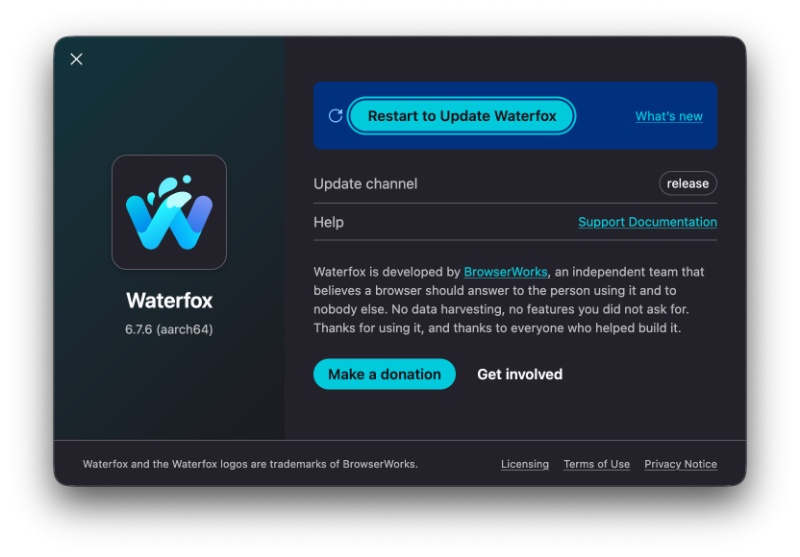
Expectedly, the update had already installed in the background and all I had to do was restart the browser to apply it, once I clicked on “About Waterfox.”
The integration of iCloud Passwords (experimental) is the headline new feature. Waterfox now technically supports Apple’s password manager on both Windows and macOS (Sonoma 14 or newer).
I looked for this feature under Settings, and it was available under the “Passwords and autofill” section. You also need to have the Apple Passwords app installed to get this to work. It lets you autofill saved passwords/verification codes directly in the browser.
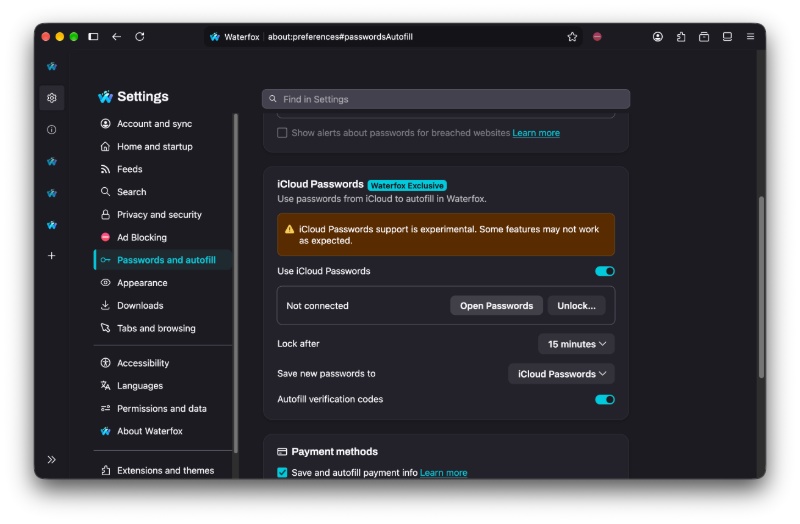
Enabling this also makes iCloud the default option for the “Save new passwords to” option. However, you do get the option to change it back to Waterfox from the same settings page. You can also pick the lock duration from settings.
I can also confirm that the feature is fully functional at the time of writing. Clicking on “Open Passwords” does take me to the app. To unlock iCloud Passwords, you’ll need to enter a six-digit verification code.

Moving on, there’s now a dedicated “Feeds” sidebar. With this update, the browser offers a sidebar for managing subscribed feeds. It also includes a search feature and shows you the count of unread articles.

Beyond the sidebar and password management, there’s also a new button that lets you refresh every feed simultaneously. So, all of the subscriptions can be refreshed in one go.
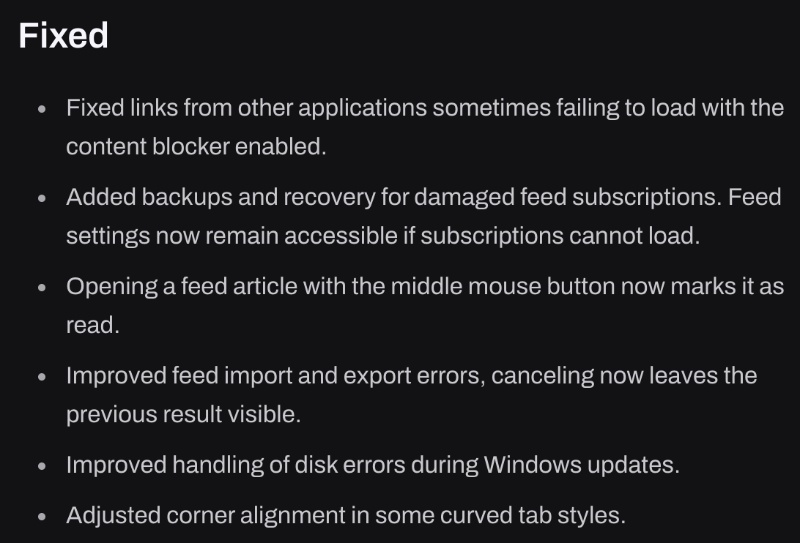
That’s about it for the new features. However, there are some more subtle bug fixes/changes. Waterfox now checks digital signatures before installing updates, and this helps people verify whether an update file has been tampered with. It also brings updated translations for Brazilian Portuguese and Simplified Chinese.
A screenshot of the other bug fixes has been attached below, and you can view the entire blog post here.


Sudhanshu K
377 Posts
I have been a consumer technology enthusiast for over 5 years. Thanks to my experience in software beta testing and product reviews, I've understood and learnt a lot about what bugs and issues bother people, and I spend time trying to simplify their solutions. I cover smartphones, software, social media, apps, AI, and most consumer tech gadgets. Actively pursuing a Computer Science bachelor’s degree. I'm mostly active on Twitter/X (@TechWhirlUlt), drop a DM or tag me if you want to share info or connect!