


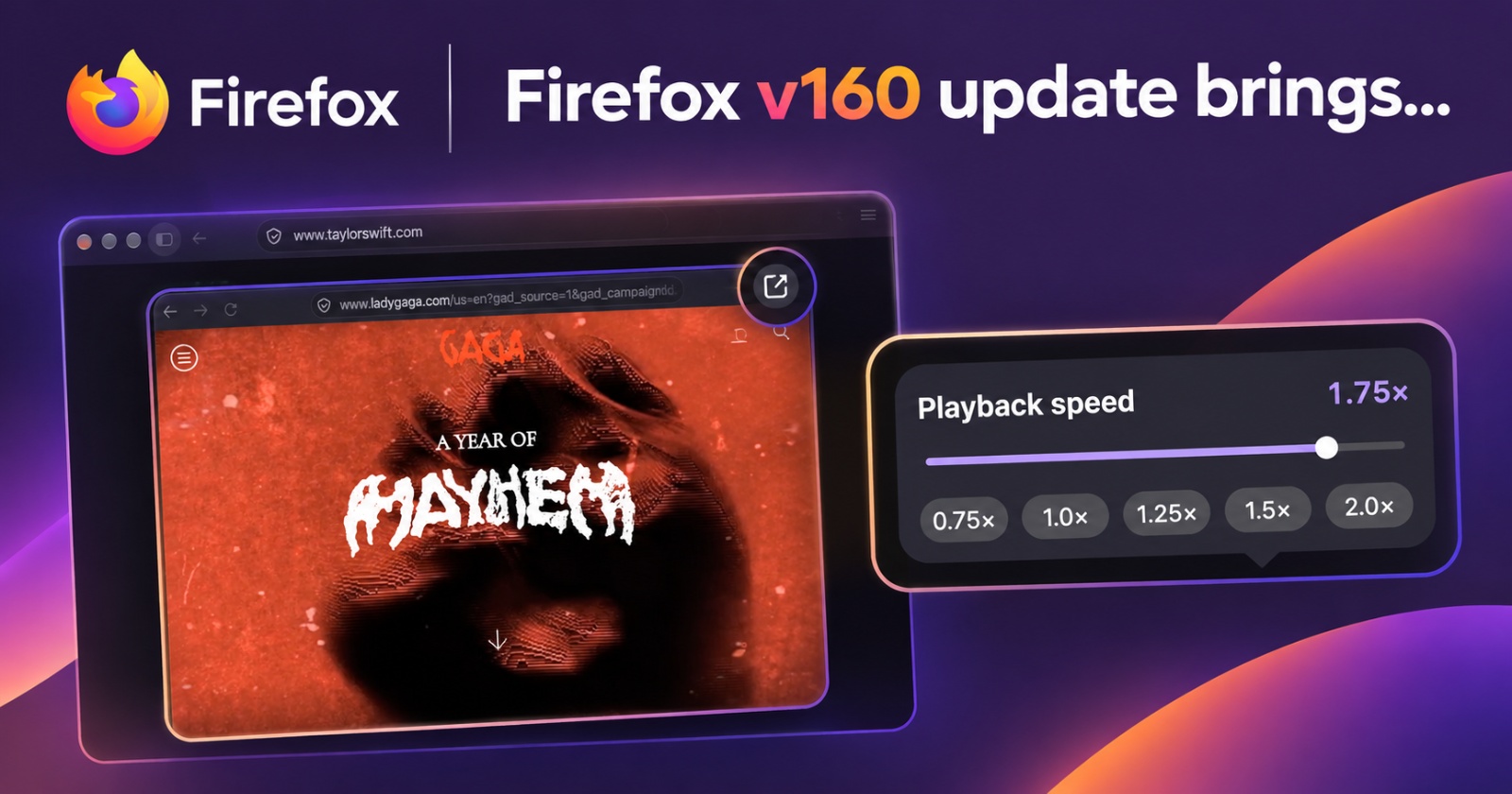
Mozilla has released the stable version of Firefox v160, introducing a new Mini Window feature for multitasking, improved Picture-in-Picture controls, Matroska playback support, and several stability improvements on both desktop and Android.
At the time of writing, the stable Release Notes have not been updated on the official page.

However, looking at the v160 beta changelog gives us a pretty clear picture of what’s new. The screenshot attached below is only for reference and is a snippet of the v160 beta, not the official stable changelog. The actual list of changes is much longer, and I’ve filtered out the important user-facing ones.
Here are the major features you’ll notice after updating to Firefox v160:
- Mini Window vastly improves multitasking: Firefox v160 lets you move an entire tab or a selected portion of a webpage into a compact window. It basically works like a floating window. However, the feature is still in early development, and Mozilla is inviting feedback to improve it further. One functional example: You can keep a tab visible on the screen while doing something else, and you don’t have to constantly switch tabs.
To move a tab to a Mini Window, just right-click (or click with two fingers) on a tab, and then click on “Move tab.” From there, you’ll find the “Move to Mini Window” option. I personally find this clunky, and it should be a direct option in the menu without needing to select “Move tab.”
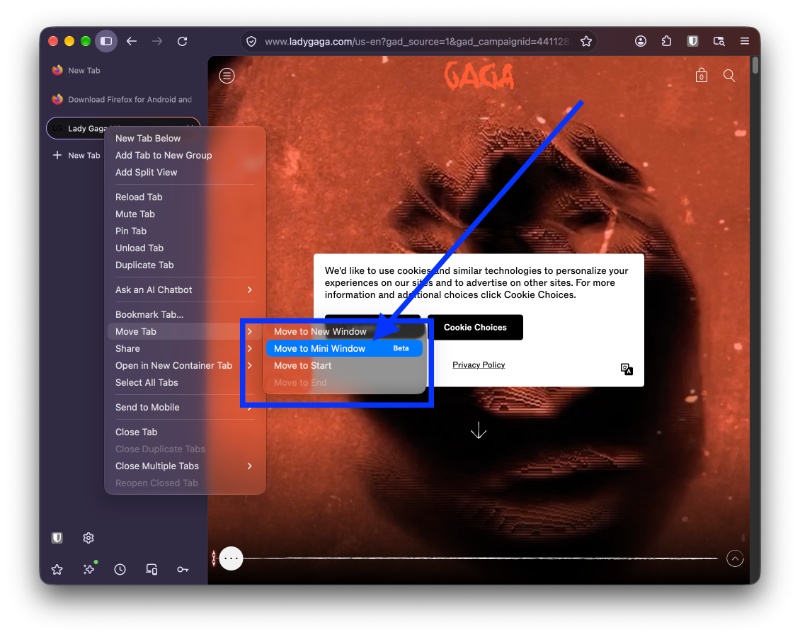
Either way, it’s completely functional. It moves the entire tab into a compact, resizable floating window that’s reminiscent of Little Arc//Peek windows. The scaling of the content within the Mini Window also dynamically adapts to the size. It’s free-form and resizable.
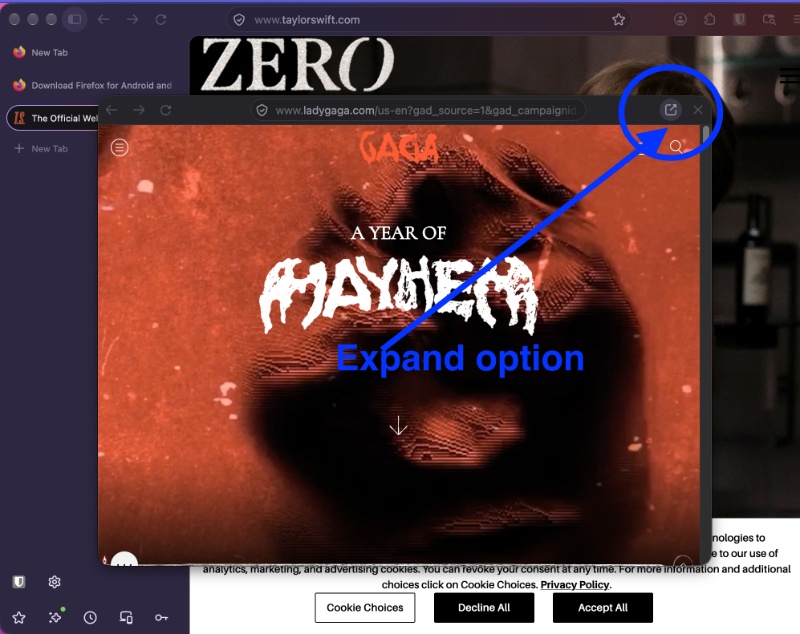
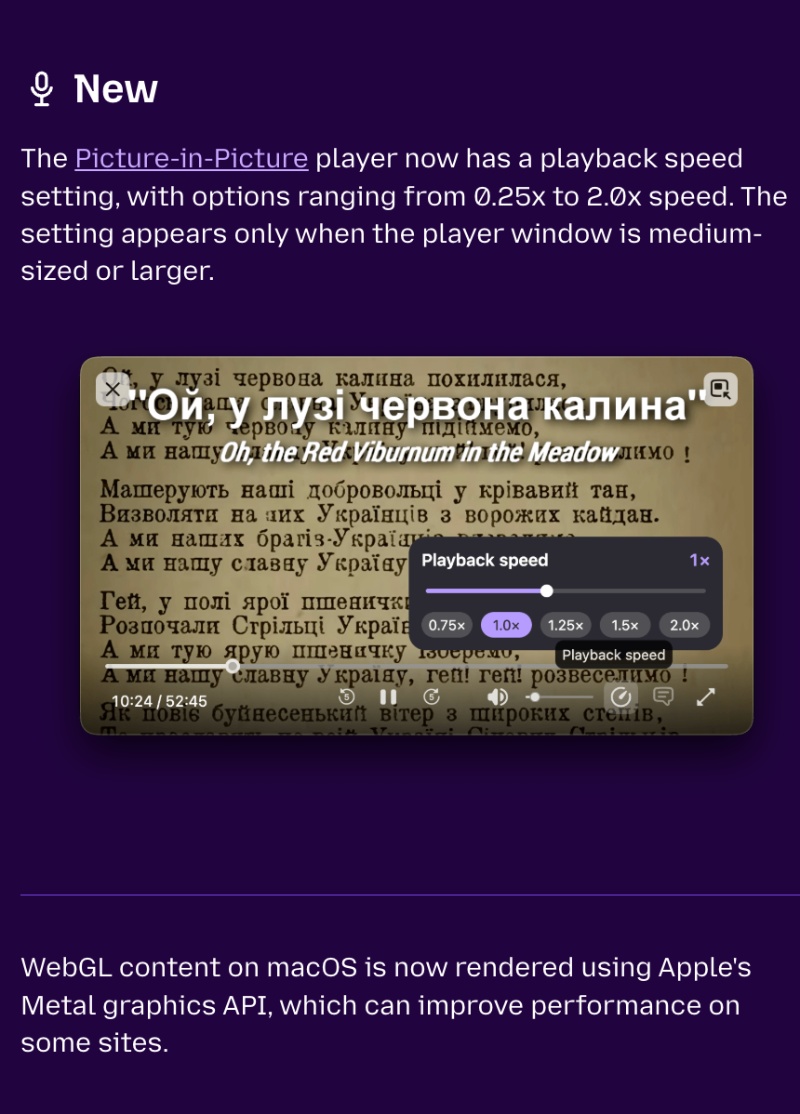
In fact, the functionality is also better than Arc in one way. On Arc, there’s no way to pin the Little Arc mini window, so it doesn’t stick to the screen. You cannot keep it open at the same time as the main window, and it’ll minimize if you try. Naturally, you can easily expand the Mini Window back into your tab strip with a simple button. Overall, the implementation is intuitive and practical. - Picture-in-Picture finally gets playback speed controls: The floating PiP video player now supports speeds ranging from 0.25x to 2.0x. You can slow videos down or speed them up without needing to return to the original tab. However, the control will appear only if your PiP window is large enough. The attached screenshot loosely represents the minimum size.
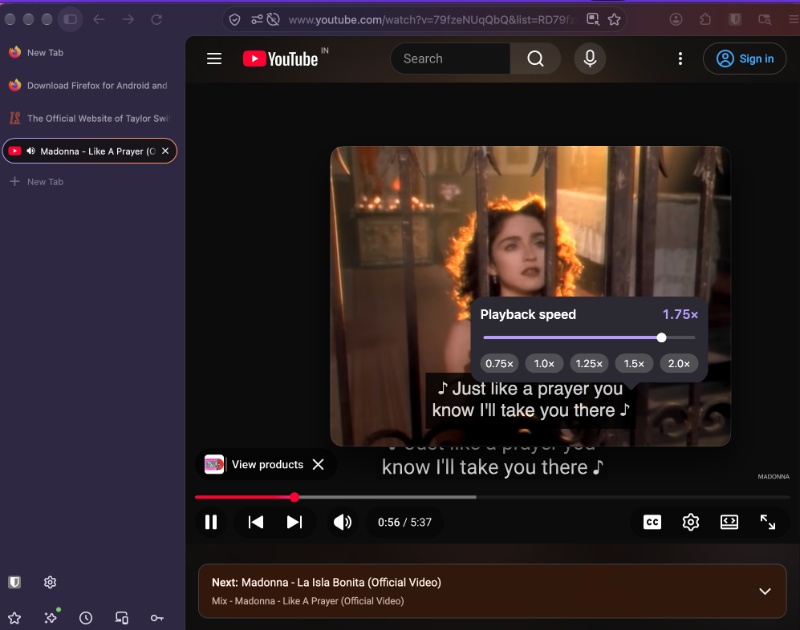
- Firefox can now play Matroska videos containing FLAC, MP3, or PCM audio. Basically, the browser can play locally stored videos and compatible MKV files without you needing to rely on a separate media player.
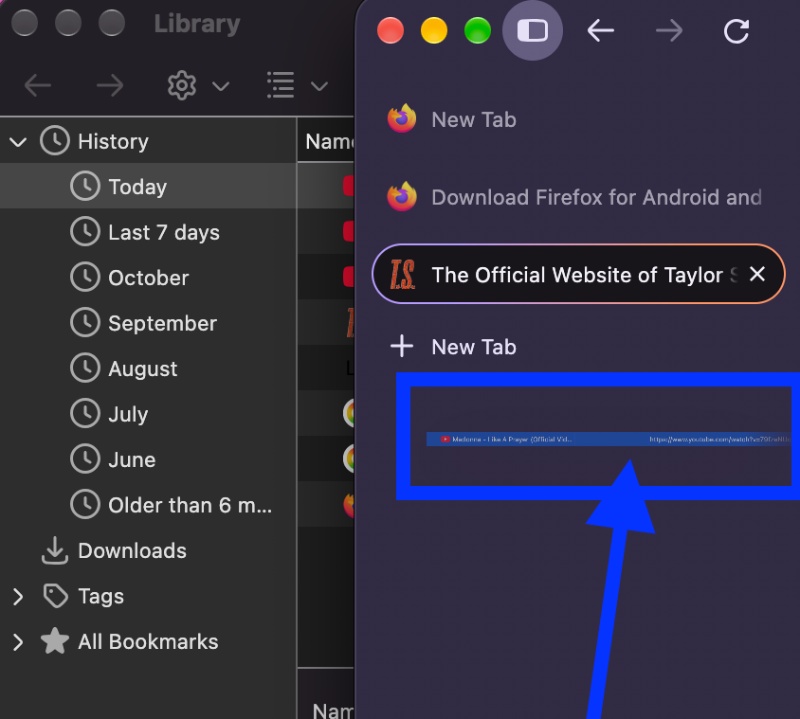
- History entries can be dragged directly into tabs: Users can drag browsing history entries from the sidebar onto the tab strip.
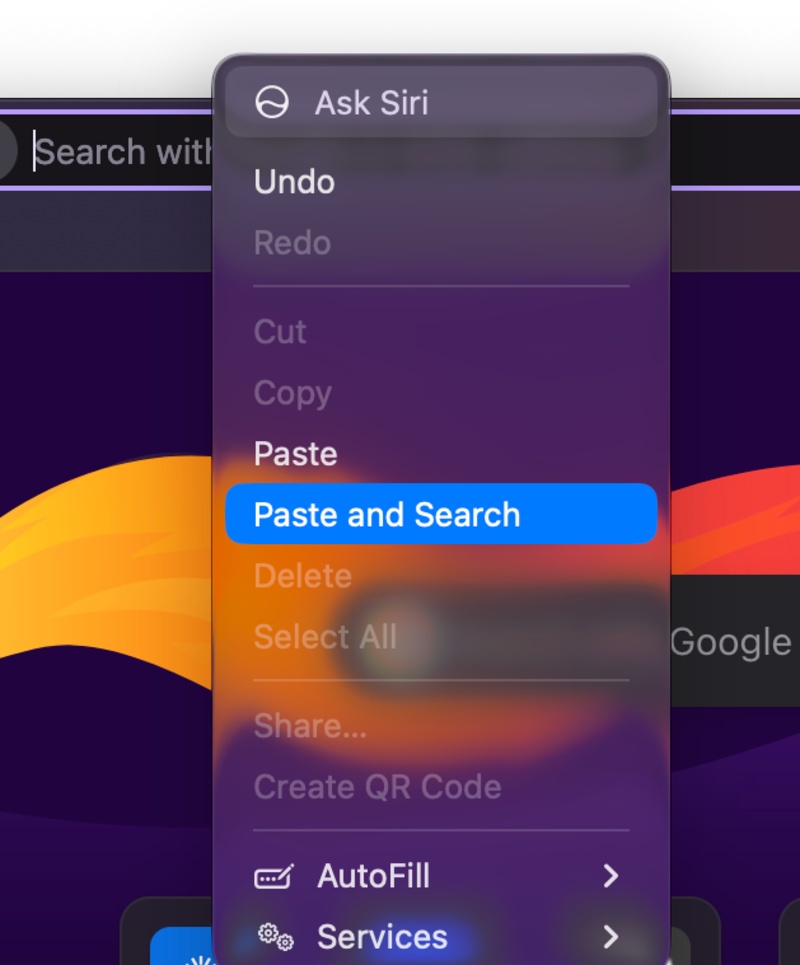
- Firefox now displays the “Paste and Search” option when copied text is a search query (and not a website address). You have to right-click to find it.
- Firefox now enables Local Network Access restrictions by default.
- Firefox now displays URLs containing non-Latin characters in readable form instead of encoded text.
- macOS receives better graphics rendering and download handling: Firefox now uses Apple’s Metal graphics API for WebGL rendering, potentially improving performance on some websites.
- Various improvements to typing, PDF accessibility, and speech recognition.
Note: The changes mentioned above are only the ones I found important. The entire list of user-facing features and bug fixes is quite large, as mentioned, and the official link hasn’t been updated yet. Meanwhile, you can view the changelog for the beta version of Firefox v160 here. You can also check whether the stable Release Notes page has been updated.
Disclaimer: The Featured image was created with AI.


Sudhanshu K
372 Posts
I have been a consumer technology enthusiast for over 5 years. Thanks to my experience in software beta testing and product reviews, I've understood and learnt a lot about what bugs and issues bother people, and I spend time trying to simplify their solutions. I cover smartphones, software, social media, apps, AI, and most consumer tech gadgets. Actively pursuing a Computer Science bachelor’s degree. I'm mostly active on Twitter/X (@TechWhirlUlt), drop a DM or tag me if you want to share info or connect!