



There's a new way to open a split view!
— Brave (@brave) November 9, 2026
Drag and drop a tab to the left or right edge of the window and you'll be prompted to add it to a split view. pic.twitter.com/lXVz8PrQM6
If you care about multitasking on your browser with split view, Brave just made that a lot more convenient. Especially for those using larger external monitors, it’s quite a useful feature.
The new way of using split view is somewhat reminiscent of Android’s floating windows and split-screen features. On most Android skins, you can drag your app using navigation gestures. Brave’s split view works in a similar way.
All you have to do is drag a tab to either the extreme right or the extreme left of the window. You’ll get a prompt that says “Create split view.”
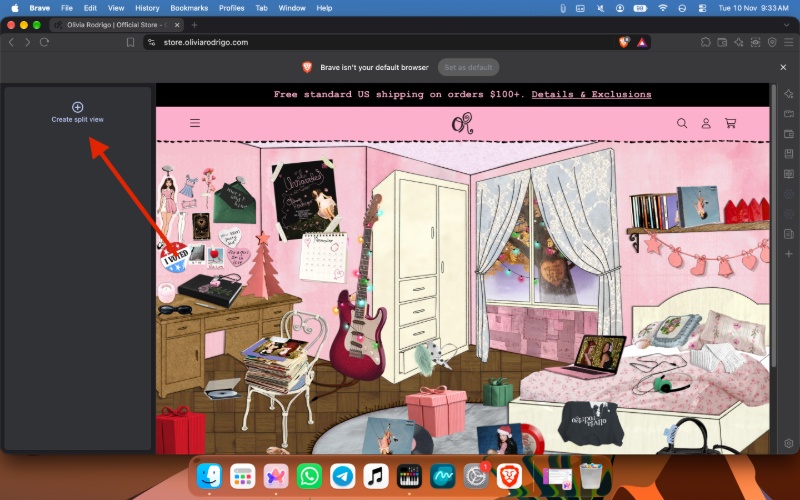
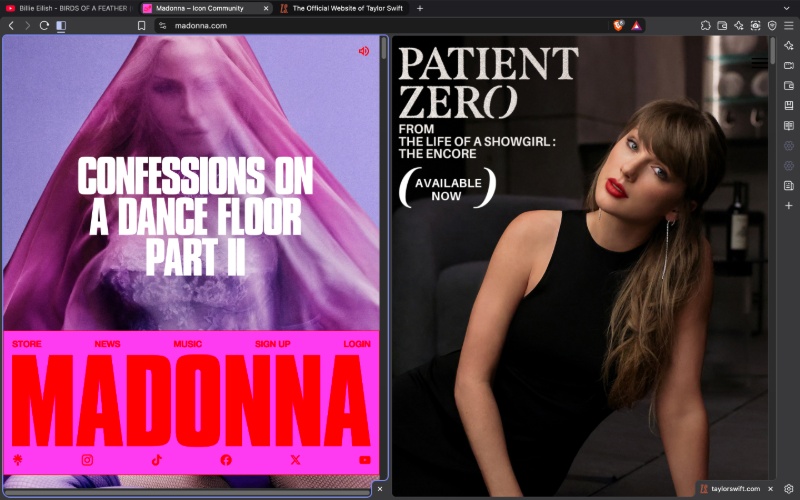
Drop the tab, and it’ll combine both tabs into a split view. Expectedly, you can “unsplit” both tabs through the split view options (right-click on the tab view).
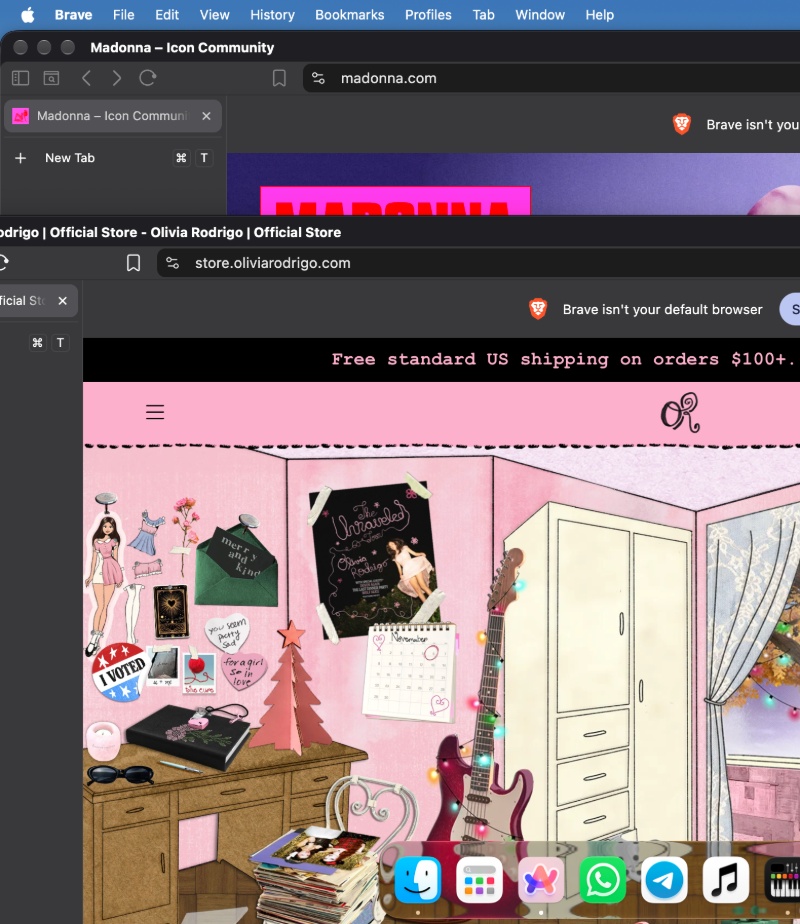
However, in my personal test, the functionality is bit of a hit-or-miss. Occasionally, it appears to mix up features. For example, instead of split view, one of the tabs opens up in a compact window, which is a macOS “Move and Resize” shortcut.
While I have previously mentioned that the feature is particularly useful for external monitors, a comment on X claims that the feature doesn’t work if multiple monitors are in use. We were unable to independently verify this claim at the time of writing, but it’s worth noting.

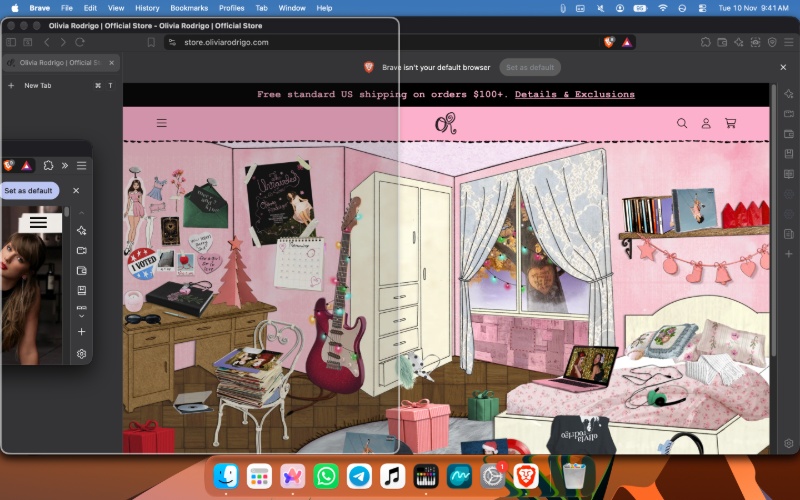
Another major downside I personally observed is that the option to use split view does not show up when you use vertical tabs. I have tried this multiple times, even restarted the browser, tried in full-screen, etc., but it refuses to show up at all.
Oftentimes, it triggers the window arrangement bug that I described in the previous paragraphs. So, if you use vertical tabs, you’re likely stuck with the other methods of using split view until this is fixed.
Brave officially announced this feature through a post on X, and it includes a neat clip on how you can try the new method to use split tab view.
The post also mentions other ways you can add a tab to split view, like right-clicking a link and adding it to split view, and more.

We stand out from the tech-media crowd because we break news stories; we mainly bring you stuff that you won’t find anywhere in the mainstream tech media. Our stories have been picked up by some of the world’s most popular websites and media outlets—more info is available here.

Sudhanshu K
371 Posts
I have been a consumer technology enthusiast for over 5 years. Thanks to my experience in software beta testing and product reviews, I've understood and learnt a lot about what bugs and issues bother people, and I spend time trying to simplify their solutions. I cover smartphones, software, social media, apps, AI, and most consumer tech gadgets. Actively pursuing a Computer Science bachelor’s degree. I'm mostly active on Twitter/X (@TechWhirlUlt), drop a DM or tag me if you want to share info or connect!