


Vivaldi has released its next major update, version 8.3, for desktop, Android, and iOS, with a rebuilt content blocker and a new look for vertical tabs.
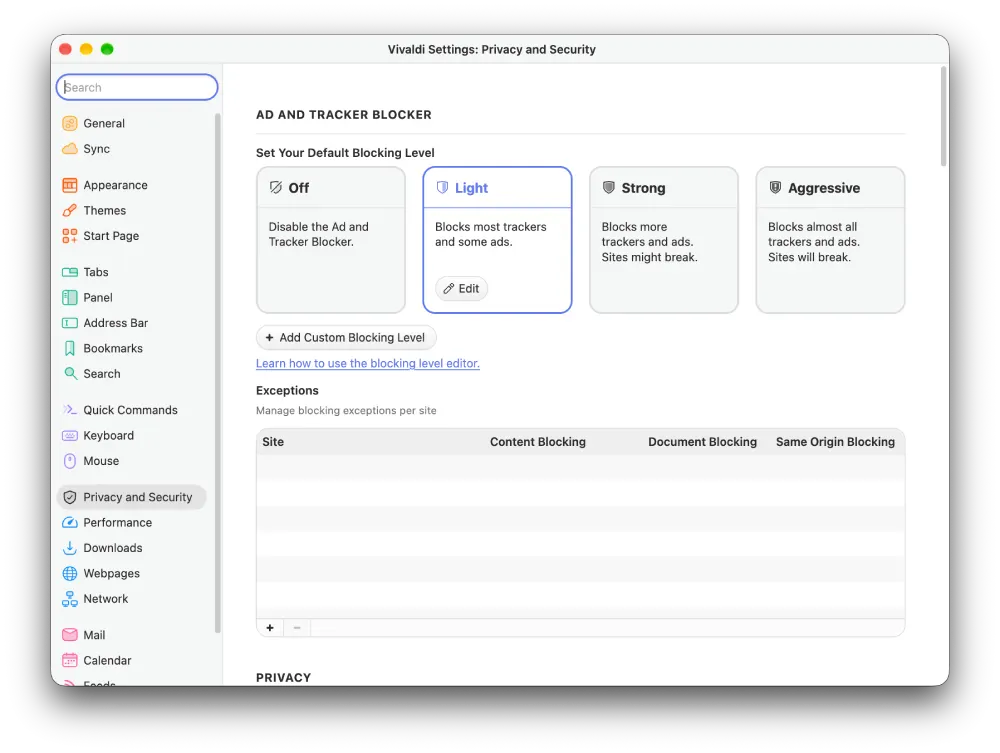
Instead of forcing an all-or-nothing toggle, the browser now gives you four distinct protection tiers right out of the box, covering Off, Light, Strong, and Aggressive.
You can set these defaults globally or override them site by site through the shield button sitting directly in your address bar. As Vivaldi CEO Jon von Tetzchner put it, “Ad blocking shouldn’t be all or nothing. In Vivaldi, you can decide how much of the web gets through, one site at a time, on every device you use.”
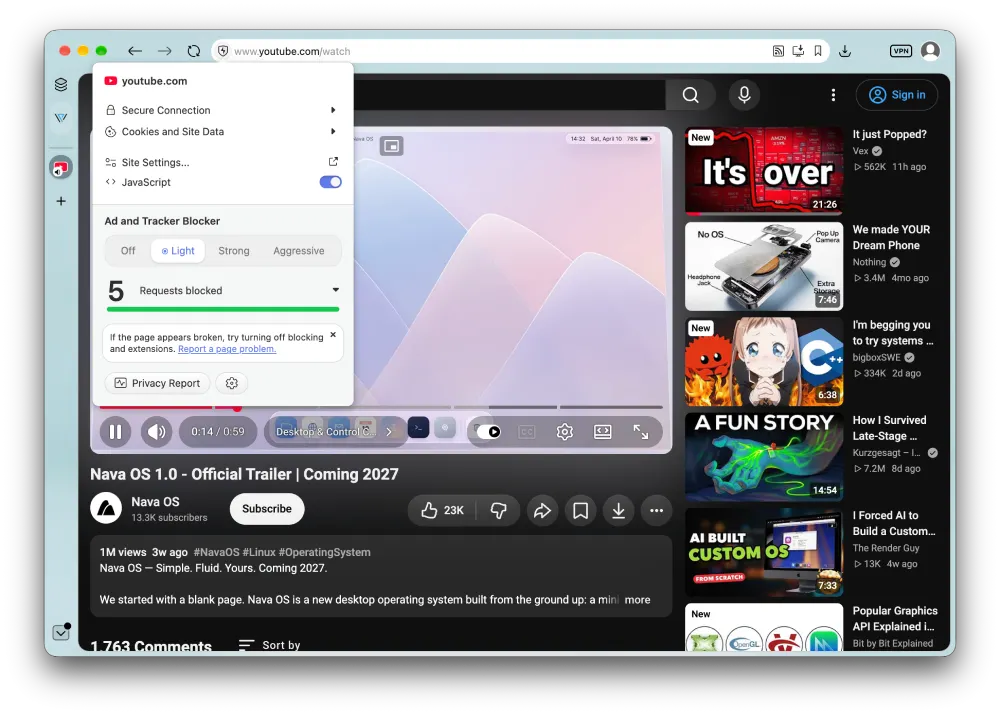
In my brief testing, the ad blocker worked as expected. Even with the protection level dialed down to Light, it still managed to block all YouTube ads without breaking anything on the page.
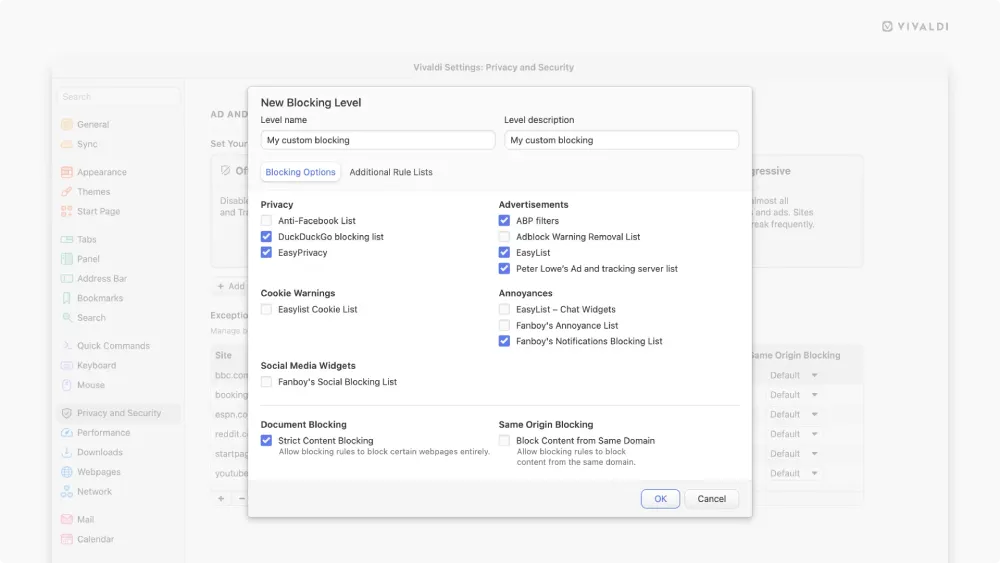
The desktop release also picks up custom rule imports from local files or remote URLs, giving tinkerers plenty of room to craft their own filter rules.
Mobile users get the same visual overhaul and filter engine, which keeps things consistent when jumping between a computer and a phone. We have already seen the team push heavy updates to Vivaldi on Android recently, so the cross-platform parity makes a lot of sense.
Beyond ad blocking, the vertical tab tweaks in 8.3 immediately caught my attention.
I really like the new pinned tabs layout option because it reminds me of how Arc handled pinned items in a tight top grid.
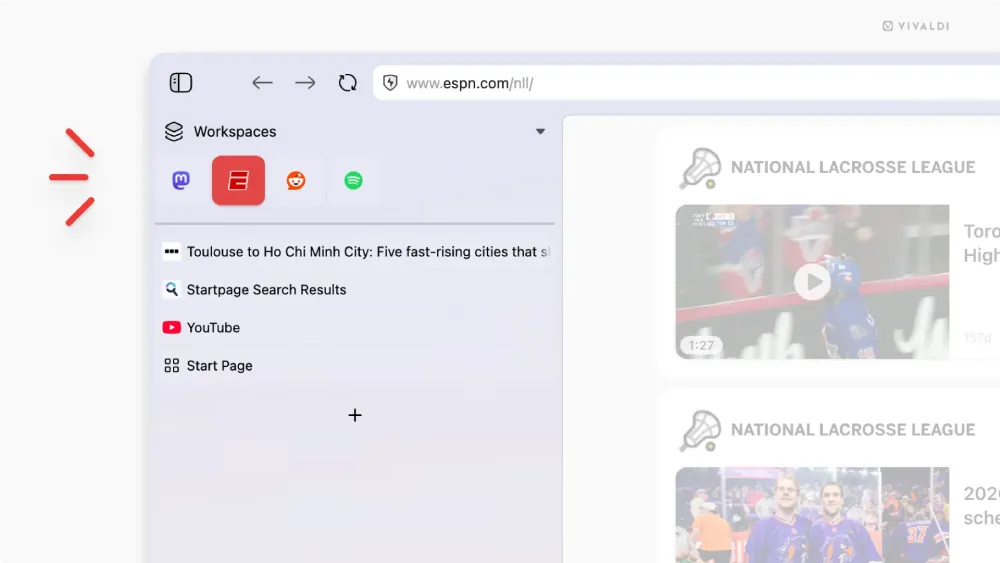
With Arc heading toward its shutdown, seeing other browsers adapt these practical layout ideas is genuinely great.
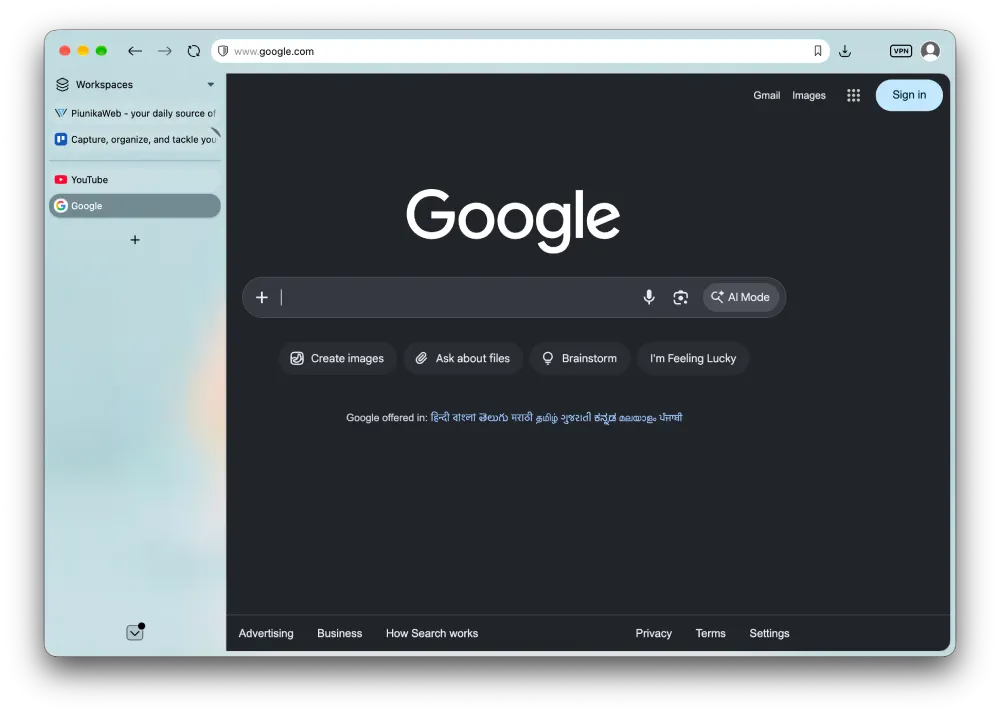
Plus, the expand-on-hover addition for vertical tabs has basically become my go-to layout in whatever browser I happen to be using.
Not long ago, I would run a full frameless UI with vertical tabs, but ever since I started using Chrome more regularly, I got hooked on keeping a small icon strip on the left side.
It makes switching between open tabs effortless without expanding the entire tab bar across your screen. When you actually do need the full title text, all you have to do is hover your cursor over the strip.
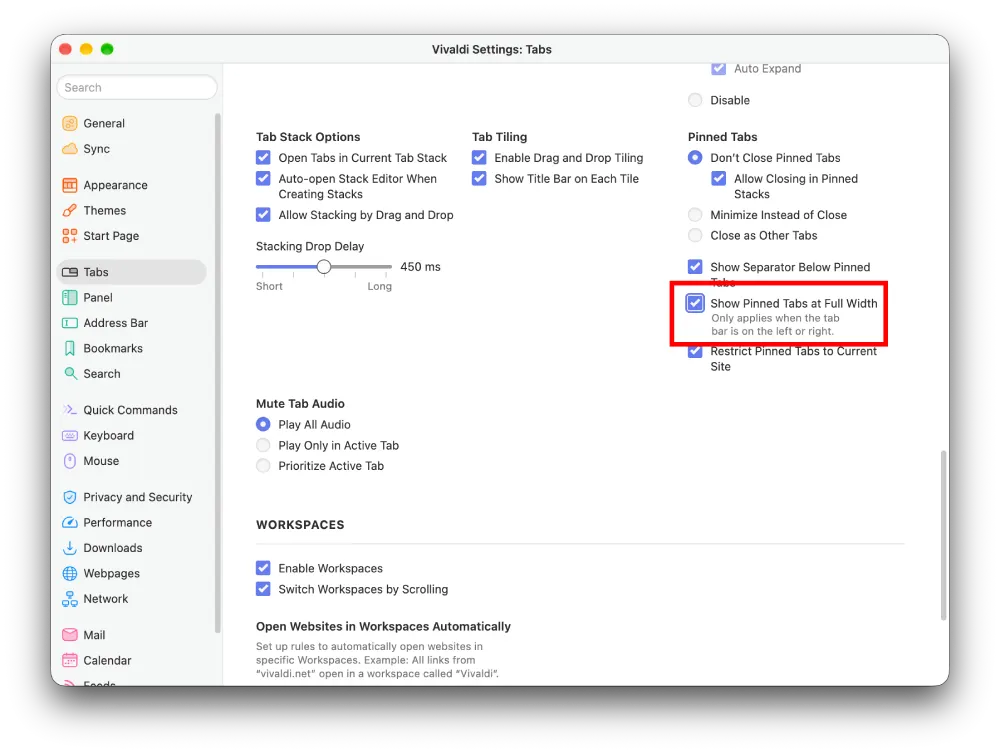
But of course, not everyone has the same taste in UI. So Vivaldi has kept that in mind as well and lets you go back to the old layout of letting pinned tabs take up a row each.
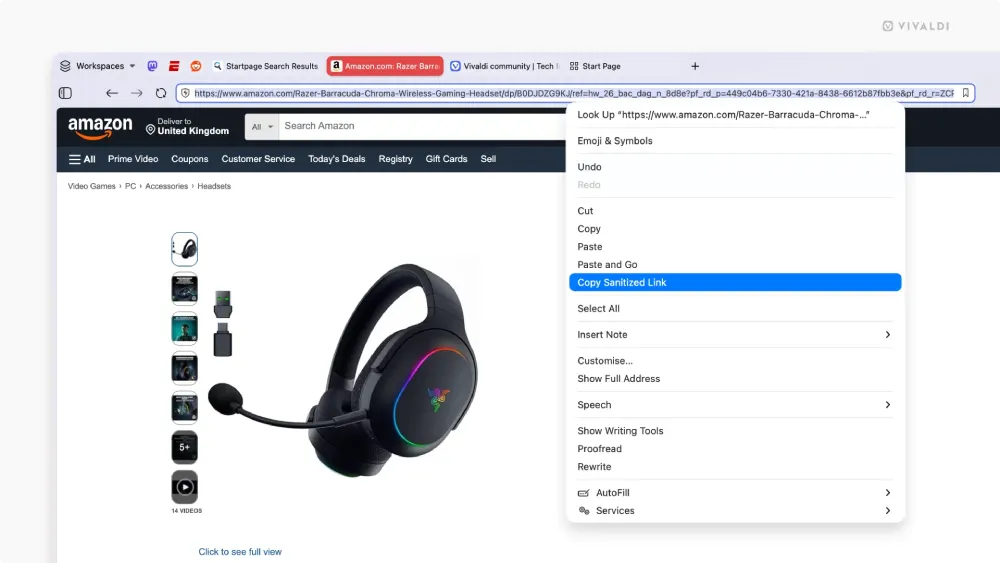
Another small touch that deserves a shout is the option to copy a sanitized link from the right-click menu.
This is easily one of my favorite features in the entire update. I genuinely hate links littered with tracking parameters, especially since my daily work involves dealing with dozens of URLs, and stripping that junk out with a single click saves real time.
You also get the ability to paste an entire block of URLs directly into the address bar to launch them into separate tabs at once, alongside a noticeably snappier Reader Mode.


Dwayne Cubbins
3183 Posts
I cover fast-moving stories across apps, online platforms, and everyday tech — phones, wearables, consoles, and whatever else people are fighting with this week. Bugs, rollouts, scams, policy enforcement, and the occasional internet-culture rabbit hole are all fair game. My goal is simple — make confusing tech news readable. When I'm not working, I'm working out or chilling with my dog. Got a tip? You can find me on X @dcubbins.