



Hello everyone... uhhh... looks like you really like Dia Tweaks!
— Jace 🤎 (@JaceThings) November 1, 2026
Good news is, I love making them :))
So I've rounded everything up, made everything easy to install, easy to set up, easy to update, easy to uninstall, and easy to understand. https://t.co/CMVe8Fxut5 pic.twitter.com/5N7oLOTrpL
A new (unofficial) tool called DiaTweaks gives Dia users fine-grained control over the browser’s interface that the official app does not offer.
It was created by a developer (@JaceThings), who posted a thread on X about the tool. The thread also includes a video demo of DiaTweaks in action.
You might recognize the developer from our previous articles about Dia browser updates. Until The Browser Company resumed sharing detailed changelogs, unofficial Release Notes were regularly provided by JaceThings.
JaceThings first introduced DiaTweaks on October 30, 2026, with a short demonstration and a straightforward message: Users do not necessarily need another browser when their favourite one lacks a feature. Sometimes, patching it is enough. The announcement also linked the project’s early GitHub repository.
However, the idea subsequently attracted considerable interest, which prompted the developer to return on November 1 with a more cleaned-up installation experience.
So, the installation, setup, updates, uninstallation, and documentation are more straightforward. There was also some care put into small, quality-of-life details, such as previews that adapt to whichever tab-bar layout the user prefers. Some GitHub pages were also rewritten to make them easier to follow. Existing users of DiaTweak could simply update with a single terminal command.
As mentioned previously, the project is available through GitHub. Here’s how you can install it:
- Place Dia in Applications. (Confirm that Dia is in the Applications folder; otherwise, this won’t work).
- Install Apple’s developer tools if you don’t already have them. Paste the following into the terminal:
Terminal
xcode-select --install - Run a Git clone and installation script. Paste this into the terminal:
Terminal
git clone https://github.com/JaceThings/DiaTweaks.git ~/DiaTweaks && ~/DiaTweaks/install.sh
It might fail to show the option under Settings in some cases. If it happens, head over to the Terminal once again, and paste ~/DiaTweaks/install.sh into it.
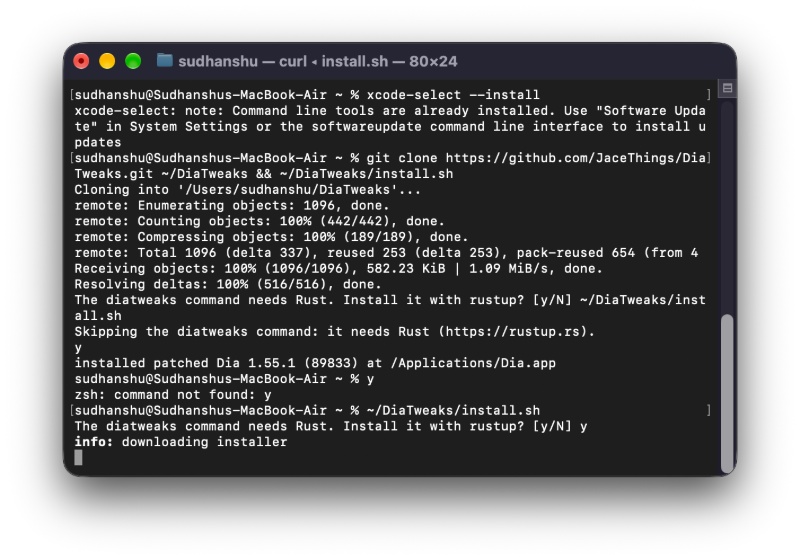
You’ll get a prompt asking you to install Rust, and you also have to grant permissions for Dia Safe Storage. The Dia browser will automatically restart if you have it open, and you will be able to find the “Patches’ sub-menu under Dia Settings.
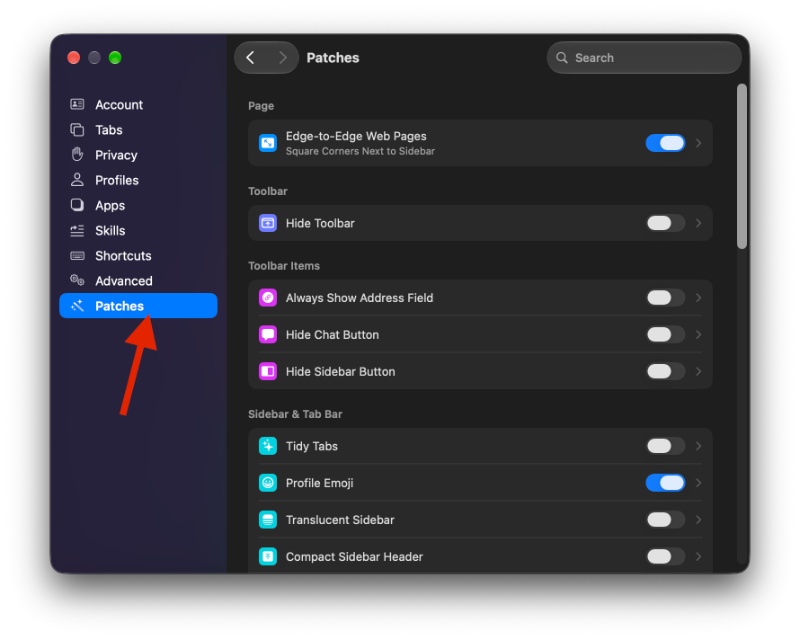
You get edge-to-edge webpages without default padding, square corners around webpage/sidebar boundaries, a completely hidden toolbar with optional hover-based reveal, the ability to hide individual Chat, sidebar, and recent-tabs buttons, and automatic tab grouping by domain.
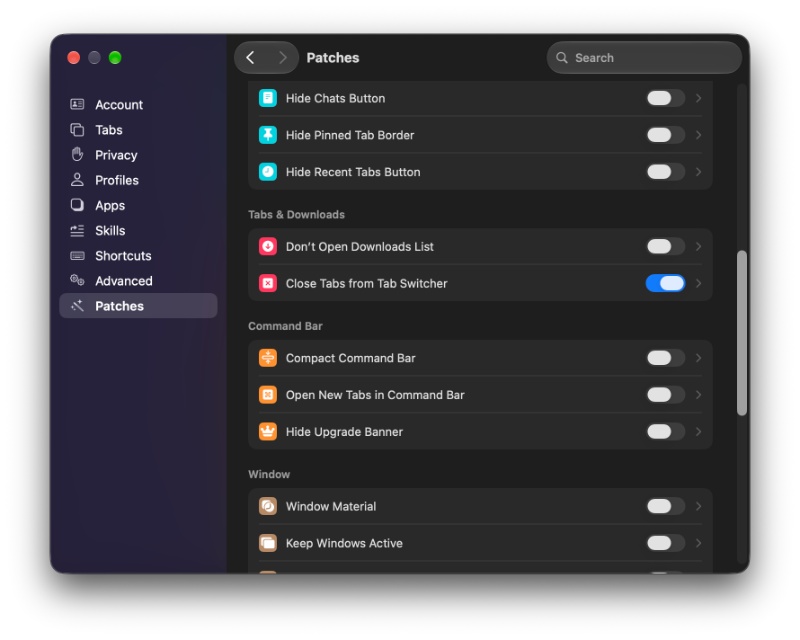
Other additions include profile emojis instead of dots, translucent sidebars, compact sidebar headers, and window controls that preserve an active appearance even when unfocused. The feature list is rather long.
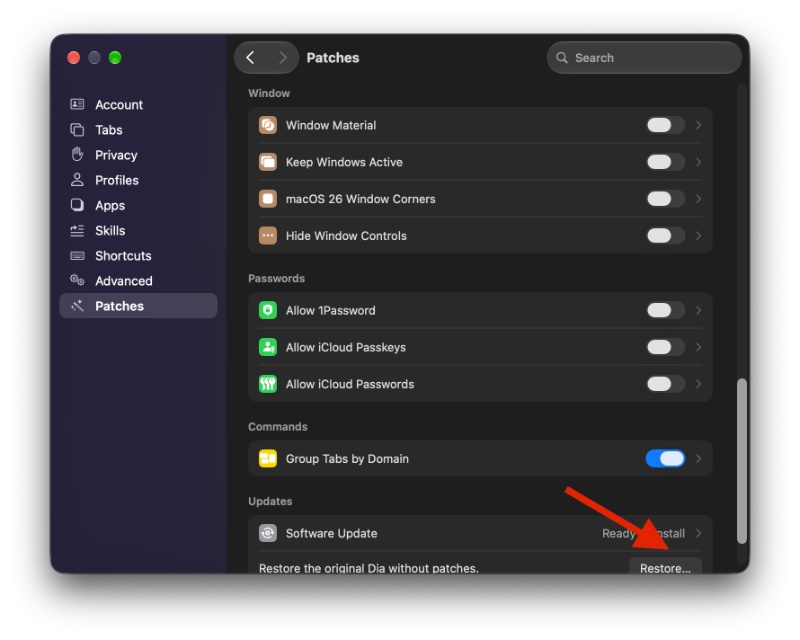
If you’re unhappy with any of the changes, or if the browser misbehaves, you get the option to restore the original Dia browser without any patches. That’s the final option in the sub-menu.
In other Dia news, the company accidentally revealed a revamped settings page and improvements to Air Traffic Control recently. More on that here.

We stand out from the tech-media crowd because we break news stories; we mainly bring you stuff that you won’t find anywhere in the mainstream tech media. Our stories have been picked up by some of the world’s most popular websites and media outlets—more info is available here.

Sudhanshu K
363 Posts
I have been a consumer technology enthusiast for over 5 years. Thanks to my experience in software beta testing and product reviews, I've understood and learnt a lot about what bugs and issues bother people, and I spend time trying to simplify their solutions. I cover smartphones, software, social media, apps, AI, and most consumer tech gadgets. Actively pursuing a Computer Science bachelor’s degree. I'm mostly active on Twitter/X (@TechWhirlUlt), drop a DM or tag me if you want to share info or connect!