





Chat sync is here: your https://t.co/b52tYBjDPI chats can now be connected across different devices & browsers.
— DuckDuckGo (@DuckDuckGo) October 28, 2026
→ End-to-end encrypted, so only you can read them.
→ No account, email or password.
Turn it on in https://t.co/b52tYBjDPI Settings → Chats → Sync & Backup pic.twitter.com/SVVeEBVeu3
Duck.ai, the privacy-focused AI chatting platform built by DuckDuckGo, is getting another feature update. This time around, they’ve introduced synced chats.
The company says you can connect chats across different devices and browsers. This wasn’t possible previously, and whatever AI conversations you had on one device simply wouldn’t be shared to another device. The official announcement with information about this feature was posted on X, and we’ve attached the post below for your reference.
How exactly is this helpful? For example, if you have a conversation on your phone and then want to continue on your laptop, you previously had to copy and paste the prompt or restart the entire topic. Now, since the chat is shared and synced between both of your devices, you no longer have to do that. It improves convenience drastically.
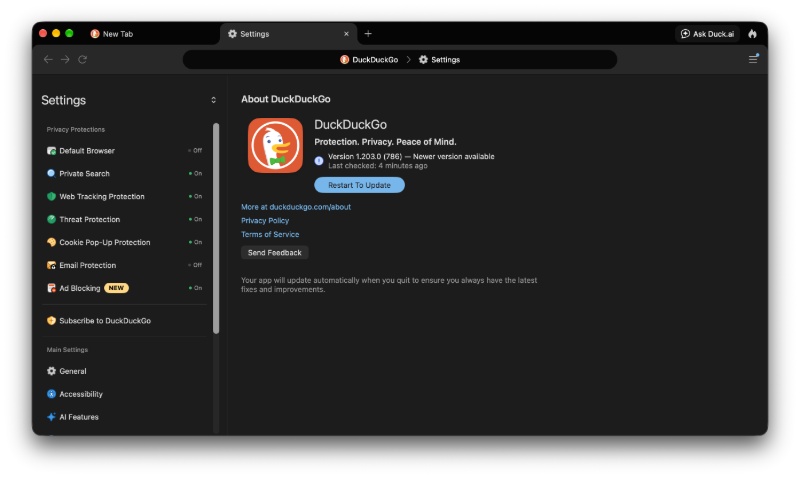
If you want to enable chat syncing, make sure you’re on the latest version of DuckDuckGo first, regardless of which platform you’re on.
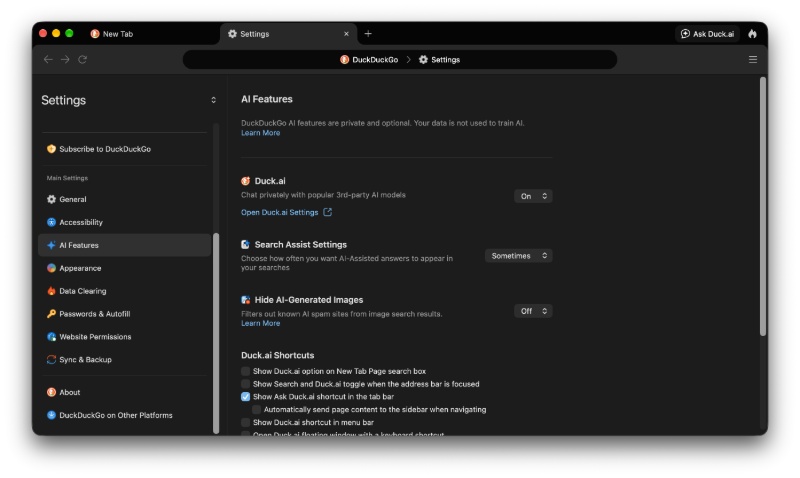
If you’re on macOS, the sidebar has an option called “AI Features.” In that menu, you’ll find the option to open Duck.ai settings.
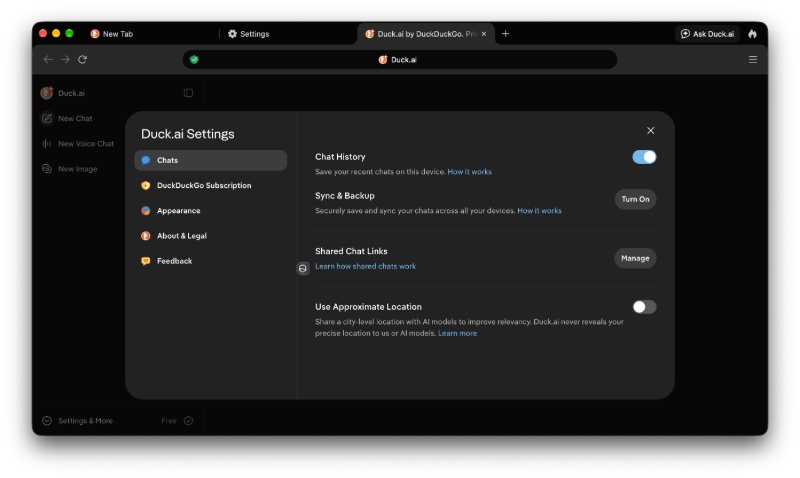
All you have to do is hit “Turn on,” and it’ll generate a QR code for you to scan.
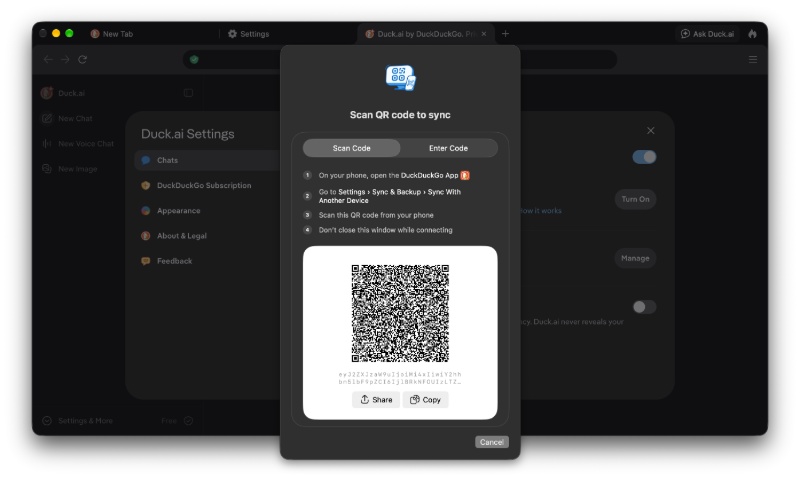
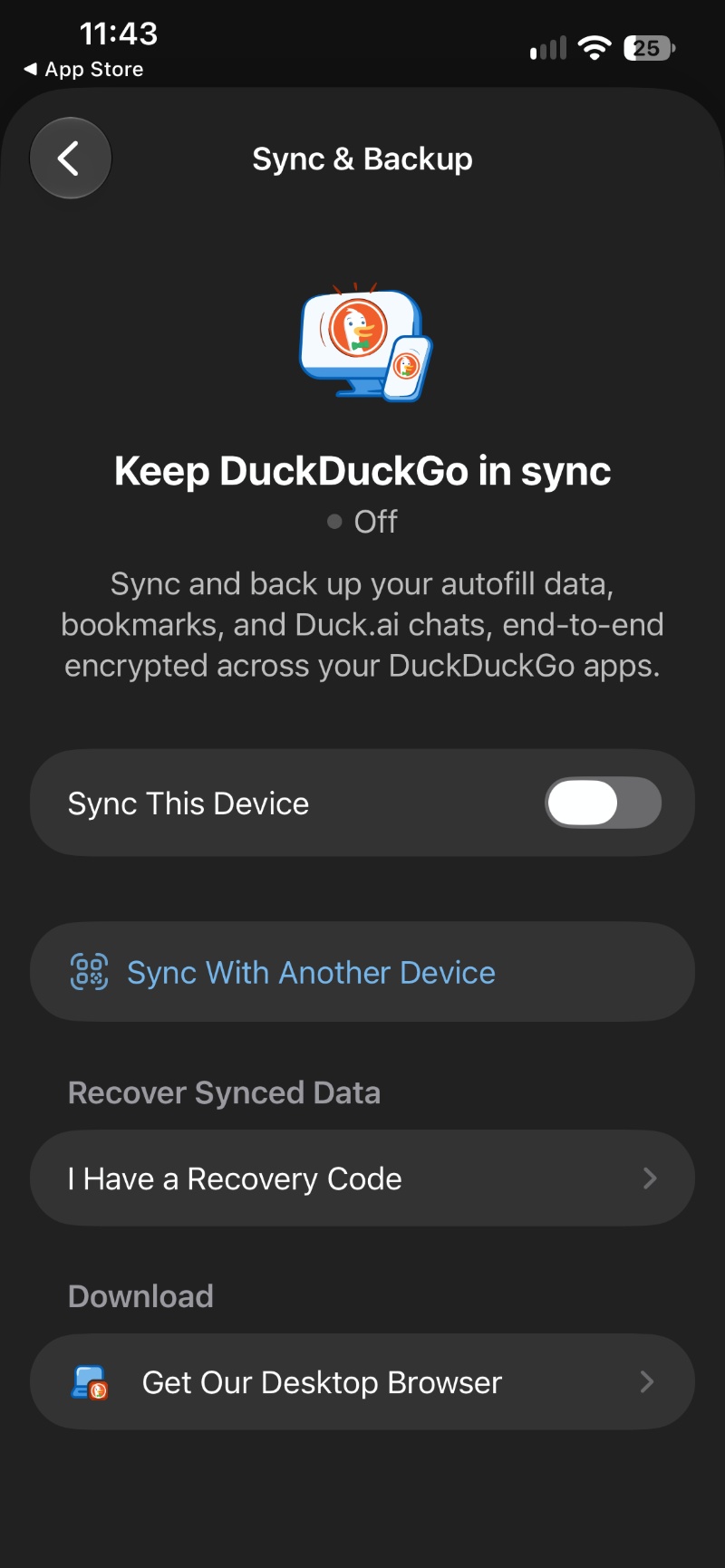
On your phone, you’ll need to open the DuckDuckGo app, head over to Settings -> Sync & Backup -> Sync With Another Device. Scan the QR code from there, and it should start syncing your Duck.ai chats between both of the devices.
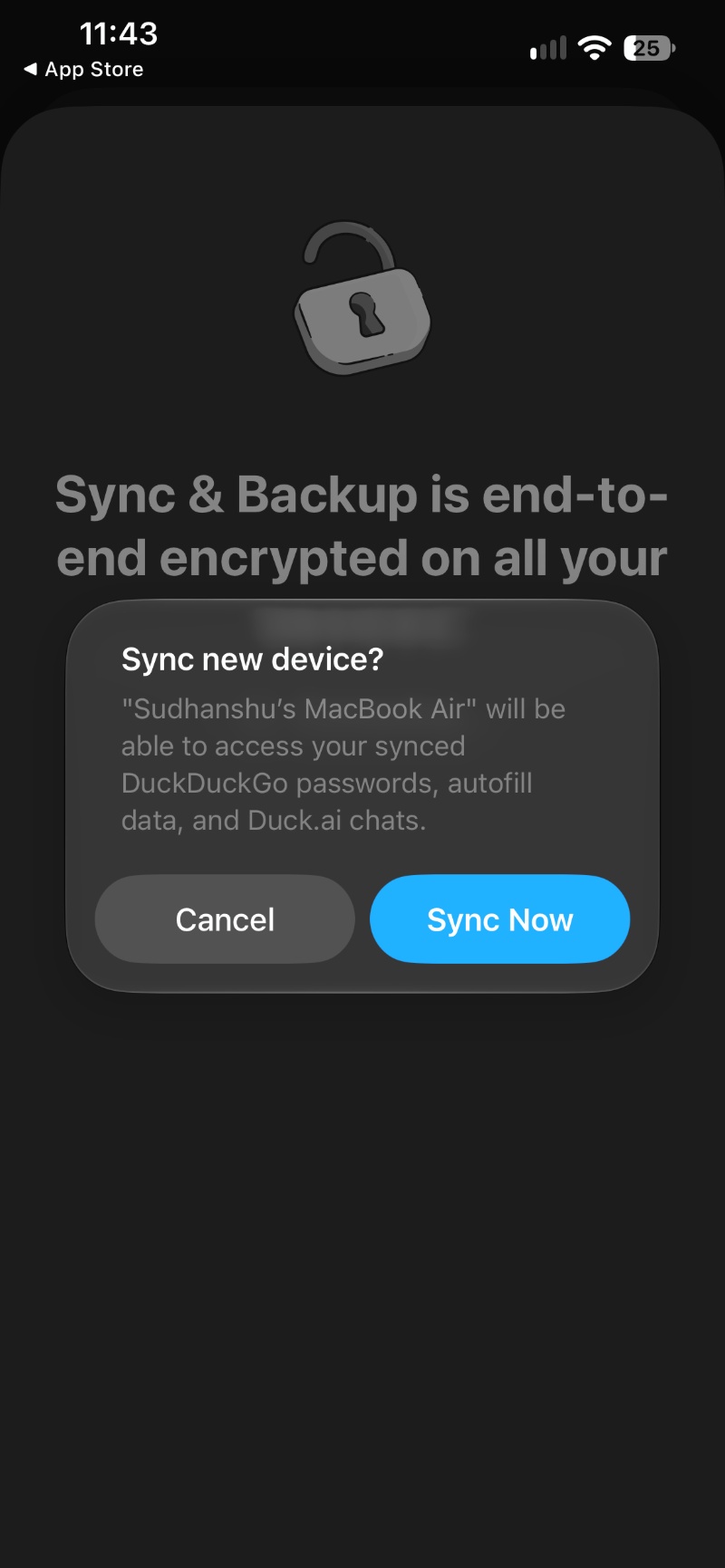
You’ll get a pop-up that says “Sync now” on both of the devices, and you have to specifically confirm it on both for it to start syncing. In my personal test, it was up and running in under a minute.
In a major privacy win, you don’t need a dedicated account, a linked email, or a password to sync the chats. All you have to do is scan the QR code or copy and paste the code into the DuckDuckGo app on your phone. It’s fairly simple and straightforward to enable this feature. Furthermore, DuckDuckGo claims that these chats are end-to-end encrypted, so only you can read them.
In other DuckDuckGo news, the company has recently backed The Tor Project with a 1 million USD grant. More on that here.

We stand out from the tech-media crowd because we break news stories; we mainly bring you stuff that you won’t find anywhere in the mainstream tech media. Our stories have been picked up by some of the world’s most popular websites and media outlets—more info is available here.

Sudhanshu K
354 Posts
I have been a consumer technology enthusiast for over 5 years. Thanks to my experience in software beta testing and product reviews, I've understood and learnt a lot about what bugs and issues bother people, and I spend time trying to simplify their solutions. I cover smartphones, software, social media, apps, AI, and most consumer tech gadgets. Actively pursuing a Computer Science bachelor’s degree. I'm mostly active on Twitter/X (@TechWhirlUlt), drop a DM or tag me if you want to share info or connect!