






The latest snapshot version of Vivaldi on iOS brings ad blocker improvements, several bug fixes, and an update to the Chromium engine.
The exact version number is v4190.59, and it’s being offered via TestFlight. It’s not the same as the Vivaldi you’ll find directly on the App Store. For your reference, we have attached a partial screenshot of the official Release Notes below.
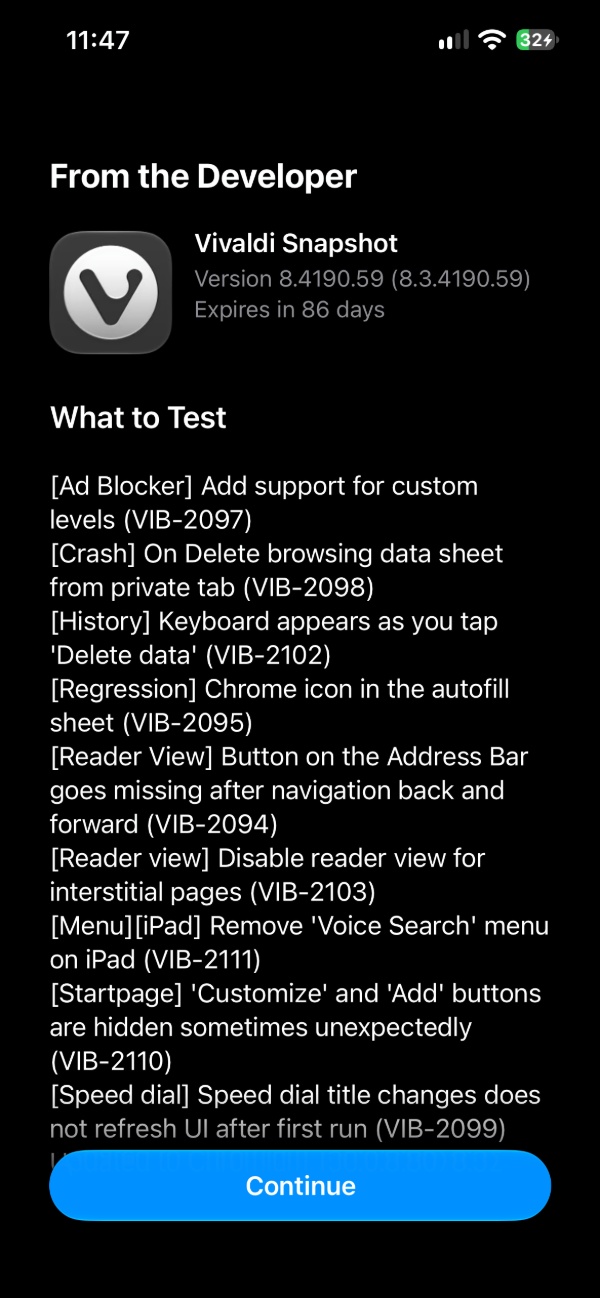
Here’s a breakdown of what’s new:
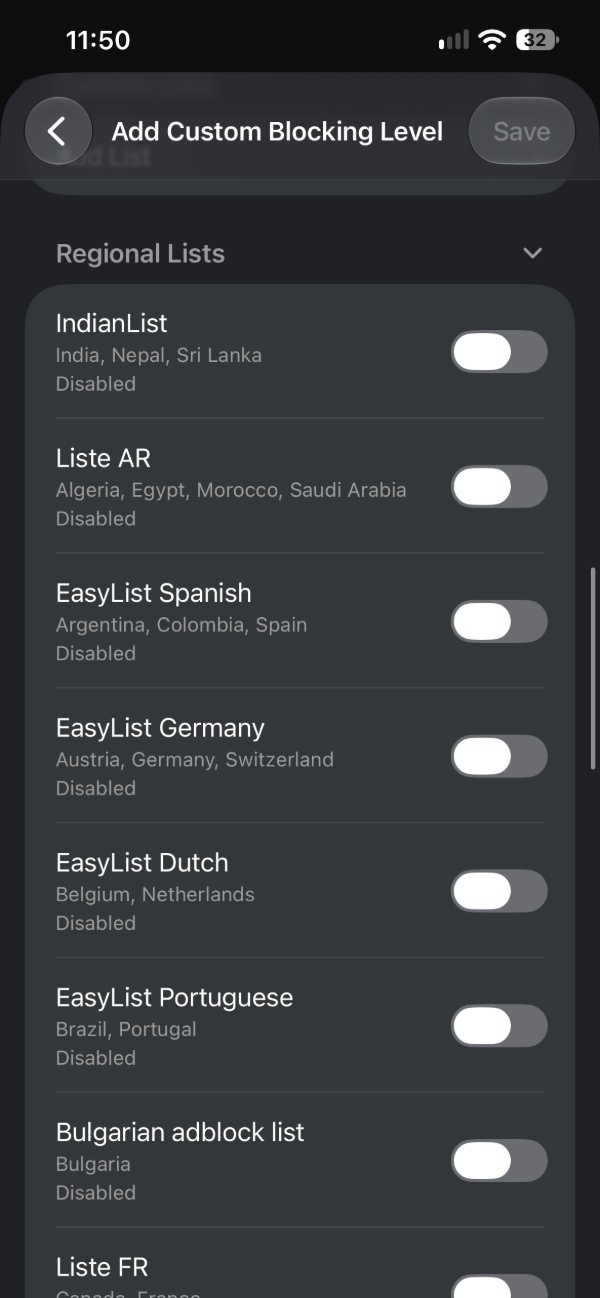
- Ad blocker improvements: You can now create or choose your own ad-blocking strength levels instead of being limited to the built-in presets. You’ll get more control over how aggressively the browser blocks ads. You can set a milder level for sites that break completely when ads are blocked, or a strict one for privacy.
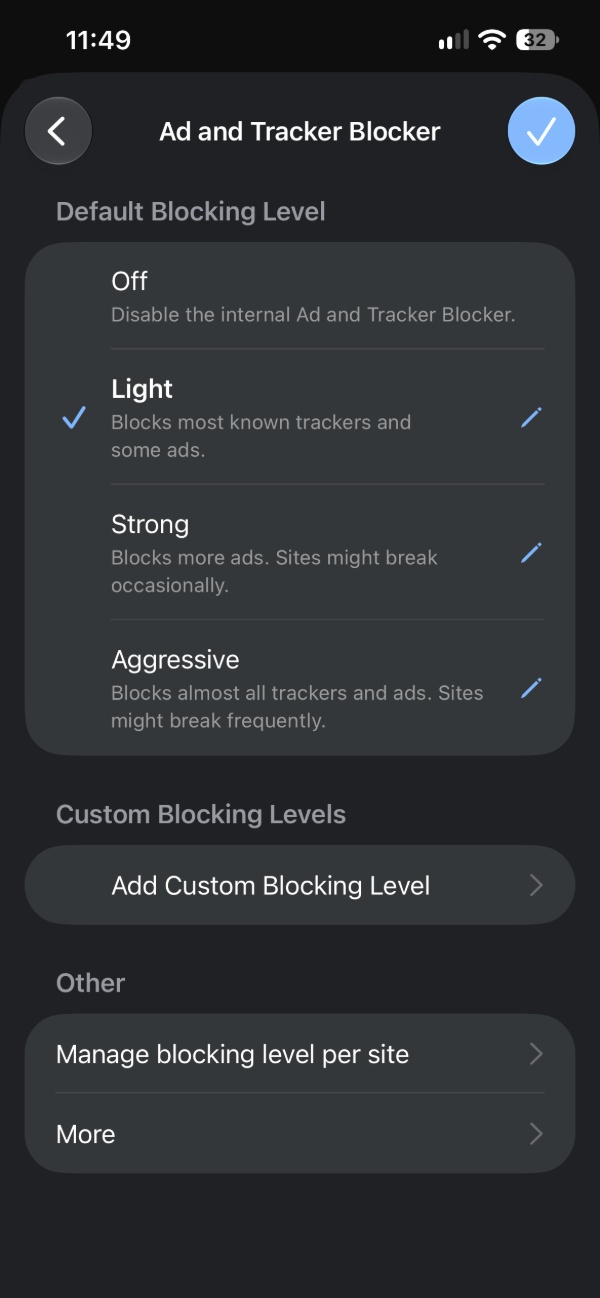
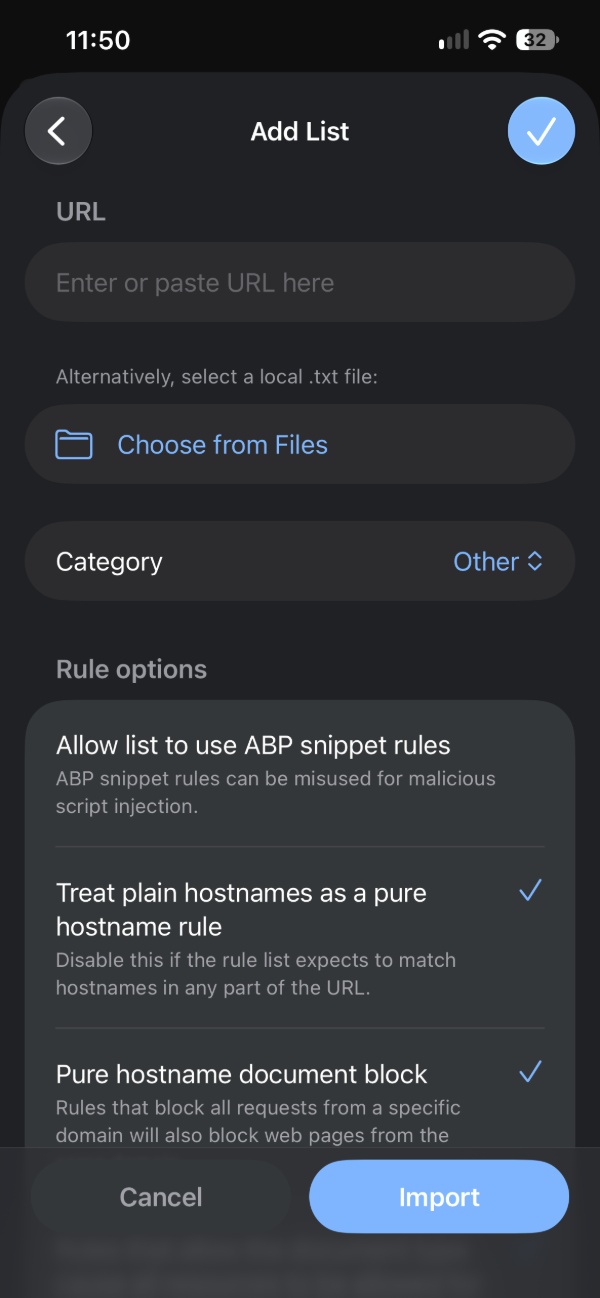
For instance, you can create your own custom list with URLs as well.
You get privacy and advertisement settings in the same sub-menu.
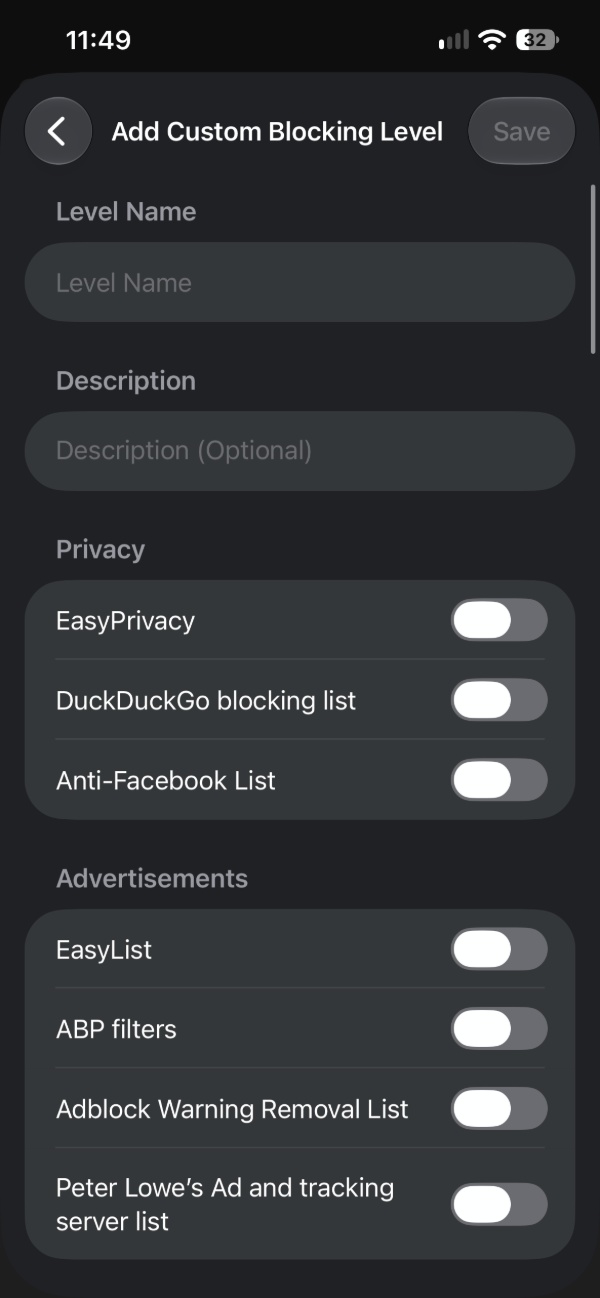
Moreover, you also have custom regional lists to enable or disable. There’s a lot more to the customization, and I’ve only picked out some highlights.
- Various bug fixes: Issues with crashing have been addressed. The browser no longer crashes when you try to delete browsing data while you’re in a private tab.
- History: The on-screen keyboard no longer pops up unexpectedly when you tap “Delete data.” Tapping the delete button used to bring up the keyboard for no reason, covering buttons, which was annoying.
- Regression: The autofill suggestion sheet no longer shows a Chrome icon by mistake.
- Reader view stays visible in the address bar after you go back and forward. You can also disable it for interstitial pages. An interstitial page is basically a temporary page like a login page, cookie consent page, or a page that’s solely there to redirect you. These are short, intermediary pages.
- On iPads, the Voice Search option has been removed from the menu.
- Other bugs related to the Start page, Speed dial, and more were fixed.
- Updated to Chromium v156.0.8.8078.52, which brings security fixes.
Note: The above points cover the major changes. You can find the entire changelog here. Moreover, this is a snapshot release, so it’s meant to act as a preview of upcoming features. It’s not meant to be a replacement for the stable version, so things could get buggy. If you want to try the snapshot, you can grab it through this link.


Sudhanshu K
346 Posts
I have been a consumer technology enthusiast for over 5 years. Thanks to my experience in software beta testing and product reviews, I've understood and learnt a lot about what bugs and issues bother people, and I spend time trying to simplify their solutions. I cover smartphones, software, social media, apps, AI, and most consumer tech gadgets. Actively pursuing a Computer Science bachelor’s degree. I'm mostly active on Twitter/X (@TechWhirlUlt), drop a DM or tag me if you want to share info or connect!