






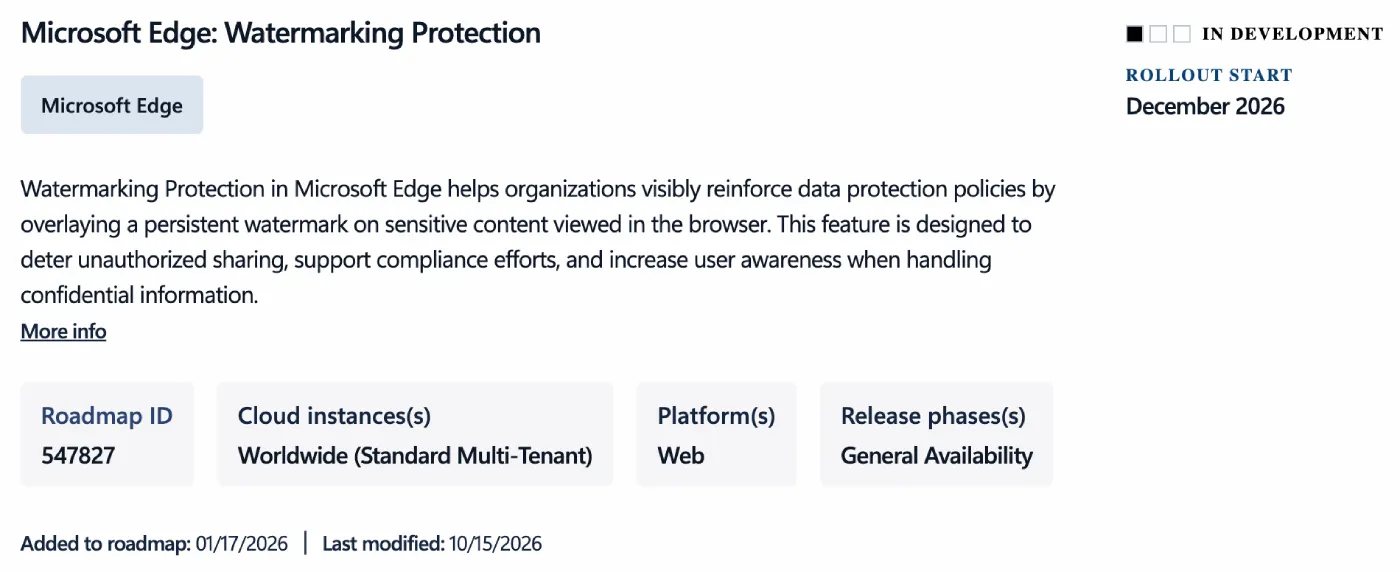
Microsoft is getting ready to roll out a new Watermarking Protection feature for Edge for Business this December that stamps your username and a timestamp right across confidential work pages.
First spotted by Neowin on the Microsoft 365 Roadmap, the tool has been in preview since January and is part of a broader security push at Microsoft after the company retired two legacy Windows 10 protection tools in Edge late last month.
Whenever an employee opens a sensitive company document or an internal webpage, the browser automatically places a repeating, see-through watermark over the window with their account details and a “Confidential” warning.
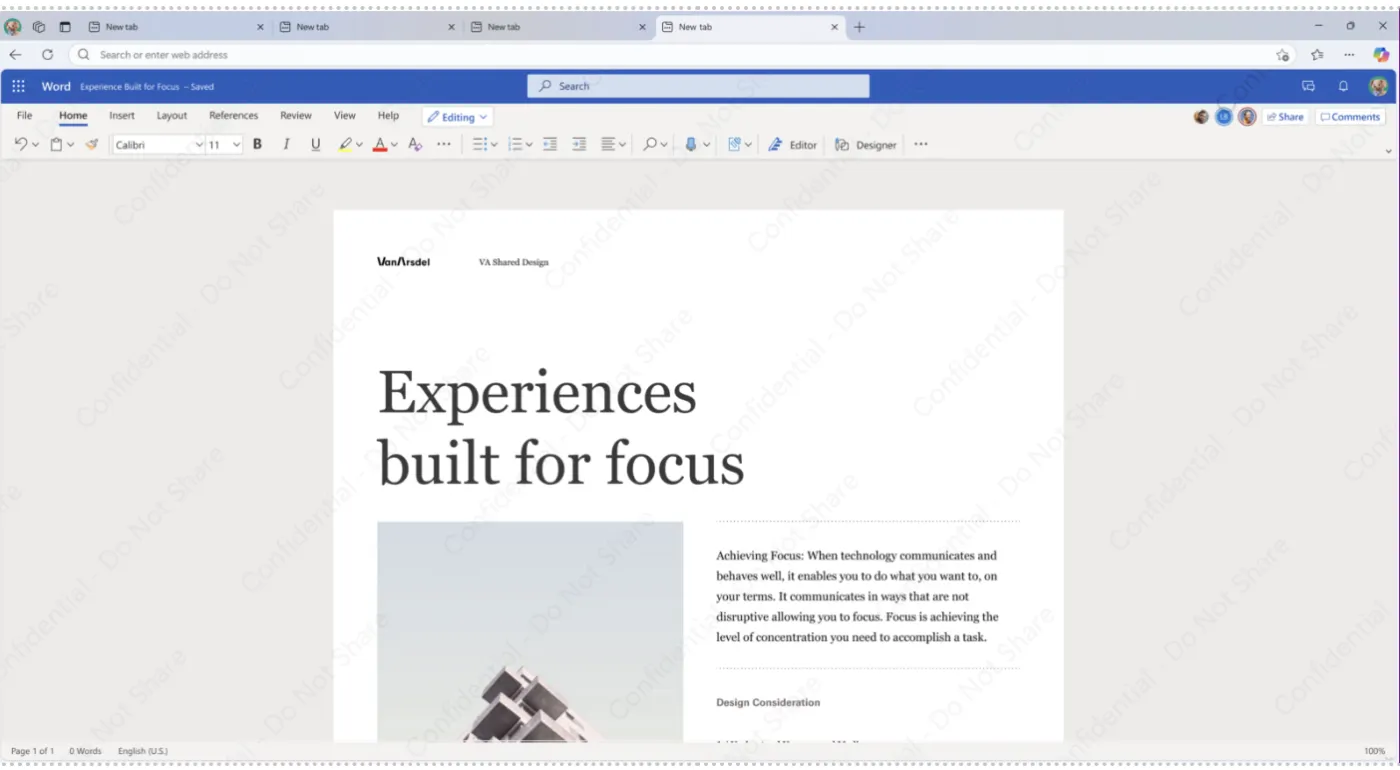
Microsoft says the feature is meant to “deter unauthorized sharing, support compliance efforts, and increase user awareness when handling confidential information,” and because the browser draws the overlay itself, regular users cannot just dig into the page code to delete it.
Of course, slapping a watermark on a monitor will not physically stop someone from pulling out their phone and snapping a picture of the screen. What it actually does is guarantee that if a photo or screenshot ever leaks online, the company knows the exact person who opened the file and when they were looking at it.
At launch, the watermark will cover regular tabs, split-screen views, pop-up windows, reading mode, and PDFs opened in the browser. Microsoft also plans to bring it to the Edge Sidebar and add dynamic watermarks later on, joining other workplace experiments like updating Edge in the background without forcing a browser restart.
IT admins who want to turn this on will need a Microsoft 365 E3 or E5 license, and it only kicks in on files where the company has already set up rules that block copying, printing, or uploading.


Dwayne Cubbins
3124 Posts
I cover fast-moving stories across apps, online platforms, and everyday tech — phones, wearables, consoles, and whatever else people are fighting with this week. Bugs, rollouts, scams, policy enforcement, and the occasional internet-culture rabbit hole are all fair game. My goal is simple — make confusing tech news readable. When I'm not working, I'm working out or chilling with my dog. Got a tip? You can find me on X @dcubbins.