





The latest version of Chrome 155 (v155.0.8059.84/.85) has fixed 10 security bugs. Some of them could be triggered by just visiting a malicious webpage. If successfully exploited, an attacker has the theoretical possibility of running their own code inside Chrome’s security sandbox.
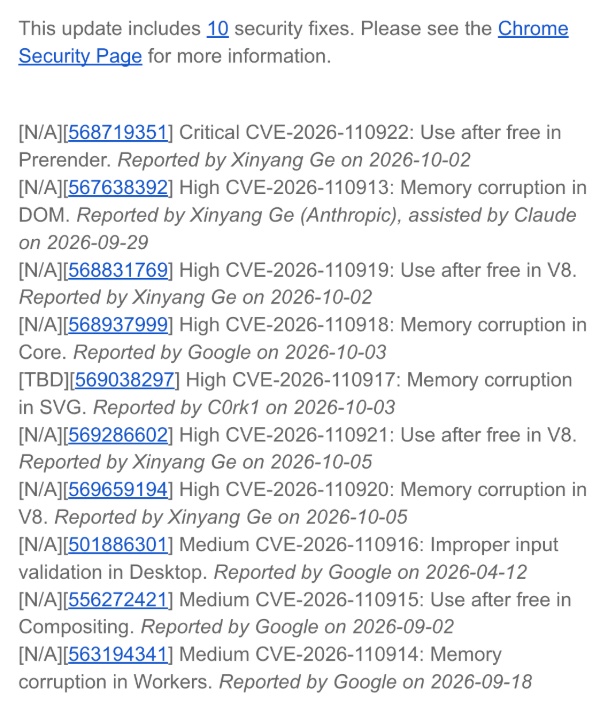
We have attached a screenshot of the 10 security fixes below, and it includes the credits, as well as rewards.
Here are some terms that you need to know to understand the update:
- Use-after-free: Chrome tries to use a piece of memory that was already deleted/freed. Attackers can exploit this to crash the browser and execute their own code.
- Memory corruption: Something goes wrong with how Chrome handles memory.
- Prerender: A Chrome feature that pre-loads a webpage in the background before you click the link so that it can open instantly.
- DOM: The system that builds and manages the structure of a webpage.
- V8: Chrome’s JavaScript (JS) engine.
- SVG: Vector graphics.
- Workers: Background scripts that ensure your browser’s main/active page stays responsive.
- Improper input validation: Chrome doesn’t properly check some of the data that it receives, which attackers can exploit.
Now that you’re aware of these terms, you can understand the security content of this update better:
- Use-after-free error in Prerender: Chrome’s “background preload” feature had a problem where a malicious site could make Chrome use deleted memory while preparing a page, potentially allowing bad actors in.
- Memory corruption issues in DOM were fixed.
- Use-after-free issue in V8: A bug in the JS engine was fixed.
- Memory corruption issues in the browser’s core, V8 (JS engine), workers, and also SVG were fixed.
- Improper input validation issues on Chrome desktop have been addressed.
- User-after-free issue in Compositing: A bug in how Chrome draws the page on the screen.
Note: None of these are known to be actively exploited right now, but the critical Prerender bug is serious enough that we’d recommend updating immediately.
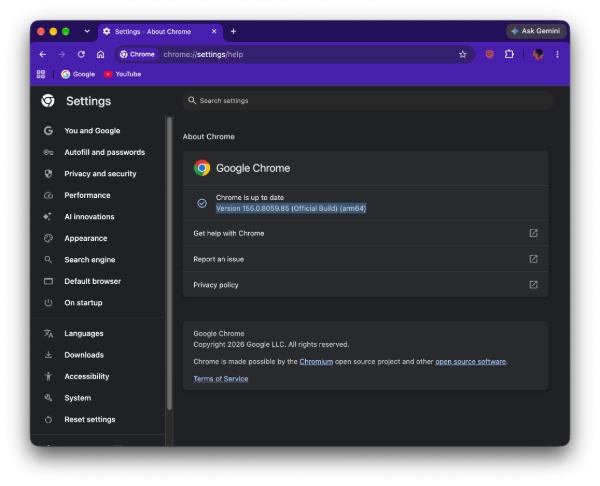
The update has already started rolling out to users at the time of writing. Immediately after firing up Chrome, I came across the v155.0.8059.85 update (on macOS). It should be available on Windows and Linux as well. You can view the entire changelog here.
Meanwhile, Chrome 155 has also been released for Android. It mostly includes bug fixes and the same security improvements that Chrome desktop got.
In other Chrome news, the browser is finally getting a native “Copy Links” tool for tabs and groups. More on that here.


Sudhanshu K
333 Posts
I have been a consumer technology enthusiast for over 5 years. Thanks to my experience in software beta testing and product reviews, I've understood and learnt a lot about what bugs and issues bother people, and I spend time trying to simplify their solutions. I cover smartphones, software, social media, apps, AI, and most consumer tech gadgets. Actively pursuing a Computer Science bachelor’s degree. I'm mostly active on Twitter/X (@TechWhirlUlt), drop a DM or tag me if you want to share info or connect!