






Nobody likes digging through endless browser menus when tabs crash or things randomly break. Earlier this year, we covered how Microsoft Edge is testing an AI troubleshooter right inside its settings page to diagnose problems and suggest fixes. Back then, all we had to go on was a lonely toggle in Canary and an empty placeholder screen.
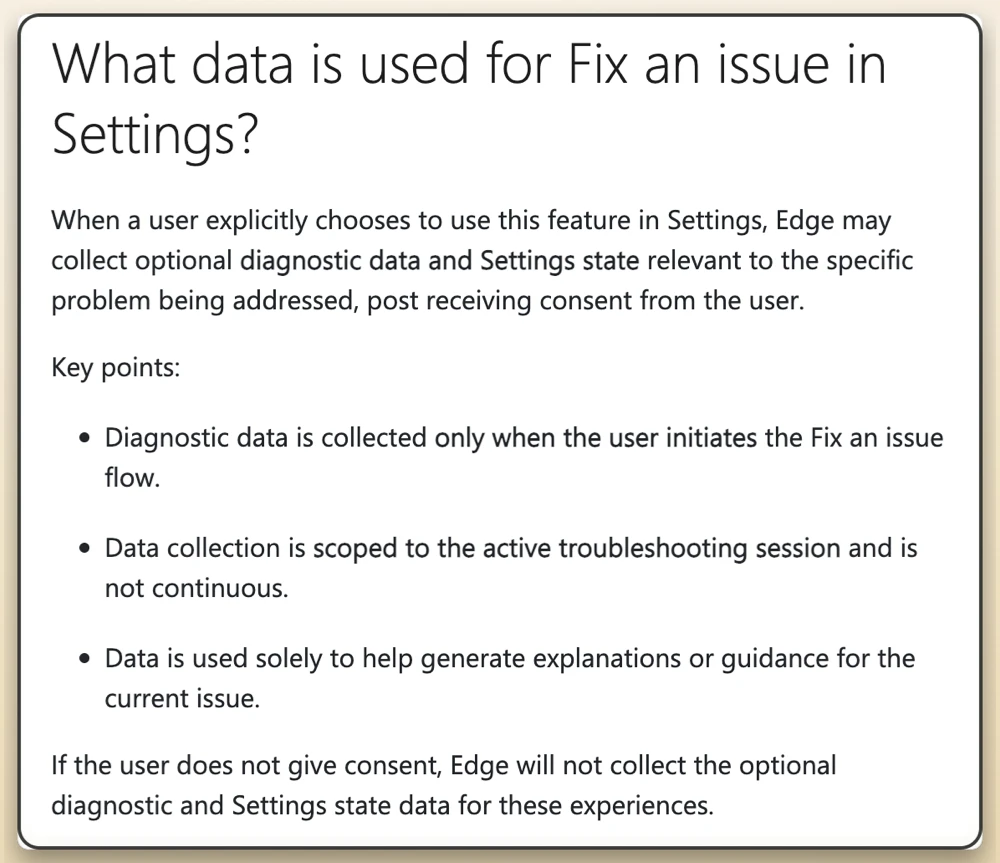
Now Microsoft has finally published an official support document outlining the privacy ground rules for what this tool actually touches on your machine.
After years of telemetry controversies, privacy-conscious users are quick to assume the worst. Microsoft is trying to get ahead of those concerns before anyone calls it spyware.
The feature, officially dubbed “Fix an issue,” works like an interactive chatbot inside settings. If a site refuses to load or performance tanks, you can click a few preset suggestions or just type out what is going wrong in your own words.

Microsoft says nothing leaves your device unless you start a troubleshooting session. Once you do, Edge collects your current settings and, optionally, diagnostic information to help the AI figure out what’s wrong.
That data collection stops as soon as you close the troubleshooting session. It doesn’t monitor your browsing in the background, and Microsoft says it won’t access work-related resources. If you’d rather not use it, you can turn it off in Copilot and AI settings.
Meanwhile, Microsoft is also working on making AI more useful outside of troubleshooting in Edge. The company recently detailed its work on WebMCP support for Edge to make it much easier for AI agents to fill out forms and perform tasks in the browser.
That said, even though the upcoming AI-powered troubleshooter sounds impressive, the company admits it won’t be magic. The documentation notes that the tool “may occasionally provide inaccurate or incomplete guidance,” meaning you might still end up fixing things manually.


Dwayne Cubbins
3102 Posts
I cover fast-moving stories across apps, online platforms, and everyday tech — phones, wearables, consoles, and whatever else people are fighting with this week. Bugs, rollouts, scams, policy enforcement, and the occasional internet-culture rabbit hole are all fair game. My goal is simple — make confusing tech news readable. When I'm not working, I'm working out or chilling with my dog. Got a tip? You can find me on X @dcubbins.