






Microsoft is testing a new feature on Edge Canary; it can translate a whole PDF document from the right-click menu and open the entire translated PDF as a separate copy.
This was initially reported by the folks at Windows Report in a hands-on test.
On Edge, you can already translate text within a PDF. You also have the option to select a paragraph and then use the PDF toolbar to translate the text, which shows up in a side pane. However, this old feature doesn’t cover the entire document. You’d have to end up scrolling through the entire PDF, which can get annoying if it’s several pages long.
In 2025, Microsoft said that the feature would continue to evolve. In a few clicks, it was supposed to provide a fully translated document, so that readers don’t have to work through the document line by line or paragraph by paragraph. It appears that the update to the feature has finally landed now in Edge Canary.
In the hands-on test at Windows Report, the writer opened a 10-page document, which was written in Hindi. A simple right-click is all that was needed to find the “Translate document to English” option. Choosing it opens a new tab, and then the browser displays “Translating…”
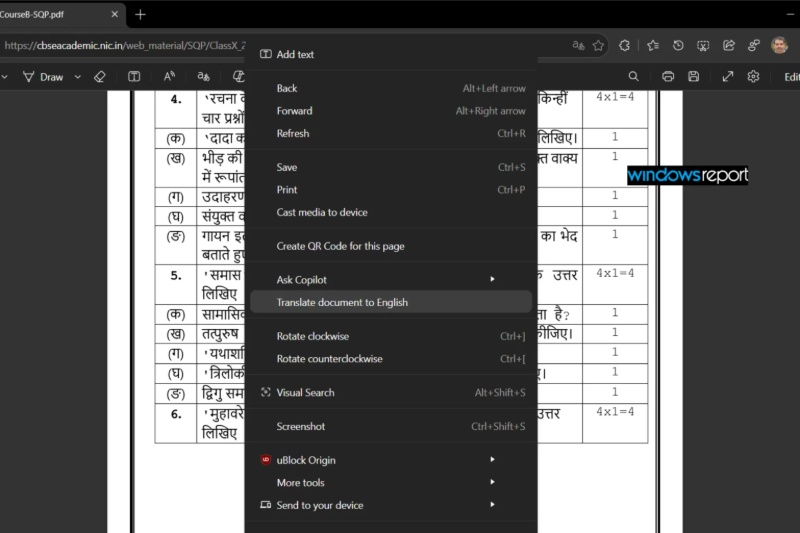

Finally, the translated document opens up, and the original one still remains open in the browser.
This is a practical new feature, and users won’t have to resort to highlighting specific parts of the document to obtain the translations. Since it builds an entirely new document, the source and translation can sit open side by side.
I have checked for this feature on the latest version of Edge Canary. However, right-clicking on the document didn’t show me the option. I’m running macOS, and the test from the original source was performed on Windows, so it likely hasn’t made it to macOS at the time of writing.
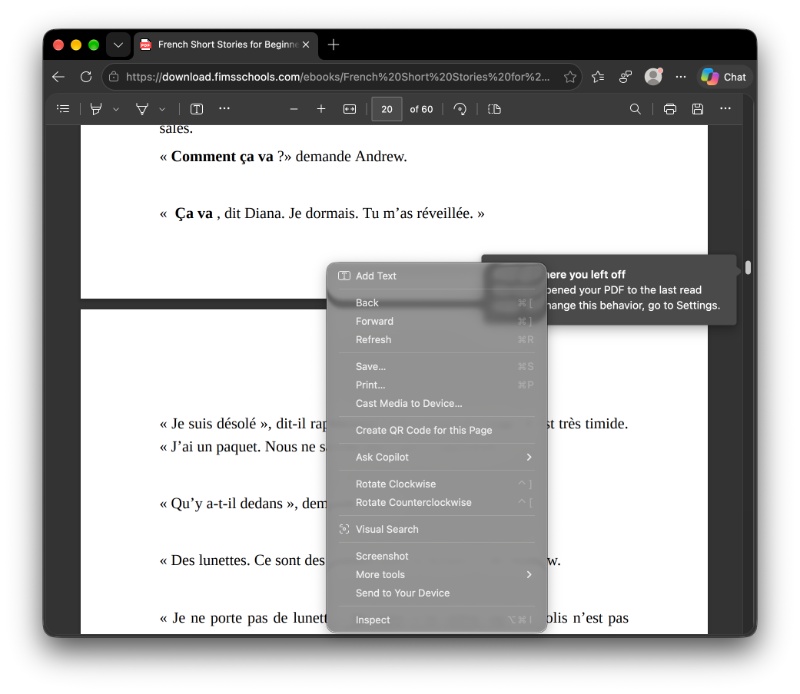
The feature is still in testing, and there’s no exact ETA available for a public release. Since it hasn’t even reached everyone on Edge Canary, it could take a while.
In other Edge news, v155 of the browser recently came out with windowing controls and more. We covered that here.


Sudhanshu K
319 Posts
I have been a consumer technology enthusiast for over 5 years. Thanks to my experience in software beta testing and product reviews, I've understood and learnt a lot about what bugs and issues bother people, and I spend time trying to simplify their solutions. I cover smartphones, software, social media, apps, AI, and most consumer tech gadgets. Actively pursuing a Computer Science bachelor’s degree. I'm mostly active on Twitter/X (@TechWhirlUlt), drop a DM or tag me if you want to share info or connect!