






We have couple of new things in Brave Nightly:
— Keith (@gnukeith) October 7, 2026
brave://flags/#traffic-control this allows you to open a site automatically in a specified container.
We also added Privacy Settings Tuning feature we're experimenting with in Brave Nightly.
Brave can tune the website's settings…
The latest version of Brave Nightly is testing two main features. There’s an existing feature called Containers, which has been improved. Also, clicking through a website’s privacy menus until the tracking boxes are turned off won’t be a chore anymore; Brave can handle that automatically.
An engineer at Brave recently said that both of these experiments are live in Brave Nightly. These improvements haven’t yet made it to the stable version at the time of writing, and it could take a while.
The first major feature is about Traffic Controls. You can find it at brave://flags/#traffic-control. The text flag says that a site can open on its own, and it can open in a specific container that you choose. While Containers are already available in the normal Brave browser, this is an add-on.
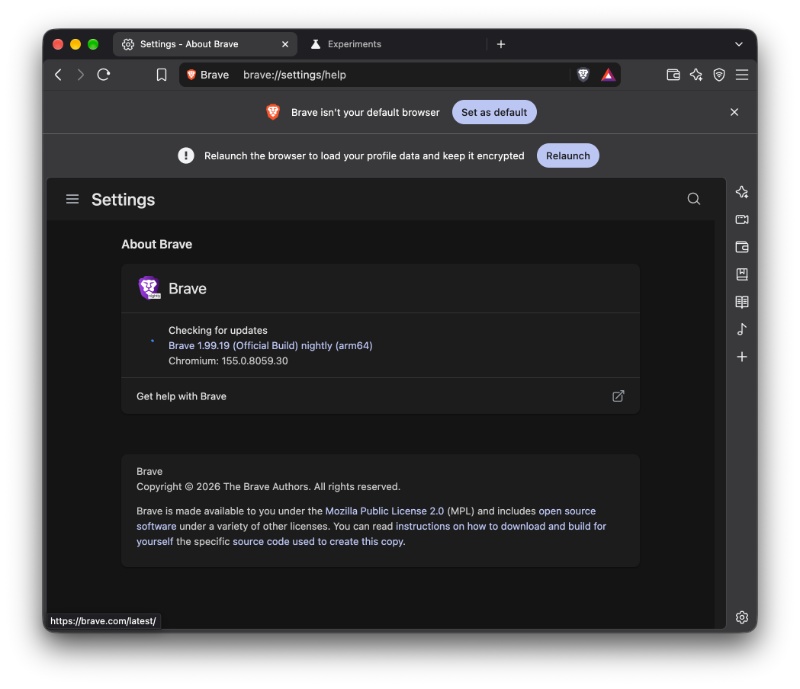
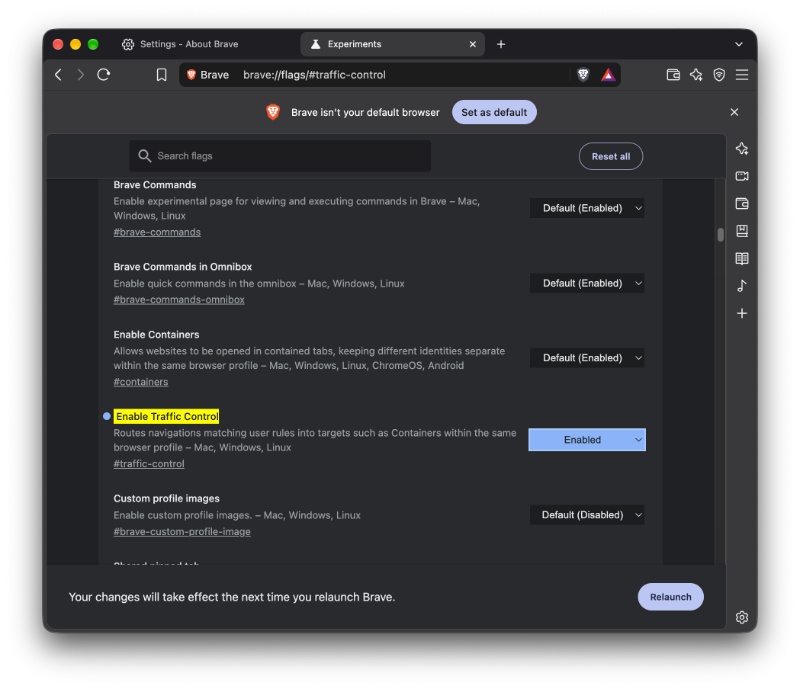
For those unaware, a container basically keeps two separate logins for the same site. You can have the same set of tabs open, but they don’t share cookies or site data. You can stay logged into two separate Twitter/X or Gmail accounts this way, on the same browser, without needing to use a separate profile or private window. Passwords and extensions remain shared.
The flag has been listed for all three major platforms: Windows, macOS, and Linux.
The other experiment is “Privacy Settings Tuning.” Brave Nightly can basically open a site’s settings and directly opt you out of third-party advertising, data sharing, and more. You don’t have to manually go into a website’s specific privacy settings area and turn it off manually.
It’s worth noting that this feature isn’t the same as Brave Shields. Shields is something that blocks ads and trackers in the browser, but Privacy Settings Tuning is website-specific. It can also prevent your data from being used for model training.
In other Brave news, an upcoming update to the desktop version of the browser is set to bring privacy improvements and overall bug fixes. More on that here.

We stand out from the tech-media crowd because we break news stories; we mainly bring you stuff that you won’t find anywhere in the mainstream tech media. Our stories have been picked up by some of the world’s most popular websites and media outlets—more info is available here.

Sudhanshu K
314 Posts
I have been a consumer technology enthusiast for over 5 years. Thanks to my experience in software beta testing and product reviews, I've understood and learnt a lot about what bugs and issues bother people, and I spend time trying to simplify their solutions. I cover smartphones, software, social media, apps, AI, and most consumer tech gadgets. Actively pursuing a Computer Science bachelor’s degree. I'm mostly active on Twitter/X (@TechWhirlUlt), drop a DM or tag me if you want to share info or connect!