






With the latest snapshot (beta) update, Vivaldi has finally joined some mainstream browsers on Android, such as Firefox and Brave, to let you directly copy a clean link without the clutter.
This snapshot update includes a few other minor changes besides copying a clean link, and a screenshot of the Release Notes has been attached below for your reference.
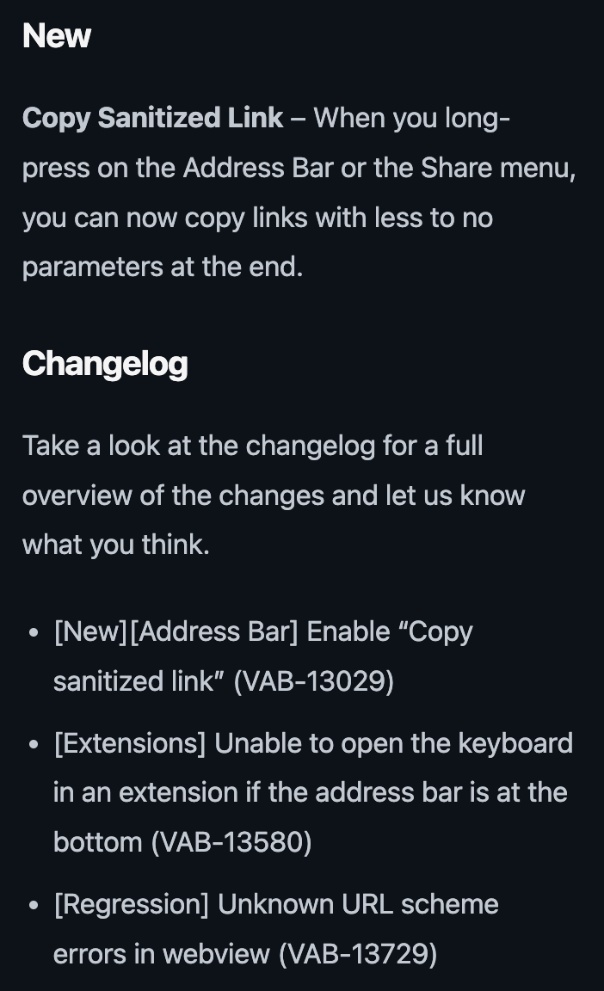
The version number for this snapshot is v4176.4, and while the changelog calls it “Copy sanitized link,” the meaning is the same.
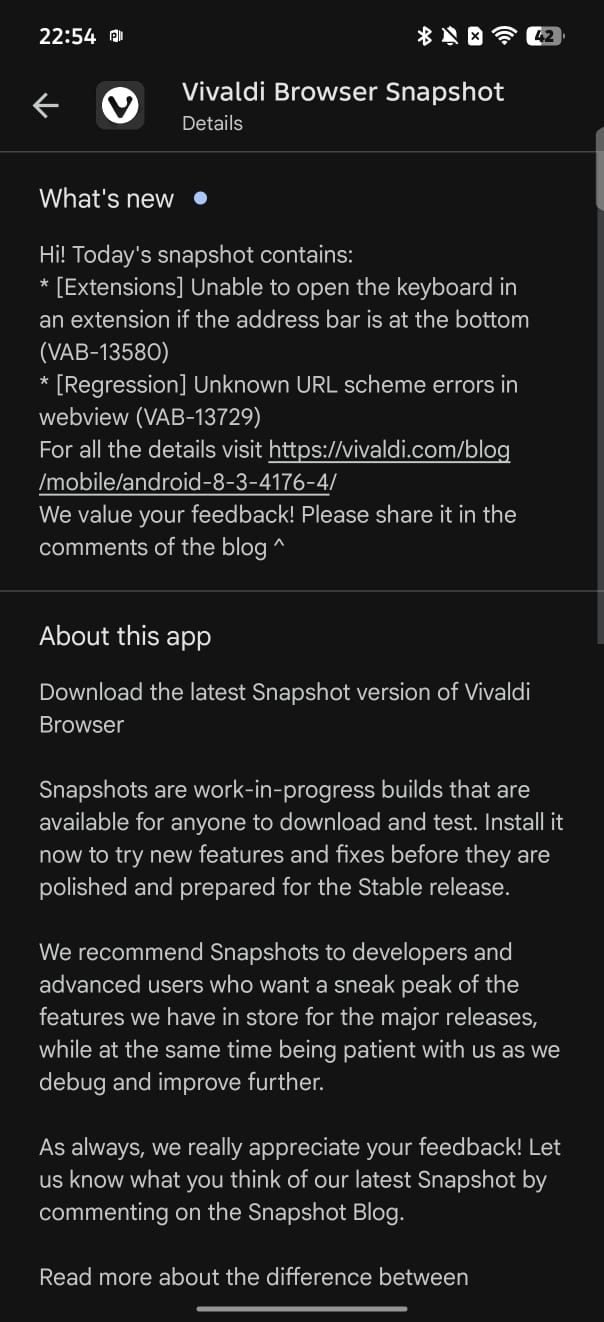
Whenever you copy a link from Reddit or X, there are these extra trackers/junk that get added to the end of the link. On Reddit, you get a really lengthy string of characters, and it’s the worst offender. X adds something like “?s=20” at the end of links, and YouTube has similar extra add-ons to the end of links. While I’ve only mentioned some examples, many websites you visit every day add these silent trackers or clutter at the end of links.
Especially if you’re someone who writes articles, or if you’re just someone who simply doesn’t want to attach an obnoxiously long link, you don’t have to manually backspace each character anymore until you obtain the clean link. Vivaldi will automatically handle that for you.
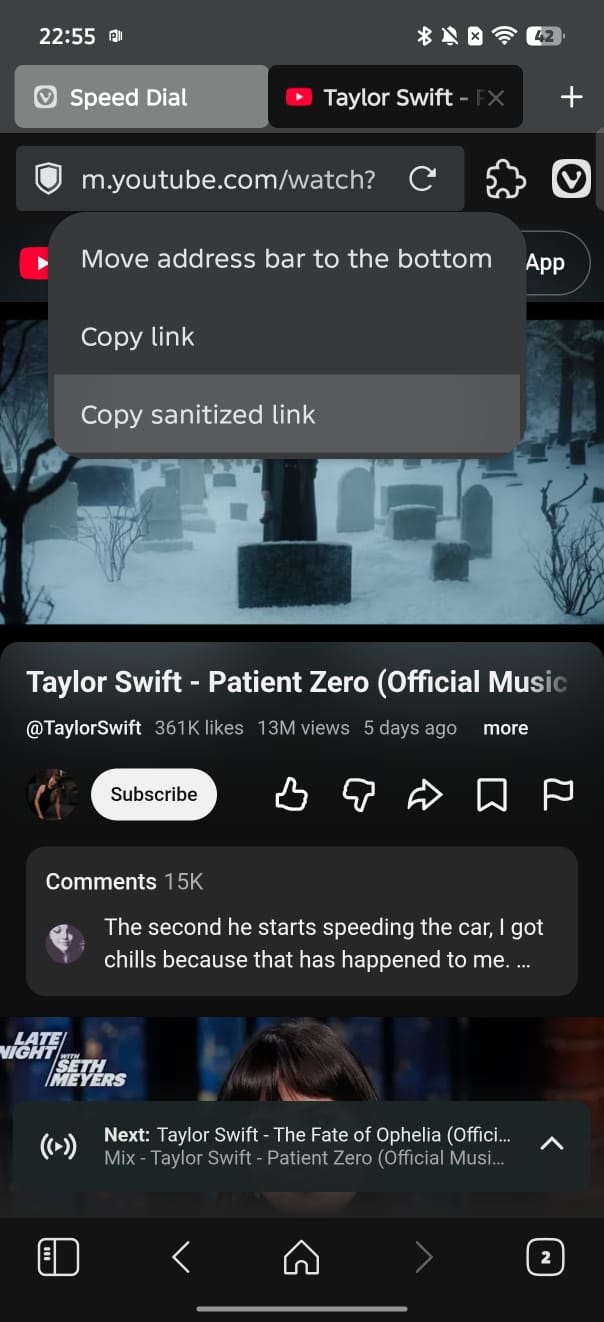
The image below shows where you can find the option. Don’t use the built-in share button or copying tools within the website. Instead, you’ll have to long-press the address bar, and you’ll get the “Copy sanitized link” option. Tap on that, and it’ll automatically get rid of the unnecessary aspects of the link.
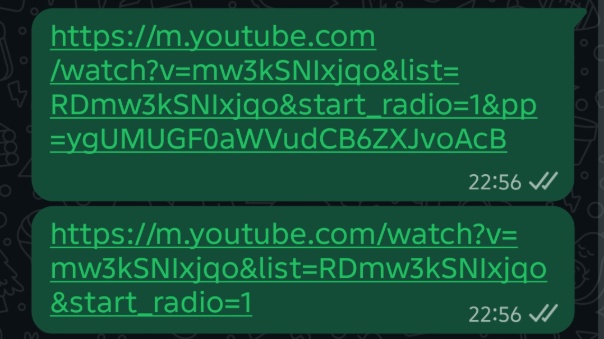
The image below shows the difference in the copied URLs between a normal link copy and a clean copy.
Disclaimer: If you’re copying affiliate links or your workflow requires the complete link, do not use this feature, since it’ll break the tracker.
It’s worth noting that snapshot versions effectively act as betas, so they’re only meant to preview upcoming features or changes. The stability won’t match the public build, so it’s not intended as a daily driver.
You can find the official changelog here; it was posted on Vivaldi’s blog page. If you don’t have the snapshot, you can grab it from the Play Store.
In other Vivaldi news, the latest snapshot on iOS brought a new ad blocker UI with some functional improvements and a New Tab position setting. More on that here.


Sudhanshu K
309 Posts
I have been a consumer technology enthusiast for over 5 years. Thanks to my experience in software beta testing and product reviews, I've understood and learnt a lot about what bugs and issues bother people, and I spend time trying to simplify their solutions. I cover smartphones, software, social media, apps, AI, and most consumer tech gadgets. Actively pursuing a Computer Science bachelor’s degree. I'm mostly active on Twitter/X (@TechWhirlUlt), drop a DM or tag me if you want to share info or connect!