





In Chrome Canary for Android, a new flag has appeared that indicates that Google is working on a voice input feature for the Gemini bottom sheet in the browser.
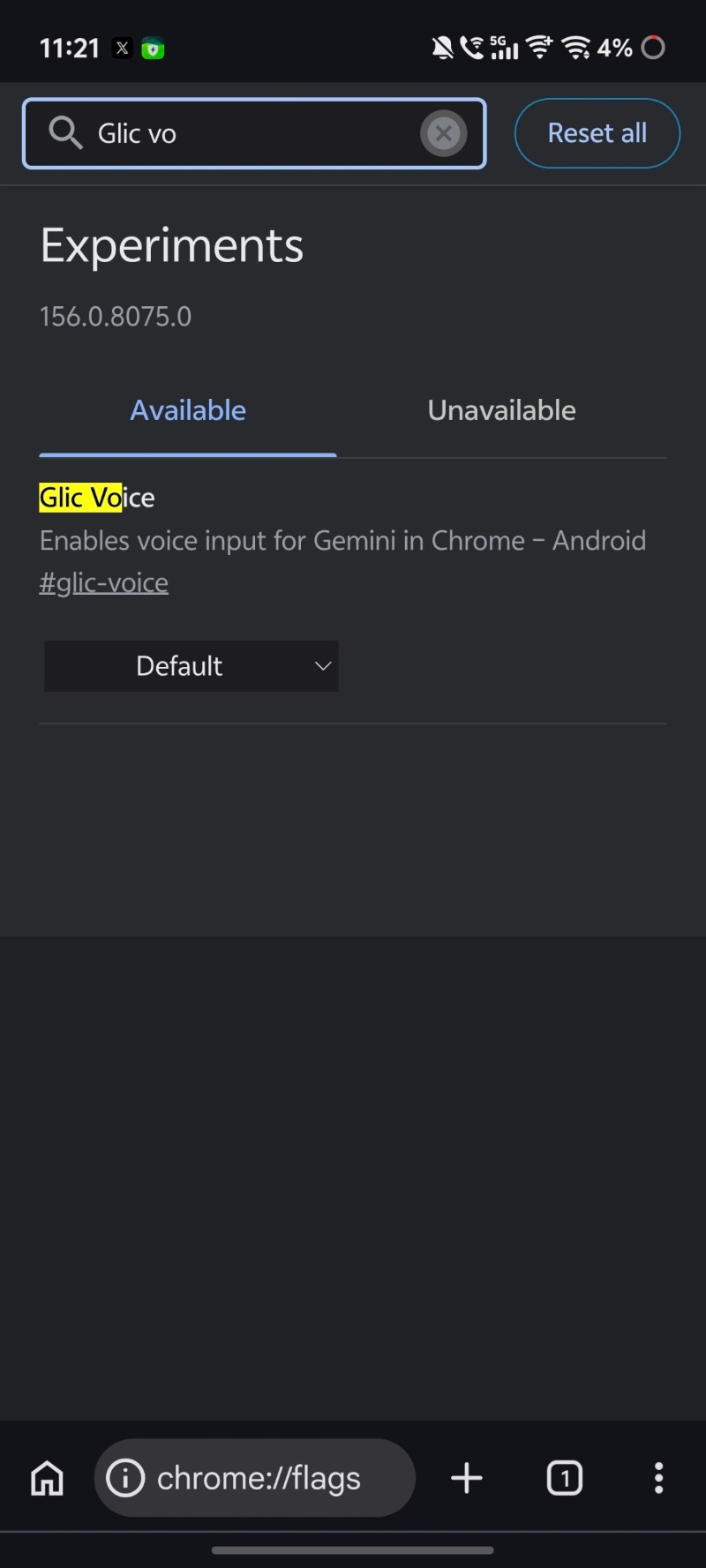
If you open Chrome Canary and look up “Glic voice” in the search bar, you’ll find a flag corresponding to this feature. The description reads “Enables voice input for Gemini in Chrome.” The functionality is quite straightforward, implying that Gemini in Chrome will soon get support for direct voice input. I’ve attached a screenshot below that shows the flag.
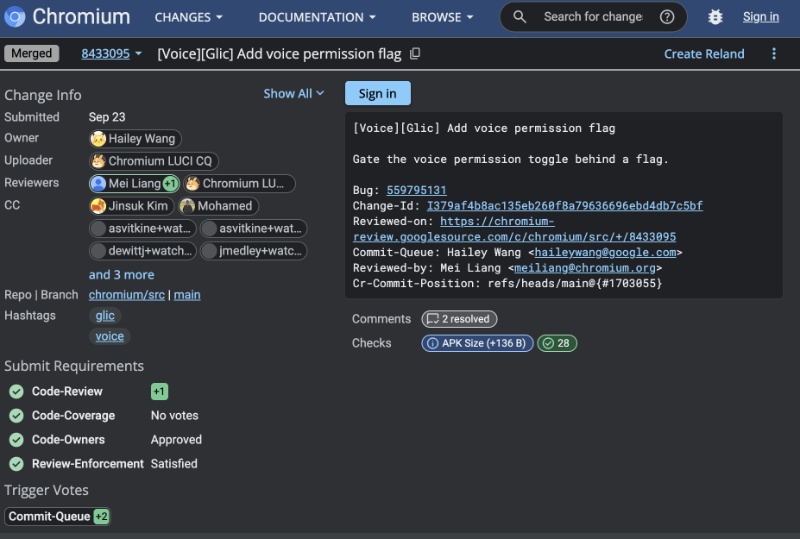
This flag in Canary isn’t the only indication of this feature arriving in the browser soon. There are three Chromium commits that are about the feature. One of them says “Add voice permission flag,” and the description says that it adds the voice permission option.
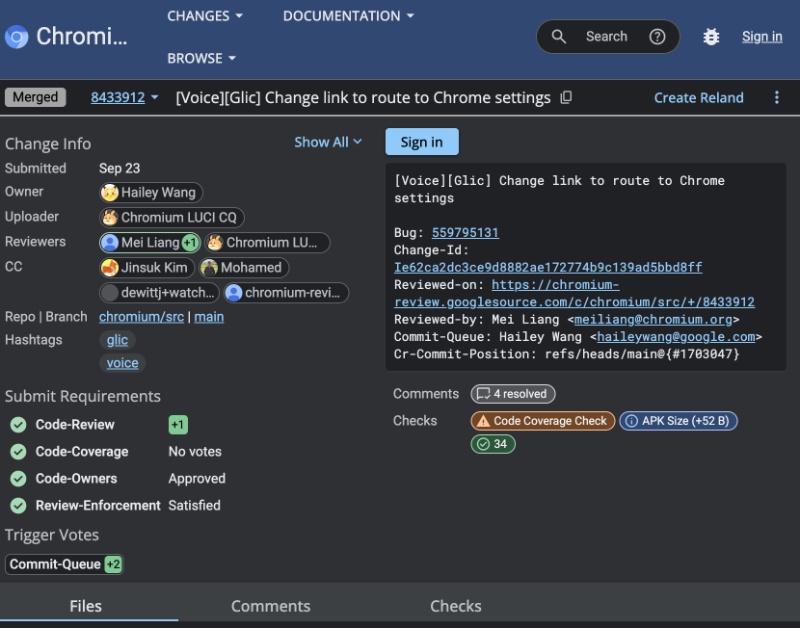
Another one says “Change link to route to Chrome settings.” The third (and final) commit mentions an update to the settings page. All three commits are categorized under [Voice][Glic].
Furthermore, @Leopeva64 on X posted about Google adding a “Microphone” toggle under the Permissions menu. This is available under the various options for “Gemini in Chrome.”
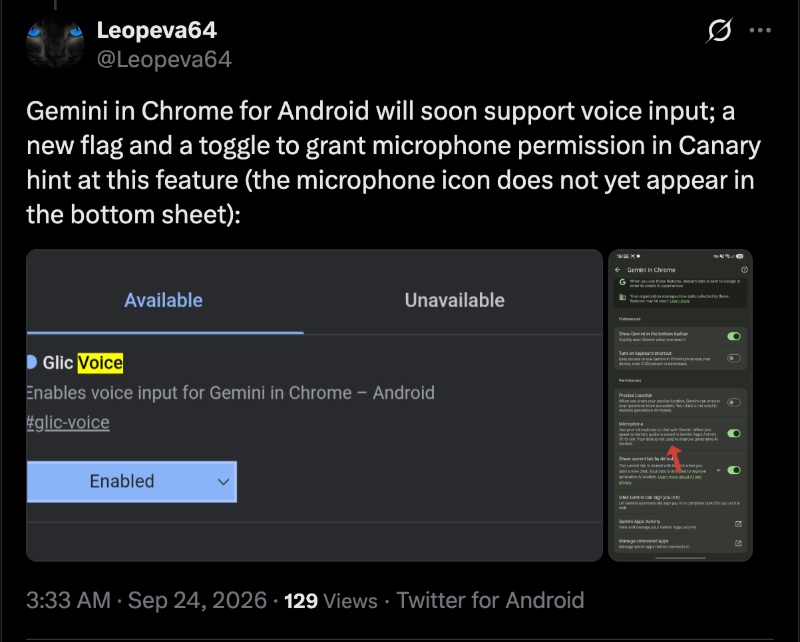
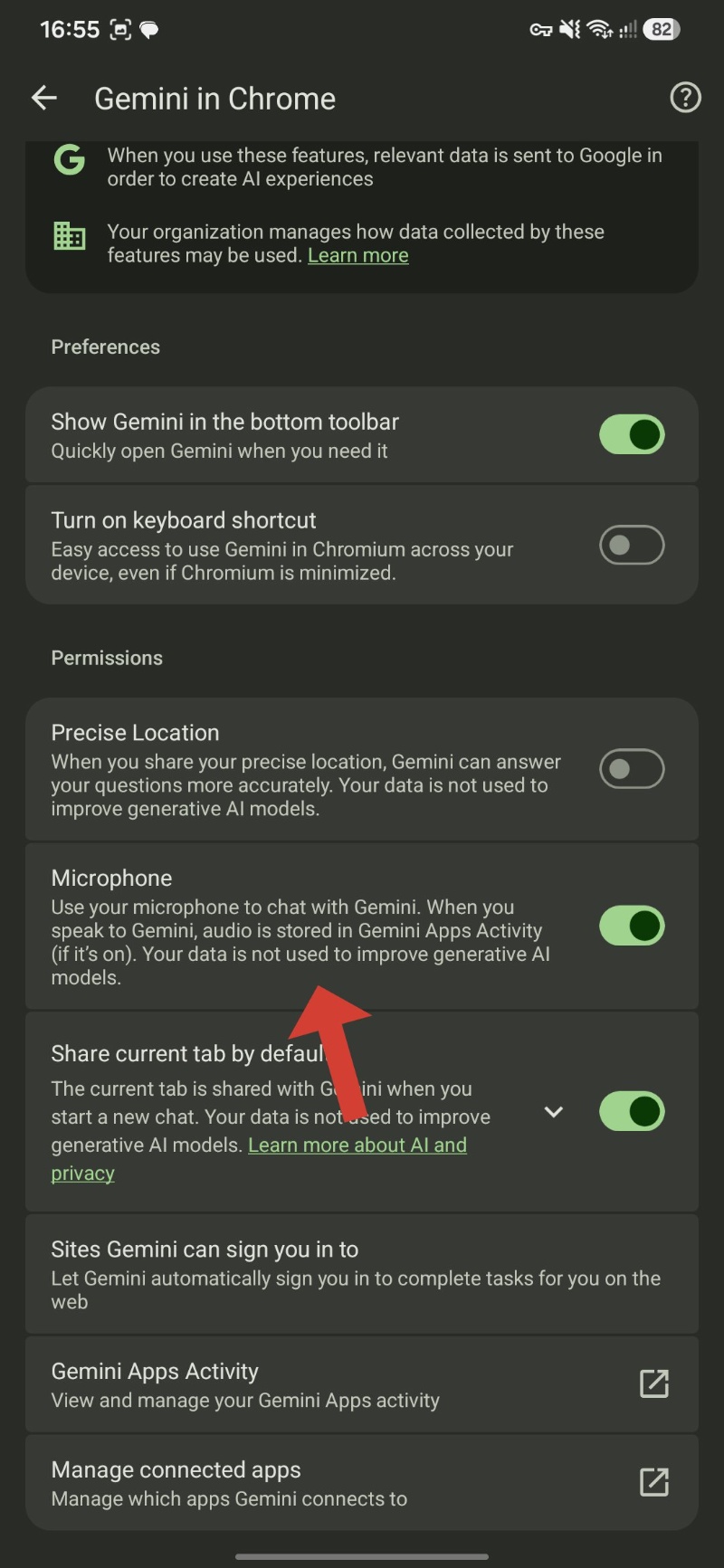
At the time of writing, enabling the feature and granting microphone permission still does not make the microphone icon appear in the Gemini bottom sheet. So, it’s still under testing and will likely take a while for public release unless Google pushes it via the server-side without tying it to a specific app update/version number.
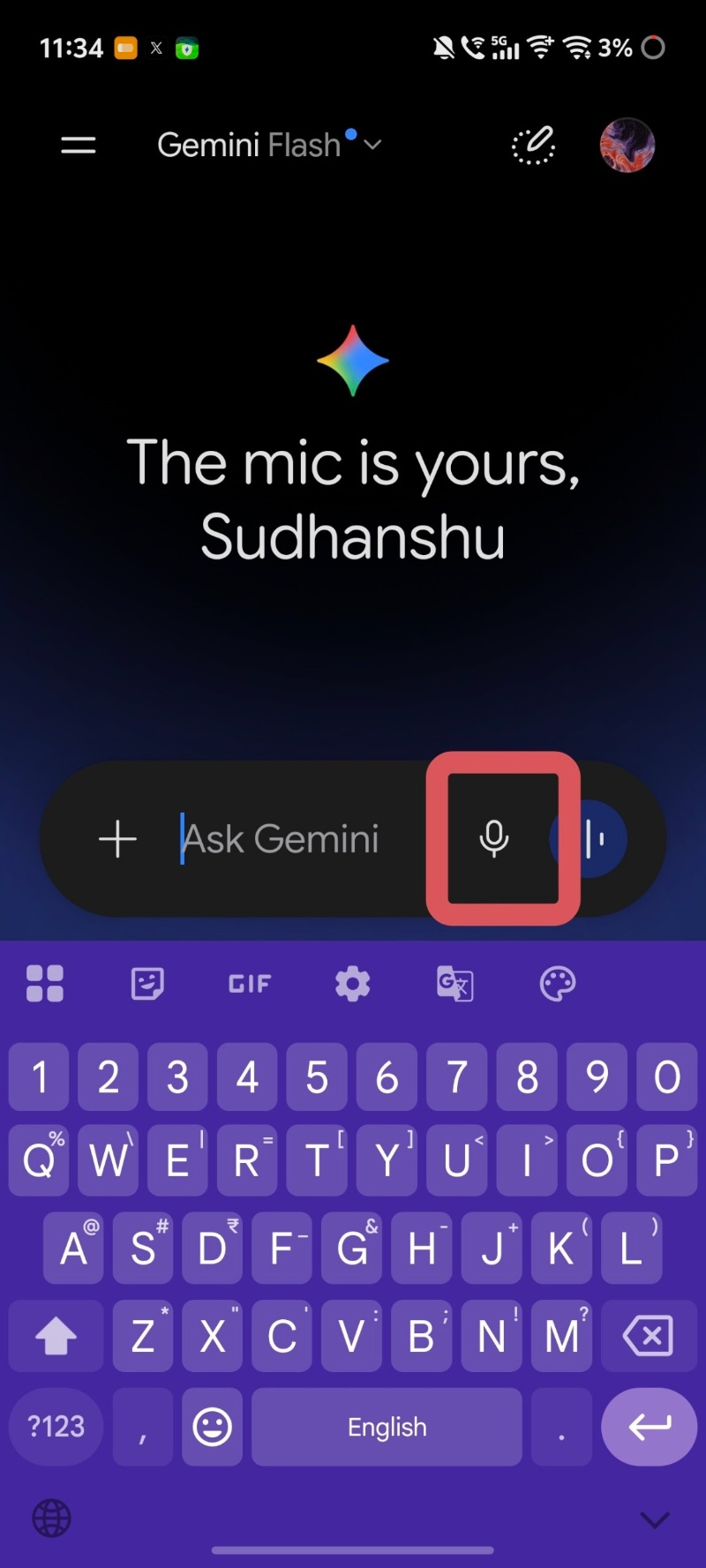
It’s worth noting that support for voice input for Gemini itself isn’t entirely new. It has been available for a while on the Gemini app or the web version of Gemini. The “Ask AI” mode on Google supports voice input as well. You just have to tap on the microphone icon. However, the upcoming feature will specifically bring voice input to the Gemini bottom sheet in Chrome.
In other Chrome news, a lot of people want to remove the “AI Mode” and “Create Image” buttons from the New Tab page on Chrome desktop. More on that here.


Sudhanshu K
298 Posts
I have been a consumer technology enthusiast for over 5 years. Thanks to my experience in software beta testing and product reviews, I've understood and learnt a lot about what bugs and issues bother people, and I spend time trying to simplify their solutions. I cover smartphones, software, social media, apps, AI, and most consumer tech gadgets. Actively pursuing a Computer Science bachelor’s degree. I'm mostly active on Twitter/X (@TechWhirlUlt), drop a DM or tag me if you want to share info or connect!