The latest Vivaldi snapshot update includes fixes for extensions, fixes for various issues with the browser crashing, some calculator fixes, and more.
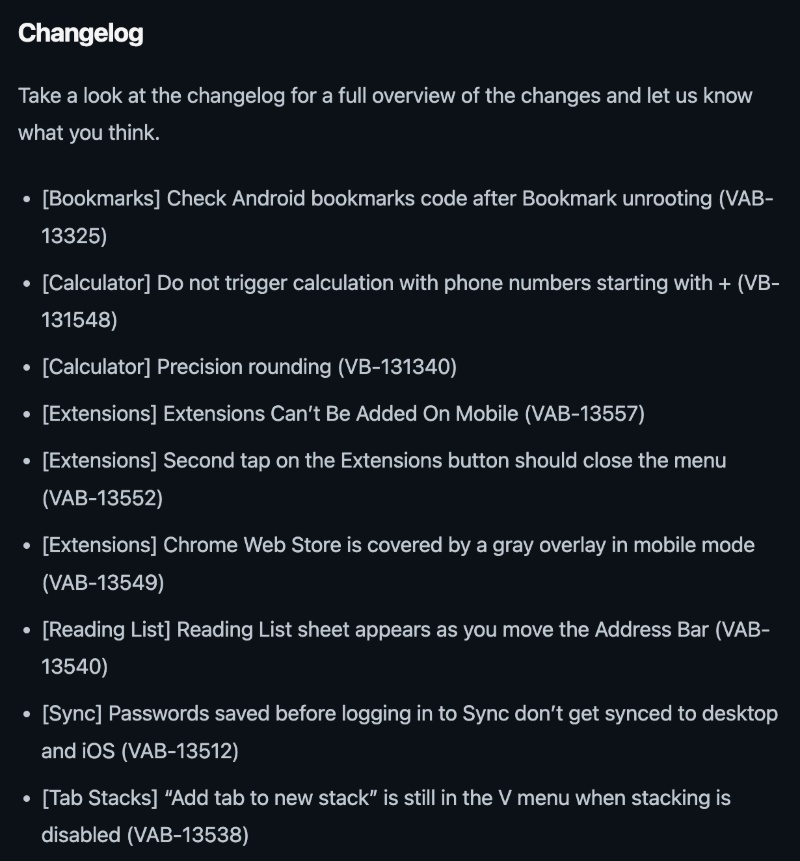
The snapshot version that includes these bug fixes is v8.3.4161.4. The list of changes is quite long, so I’ve attached a screenshot of some of the changes below. The entire changelog was officially posted on the Vivaldi blog page.
The update for the 4161.4 snapshot is roughly 15MB. The familiar “Update” button showed up as expected once I visited the Play Store page for the Vivaldi Browser Snapshot app.
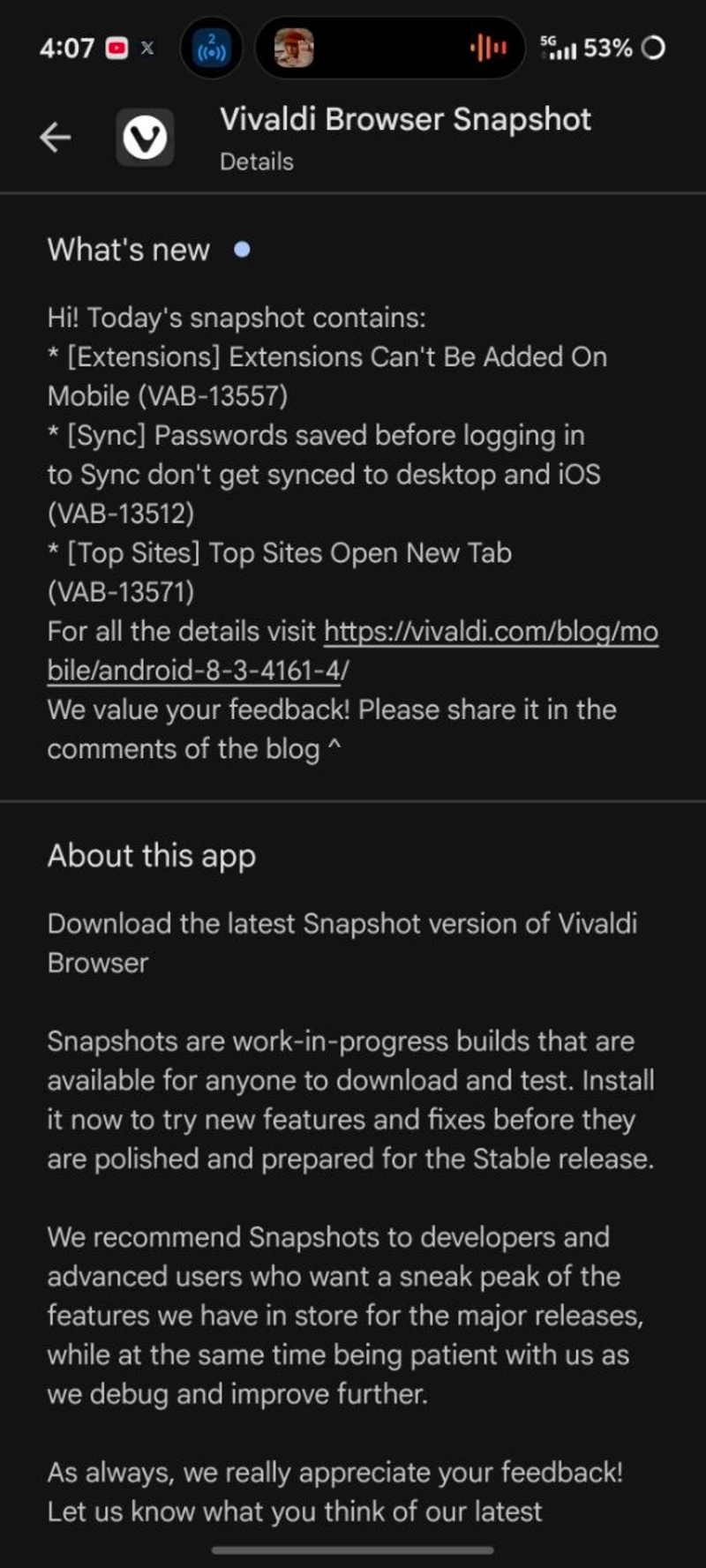
Here are the important fixes with this update:
- Some people were unable to add extensions earlier due to some bugs. Now, you can easily add extensions from the Chrome Web Store.
- Tapping “Add to Vivaldi” on an extension’s page used to result in a complete browser crash sometimes. This issue has now been addressed. Various other crashes were fixed.
- Earlier, the Chrome Web Store page had a weird gray overlay, which has been removed.
- Sometimes the page displayed a gray overlay, where you couldn’t tap anything. That overlay has been removed.
- Bugs related to password sync were fixed.
- Typing something like “+9198888” in the address bar used to trigger the new calculator feature instead of treating it as a number. That issue has been resolved.
- Calculator results now look less messy, since they’re rounded off better.
- On tablets, the address bar now hides when you scroll.
- Chromium version update including security improvements.
Basically, the two major features introduced with the previous v8.2 stable update (extensions and the calculator) were rather buggy, and those bugs have been solved now.
This snapshot largely focuses on bug fixes and overall app optimization. There aren’t any new features this time around or any major changes. Just quiet refinements that you’ll notice in the background, which improve your experience with the browser once these improvements make it to Vivaldi Stable.
For those unaware, snapshot versions are basically a preview of upcoming changes. It’s not a public stable channel release, so you may encounter bugs or stability issues. It’s not recommended as your primary browser and is intended for testers/developers.
The entire changelog is available here. If you want to give the snapshot a try, you can find it on the Google Play Store.


Sudhanshu K
331 Posts
I have been a consumer technology enthusiast for over 5 years. Thanks to my experience in software beta testing and product reviews, I've understood and learnt a lot about what bugs and issues bother people, and I spend time trying to simplify their solutions. I cover smartphones, software, social media, apps, AI, and most consumer tech gadgets. Actively pursuing a Computer Science bachelor’s degree. I'm mostly active on Twitter/X (@TechWhirlUlt), drop a DM or tag me if you want to share info or connect!
Next article View Article