
If you’ve been using Helium browser for a while, there’s a small chance that you might have noticed the browser randomly nuked your extensions and logins.
We’ve seen a few threads about the issue pop up on Reddit in the past few weeks. However, since the bug isn’t widespread, it was hard to know if the issue was due to external factors or if it was a bug in the browser itself.
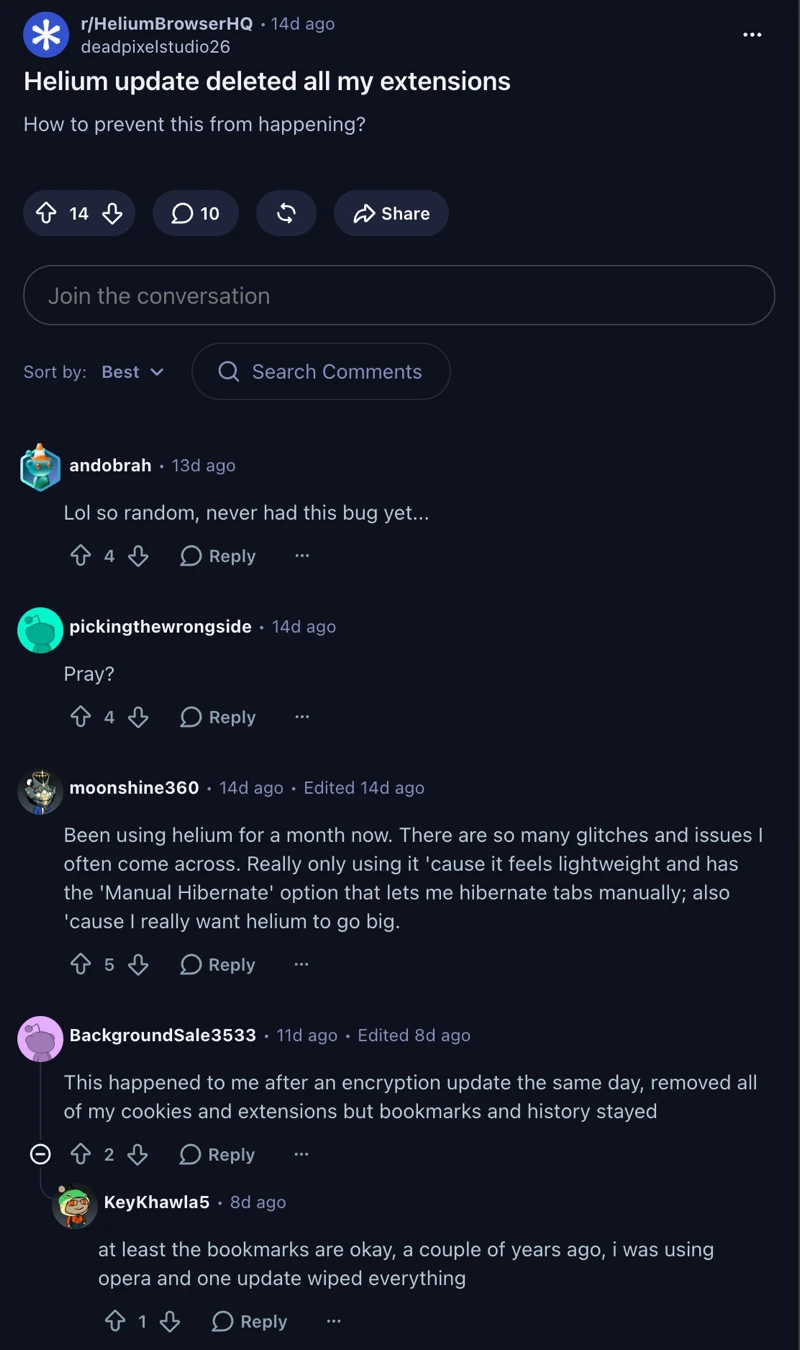
For example, in one thread on Reddit posted about two weeks ago, the original poster said the browser deleted all their extensions following an update. A few others chimed in with similar stories in the comments.
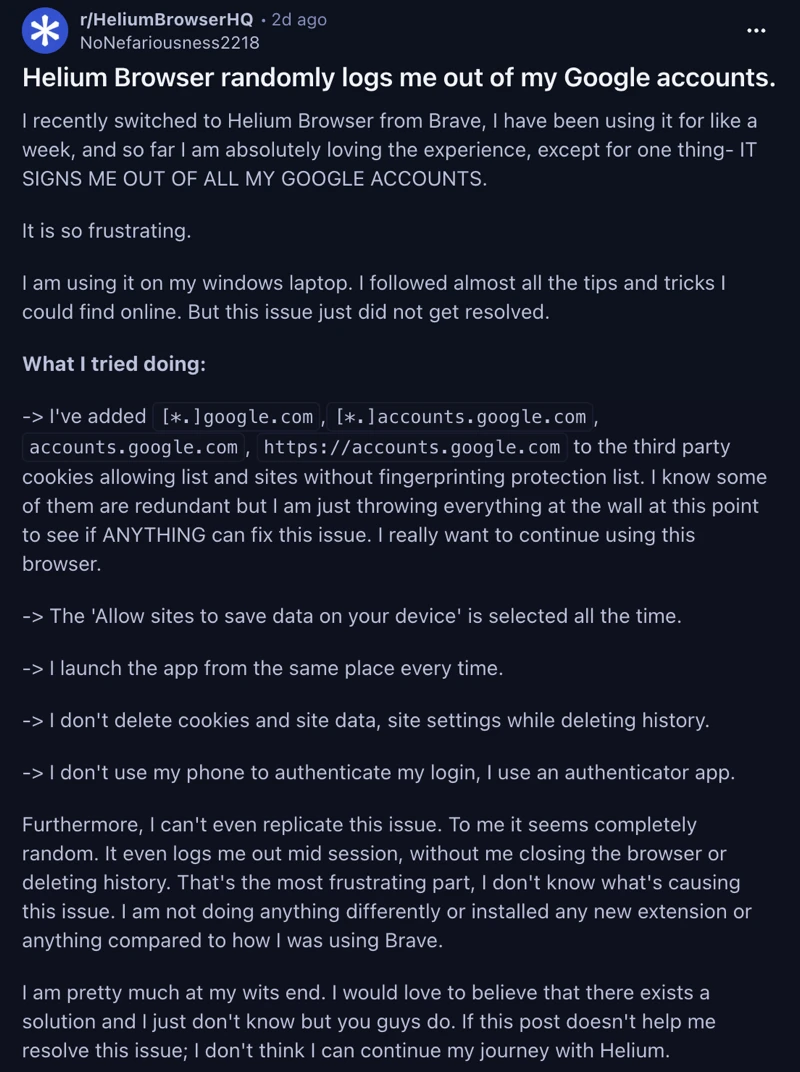
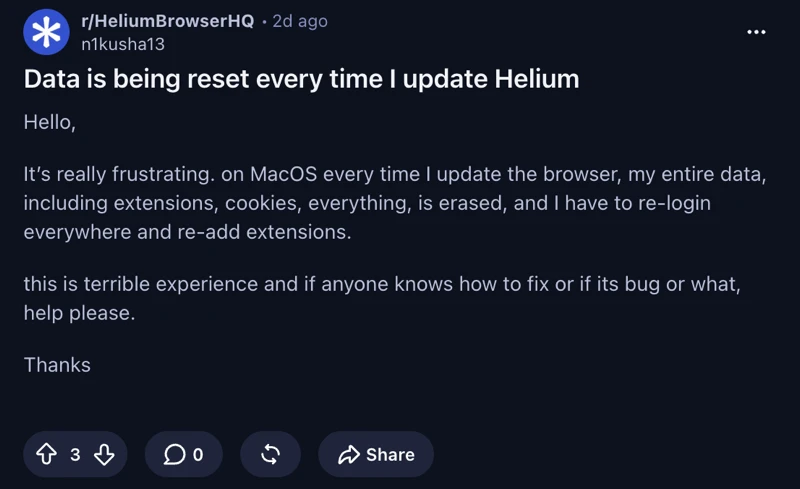
Similarly, in two other threads posted a couple of days ago, the affected users said the browser binned their logins and extensions without warning. Again, this happened after an update. So it’s clear that the issue only crops up when the browser is updated.
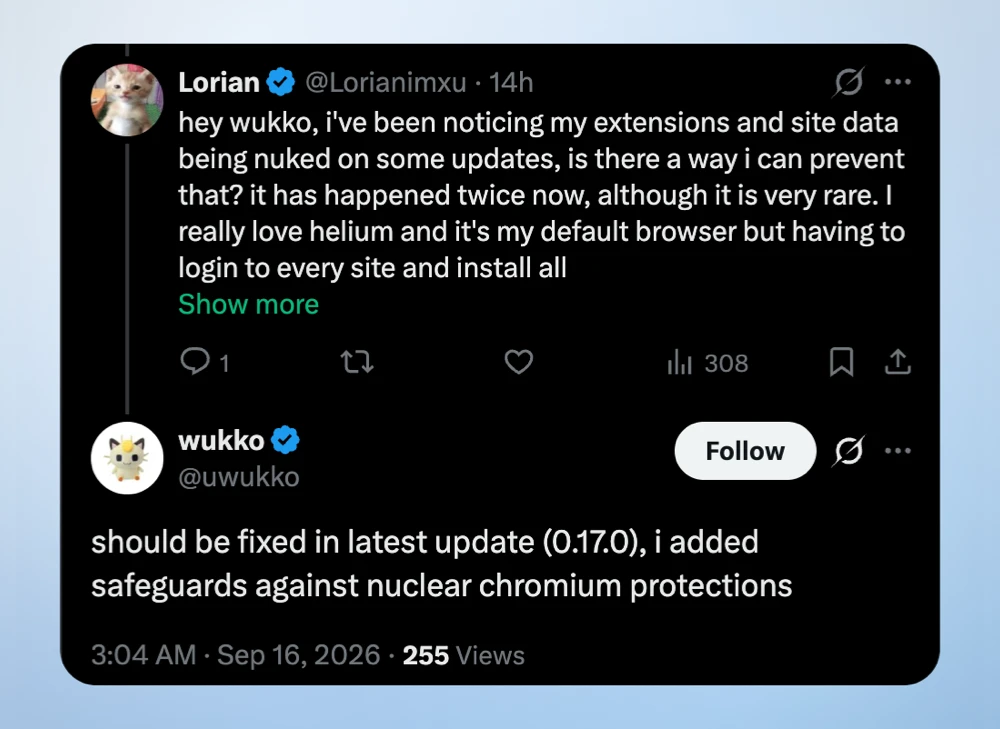
Well, a recent post from the browser’s developer suggests that the problem was indeed caused by a bug in Helium. Responding to a user’s complaint about the browser wiping out their site data and extensions, Wukko, the developer of Helium, said the issue should be fixed in the recent 0.17.0 update. They claimed to have “added safeguards against nuclear Chromium protections.”
That said, the release notes on GitHub don’t explicitly mention anything about the bug. Here’s what the release notes say:
45a4e3b8 merge: update chromium to 153.0.8010.36 (#2479)
d546e232 revision: reset to 0
b124aba7 helium/core/exclude-flags: update for m153
05c0d54f helium/ui/vertical: fix tab horizontal padding
821714d0 helium/settings/icons: fix info icon name for m153
0139f610 ci/ci-setup: nuke google repo from apt
c1c7e321 helium/core: use system python3
4e438c25 helium/core: set minimum rbe timeout to 7min, pass python path
8409ee23 deps.ini: update search_engines_data
df87b93c patches: refresh for chromium 153.0.8010.36
0f3f0c05 merge: update ungoogled-chromium to 153.0.8010.36
dd8fb9b5 Update to Chromium 153.0.8010.36
As you can tell, nothing in the changelog explicitly mentions a fix for wiped profiles. It mostly looks like routine maintenance and an engine jump to Chromium 153. Still, it’s good to see the developer confirming a fix directly.
Since this release, the browser has also picked up another minor patch, which is out as version 0.17.1. The changelog for that is as follows:
fe517e5e revision: bump to 1 (#2523)
328f443c merge: update to chromium 153.0.8010.47 (#2521)
b4ab9484 patches: refresh for chromium 153.0.8010.47
6ee7a62e merge: update ungoogled-chromium to 153.0.8010.47
809f49cc Update to Chromium 153.0.8010.47
b09aa51a utils/install_cipd_deps.py: install go (#2515)
fbd20c49 helium/rbe: update for m153 (#2489)
a4862521 brave/custom-importer: migrate extensions checkbox to lit syntax (#2512)
b8bbb05e devutils/install_cipd_deps: chmod +x (#2508)
ae144734 devutils: add script to install cipd tools from DEPS (#2505)
24409ea1 .github/feature-request: remove pending label (#2499)
52d17a26 patches/helium: fix build warnings caused by patches (#2486)
08830ad7 helium/core: add cname uncloaking support for bundled ublock (#2484)
082d70d9 i18n: regenerate and forage (#2491)
That said, while the desktop app is getting quick attention, the developer’s plans for a mobile browser have hit a snag. So anyone waiting for a mobile version of Helium might have to wait a bit longer or give up on it altogether.
Desktop users can still look forward to useful new features, such as tab auto-hibernation and persistent pinned tabs.
Unfortunately, version 0.17.0 will not restore your lost logins or add-ons if you already got hit. You will still have to set those back up manually.
If you were lucky enough to never encounter the bug, it would be wise to install the latest update so that the chances of it happening to you are minimized even further.


Dwayne Cubbins
3155 Posts
I cover fast-moving stories across apps, online platforms, and everyday tech — phones, wearables, consoles, and whatever else people are fighting with this week. Bugs, rollouts, scams, policy enforcement, and the occasional internet-culture rabbit hole are all fair game. My goal is simple — make confusing tech news readable. When I'm not working, I'm working out or chilling with my dog. Got a tip? You can find me on X @dcubbins.
Next article View Article