






If you’re someone who always has a few dozen tabs open all the time, you might have noticed that your browser tends to slow down your computer when you reopen it.
This can even bring some decently specced machines to a crawl because every tab starts loading at once, shooting up your RAM usage. It’s only after all the loading is done that the browser starts to work normally.
Well, Helium browser’s developer is working on a solution to tackle this exact issue.
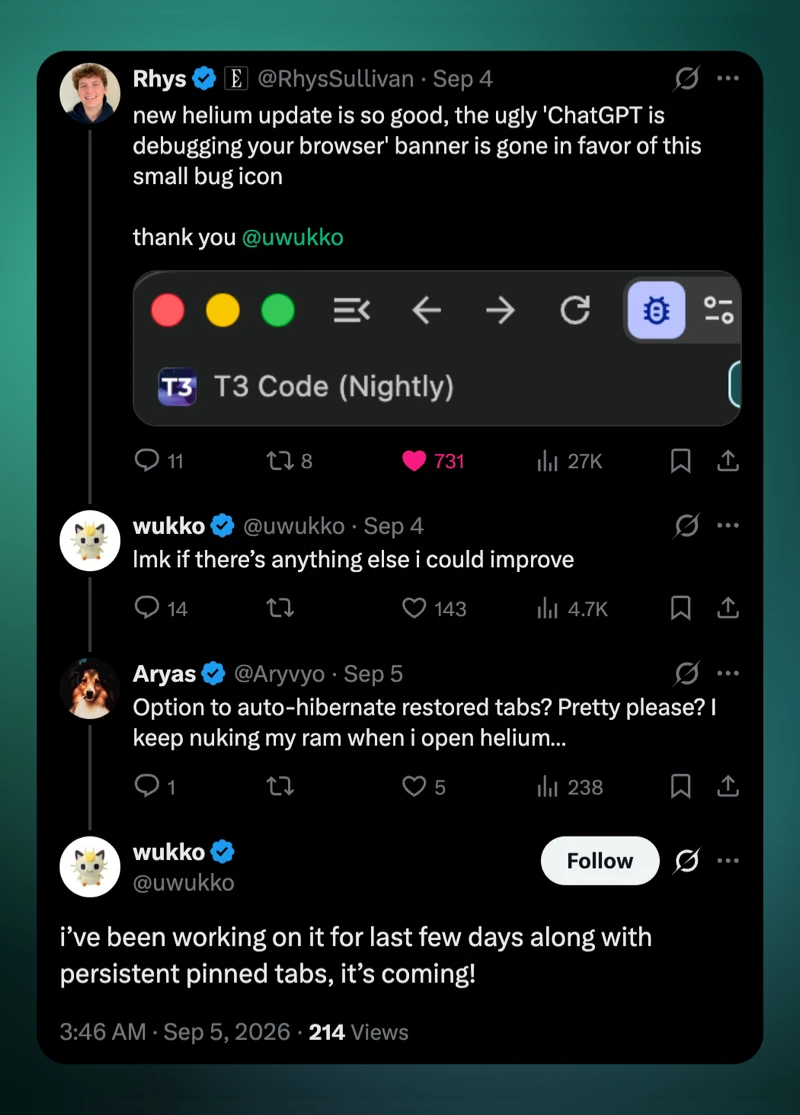
In a recent post on X, a user asked the developer wukko about adding a way to automatically hibernate restored tabs, explaining that the tabs keep “nuking my ram when i open helium.” Wukko confirmed that the feature is already being worked on.
He said he’d been working on it “for last few days” alongside another requested feature: persistent pinned tabs.
The developer didn’t give any specific timeline for either of these features, but considering the pace at which Helium browser has been picking up updates, we wouldn’t be surprised if they show up in the following weeks.
With restored-tab hibernation, Helium wouldn’t need to fully wake up every page the moment the browser launches. Tabs sitting in the background could stay inactive until you actually open them. That should be especially useful for people who treat their tab bar like a temporary bookmarks folder.
Meanwhile, the pinned-tab change is also a useful one. Pinned pages would stay pinned after a restart instead of disappearing along with the rest of your session.
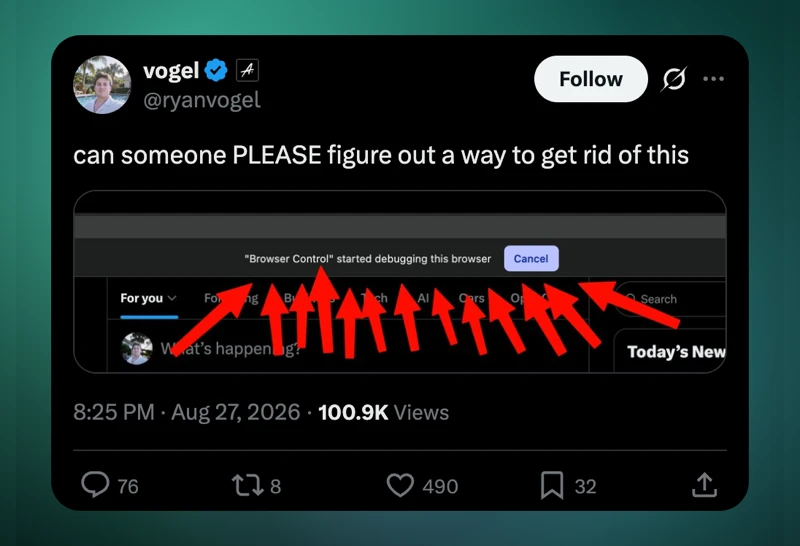
But as we wait for these features to be added, the browser has already picked up a few other nifty improvements, including a cleanup of the “ChatGPT is debugging your browser” banner that many users were complaining about. It was replaced with a much smaller bug icon, which is considerably less in-your-face.
Before that, the Helium v0.15.5 update added smoother split-view transitions and more zoom presets, among other interface improvements.
For anyone who regularly restarts the browser with a mountain of tabs open, though, automatically putting those restored tabs to sleep could end up being one of the more useful changes yet.


Dwayne Cubbins
3097 Posts
I cover fast-moving stories across apps, online platforms, and everyday tech — phones, wearables, consoles, and whatever else people are fighting with this week. Bugs, rollouts, scams, policy enforcement, and the occasional internet-culture rabbit hole are all fair game. My goal is simple — make confusing tech news readable. When I'm not working, I'm working out or chilling with my dog. Got a tip? You can find me on X @dcubbins.
Next article View Article
