
The latest update to Dia on macOS improves the reliability of workflows, expands tool collections, improves performance, and more.
For once, the official Release Notes thankfully mention the headline feature without including irrelevant information about the team’s coffee choices. You can view a screenshot of the official Release Notes page below.
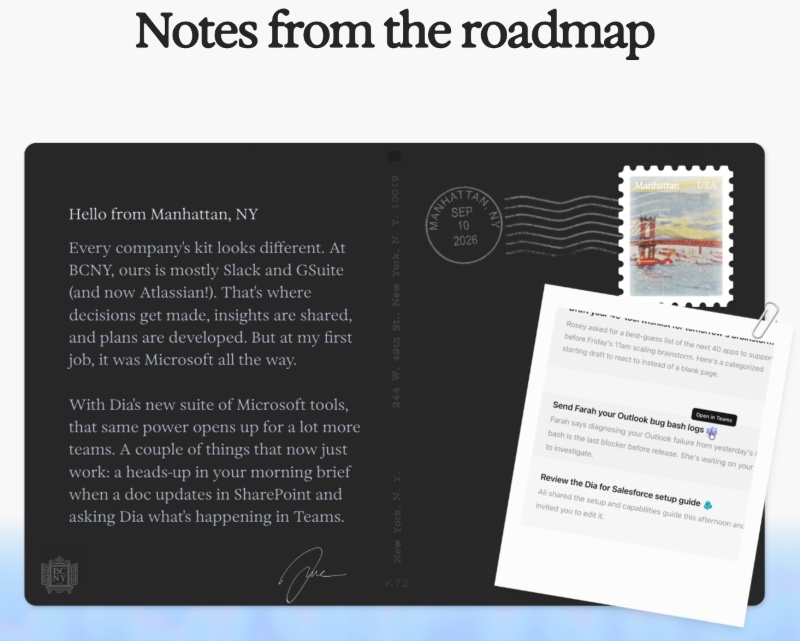
It begins by describing that The Browser Company mainly uses Slack and G Suite. Now, they’re expanding Dia’s available suite of tools; Microsoft tools such as Teams and Outlook are now supported. The note also shares a real-life, practical example.
In your Morning Brief, a notification appears when a document updates in SharePoint. The image also includes an “Open in Teams” option, and the information for this was likely extrapolated by Dia.
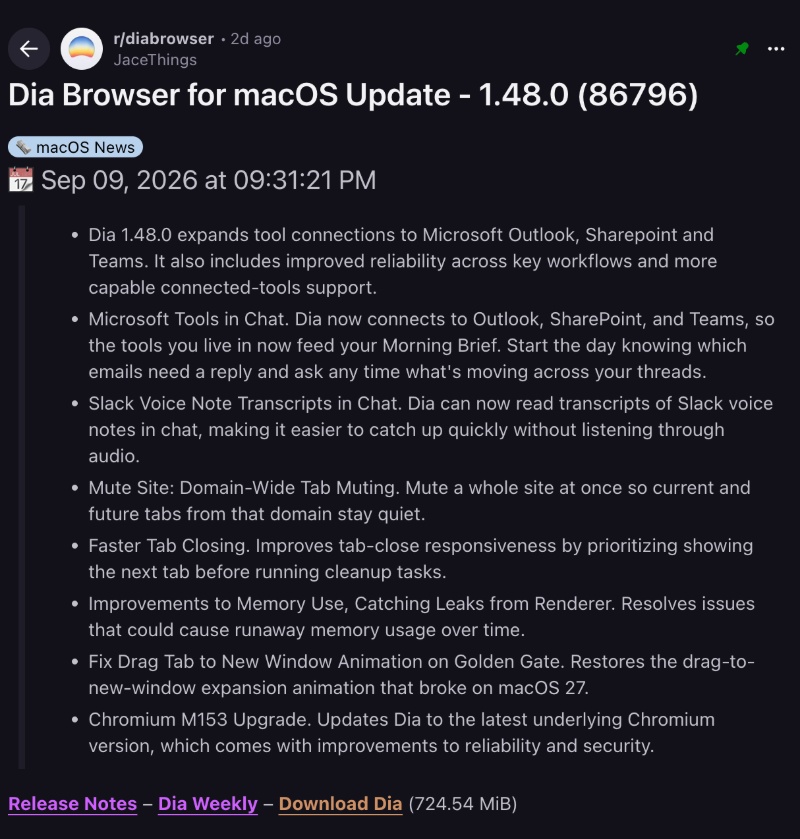
While this is the headline new feature mentioned by the team, u/JaceThings has posted a more elaborate unofficial changelog that highlights even more additions in this update. A screenshot of the Reddit post has been attached below for your reference.
After firing up Dia, I was immediately greeted with the v1.48.0 update. If you haven’t updated yet, you can head over to Dia (via the menu bar on macOS) -> Check for updates, and update the browser from there.
Here’s a simplified summary of the changelog:
- Microsoft tools now talk to Dia: Dia can connect to Outlook, SharePoint, and Teams. That means those apps can now feed the Morning Brief, which is the daily digest Dia puts together from your work tools.
- Slack voice notes without the audio: If someone sends a voice note in Slack, Dia can now pull the transcript into chat. You don’t have to play the recording.
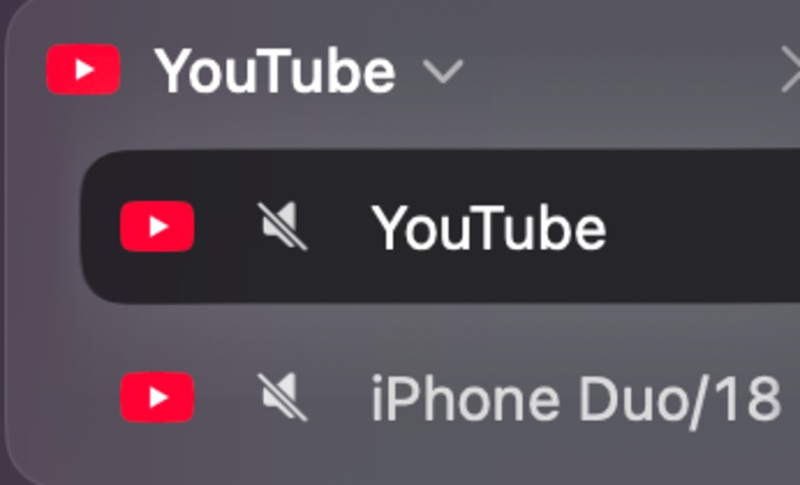
- Mute a whole website: Instead of muting one specific tab, you can now mute an entire website domain. Current tabs will go quiet, and new ones from the same website domain will also continue to stay muted.
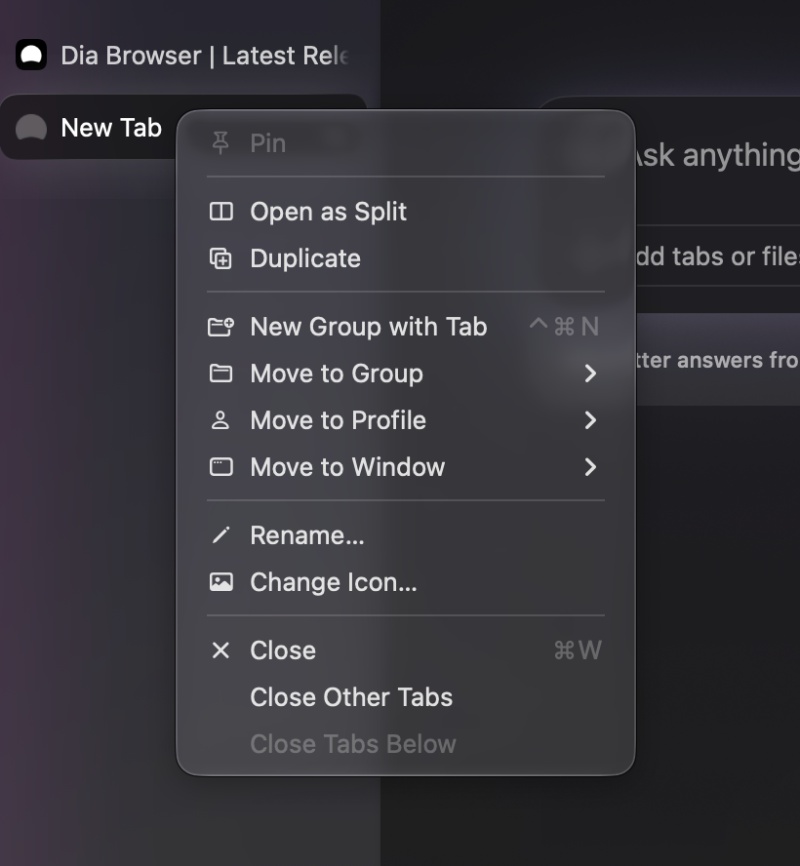
- Closing tabs feels snappier. The process to mute hasn’t really changed; you just right-click and select “Mute.” Instead of just muting one tab, it’ll now mute all sites which use that domain.
- Less memory usage: There was a memory leak issue earlier, which has been fixed.
- Drag-tab animation is back on new macOS: On macOS 27 (Golden Gate), dragging a tab into a new window previously lost its expansion animation. That animation has been restored now. I’ve checked for this, and sure enough, the animation does appear now.
- Update to Chromium v153.
On Reddit, one comment mentioned that right-clicking links was buggy with this version. However, right-clicking on links in the address bar, or clicking on the tab itself, and even for links within a website — I couldn’t notice an issue.

While these changes are welcome, the AI features on Dia may not remain free for much longer. The company will soon lock all features behind a paywall. Progress on Windows is looking good, with Live Groups now available on the beta. We covered that here.
It’s not just the desktop versions that the team is working on, since an iOS app is also in the works.


Sudhanshu K
310 Posts
I have been a consumer technology enthusiast for over 5 years. Thanks to my experience in software beta testing and product reviews, I've understood and learnt a lot about what bugs and issues bother people, and I spend time trying to simplify their solutions. I cover smartphones, software, social media, apps, AI, and most consumer tech gadgets. Actively pursuing a Computer Science bachelor’s degree. I'm mostly active on Twitter/X (@TechWhirlUlt), drop a DM or tag me if you want to share info or connect!
Next article View Article