
Brave browser users got access to Containers this summer after a long wait. Naturally, those who used Firefox, which had the same feature for years, were thrilled to check it out.
But the catch was that setting them up still felt a bit half-baked because you have to manually right-click and pick a container every single time you want to isolate a tab.
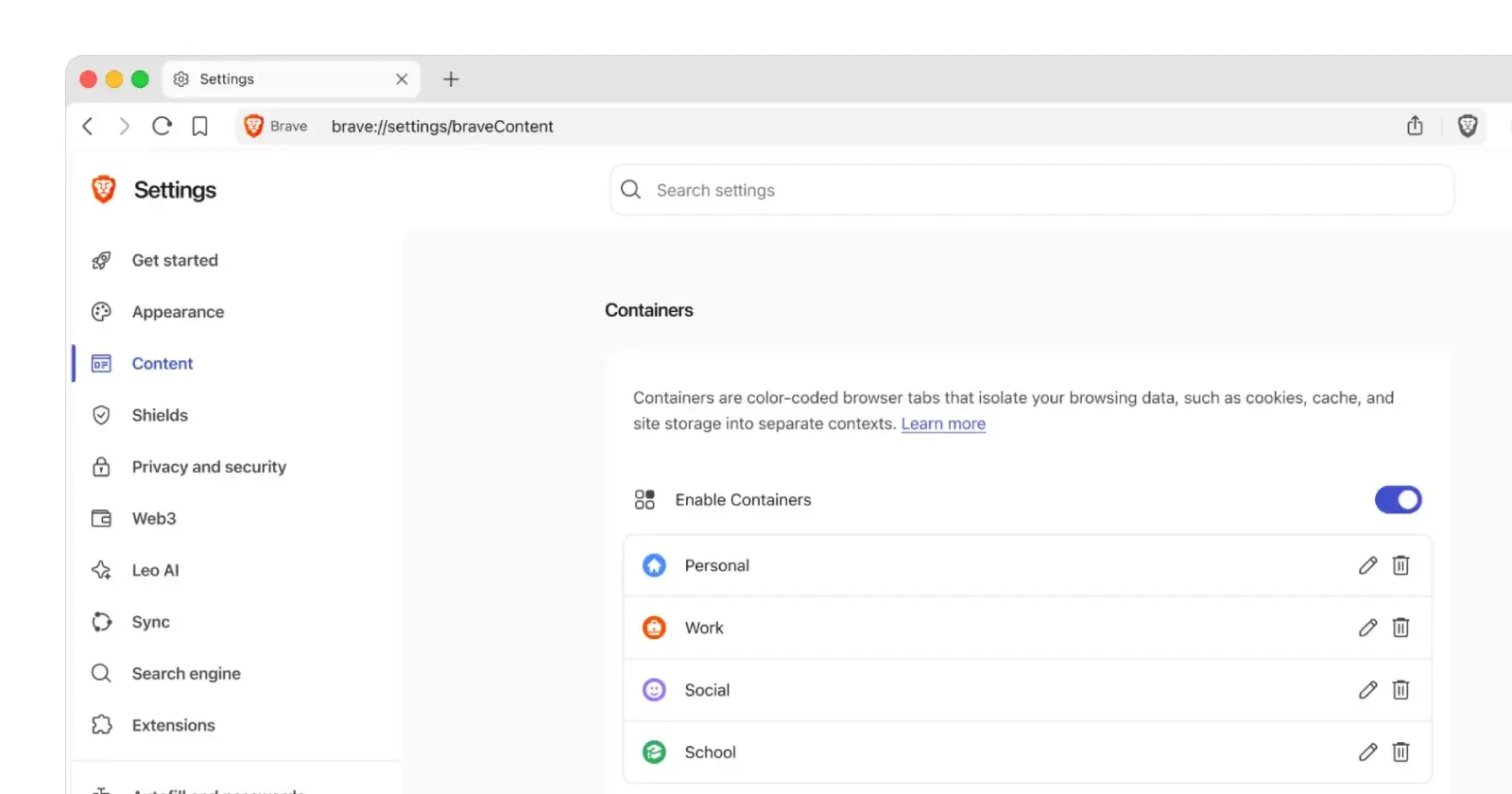
This basically means that if you forget to do that, you’ll end up leaking your browsing into the wrong bucket, defeating the point of Containers in the first place.
That, however, might soon change if chatter in a recent post on X is anything to go by. A user had asked about specific websites in designated containers by default or tossing them into disposable temporary tabs. The folks at Brave chimed in with some good news in response.
They confirmed that both of these features are already on the roadmap, but added that they have “no specific timing to share yet.” They also pointed curious users to an open GitHub thread that lists what the developers are calling Containers Part 2.
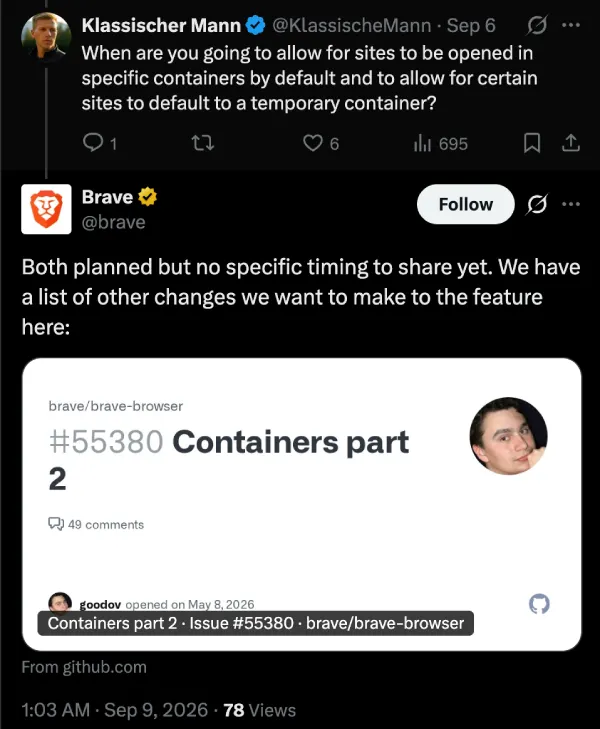
Currently, it looks like the devs are tinkering with rules to bind tab groups to specific spaces, proxy settings for individual containers, and even keyboard shortcuts for quick disposable sessions.
The team is also working on making bookmarks and your browsing history aware of which container you were using so that links stop launching in the wrong place.
Still, since we’re not clear on when these features will show up in the stable build, we’ll have to keep a grip on our expectations. Meanwhile, the company also recently made bold claims about being the fastest browser when compared to Firefox, Chrome, and Edge. Though eagle-eyed users pointed out that Brave used a fairly old version of Firefox to run the tests, effectively making the comparison moot.
Another feature that’s in the works is the upcoming Focus Mode, which will give users a Zen-browser-like UI, with no address bar, tabs, or other distractions on the screen. We got our first look at the feature and shared screenshots of what it looks like here.


Dwayne Cubbins
3098 Posts
I cover fast-moving stories across apps, online platforms, and everyday tech — phones, wearables, consoles, and whatever else people are fighting with this week. Bugs, rollouts, scams, policy enforcement, and the occasional internet-culture rabbit hole are all fair game. My goal is simple — make confusing tech news readable. When I'm not working, I'm working out or chilling with my dog. Got a tip? You can find me on X @dcubbins.
Next article View Article