





Your AI agents can now use Opera Neon for free!
— Opera Neon (@opera_neon_) August 14, 2026
Many of you who automate browser-based workflows have asked us: make it easier to connect your own agents to Opera Neon through CLI & MCP.
That's now possible, without a subscription. pic.twitter.com/qWKI7qgINR
Opera Neon has now made it possible for AI agents to use its browser completely free of cost. People who run automated browser tasks can now link their own agents to Opera Neon, and they don’t even have to pay for a subscription.
This information comes directly from the official Opera Neon account on X. In a short thread posted recently, the account explained the new free option and walked users through how it works. You can view the entire thread below.
The post claims that many users who automate browser-based workflows had asked for an easier way to connect agents. Now, Opera has made it available.
To use this feature, you can download the free version of Opera Neon and then connect it to your existing setup. There are two ways in which you can connect it:
- Via MCP (where it acts as a server)
- Opera Browser CLI (it runs locally)
For those unaware, MCP means “Model Context Protocol.” It’s a common language that lets different AI tools and agents talk to other apps. CLI stands for Command Line Interface, and it’s a text-based way of controlling things with commands/code instead of a graphical user interface.
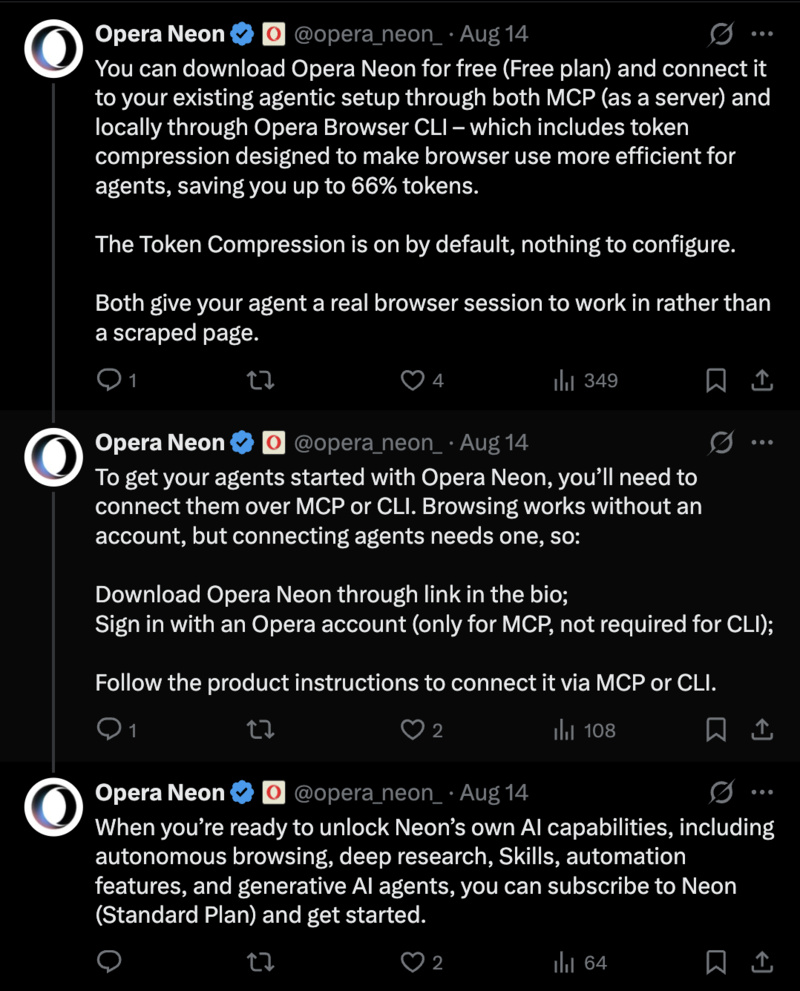
Both options give the agent a real, live browser session instead of a simple scrape of the page. The CLI also includes token compression, and this is turned on by default. This allegedly cuts token use by up to 66%, making agentic AI browsers’ work more efficient.
While browsing works without any account, you’ll need to sign in with an Opera account in order to connect agents via the MCP method. The CLI method, on the other hand, doesn’t require a sign-in. After that, you have to merely follow the product instructions to link your agent. Once your agent is connected, you can directly let it work inside a browser session.
Note: The official Opera blog only mentions Windows and macOS, so it’s only available for these two platforms at the moment.
While the free plan is decent in itself, you’ll need to move up the ladder and pay for the “Standard” plan if you want features such as autonomous browsing, deep research, skills, automation tools, and more.
In fact, Opera Neon shared an official guide back in June, explaining how you can let Cursor and Codex control the browser. More on that here.

We stand out from the tech-media crowd because we break news stories; we mainly bring you stuff that you won’t find anywhere in the mainstream tech media. Our stories have been picked up by some of the world’s most popular websites and media outlets—more info is available here.

Sudhanshu K
214 Posts
I have been a consumer technology enthusiast for over 5 years. Thanks to my experience in software beta testing and product reviews, I've understood and learnt a lot about what bugs and issues bother people, and I spend time trying to simplify their solutions. I cover smartphones, software, social media, apps, AI, and most consumer tech gadgets. Actively pursuing a Computer Science bachelor’s degree. I'm mostly active on Twitter/X (@TechWhirlUlt), drop a DM or tag me if you want to share info or connect!