





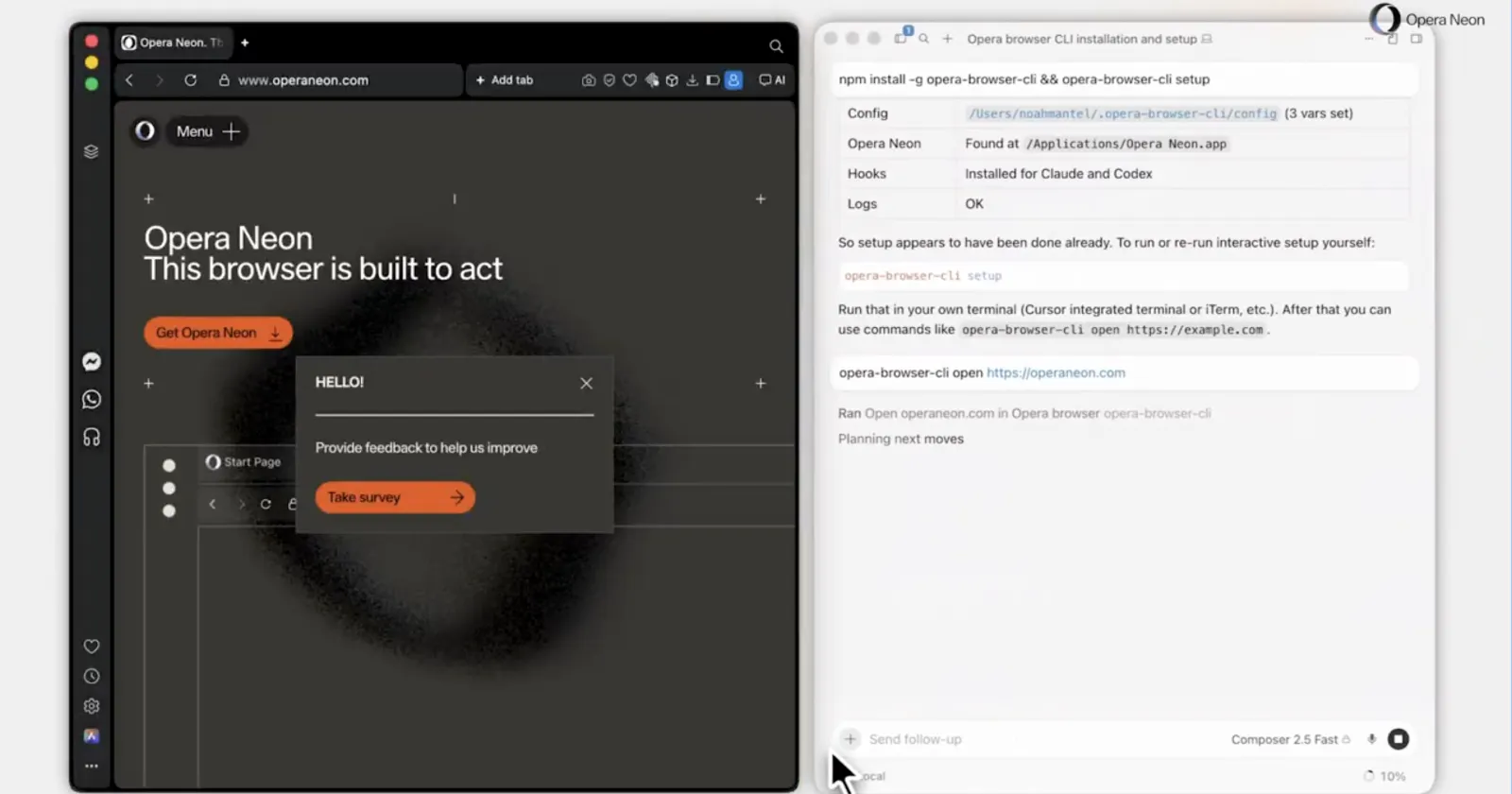
Let Codex & Cursor control your browser.
— Opera Neon (@opera_neon_) June 17, 2026
Opera Browser CLI connects your coding agent directly to Opera Neon — so it can open pages, run commands, and interact with the web from your dev environment.
Setup prompts below 👇 pic.twitter.com/YiV4GzDPAF
Opera Neon has shared a simple video guide showing how two popular AI coding tools can now take direct control of its browser. The post on X walks through a quick setup that lets tools like Cursor and Codex open web pages, click buttons, fill forms, and run other browser tasks straight from a developer’s coding setup.
In case you stumbled across this post out of the blue, Cursor and Codex are popular AI coding tools that developers use to write and manage code faster. Developers who work with these tools often need to check websites, test features, or pull information from the web while they build. Instead of switching back and forth between the code editor and a browser window, the AI can now handle those steps on its own.
The guide focuses on a command line tool called Opera Browser CLI. It acts as a bridge so the AI coding agent can reach the browser without extra steps.
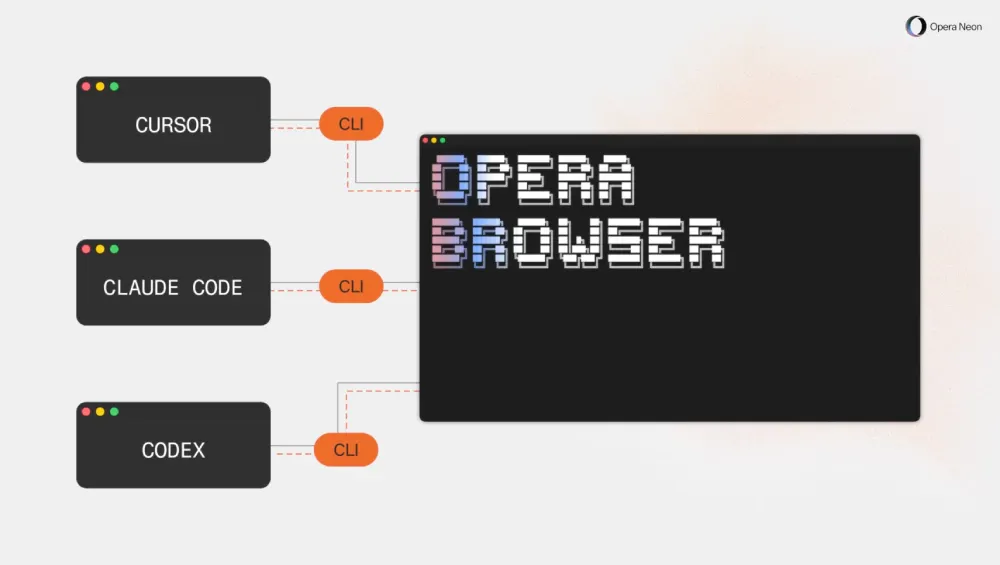
To set up Opera Browser CLI so tools like Cursor and Codex can control Opera Neon, first make sure Node.js version 20 or newer is installed on your computer and that you already have Opera Neon installed and logged in.
Open your terminal and run this single combined command: npm install -g opera-browser-cli && opera-browser-cli setup. The setup step will detect your Opera installation and finish the configuration automatically. After that, you can test everything by running opera-browser-cli open followed by any web address, such as https://www.operaneon.com/, and the browser should open the page directly from your coding environment or terminal.
For those who want to check the visual guide, you can watch it below:
The company explained that the tool connects the coding agent directly to Opera Neon so it can open pages, run commands, and interact with the web from the development environment.
This approach requires no extra browser extensions or separate sign-ins. It runs locally on the user’s machine.
The commands stay simple once everything is connected. A developer can type or let the AI agent type something like a request to open a page, and the browser responds right away.

We stand out from the tech-media crowd because we break news stories; we mainly bring you stuff that you won’t find anywhere in the mainstream tech media. Our stories have been picked up by some of the world’s most popular websites and media outlets—more info is available here.

Dwayne Cubbins
3060 Posts
I cover fast-moving stories across apps, online platforms, and everyday tech — phones, wearables, consoles, and whatever else people are fighting with this week. Bugs, rollouts, scams, policy enforcement, and the occasional internet-culture rabbit hole are all fair game. My goal is simple — make confusing tech news readable. When I'm not working, I'm working out or chilling with my dog. Got a tip? You can find me on X @dcubbins.
Next article View Article

Mozilla has a new nonprofit for the AI era – should Firefox users care?
Mozilla launched a new nonprofit this month called Mozilla.org, and if you use Firefox, it's probably worth knowing what it actually does.
Mozilla.org is a 501(c...
Jun 24, 2026 2 Min Read