





if you're in a country with heavily censored internet, and it's safe for your web traffic to stand out, please try the new experimental feature in @heliumbrowser that splits TLS ClientHello, and let me know if it works in your country
— wukko (@uwukko) August 16, 2026
it seems to be very effective so far, and… pic.twitter.com/EsIQlcPTg5
A new experimental feature is rolling out on the Helium browser for people living in countries with heavy internet censorship. The feature works by splitting the TLS ClientHello, and early tests suggest it is quite effective.
This information comes directly from the Helium developer @uwukko on X. Provided it’s safe for their traffic to stand out, he has urged users to try out the feature and share whether it works. The goal is to collect more real-world feedback until the option moves from experimental flags into the normal settings menu.
So what exactly is TLS ClientHello? When your browser starts a secure connection to a website, it sends an initial message called the “ClientHello.” This message tells the server what security options the browser supports.
Some censorship systems look at this message and block the connection. The new Helium feature deliberately breaks that ClientHello into smaller pieces. By fragmenting it, the message becomes harder for those systems to inspect and block.
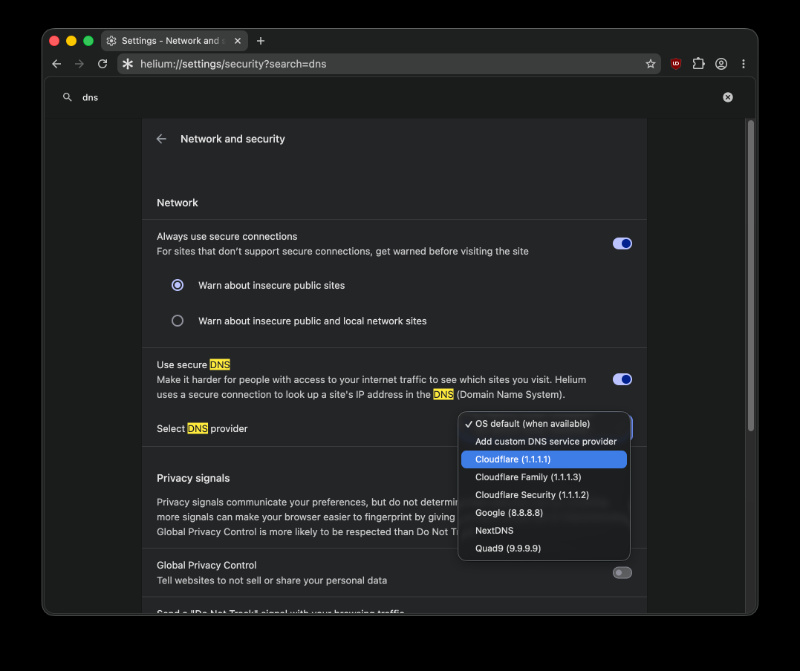
If you want the feature to work properly, it’s recommended to turn on secure DNS inside Helium’s network settings. ISPs often block sites directly at the DNS level before the connection even starts, so secure DNS helps bypass that initial filtering layer. The developer specifically recommends the 1.1.1.1 provider unless that’s blocked in the country.
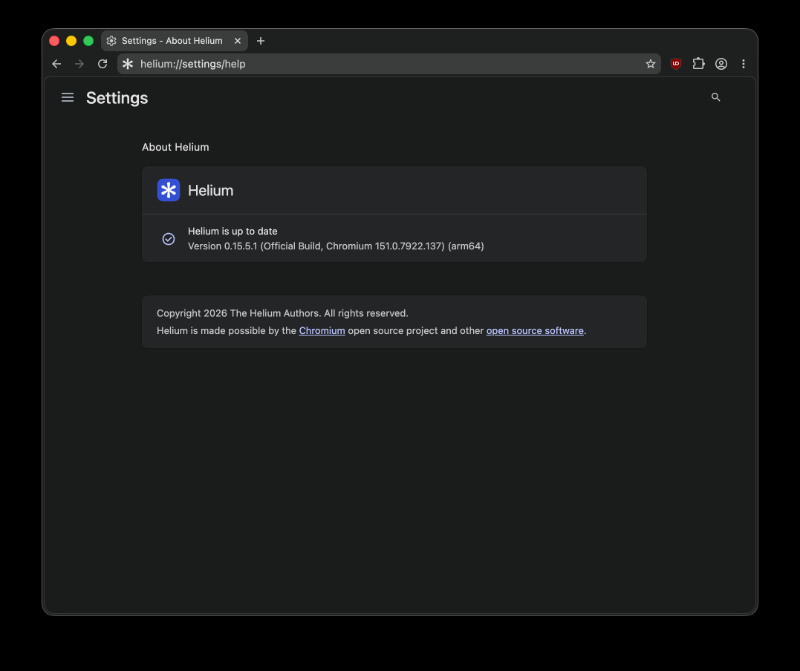
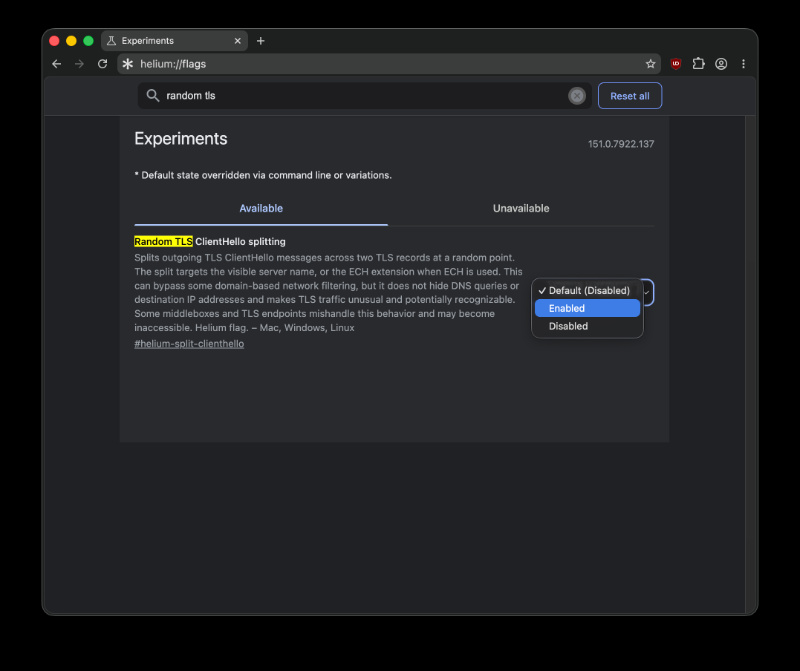
I’ve checked for this flag on the latest version of Helium (v0.15.5.1). You can find this flag by looking up “Random TLS…” in the search bar. It’s disabled by default.
To change the DNS settings, you can look up “DNS” under Helium Settings, and then select 1.1.1.1 (Cloudflare) from the menu after enabling “Use secure DNS.”
At the moment, there’s only one clear downside. Vercel’s servers reject this workaround, and every website hosted on Vercel doesn’t work when this flag is turned on. The developer is hoping for a fix directly from Vercel.
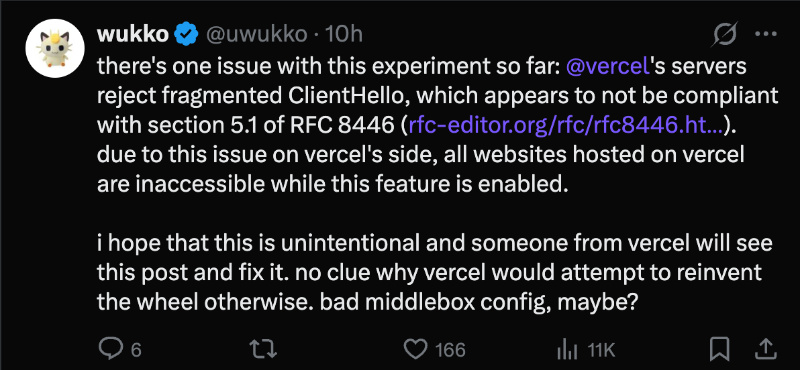
All in all, this flag offers a way for users in restrictive browsing environments to regain access to blocked sites. If you’ve tried this feature out, you can share feedback directly.
In other Helium news, the browser recently gained GPC (Global Privacy Control) in its latest update. More on that here. Additionally, Helium’s developer clashes with Aside regarding speed tests. We covered that here.
Disclaimer: This article is for informational purposes only. Since attempting to bypass internet restrictions may violate local laws in some countries, users are responsible for understanding the legal and safety risks in their own region before enabling any such feature.

We stand out from the tech-media crowd because we break news stories; we mainly bring you stuff that you won’t find anywhere in the mainstream tech media. Our stories have been picked up by some of the world’s most popular websites and media outlets—more info is available here.

Sudhanshu K
330 Posts
I have been a consumer technology enthusiast for over 5 years. Thanks to my experience in software beta testing and product reviews, I've understood and learnt a lot about what bugs and issues bother people, and I spend time trying to simplify their solutions. I cover smartphones, software, social media, apps, AI, and most consumer tech gadgets. Actively pursuing a Computer Science bachelor’s degree. I'm mostly active on Twitter/X (@TechWhirlUlt), drop a DM or tag me if you want to share info or connect!
Next article View Article
Helium browser dev teases iOS app, confirms Android app is coming too
The Helium browser is presently available only on desktop platforms. It's available for public use on Linux, Windows, and macOS. There has been no indication of a mobile version...
Aug 18, 2026 1 Min Read