





We're back with another Windows Wednesday! The Dia for Windows beta keeps getting better. Get on the waitlist to see for yourself: https://t.co/0QLQEtcB5E pic.twitter.com/29H8DKGmNe
— Dia (@diabrowser) August 12, 2026
Dia has just explained what has been going on with the Windows version of the browser over the past week. This time, the focus is on tab groups and tab arrangements.
The official Dia account posted a consolidated video explaining the improvements on X and Reddit.
To recap, the Windows version of Dia is officially slated to release in the fall of 2026. The first episode of the Windows Wednesdays series explained the Chat feature in Dia and how it can research, summarize, and put reports together. The follow-up episode detailed the Morning Brief feature and explained how it works.
Now, we’re on the third episode of this series, and it’s all about tabs. This is a brief summary of what was talked about:
-
- Most of the progress made on Windows this week is about tabs and their organization.
- The video explains that the number of open tabs continuously grows throughout the day, and organizing them manually could be a hassle.
- It goes on to describe situations where a lot of tabs are required, such as reading material, work, or research.
- Dia helps you organize the tabs with various features. One of them is pinned websites, which are the most important ones. You can select your frequently visited tabs and pin them.
- Another feature is tab groups. If you hold down the Control key and then open all of your relevant links, it’ll smartly group them into a new tab group. As usual, you can customize the icon or color of the group, and it’s also collapsible.
- There are also live tab groups, which are automatically updated by Dia. They automatically populate the tab bar based on what needs your attention.
- The video ends with Dia claiming to have made everything faster and smoother: Tab opening, rearranging, closing, and more.
Note: These features are merely developments that the company has made to the Windows version. It’s not like other browsers don’t have these features, and the macOS version of Dia already has everything. None of these are particularly “new.” The Browser Company is simply detailing the progress made on the Windows version.
If you’re interested in trying this browser out, you can join the waitlist here.
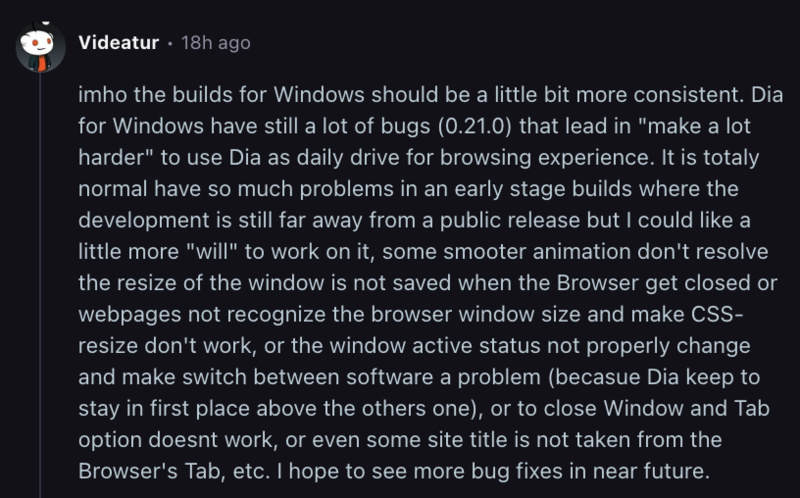
While the weekly progress reports are welcome, some comments on X and Reddit claim that the browser remains difficult to use as a primary one due to various bugs and glitches. Assuming this is true, we need a lot of polish before the final release later this fall, since none of us want this browser to end up like Arc on Windows.

In other Dia news, we recently got confirmation that the company is working on an agentic version of the Dia browser. More on that here.

We stand out from the tech-media crowd because we break news stories; we mainly bring you stuff that you won’t find anywhere in the mainstream tech media. Our stories have been picked up by some of the world’s most popular websites and media outlets—more info is available here.

Sudhanshu K
321 Posts
I have been a consumer technology enthusiast for over 5 years. Thanks to my experience in software beta testing and product reviews, I've understood and learnt a lot about what bugs and issues bother people, and I spend time trying to simplify their solutions. I cover smartphones, software, social media, apps, AI, and most consumer tech gadgets. Actively pursuing a Computer Science bachelor’s degree. I'm mostly active on Twitter/X (@TechWhirlUlt), drop a DM or tag me if you want to share info or connect!
Next article View Article

Dia browser unveils $20 and $100 monthly plans, locking AI features behind paywalls
One of the main reasons people use Dia is the built-in AI features. Soon, they'll no longer be available for free on macOS. Even the basic "Ask Dia...
Aug 18, 2026 3 Min Read