
Orion for Linux is starting to look less like an interesting experiment and more like a browser you could actually keep around.
Kagi has released Orion 0.4.1, the latest beta for its Linux browser, and this update fills in quite a few of the gaps that made the earlier builds feel unfinished. Private browsing now works, there’s a proper download manager, and the browser has picked up several features that Orion users on macOS and iOS have had for a while.
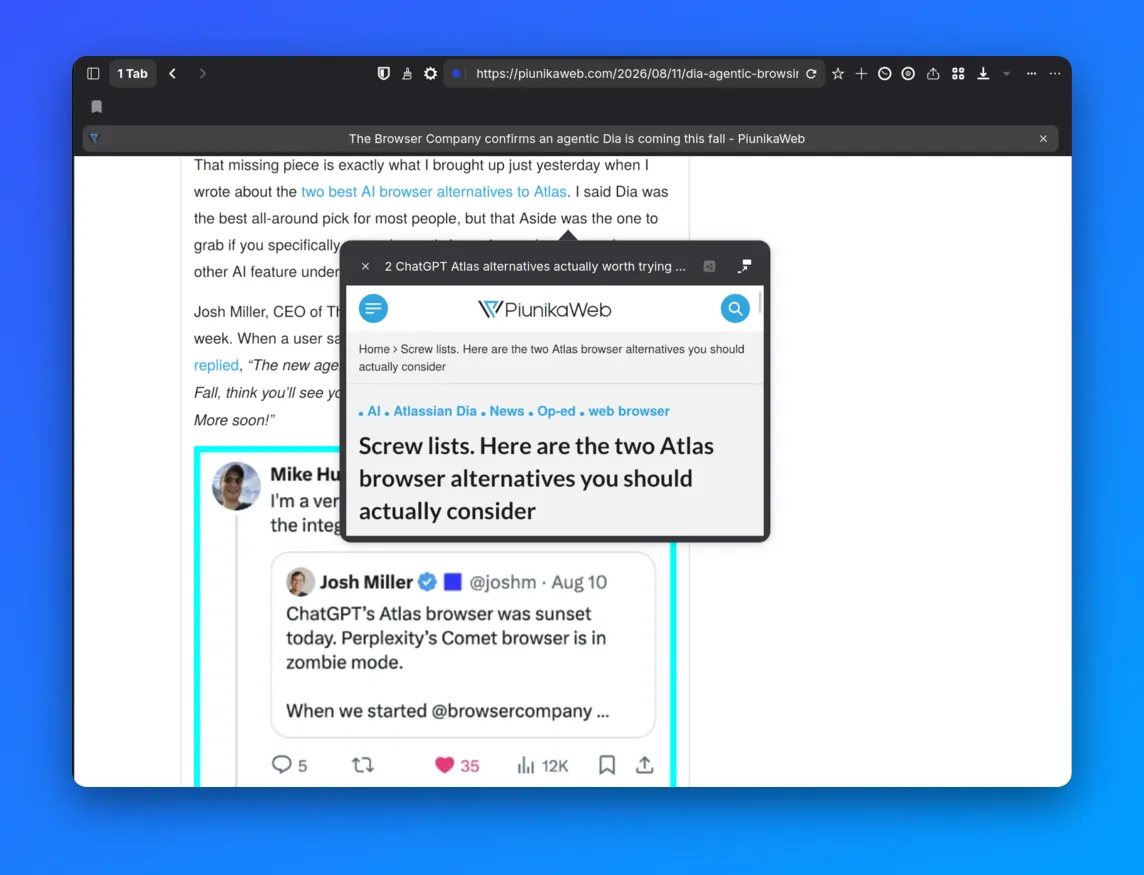
The most noticeable addition is probably link previews, as pointed out by OMG Ubuntu. Right-click a link, and Orion can now show you the page without immediately opening another tab. The Linux version doesn’t have the Shift-click shortcut available on macOS yet, and the preview window can’t be resized, but you can open the page as a normal tab from there.
The update also adds Programmable Buttons, which let users create their own toolbar actions. They can run code or perform actions on webpages and can either stay visible in the toolbar or live inside the overflow menu. Orion also has an editor for creating them, while existing buttons can be imported from a URL.
Sync is a little less sophisticated for now. Orion on macOS and iOS uses iCloud, but Linux doesn’t have that option. Instead, this release lets you export browser data to a file and import it into another Orion installation. Kagi has previously said it plans to build its own cloud sync system, so this looks more like a temporary solution than the final implementation.
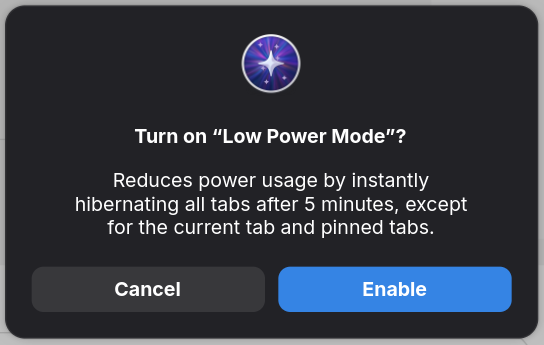
There are plenty of smaller changes tucked into the beta too. Website Settings now work, custom search engines can be added from the address bar, and bookmarks can be imported from Chrome and Firefox. There’s also an option to edit website text, a Low Power Mode that can suspend inactive tabs, more keyboard shortcuts including F5 for reload, and an option to open pages through the Internet Archive.
But not everything necessary is here just yet. Chrome extensions are still not supported, and several of Orion’s more unusual features haven’t been brought over. Furthermore, the browser still feels a bit experimental, and you most likely will run into crashes here and there.
Still, for a browser that only entered public beta testing a few months ago, the latest release shows that the team is steadily working to iron out the bugs and issues, while also bringing over existing features that we see on its Mac counterpart.
You can grab Orion for Linux from the official website or via Flatpak if you have it set up. Just use the following commands:
flatpak remote-add --if-not-exists orion-beta https://flatpak.orionbrowser.com/orion-beta.flatpakrepo
Then:
flatpak install orion-beta com.kagi.Orion
In case you also happen to have a Windows PC, then you can look forward to testing out the browser later this year. We’ve got more details on the Windows project here.


Dwayne Cubbins
3147 Posts
I cover fast-moving stories across apps, online platforms, and everyday tech — phones, wearables, consoles, and whatever else people are fighting with this week. Bugs, rollouts, scams, policy enforcement, and the occasional internet-culture rabbit hole are all fair game. My goal is simple — make confusing tech news readable. When I'm not working, I'm working out or chilling with my dog. Got a tip? You can find me on X @dcubbins.
Next article View Article