A new update on Brave has arrived with a massive changelog. It fixes several Web3 issues and adds functionality to Leo; there are some new features and also bug fixes.
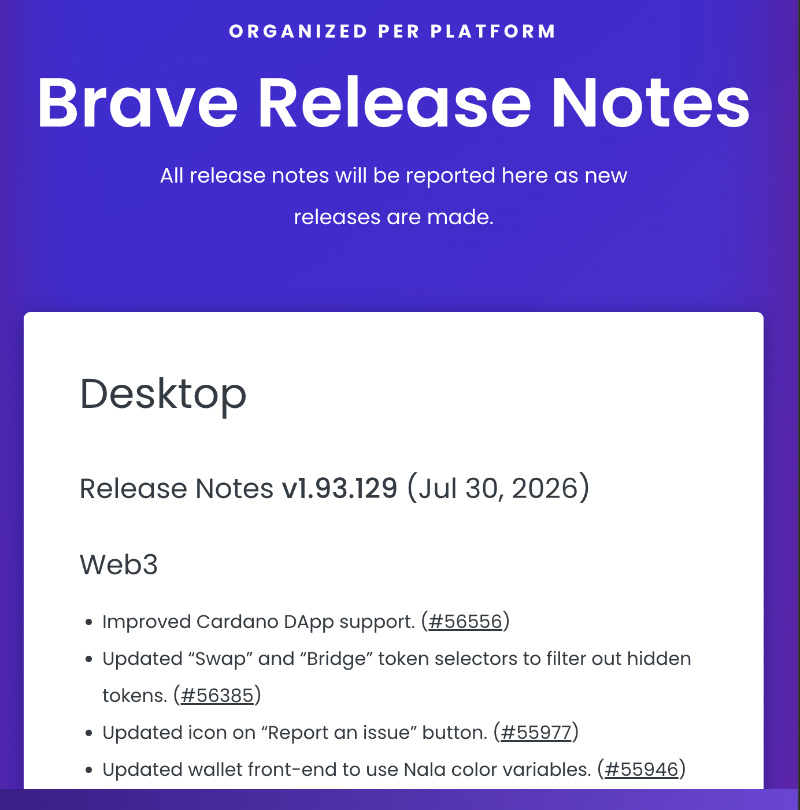
Brave officially posted the full changelog on its Release Notes page, and you can view a snippet of it below. Brave Origin also gets most of these changes, but since it’s a stripped-down version, Origin doesn’t include Leo AI.
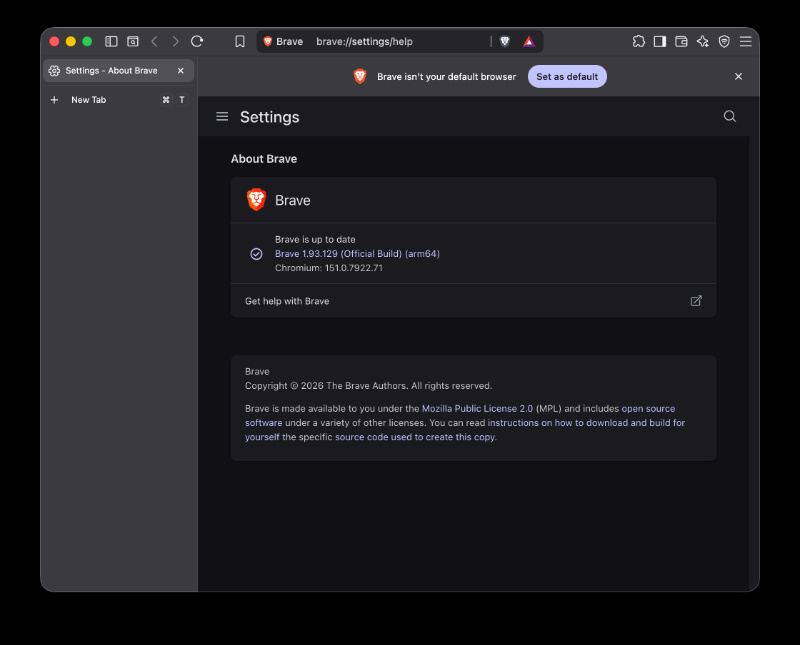
I’ve checked for this update myself, and sure enough, v1.93.129 showed up immediately. To update your browser, go into ‘About Brave’ and it should begin checking for updates automatically.
Here’s a summary of the important changes and features introduced with this update:
- Better support for Cardano apps: Cardano is a cryptocurrency, and Brave’s built-in wallet can now communicate better with websites & apps that use Cardano.
- Cleaner token lists: When you want to swap one crypto for another or move tokens between different blockchains, Brave has refined the experience so that manually hidden ones stay hidden.
- New icon on the “Report an issue” button
- Wallet colors update: Brave’s internal design system (Nala) got a minor update where the wallet’s interface now uses the new colors.
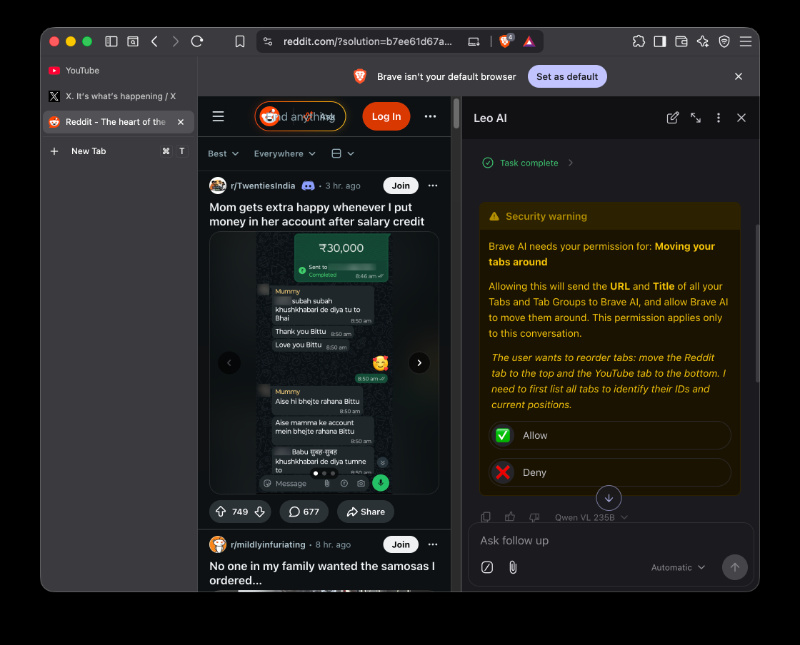
- You can now ask Leo to organize your open tabs for you. It can rearrange tabs, move tabs into different windows, create and manage tabs, or even close tabs. You can just give it a command instead of managing your tabs manually.
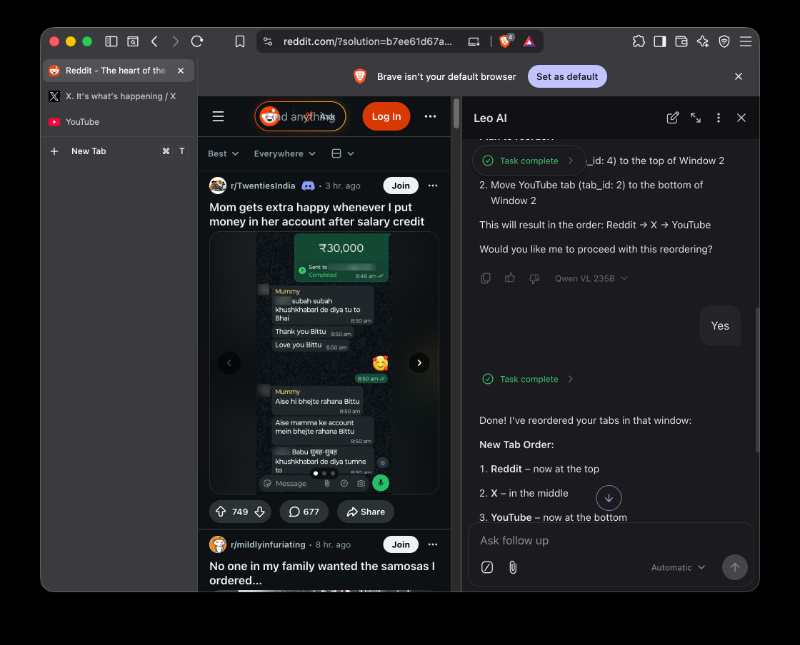
- Leo’s sidebar now stays open even when you switch tabs. Previously, switching to another tab would’ve closed or reset the Leo chat panel. It’s much smoother now if you’re chatting with Leo while browsing through multiple pages.
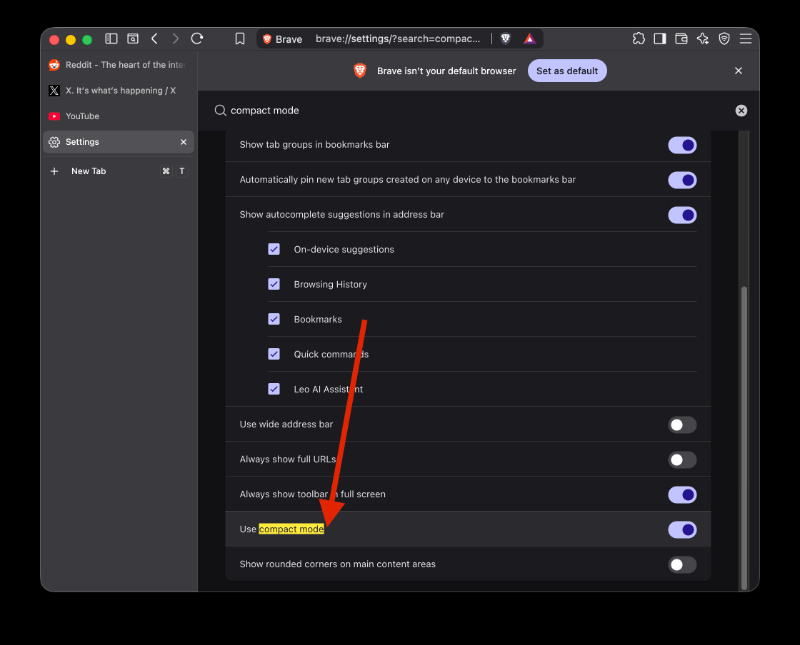
- There’s a new “Compact mode” setting which uses a more space-efficient layout with smaller UI elements. (Under Settings -> Appearance). We previously covered the Compact Mode option back when it was in Nightly.
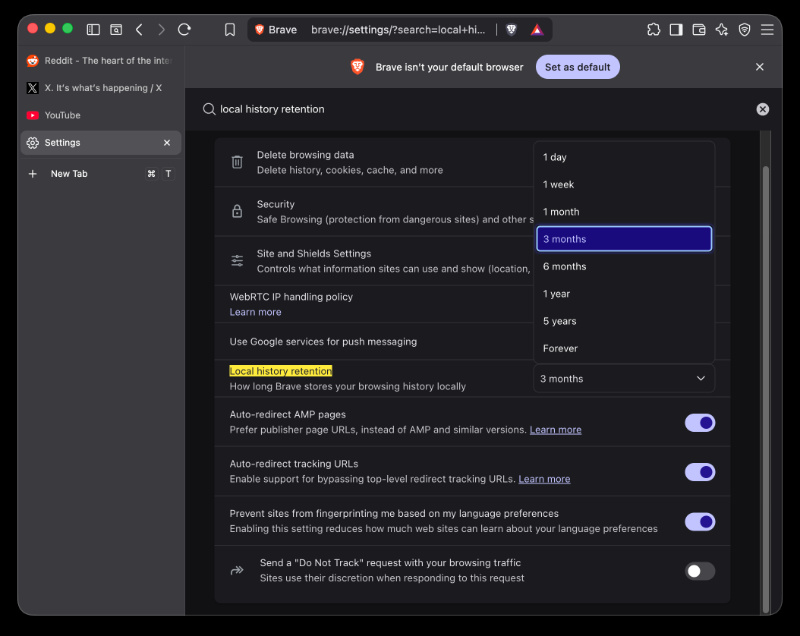
- Brave has also added a new “Local history retention” setting.
- Sidebar behavior is now more independent.
- Minor visual polishes to the icons and sizing.
- Under-the-hood improvements to ad-blocking and better fingerprinting protection.
- Various bug fixes for New Tab page backgrounds, video playback.
- Updated Chromium base, privacy tweaks, and some cleaned-up pages.
While Leo’s tab management system is a decent feature that some may use, I have some reservations about it. You have to specifically grant it permission each time (due to Brave’s privacy-centric approach). Additionally, it takes a lot of time (~5 seconds) to actually perform the re-ordering, and you even have to confirm the new order. I think it’s much faster to just… rearrange the tabs normally without using Leo.
In other Brave news, the company now says that support for extensions on Android is ‘TBD.’ Earlier, they said it wasn’t planned. More on that here.


Sudhanshu K
310 Posts
I have been a consumer technology enthusiast for over 5 years. Thanks to my experience in software beta testing and product reviews, I've understood and learnt a lot about what bugs and issues bother people, and I spend time trying to simplify their solutions. I cover smartphones, software, social media, apps, AI, and most consumer tech gadgets. Actively pursuing a Computer Science bachelor’s degree. I'm mostly active on Twitter/X (@TechWhirlUlt), drop a DM or tag me if you want to share info or connect!
Next article View Article