Google’s push to weave Gemini into Chrome isn’t slowing down, but it looks like the company is also listening to people who would rather keep their browser a little less crowded.
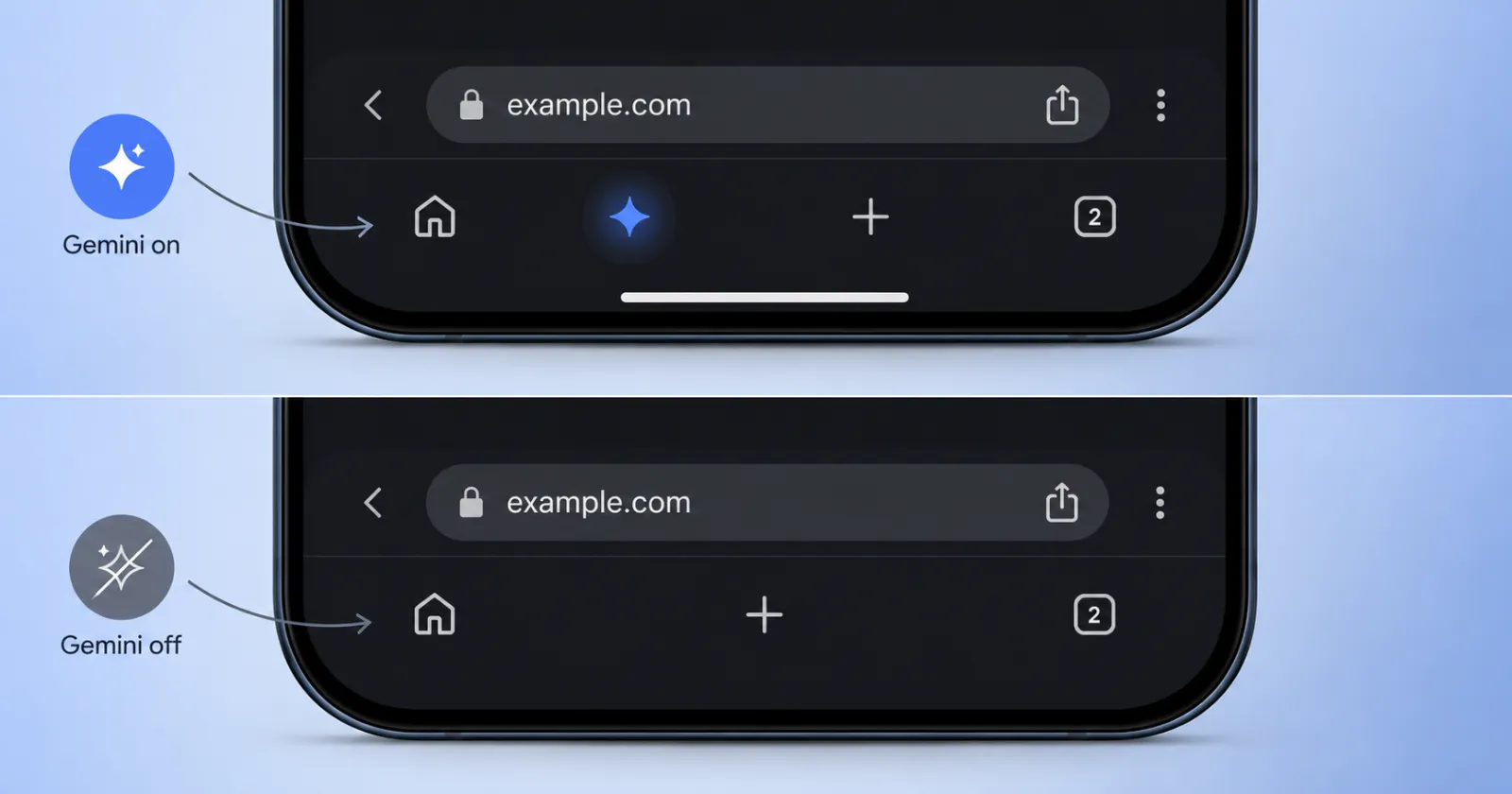
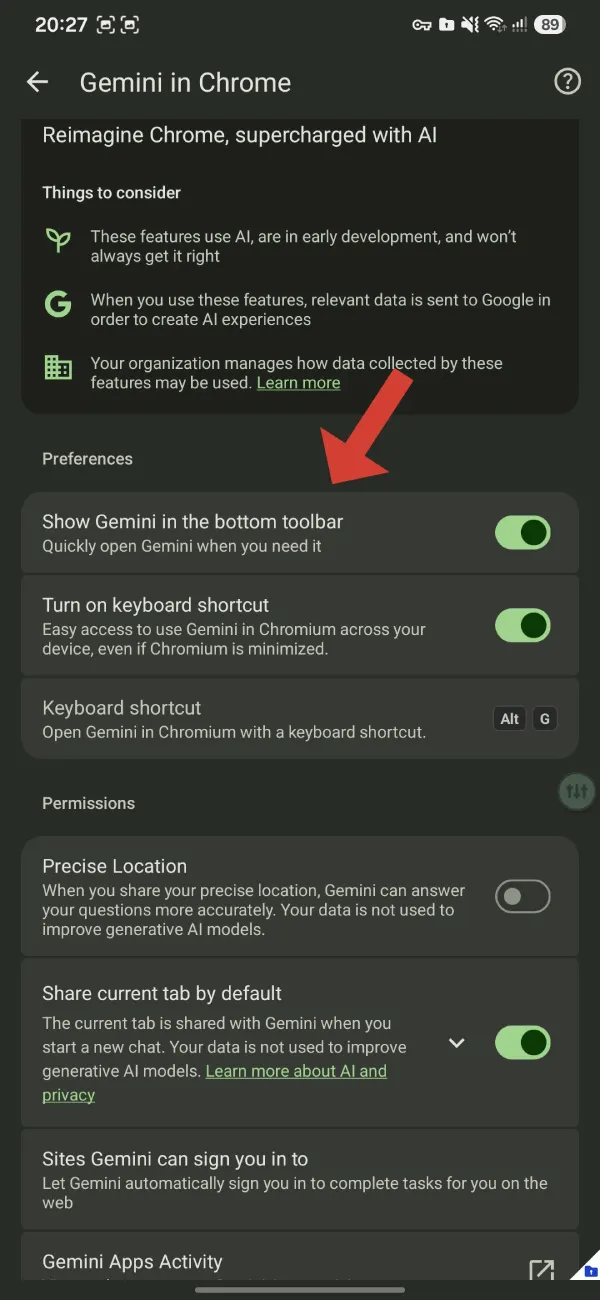
We spotted a post by browser sleuth Leopeva64 showing that Google has added a new option to the Gemini in Chrome settings page in Chrome Canary for Android. The new toggle lets you hide the Gemini button from the redesigned bottom toolbar, giving users a simple way to turn the shortcut off if they don’t plan on using it.
If for whatever reason you don’t like having the Gemini button in Chrome’s new bottom navigation bar, don’t worry, there will be an option to hide it. This new option is already available on the “Gemini in Chrome” settings page in Canary: https://t.co/5j440TEaS7 pic.twitter.com/3sxRcW68Zc
— Leopeva64 (@Leopeva64) July 24, 2026
The setting is called “Show Gemini in the bottom toolbar,” and its description reads, “Quickly open Gemini when you need it.” Turn it off, and the Gemini shortcut disappears from the navigation bar.
This is the same bottom toolbar that Google has been testing as part of its broader Chrome redesign on Android. We covered that interface when it first started rolling out, bringing a dedicated Gemini shortcut alongside the browser’s other navigation controls. If you missed it, you can read more about the redesigned bottom bar in our earlier coverage here.
The new toggle makes sense. Not everyone wants AI features sitting one tap away, especially if they already have the standalone Gemini app installed or simply prefer using Chrome without extra shortcuts. Giving users a choice is usually better than forcing another button into an already busy interface.
That said, we still haven’t been able to try this ourselves. Even with Chrome Canary installed, the Gemini integration hasn’t shown up on our devices yet. Google appears to be rolling it out gradually through server-side updates, so your mileage may vary depending on your account and device.
The settings page also includes a few other Gemini-related controls. Users can decide whether Chrome should automatically share the current tab when starting a Gemini chat, grant precise location access for more accurate responses, and manage websites that Gemini can sign in to on their behalf.
This is just the latest sign that Google wants Gemini to become part of everyday browsing instead of something you launch separately. Just a few days ago, we also spotted Google experimenting with Gemini-powered autofill search in Chrome Canary, where users can search for saved information using natural language to fill out forms.
As with many Chrome Canary features, there’s no guarantee this toggle will make it to the stable release. Still, adding an option to hide the Gemini button suggests Google knows not everyone wants AI front and center every time they open their browser.


Dwayne Cubbins
3123 Posts
I cover fast-moving stories across apps, online platforms, and everyday tech — phones, wearables, consoles, and whatever else people are fighting with this week. Bugs, rollouts, scams, policy enforcement, and the occasional internet-culture rabbit hole are all fair game. My goal is simple — make confusing tech news readable. When I'm not working, I'm working out or chilling with my dog. Got a tip? You can find me on X @dcubbins.
Next article View Article